How to Set Up Call Forwarding (2026): Complete Guide for Any Phone
Learn how to set up call forwarding on any phone. Step-by-step guide for iPhone, Android with dial codes for Verizon, AT&T, T-Mobile. Includes conditional forwarding.
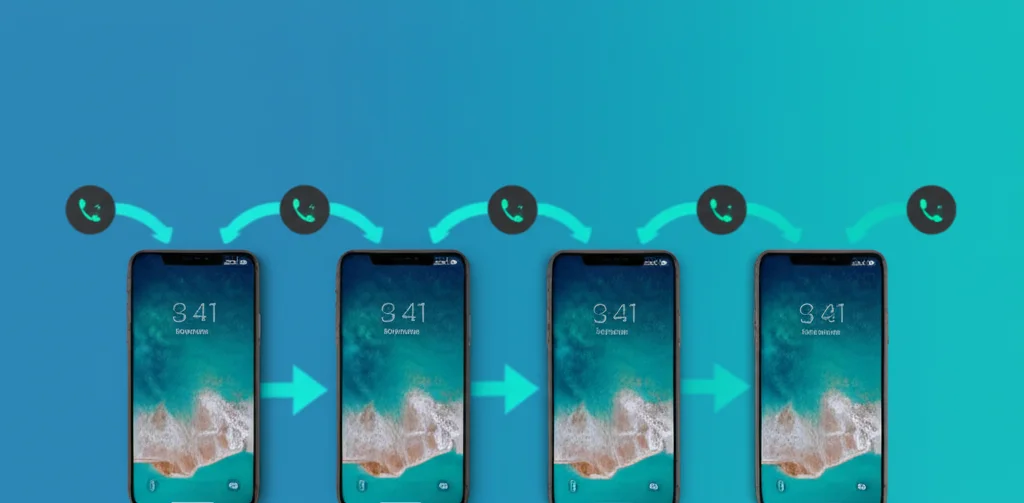
Want to know how to set up call forwarding? This guide shows you exactly how to forward calls on any phone - iPhone, Android, or landline. We cover all major US carriers including Verizon, AT&T, and T-Mobile with step-by-step instructions and dial codes that work in 2026.
Table of Contents
Quick Start: Set Up Call Forwarding in 30 Seconds
Here's the fastest way to forward calls on any phone:
Verizon
Dial from your phone:
*72 + numberExample: *725551234567
AT&T / T-Mobile
Dial from your phone:
*21*number#Example: *21*5551234567#
Important
After dialing, wait for a confirmation tone (usually 2-3 seconds) before hanging up. This confirms call forwarding is now active.
How to Set Up Call Forwarding on iPhone
There are two ways to set up call forwarding on iPhone: through Settings (AT&T, T-Mobile) or using dial codes (all carriers including Verizon).
Method 1: iPhone Settings (AT&T & T-Mobile)
- Open Settings on your iPhone
- Tap Phone (or Apps → Phone on iOS 18+)
- Tap Call Forwarding
- Toggle Call Forwarding to ON (green)
- Tap Forward To
- Enter the 10-digit phone number
- Tap Back - forwarding is now active
Verizon Users
Verizon iPhones don't show the Call Forwarding option in Settings due to CDMA technology. Use the dial code method below instead.
Method 2: Dial Codes (All Carriers)
- Open the Phone app
- Tap the Keypad tab
- Enter the appropriate code for your carrier:
- Verizon:
*72+ forwarding number - AT&T:
*21*+ forwarding number +# - T-Mobile:
**21*+ forwarding number +#
- Verizon:
- Tap the green Call button
- Wait for the confirmation tone, then hang up
iOS 18 Note: Live Voicemail Conflict
iOS 18 enables "Live Voicemail" by default, which can intercept calls before they forward. To disable:
- Go to Settings → Phone (or Apps → Phone)
- Tap Live Voicemail
- Toggle it OFF
How to Set Up Call Forwarding on Android
Android phones offer more flexibility than iPhone for call forwarding. You can set up different forwarding rules for different scenarios (busy, no answer, unreachable).
Samsung Galaxy (One UI)
- Open the Phone app
- Tap the three-dot menu (⋮) → Settings
- Tap Supplementary services
- Tap Call forwarding
- Choose a forwarding type:
- Always forward - all calls
- Forward when busy - when on another call
- Forward when unanswered - after rings timeout
- Forward when unreachable - phone off/no signal
- Enter the forwarding number and tap Enable
Google Pixel
- Open the Phone app
- Tap three-dot menu (⋮) → Settings
- Tap Calling accounts
- Select your carrier/SIM
- Tap Call forwarding
- Select forwarding type and enter the number
Using Dial Codes (Any Android)
The fastest method works on any Android phone:
- Open the Phone app
- Dial the code for your carrier (see table below)
- Press Call
- Wait for confirmation
Call Forwarding Codes by Carrier
| Carrier | Activate (All Calls) | Deactivate |
|---|---|---|
| Verizon | *72[number] | *73 |
| AT&T | *21*[number]# | ##21# or *73 |
| T-Mobile | **21*[number]# | ##21# |
| US Cellular | *72[number] | *720 |
Conditional Forwarding Codes (GSM Carriers)
These codes work on AT&T, T-Mobile, and most international carriers:
| Condition | Activate | Deactivate | Check Status |
|---|---|---|---|
| All Calls | **21*[number]# | ##21# | *#21# |
| When Busy | **67*[number]# | ##67# | *#67# |
| No Answer | **61*[number]# | ##61# | *#61# |
| Unreachable | **62*[number]# | ##62# | *#62# |
| All Conditional | **004*[number]# | ##004# | *#004# |
Types of Call Forwarding Explained
Understanding the difference between unconditional and conditionalcall forwarding helps you choose the right option:
Unconditional (Immediate)
All calls forward immediately. Your phone never rings.
Best for:
- Vacations or extended leave
- Temporarily handing off all calls
- When your phone is broken
Conditional (Selective)
Calls forward only when you can't answer. Phone rings first.
Best for:
- Backup when busy or unavailable
- Forwarding to voicemail alternatives
- Business hours coverage
Conditional Forwarding Types
Forward When Busy
Forwards when you're already on another call. Prevents callers from getting a busy signal.
Forward When Unanswered
Forwards after a set number of rings (usually 15-20 seconds) if you don't pick up.
Forward When Unreachable
Forwards when your phone is off, in airplane mode, or has no cellular signal.
How to Check If Call Forwarding Is Active
Use these codes to check your current forwarding status:
| What to Check | Dial Code |
|---|---|
| Immediate forwarding status | *#21# |
| Busy forwarding status | *#67# |
| No-answer forwarding status | *#61# |
| Unreachable forwarding status | *#62# |
| All conditional forwarding | *#004# |
How to Disable Call Forwarding
To turn off call forwarding, use the appropriate method for your device:
Cancel ALL Forwarding (Universal)
Dial this code to disable all types of forwarding:
##002#Works on AT&T, T-Mobile, and most GSM carriers
Carrier-Specific Deactivation
- Verizon: Dial
*73and press Call - AT&T: Dial
##21#or*73 - T-Mobile: Dial
##21#
Via Phone Settings
iPhone: Settings → Phone → Call Forwarding → Toggle OFF
Android: Phone app → Settings → Call forwarding → Disable each type
Troubleshooting Call Forwarding
Call forwarding won't activate
- Make sure you're entering a valid 10-digit US phone number
- Don't include the country code (+1) unless required by the code format
- Ensure you're within cellular network range when activating
- Try the alternative code for your carrier (*72 vs *21*)
- Contact your carrier to verify the feature is enabled on your account
iPhone doesn't show Call Forwarding option
- Verizon users: This is normal - use dial codes (*72) instead
- Update carrier settings: Settings → General → About (wait for prompt)
- Restart your iPhone after any iOS update
- Check if your carrier plan includes call forwarding
Calls aren't forwarding properly
- Verify the forwarding number is correct with
*#21# - On iPhone, disable Live Voicemail (Settings → Phone → Live Voicemail → OFF)
- Check if you have unconditional or conditional forwarding set up
- Try canceling all forwarding with
##002#and setting up again
Can't forward to certain numbers
- International numbers: Most US carriers don't allow forwarding to international numbers
- Toll-free numbers: Some carriers block forwarding to 800/888 numbers
- Short codes: You cannot forward to 5-digit short codes
Need a Second Number to Forward To?
Get a virtual phone number from BubblyPhone as your forwarding destination. Includes voicemail transcription, call recording, and works on any device.
Get Your Number Free →Frequently Asked Questions
How do I set up call forwarding on my phone?
The fastest way is to use dial codes. For Verizon, dial *72 followed by the forwarding number. For AT&T and T-Mobile, dial *21* followed by the number, then #. Alternatively, go to your phone's Settings → Phone → Call Forwarding (iPhone) or Phone app → Settings → Call Forwarding (Android).
Is call forwarding free?
The call forwarding feature itself is usually free on most carrier plans. However, forwarded calls may use your plan's minutes (if you don't have unlimited), and you may be charged for the forwarded portion at your regular calling rate. Check with your carrier for specifics.
Will my phone ring when call forwarding is on?
It depends on the type. With unconditional forwarding (all calls), your phone won't ring - calls go straight to the forwarded number. With conditional forwarding(busy/no answer/unreachable), your phone rings first and only forwards if you don't answer.
Can I forward calls to an international number?
Most US carriers (Verizon, AT&T, T-Mobile) do not allow call forwarding to international numbers. The forwarding destination must be a US phone number. For international forwarding, consider using a VoIP service instead.
How do I turn off call forwarding?
The universal code to cancel all forwarding is ##002# (works on AT&T, T-Mobile). For Verizon, dial *73. You can also go to Settings → Phone → Call Forwarding and toggle it OFF on iPhone, or Phone app → Settings → Call Forwarding → Disable on Android.
Does call forwarding work when my phone is off?
Yes, if you set up unconditional call forwarding (*72 or *21*), calls will forward even when your phone is off because the carrier handles the forwarding at the network level. Conditional "unreachable" forwarding (*62*) also works when your phone is off.
Related Resources
Call Forwarding Codes (Complete List)
All codes for every US carrier
Call Forwarding on iPhone
Detailed iPhone-specific guide
Call Forwarding on Android
Samsung, Pixel & more setup guide
Stop Call Forwarding
How to disable forwarding on all devices
Verizon Call Forwarding Codes
Quick reference: *72, *73, *71, *90-*93
Verizon Call Forwarding (Full Guide)
Complete guide with iPhone, Android, My Verizon app
T-Mobile Call Forwarding
Complete guide with **21*, ##21# codes
What is Call Forwarding?
Complete guide explaining how it works
Samsung Galaxy Call Forwarding
Complete guide for Galaxy S25, S24, A series
Conditional Call Forwarding
Forward only when busy, no answer, or unreachable