Call Forwarding Codes 2026: *72, *73, *21# — Full List for Every US Carrier
Verizon *72, AT&T/T-Mobile *21*number#, US Cellular *72, universal ##002# to disable. Activate, deactivate, and check status. Plus conditional forwarding (*71, *67, *61, *62) and what each code actually does.
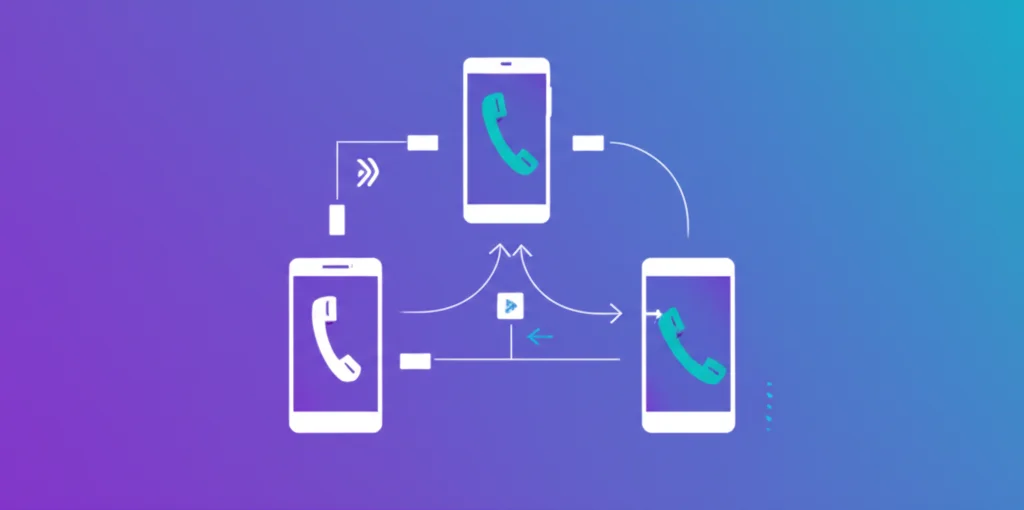
The codes, by carrier
| Carrier | Activate | Deactivate |
|---|---|---|
| Verizon | *72 + number | *73 |
| AT&T | *21*number# | #21# |
| T-Mobile | *21*number# | ##21# |
| US Cellular | *72 + number | *73 |
| Disable all (any carrier) | ##002# | |
Press Call after dialing. To check what's currently forwarded: *#21#.
What does *72 actually do?
*72 turns on unconditional call forwarding on Verizon and US Cellular — every incoming call goes straight to the number you specify, your phone never rings. To set it, dial *72 immediately followed by the 10-digit forwarding number, then press Call (no spaces, no plus sign, no dashes). You should hear a confirmation tone. To turn it off, dial *73.
Table of Contents
What is Call Forwarding?
Call forwarding (also called call diversion) automatically redirects incoming calls from one phone number to another. This is useful when you:
- Want calls to ring on a different phone
- Are traveling and need calls sent to a local number
- Use a virtual phone number for business
- Need a temporary redirect during vacations
- Want to route calls to voicemail or an answering service
There are two ways to set up call forwarding: using dial codes (USSD codes) directly from your phone's dialer, or through your phone's settings menu. This guide focuses on the dial codes since they work universally and are faster to use.
US Carrier Call Forwarding Codes
Verizon Call Forwarding Codes
| Action | Code |
|---|---|
| Activate (all calls) | *72 + 10-digit number |
| Deactivate (all calls) | *73 |
| Forward when busy (on) | *90 |
| Forward when busy (off) | *91 |
| Forward when no answer (on) | *92 |
| Forward when no answer (off) | *93 |
Example: To forward all calls to 555-123-4567, dial *725551234567 and press Call.
AT&T Call Forwarding Codes
| Action | Code |
|---|---|
| Activate (all calls) | *21*number# |
| Deactivate (all calls) | #21# |
| Check forwarding status | *#21# |
Example: To forward all calls to 555-123-4567, dial *21*5551234567# and press Call.
T-Mobile Call Forwarding Codes
| Action | Code |
|---|---|
| Activate (all calls) | *21*number# |
| Deactivate (all calls) | ##21# or #21# |
| Check forwarding status | *#21# |
| Disable all forwarding | ##002# |
Note: Mint Mobile and Metro by T-Mobile use the same codes as T-Mobile since they operate on T-Mobile's network.
US Cellular Call Forwarding Codes
| Action | Code |
|---|---|
| Activate (all calls) | *72 + 1 + 10-digit number |
| Deactivate (all calls) | *720 |
Google Fi Call Forwarding
Google Fi does not support dial codes for call forwarding. You must use the Google Fi app or website:
- Open the Google Fi app
- Go to Account tab
- Scroll to "Call forwarding"
- Enter the 10-digit forwarding number
- Toggle the switch to enable/disable
Need a Virtual Number for Call Forwarding?
Get a BubblyPhone virtual number and forward calls anywhere. Works with any carrier.
Get Your Number →Universal GSM Call Forwarding Codes
These codes work on most GSM networks worldwide (including AT&T, T-Mobile, and most international carriers):
| Code | Function |
|---|---|
| **21*number# | Forward ALL calls |
| **61*number# | Forward when NO ANSWER |
| **62*number# | Forward when UNREACHABLE (phone off) |
| **67*number# | Forward when BUSY |
| ##002# | DISABLE ALL forwarding (universal reset) |
Check Status Codes
| Code | Checks |
|---|---|
| *#21# | All calls forwarding status |
| *#61# | No answer forwarding status |
| *#62# | Unreachable forwarding status |
| *#67# | Busy forwarding status |
Deactivate Codes
| Code | Deactivates |
|---|---|
| ##21# | All calls forwarding |
| ##61# | No answer forwarding |
| ##62# | Unreachable forwarding |
| ##67# | Busy forwarding |
UK Carrier Call Forwarding Codes
UK carriers primarily use standard GSM codes. Here's a quick reference:
| Carrier | Activate | Deactivate |
|---|---|---|
| EE | Call 150, option 1→2→4→1 | Call 150, option 1→2→4→2 |
| Vodafone UK | **21*number# or app | ##21# or ##002# |
| O2 | **21*number# | ##21# or ##002# |
| Three | **21*number# | ##21# or ##002# |
For more details on calling the UK, see our UK Country Code guide.
India Carrier Call Forwarding Codes
Indian carriers have their own unique codes:
Jio Call Forwarding Codes
| Action | Activate | Deactivate |
|---|---|---|
| All calls | *401*number | *402 |
| When no answer | *403*number | *404 |
| When busy | *405*number | *406 |
| When unreachable | *409*number | *410 |
| Disable ALL | - | *413 |
Airtel Call Forwarding Codes
| Action | Activate | Deactivate |
|---|---|---|
| All calls | **21*number# | ##21# |
| When no answer | **61*number# | ##61# |
| When busy | **67*number# | ##67# |
| When unreachable | **62*number# | ##62# |
| Disable ALL | - | ##002# |
Vi (Vodafone Idea) Call Forwarding Codes
Vi uses standard GSM codes: **21*number# to activate and ##002# to deactivate all forwarding.
For more details on calling India, see our India Country Code guide or How to Call India from USA.
Call Forwarding on iPhone & Android
iPhone Settings Method
- Open Settings
- Tap Phone
- Tap Call Forwarding
- Toggle Call Forwarding ON
- Enter the forwarding number
Note: iPhone only shows unconditional (all calls) forwarding in Settings. For conditional forwarding (busy, no answer, unreachable), use the dial codes listed above.
Android Settings Method
- Open the Phone app
- Tap the three-dot menu (⋮)
- Go to Settings
- Tap Supplementary Services or Call Forwarding
- Choose the forwarding type:
- Always forward
- When busy
- When unanswered
- When unreachable
- Enter the forwarding number
Conditional vs. Unconditional Call Forwarding
Understanding the difference helps you choose the right setup:
| Type | When It Activates | Use Case |
|---|---|---|
| Unconditional (All) | Every incoming call | Vacation, temporary redirect |
| Busy | When you're on another call | Business lines, call overflow |
| No Answer | After X seconds of ringing | Voicemail, backup phone |
| Unreachable | Phone off or no signal | Ensure no missed calls |
Troubleshooting Call Forwarding
Code Not Working?
- Wrong carrier code: Verizon uses *72, AT&T/T-Mobile use *21*. Try both.
- Missing country code: For international numbers, include + and country code
- Feature not enabled: Some prepaid plans don't include call forwarding
- Network issue: Wait for confirmation tone, then hang up
Can't Turn Off Forwarding?
- Try the universal reset: ##002#
- Check each type individually with status codes (*#21#, *#61#, *#62#, *#67#)
- Use your phone's Settings app instead of dial codes
- Contact your carrier's customer support
Security Warning: Never dial call forwarding codes when instructed by unknown callers. Scammers use social engineering to redirect your calls to intercept bank verification codes. If you suspect unauthorized forwarding, immediately dial ##002# to disable all forwarding.
Make International Calls Without Forwarding
With BubblyPhone, call any phone number worldwide from $0.02/min. No forwarding setup needed.
Try BubblyPhone Free →Frequently Asked Questions
What is the universal code to turn off call forwarding?
The code ##002# is a universal code that disables all call forwarding on most GSM networks worldwide. This works on AT&T, T-Mobile, and most international carriers.
How do I check if call forwarding is active on my phone?
Dial *#21# to check if unconditional call forwarding is active. For conditional forwarding, use *#61# (no answer), *#62# (unreachable), or *#67# (busy).
What is the call forwarding code for Verizon?
For Verizon, dial *72 followed by the 10-digit forwarding number to activate call forwarding. To deactivate, dial *73.
What is the call forwarding code for AT&T?
For AT&T, dial *21* followed by the forwarding number and # (example: *21*1234567890#). To deactivate, dial #21#.
What is the call forwarding code for T-Mobile?
For T-Mobile, dial *21* followed by the forwarding number and # (example: *21*1234567890#). To deactivate, dial ##21# or #21#.
Quick Reference: All Codes Summary
| Carrier | Activate All | Deactivate All |
|---|---|---|
| Verizon | *72 + number | *73 |
| AT&T | *21*number# | #21# |
| T-Mobile | *21*number# | ##21# |
| US Cellular | *72 + number | *720 |
| GSM (Universal) | **21*number# | ##002# |
| Jio (India) | *401*number | *413 |
Forwarding a US number to a phone abroad? Carrier *72 forwarding stops at the border or bills international rates per minute. A US virtual number forwarded to an international mobile does the same job without touching carrier codes.
Looking for call barring instead? Barring blocks categories of calls (all outgoing, international, incoming) rather than redirecting them — different codes (*33#, *35#) and a separate network password. See call barring meaning and how to turn it off.
Related Resources
Call Forwarding on iPhone
iPhone-specific forwarding guide with Settings and codes
How to Set Up Call Forwarding
Complete setup guide for all phones and carriers
Call Forwarding on Android
Samsung, Pixel, OnePlus & more setup guide
AT&T Call Forwarding
Complete AT&T guide with *21*, *72 codes
Stop Call Forwarding
Quick guide to disable forwarding and check for unauthorized access
Stop Call Forwarding on Android
Samsung Galaxy & Google Pixel specific guide
Verizon Call Forwarding
Complete Verizon guide with *72, *73, *71 codes
Verizon Call Forwarding Codes
Quick code reference: *72, *73, *71, *90-*93
T-Mobile Call Forwarding
Complete guide with **21*, ##21# codes
What is Call Forwarding?
Complete guide explaining how it works
Samsung Galaxy Call Forwarding
Complete guide for Galaxy S25, S24, A series
Conditional Call Forwarding
Forward only when busy, no answer, or unreachable
Professional Voicemail Greetings
30+ scripts for business voicemail