How to Set Up Call Forwarding on iPhone (2026): Complete Guide
Learn how to forward calls on iPhone using Settings app or dial codes. Step-by-step guide for Verizon, AT&T, T-Mobile with troubleshooting tips.
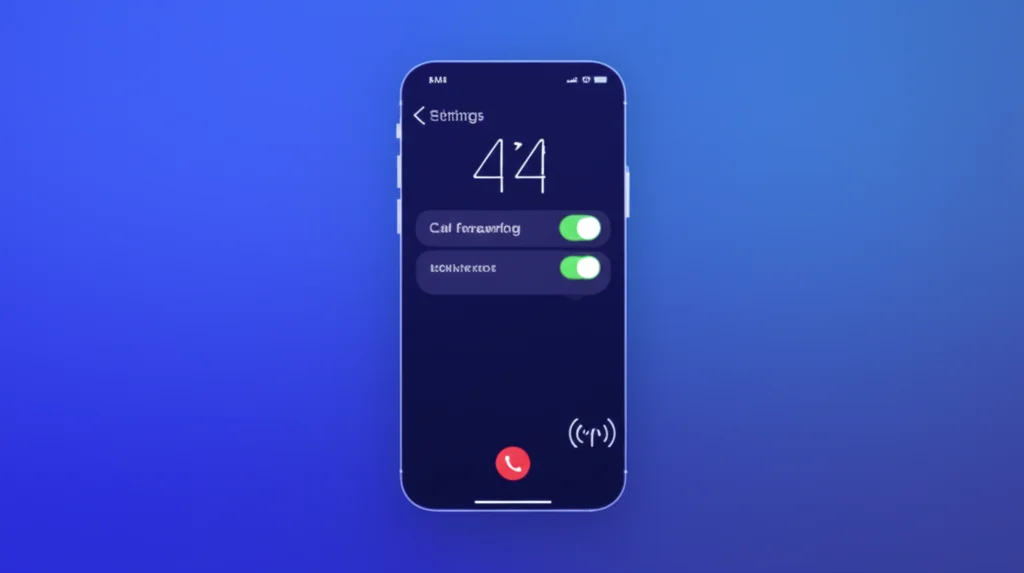
Need to forward calls on your iPhone to another number? Whether you're traveling, using a work phone, or want calls to go to voicemail, this guide shows you exactly how to set up call forwarding on iPhone using both the Settings app and dial codes for every carrier. These steps follow Apple's official call forwarding guide.
Quick Answer - iPhone Call Forwarding:
Go to Settings → Phone → Call Forwarding → Toggle ON → Enter the forwarding number.
Don't see Call Forwarding in Settings? Verizon and some CDMA carriers require dial codes instead. Dial *72 + the number.
Table of Contents
Method 1: iPhone Settings App
The easiest way to set up call forwarding on iPhone is through the Settings app. This method works on GSM carriers like AT&T, T-Mobile, Mint Mobile, and most international carriers.
Step-by-Step Instructions:
- Open the Settings app on your iPhone
- Scroll down and tap Phone
- Tap Call Forwarding
- Toggle Call Forwarding to ON (green)
- Tap Forward To
- Enter the 10-digit phone number to forward calls to
- Tap the back arrow to save
When call forwarding is active, you'll see a small phone icon with an arrow in your iPhone's status bar.
Note: If you don't see "Call Forwarding" in your Phone settings, your carrier may not support this method. Verizon and US Cellular users should use dial codes instead (see Method 2).
Method 2: Dial Codes (All Carriers)
Dial codes work on all iPhone carriers, including Verizon and CDMA networks where the Settings method isn't available.
Universal GSM Codes
| Action | Code | Example |
|---|---|---|
| Forward all calls | *21*[number]# | *21*5551234567# |
| Forward when no answer | *61*[number]# | *61*5551234567# |
| Forward when busy | *67*[number]# | *67*5551234567# |
| Forward when unreachable | *62*[number]# | *62*5551234567# |
How to use: Open the Phone app, dial the code with your forwarding number, and tap Call. Wait for a confirmation tone or message.
Verizon iPhone Call Forwarding
Verizon iPhones typically don't show the Call Forwarding option in Settings. You must use dial codes instead.
| Action | Verizon Code |
|---|---|
| Forward all calls ON | *72 + 10-digit number |
| Forward all calls OFF | *73 |
| Forward when busy/no answer ON | *71 + 10-digit number |
| Forward when busy/no answer OFF | *73 |
Example: To forward all calls to 555-123-4567, dial *725551234567 and tap Call.
AT&T iPhone Call Forwarding
AT&T iPhones support both methods: Settings app and dial codes.
Option 1: Settings App
Go to Settings → Phone → Call Forwarding → Toggle ON → Enter number.
Option 2: Dial Codes
| Action | AT&T Code |
|---|---|
| Forward all calls ON | *21*[number]# |
| Forward all calls OFF | #21# |
| Check forwarding status | *#21# |
T-Mobile iPhone Call Forwarding
T-Mobile iPhones support the Settings app method. Mint Mobile and Metro by T-Mobile use the same codes.
Option 1: Settings App
Go to Settings → Phone → Call Forwarding → Toggle ON → Enter number.
Option 2: Dial Codes
| Action | T-Mobile Code |
|---|---|
| Forward all calls ON | **21*[number]# |
| Forward all calls OFF | ##21# |
| Disable ALL forwarding | ##002# |
Need a Second Number to Forward To?
Get a BubblyPhone virtual number for $2.99/month. Works with any carrier's call forwarding.
Get Your Number →Conditional Call Forwarding on iPhone
Conditional call forwarding only forwards calls in specific situations, rather than forwarding all calls immediately. This is useful for:
- When you don't answer: Calls go to another number after ringing
- When your line is busy: Callers reach another number instead of voicemail
- When your phone is off or unreachable: Calls still get through
| Condition | Activate Code | Deactivate Code |
|---|---|---|
| No answer (after ringing) | *61*[number]# | ##61# |
| Line busy | *67*[number]# | ##67# |
| Phone unreachable/off | *62*[number]# | ##62# |
| All conditional | *004*[number]# | ##004# |
Note: The iPhone Settings app only controls unconditional (all calls) forwarding. For conditional forwarding, you must use dial codes.
Check If Call Forwarding Is Active
Use these codes to check your current forwarding status:
| Code | Checks |
|---|---|
| *#21# | All calls forwarding status |
| *#61# | No-answer forwarding status |
| *#62# | Unreachable forwarding status |
| *#67# | Busy forwarding status |
Dial the code and tap Call. Your iPhone will display the forwarding status and the number calls are being forwarded to.
Turn Off Call Forwarding on iPhone
Method 1: Settings App
- Go to Settings → Phone → Call Forwarding
- Toggle Call Forwarding to OFF
Method 2: Dial Codes
| Carrier | Deactivate Code |
|---|---|
| Universal (all carriers) | ##002# |
| Verizon | *73 |
| AT&T | #21# |
| T-Mobile | ##21# |
For a complete guide on turning off forwarding, see our Deactivate Call Forwarding guide.
Troubleshooting iPhone Call Forwarding
Call Forwarding Not Showing in Settings?
If you don't see the Call Forwarding option:
- Check your carrier: Verizon and US Cellular don't support the Settings method. Use *72 codes instead.
- Update carrier settings: Go to Settings → General → About. If an update is available, you'll be prompted to install it.
- Disable Live Voicemail: On Verizon, Live Voicemail can interfere with call forwarding. Disable it in the Phone app settings.
- Restart your iPhone: Power off, wait 30 seconds, power on.
- Reset network settings: Settings → General → Transfer or Reset → Reset → Reset Network Settings.
- Contact your carrier: Some plans don't include call forwarding. Call customer support to verify.
Call Forwarding Not Working?
- Wrong number format: Use 10 digits only (no +1 or dashes)
- International numbers: Most carriers don't allow forwarding to international numbers
- Try dial codes: If Settings doesn't work, use *72 (Verizon) or *21* (AT&T/T-Mobile)
- Toggle airplane mode: Turn on, wait 10 seconds, turn off to reset network
Security Tip:
Never set up call forwarding when instructed by unknown callers. Scammers use this to intercept your calls and verification codes. If you suspect unauthorized forwarding, dial *#21# to check status or ##002# to disable all forwarding.
Make International Calls from iPhone
With BubblyPhone, call any phone number worldwide from $0.02/min. No forwarding setup needed.
Try BubblyPhone Free →Frequently Asked Questions
How do I forward calls on my iPhone?
Go to Settings → Phone → Call Forwarding, toggle it ON, and enter the number to forward to. If your carrier doesn't show this option (like Verizon), dial *72 followed by the 10-digit number instead.
Why is call forwarding not showing on my iPhone?
CDMA carriers like Verizon don't support the Settings app method. Use dial codes instead: *72 to activate and *73 to deactivate. Also check for carrier settings updates and try disabling Live Voicemail.
What is the iPhone call forwarding code?
The most common codes are: *72 + number (Verizon), *21*number# (AT&T/T-Mobile), ##002# to disable all forwarding. These work on any iPhone regardless of model.
Can I forward calls to an international number?
Most US carriers do not allow call forwarding to international numbers. You can only forward to 10-digit or 11-digit US/Canadian numbers. For international forwarding, consider a VoIP service like BubblyPhone.
How do I turn off call forwarding on iPhone?
Go to Settings → Phone → Call Forwarding and toggle OFF. Or dial ##002# (universal code), *73 (Verizon), or #21# (AT&T) to disable forwarding via dial codes.
Related Resources
Call Forwarding Codes (All Carriers)
Complete guide for Verizon, AT&T, T-Mobile, and more
Deactivate Call Forwarding
Turn off forwarding with ##002# and carrier codes
AT&T Call Forwarding
Complete AT&T guide with *21*, *72 codes
Call Forwarding on Android
Samsung, Pixel, OnePlus setup guide
Stop Call Forwarding
Quick guide to disable forwarding and check for unauthorized access
Stop Call Forwarding on Android
Samsung Galaxy & Google Pixel specific guide
Verizon Call Forwarding
Complete Verizon guide with *72, *73 codes
Forward Text Messages
How to forward texts on iPhone and Android
Record Phone Calls iPhone
How to record calls with iOS 18