How to Top Up BubblyPhone: Web, iOS, and Android Guide
Table of Contents
- Follow the payment sequence
- Match the method to the situation
- Make the choice before the failure
- Check the account, then the device
- Understand what your balance buys
- Use the status before the solution
- Size the balance to the call
- Separate completed payments from pending ones
- Respond quickly to unauthorized activity
You need to call family or a client abroad, but your BubblyPhone balance is empty. Open your dashboard, choose a top-up amount of at least $5, pay by card, PayPal, Apple Pay, or Google Pay, and confirm that the balance has appeared before you dial.
The same account works across the web, iOS, and Android, so you can add credit on one device and place the call on another. The important part is verifying the payment status and synced balance, rather than assuming a payment has completed because your bank app shows an authorization.
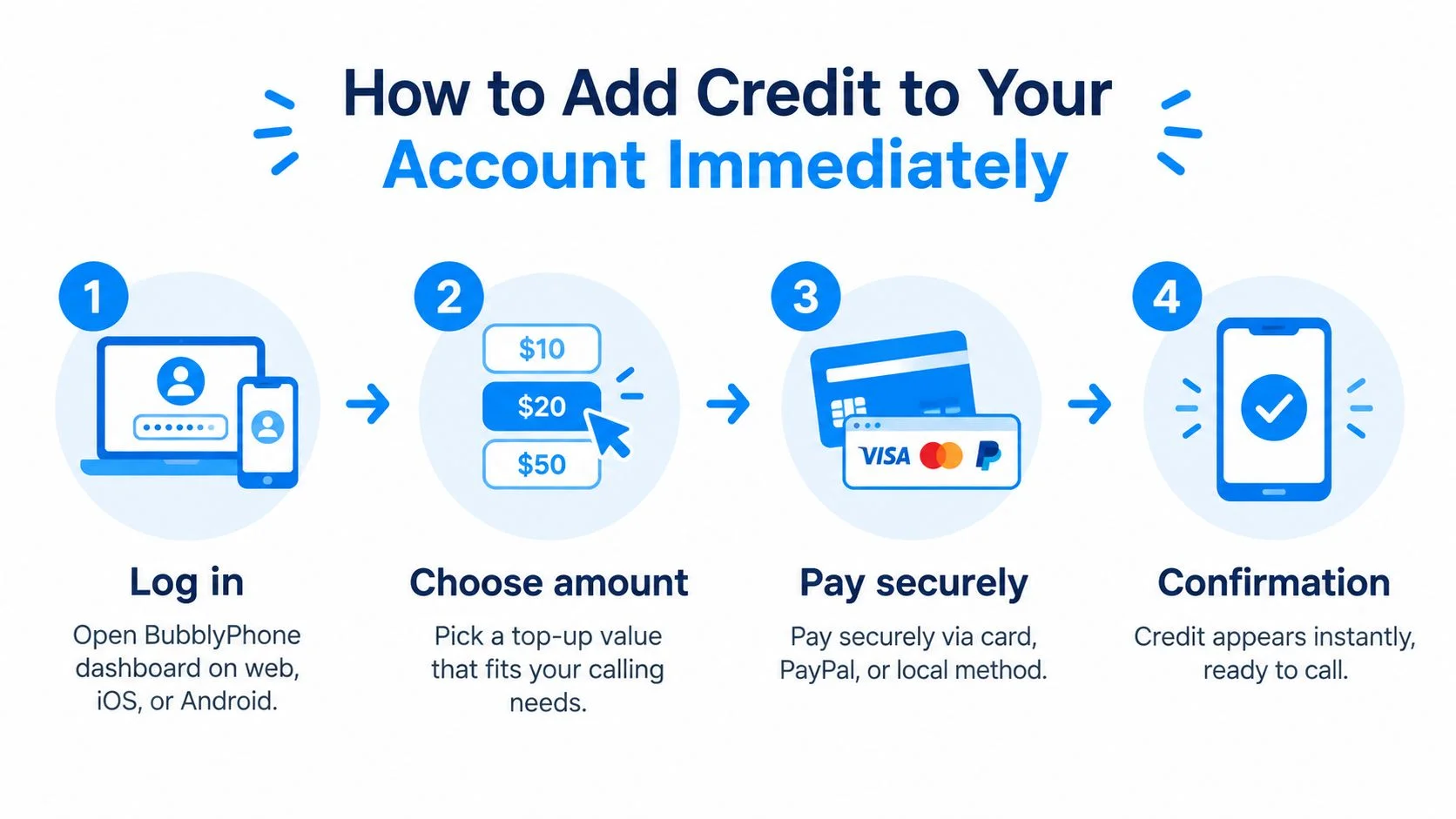
How to Add Credit to Your Account Immediately
If the call needs to happen now, sign in to BubblyPhone from your browser or open the iOS or Android app, then go to the wallet or billing area. Select a preset package or enter a custom amount, making sure the value is at least $5, and continue to payment.

Follow the payment sequence
- Sign in securely. Use the account that contains your calling balance. If you have multiple accounts, check the email or account identifier before paying, since credit added to the wrong account won't appear in your dialer.
- Choose the amount. Pick a preset value or enter a custom amount. Base the decision on the call you need to make and the destination rate shown in the BubblyPhone rates table, rather than guessing.
- Select a payment method. You can use a debit or credit card, PayPal, Apple Pay, or Google Pay, depending on the device and checkout options displayed.
- Complete verification. Your bank or wallet may request a one-time passcode, biometric confirmation, or another 3-D Secure check. Approve it only after confirming that the merchant, currency, and amount are correct.
- Confirm the balance. Return to the wallet or dashboard and wait for the new credit to appear. Refresh once if necessary, then check the balance again in the dialer before placing the call.
For app-specific guidance, use the BubblyPhone mobile top-up instructions. The balance should be available on the same account across supported devices, but checking the destination account prevents a common support problem: a successful payment linked to a different login.
Practical rule: A bank authorization isn't proof that calling credit has been posted. Start the call only after the account balance itself shows the new credit.
BubblyPhone credits don't expire, and calls use prepaid credit rather than a recurring calling subscription. Calling is billed per minute and rounded up to the whole minute, so check the live destination rate before you decide how much to add.
Choosing the Right Payment Method for Your Device
The fastest payment method depends on where you are checking out. Use a wallet on a compatible phone for fewer fields, use a card when you need direct control, and keep a second method available if your bank blocks an international transaction.
Match the method to the situation
On an iPhone, Apple Pay can reduce manual entry because the wallet already holds the payment credentials and confirms the purchase through the device's security controls. On Android, Google Pay offers a similar flow when it's available in the app or checkout. These methods are useful when you're travelling, using a small screen, or don't want to type a card number over a mobile connection.
PayPal can be convenient when you prefer not to enter card details into the checkout. It may also help when your card issuer treats a direct international transaction differently from a wallet transaction. The trade-off is that the wallet can apply its own account, region, verification, or funding-source rules, so a wallet decline doesn't necessarily mean the BubblyPhone account is at fault.
A card is often the clearest option on desktop. You can review the billing address, card expiry date, security code, currency, and final amount before submitting. Your bank may then ask for 3-D Secure authentication. In the European Economic Area, payments above €30 generally require strong customer authentication, although exemptions can apply, and the payer is normally verified using at least two independent factors, such as a password, a device, or a fingerprint. The European Commission's PSD2 payment guidance explains the authentication framework.
Make the choice before the failure
The BubblyPhone mobile apps guide covers the supported app experience. Don't switch between several methods immediately after a decline. First check whether the original attempt is pending, because every new submission can create another authorization.
Understanding Balance Syncing and Minimum Requirements
Your BubblyPhone balance belongs to your account, not to one particular screen. After a successful top-up, it should become available across the web dashboard, iOS app, and Android app, allowing you to pay on one device and call from another.
Check the account, then the device
Suppose you add credit from a browser at home and later open the mobile app while travelling. The app should retrieve the same account balance, contacts, and call history after synchronization. If the old balance remains visible, confirm that you're signed into the same account, close and reopen the app, and refresh the web dashboard before attempting another payment.
A stale display is different from a failed top-up. Look for the completed transaction in the wallet or billing history, compare its currency and amount with the payment confirmation, and avoid paying again until you know whether the first transaction posted. This simple check prevents duplicate authorizations and makes support investigations much faster.
Understand what your balance buys
The minimum top-up is $5, which gives you a practical starting point without requiring a large prepaid commitment. Choose the amount from the live destination rate and your expected call length, not from the balance shown before the payment.
Calls are billed per minute and rounded up to the nearest whole minute. A call that runs past a minute boundary therefore uses the next whole-minute billing unit. Check the remaining balance before an important call, particularly if you expect a long conversation or need to keep the line open for a business discussion.
Balance check: Refreshing a page can update a display. It can't repair a payment that never received a confirmed success response.
Credits never expire, which removes the pressure to use them by a deadline. That doesn't mean you should add an unnecessarily large amount. A modest balance can cover the next planned calls while limiting the amount exposed if you fund the wrong account or lose control of a payment method.
Troubleshooting Declined Payments and Failed Transactions
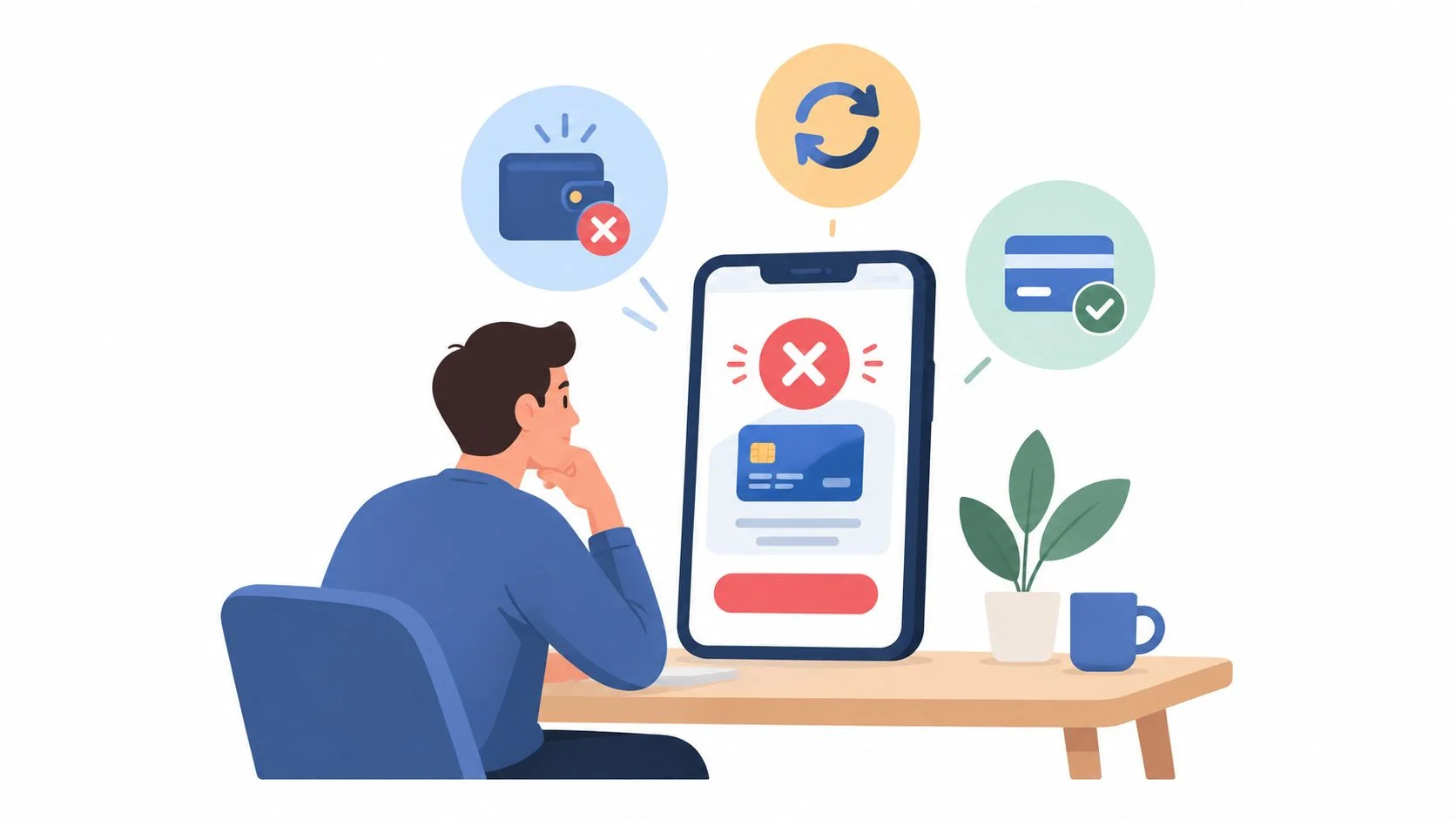
A declined top-up usually needs a correction, not repeated clicking. Check the payment status, identify the likely failure category, fix that specific issue, and retry once only when the original attempt hasn't created a pending authorization.

Use the status before the solution
Payment authorization can involve the checkout, payment processor, card network, and issuing bank. The issuer may check available funds, card status, transaction limits, authentication results, and fraud signals before approving, declining, or requesting more verification. Common causes include insufficient funds, an expired or replaced card, an incorrect CVV or one-time passcode, disabled online or international payments, a transaction limit, or a temporary bank or network outage.
Start with this decision path:
- No charge and an immediate decline: Check the card number, expiry, billing address, CVV, available funds, and online or international transaction settings. The BubblyPhone card-declined help page provides the account-specific recovery steps.
- A wallet asks for verification: Complete the wallet or 3-D Secure prompt once. If it fails, check that the wallet account, device security, and funding source are active before trying another method.
- A charge is pending: Don't submit another top-up. Record the transaction time, amount, currency, and payment reference, then wait for the account status or contact support.
- The bank shows a completed charge but the balance is unchanged: Keep the bank reference and BubblyPhone transaction details together. The balance should be credited only after a verified success response, so support can reconcile the unmatched payment.
- Several methods fail: Stop switching devices and cards repeatedly. Rapid changes can trigger additional fraud checks, while repeated retries can create multiple pending authorizations.
UK payment research found that 47% of consumers experienced at least one payment problem, including 22% who reported blocked or delayed payments, 25% who reported IT failures, and 39% who reported limited payment choice, according to the Payment Systems Regulator consumer research report. Those figures explain why a clear recovery path matters, particularly for travellers using a card issued in one country while calling from another.
Watch the account balance, not just the bank notification. If the original payment is pending, a second attempt can leave you with duplicate holds even if only one top-up eventually succeeds.
For a visual walkthrough of the failure sequence, use the following video after checking your transaction status:
Smart Habits for Managing International Calling Credits
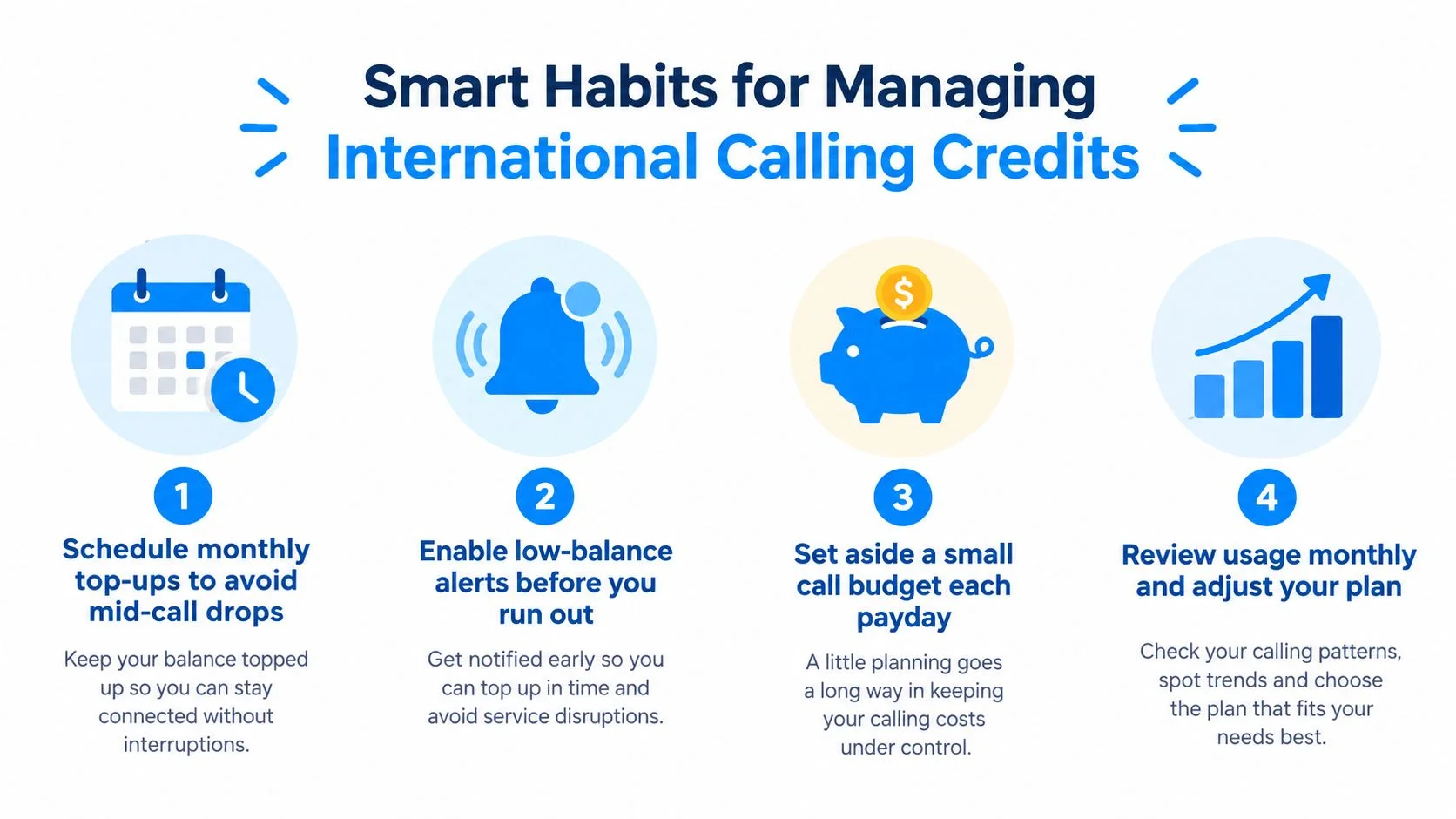
The safest top-up habit is to fund the next planned call plus a small emergency buffer, then verify the rate and balance before dialing. This avoids both problems that cause the most stress: running out during an important conversation and leaving more credit exposed than you need.
Size the balance to the call
Check the destination rate immediately before adding credit, especially when calling a new country or switching between landlines and mobiles. Estimate the planned minutes, multiply by the displayed rate, and add a modest buffer for an urgent follow-up call. Because billing rounds up to the whole minute, leave room for the final partial minute rather than calculating only the exact expected conversation length.
A larger balance isn't automatically better. It can be stranded if you fund the wrong account, stop calling that destination, or lose access to the payment account. An extremely small balance creates interruption risk, so the right amount depends on the call's purpose, your budget, and how quickly you can top up again.

Separate completed payments from pending ones
A completed top-up appears in the account balance and transaction history. A pending bank authorization only shows that the payment process has started, not that the calling credit is ready. Before making another attempt, check both places and save the transaction ID, timestamp, currency, and amount.
For organizations, the reliable design is an idempotent payment-and-ledger process. Store a unique request ID, payment authorization ID, amount, currency, status, and timestamp, then credit the account only after a verified success response or webhook. Unmatched payments need reconciliation rather than an automatic second credit.
Security matters just as much as bookkeeping. Use tokenized card or wallet credentials, and never retain CVV data after authorization. The PCI Security Standards Council guidance on card verification codes states that storing those codes after authorization is prohibited, even when a customer gives permission.
Respond quickly to unauthorized activity
If a top-up wasn't yours, contact the card issuer or payment provider immediately. For registered prepaid cards covered by U.S. consumer-protection rules, prompt reporting generally limits responsibility for unauthorized charges or errors, and an investigation lasting longer than 10 business days generally requires provisional credit while the provider investigates, as described by the Consumer Financial Protection Bureau's prepaid-card guidance.
Consider a traveller who needs to call home after landing. They check the destination rate, add enough credit for the planned conversation and a short emergency call, confirm that the balance has synced in the mobile app, and place the call. If a bank authorization appears but the balance doesn't, they keep the reference number and stop, rather than creating a second charge.
BubblyPhone lets you call from a browser, iOS, or Android, while the person you call needs no app or account. Credits start at $5 and never expire, so you can keep a controlled prepaid balance ready for family, clients, or suppliers.
Make your next international call through BubblyPhone, using a browser or mobile app without requiring the recipient to install anything. Check the live rate, top up only what you need, and call any landline or mobile with your credit ready.