How to Call India from Any Device: The Complete Guide
Table of Contents
Dial your country's international access code, then +91, then the Indian number with its leading zero removed. For most calls, the destination is exactly +91 followed by 10 digits, whether you're calling an Indian mobile or a fixed line.
You may be looking at a number copied from a contact, messaging app, or old paper record and wondering whether the first zero belongs in the international format. That small formatting decision is where many calls fail. The right method depends on whether you're calling a mobile or a landline, and a reliable workflow also checks the local time, live rate, and whether the recipient's phone may flag unfamiliar international traffic.
The Basic Dialing Formula for India
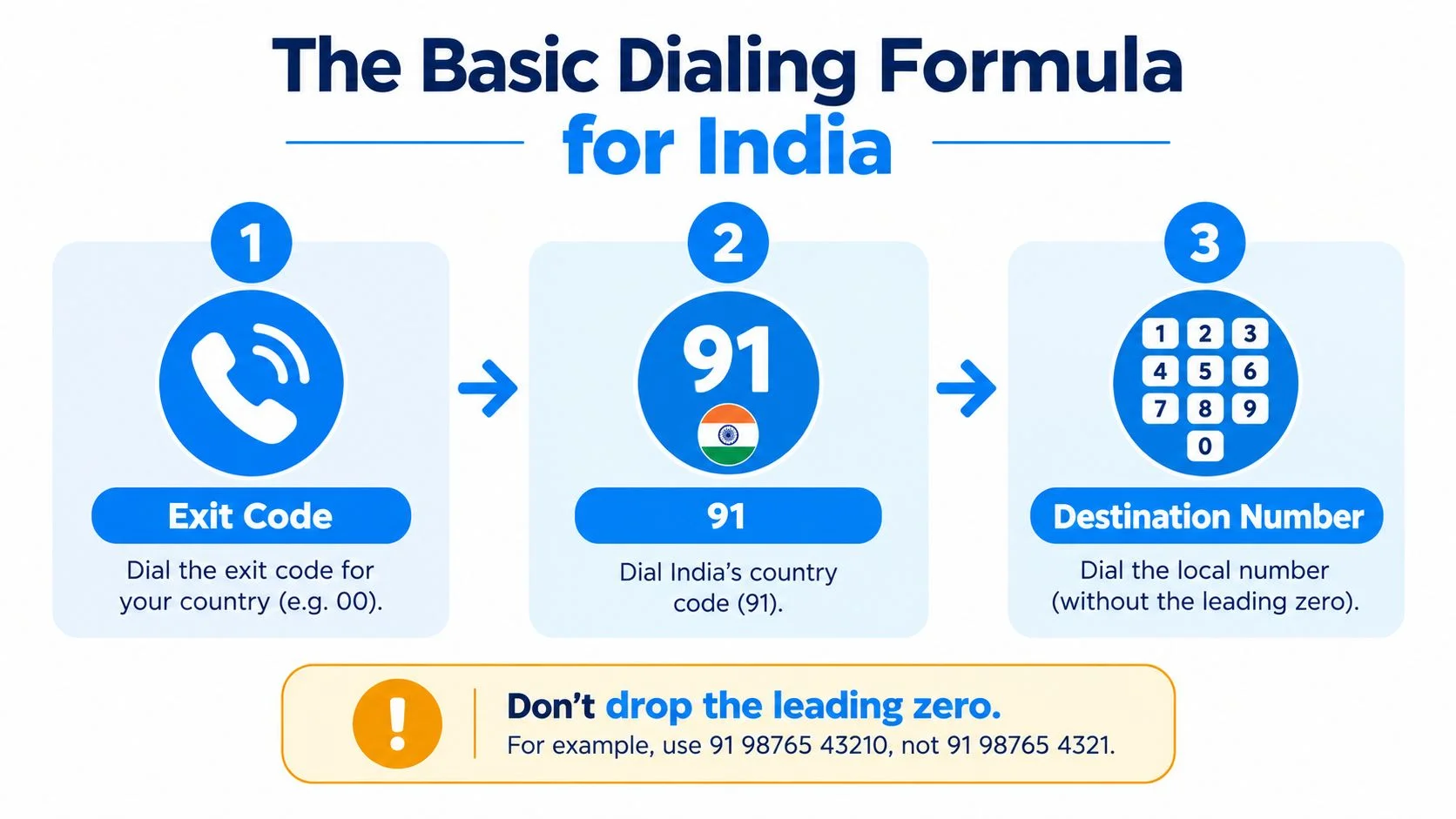
The international formula is exit code, 91, destination number. From a phone that accepts the plus sign, use +91 followed by the Indian number's 10-digit national format. From a traditional dialer, enter your country's international access prefix, then 91, then the same destination digits. India's official telephone guidance identifies 91 as the country code for international calls to India, with the caller's exit code used before it when required (India's official telephone-number guidance).
The most common mistake is retaining the domestic trunk prefix, 0, after adding India's country code. For an Indian mobile written domestically as 09876543210, the international version is generally +91 9876543210, not +91 09876543210. Indian mobile numbers are typically 10 digits and commonly begin with 6, 7, 8, or 9, while geographic landline codes vary by city or region (TRAI's numbering guidance).

Mobile and landline formats are different
For a mobile, remove the domestic zero and keep the remaining 10 digits:
- Start with the domestic number, such as
09876543210. - Remove the leading 0, leaving
9876543210. - Add India's country code, producing
+919876543210.
A landline still needs its geographic area code. Suppose a Delhi fixed-line number is written domestically as 011-XXXX XXXX. Internationally, the usual form is +91 11 XXXX XXXX. You remove the trunk prefix 0, but you keep the 11 geographic code. Removing the entire 011 would lose the destination area code, while keeping the zero would create the wrong international sequence. India's framework uses 10-digit national significant numbers for fixed and cellular services, excluding the country code, with fixed lines combining an area-specific code and subscriber number (Department of Telecommunications numbering plan).
Practical rule: Remove the domestic zero, not the geographic code. For mobiles, that usually leaves the 10-digit mobile number. For landlines, it leaves the area code plus subscriber number.
Before dialing, normalize the number by removing spaces, hyphens, and parentheses. Then check that the national number contains 10 digits. Don't guess the operator from the prefix, because mobile-number portability makes old prefix assumptions unreliable. If you need a separate service to receive SMS OTP codes, keep that task separate from formatting the phone number you're calling.
For a browser workflow, the India dialing guide can help you check the country code and format before you start the call. The important result is simple: +91 plus exactly 10 Indian digits, with no extra domestic zero.
Calling India from a Mobile Phone, Landline, or Browser
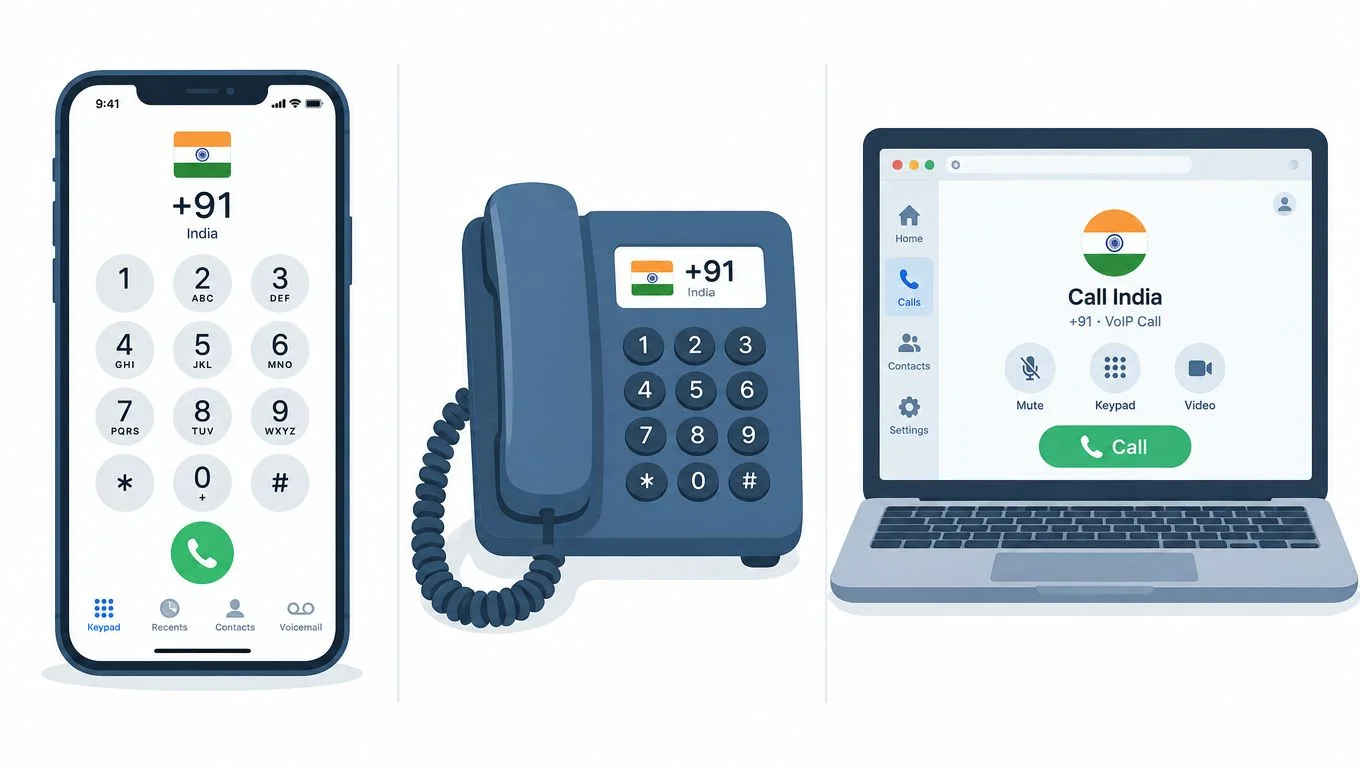
You can call India from a mobile phone, a fixed-line phone, or a browser. The best option depends on whether you prioritize familiar hardware, recipient accessibility, or control over setup and spending.
A mobile or landline uses the ordinary international telephone network. Enter the exit code when the device requires it, add 91, and enter the normalized Indian number. The recipient can answer on a standard mobile or fixed line, so they don't need an app, internet access, or a matching account. The trade-off is that your phone service may apply international charges, and the exact treatment depends on your plan and destination number type.
A browser-based call works differently. You create an account, add prepaid credit, allow microphone access, select India, enter the formatted number, and start the call from a modern browser. The person in India receives a normal call on their existing mobile or landline. They don't need to download software or create an account, which makes this practical for family members who use basic phones or businesses that need to reach ordinary telephone numbers.

Choose the route that matches the recipient
A traditional phone is convenient when you already have an international plan and only make occasional calls. It also avoids browser permissions and depends on the phone's normal dialer. However, you have less control over the final charge unless your plan clearly shows international pricing.
A browser is useful when you're calling from a laptop, traveling without a local voice plan, or contacting someone who shouldn't have to install anything. It also suits support teams and small businesses that want a call history, prepaid control, or a consistent web workflow. The recipient's device remains the key advantage: any regular Indian mobile or landline can answer.
Browser calling isn't automatically better for every call. If your connection is unstable, a conventional phone may provide a more predictable experience. If the recipient is elderly, uses a fixed line, or doesn't want technical setup, browser calling is often less disruptive because all setup stays on the caller's side.
For practical guidance on calling a phone from a computer, check that your microphone works before dialing. Use headphones when possible, keep the browser tab open, and confirm the displayed destination before you click the call button. Those small checks prevent many avoidable failures.
Finding the Best Time and Lowest Cost
The easiest time-zone rule is that India uses Indian Standard Time, UTC+05:30, nationwide, with no daylight saving time. New Delhi, Mumbai, Bengaluru, and Kolkata use the same time zone, so you only need to convert your local time to Asia/Kolkata rather than calculate a separate city offset (time-zone reference for India).
For a business call, target the recipient's local working day. A useful planning window is 09:00 to 18:00 in India, which corresponds to 03:30 to 12:30 UTC. That UTC conversion is stable for India, but your own local clock may change seasonally if your country observes daylight saving time. Convert the planned call from your local zone into Asia/Kolkata, then show both times in the confirmation.
Treat personal and business calls differently
A family call can work in the evening when the recipient has finished work. A supplier, customer, or support contact usually deserves a call during their local business hours. Don't assume that a convenient morning in North America or Europe is also convenient in India.
For automated or repeated calls, store the destination time zone as Asia/Kolkata, enforce quiet hours using India's local time, and queue retries outside those hours. Recording the converted timestamp in call metadata also makes it easier to understand why a call was placed at a particular local time.
Use the Best Time to Call tool before scheduling a business conversation across time zones. It's especially useful when the caller and recipient are in regions that change their clocks during the year.
Check the live cost before dialing
Calling cost depends on the destination number type, such as mobile or landline, and on the service you use. Don't rely on an old screenshot, a remembered quote, or a generic country estimate. Open the live rate table, select India, choose the relevant destination type, and confirm the current price immediately before dialing.
Prepaid browser services commonly bill by the minute, with the call rounded up to the next whole minute. That means a call lasting only part of a minute can consume a full minute of credit, so estimate the likely duration before starting. A cost calculator can help you compare a short family check-in with a longer business discussion without pretending that both calls have the same spend.
Before you press call: verify the local time, identify mobile or landline termination, and read the live rate for that number type. A correctly formatted call can still be badly timed or unexpectedly expensive if you skip those checks.
Fixing Common Connection Issues
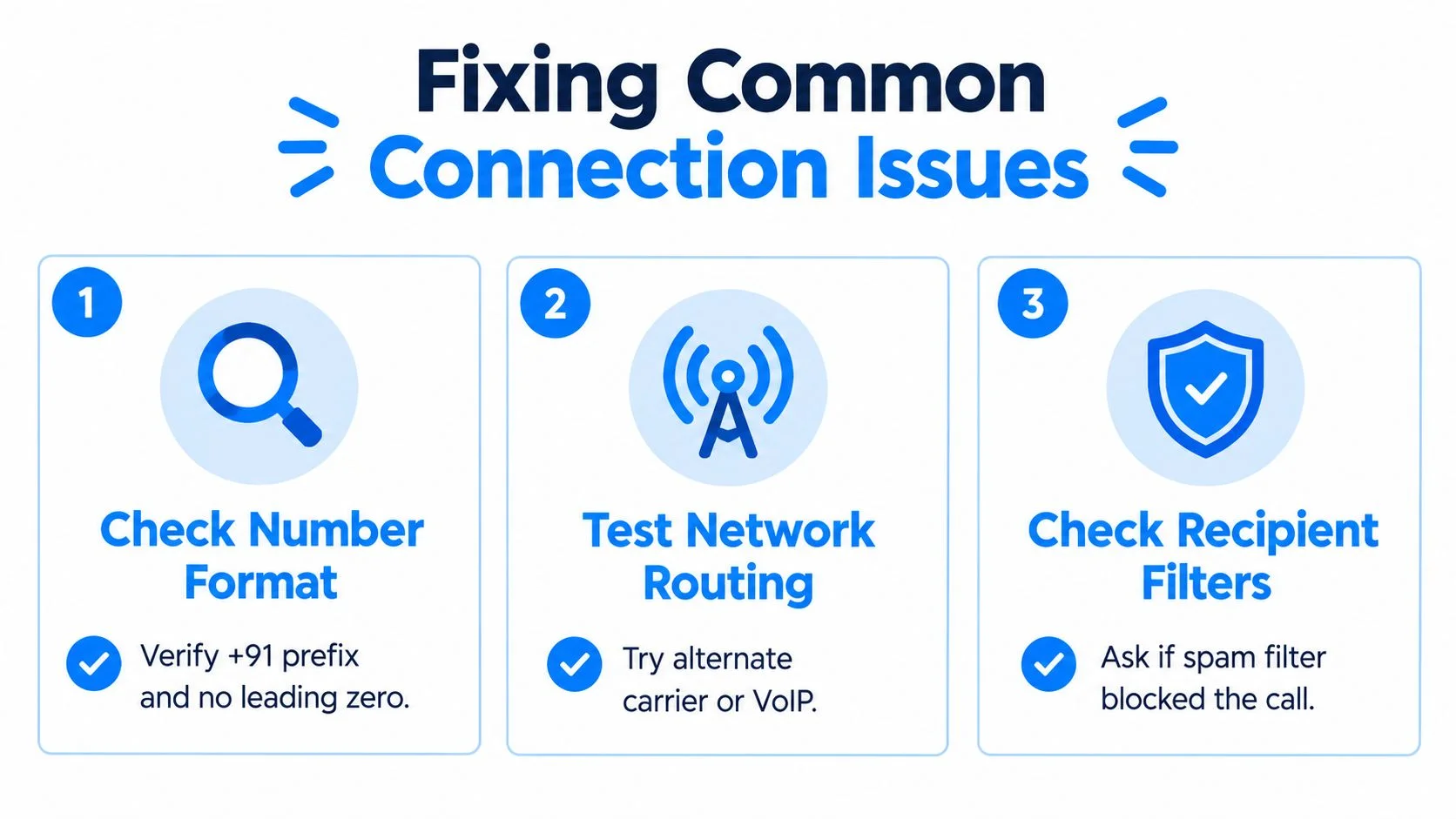
Most failed calls to India can be diagnosed by checking the number format, the route, and the recipient's call filters. Start with the number before changing devices or redialing repeatedly.
If the call drops immediately
An immediate failure often points to an invalid international sequence. Compare the number against the format already covered:
- Remove the domestic zero:
098...becomes+91 98..., not+91 098.... - Count the national digits: The Indian destination should contain 10 digits after the country code.
- Keep the landline area code: For a fixed line, remove only the trunk
0and retain the geographic code. - Check punctuation: Spaces and brackets are usually harmless for people, but automated dialers should normalize them before submission.
Don't truncate a number that fails validation. Ask for the complete national number, especially when a contact record contains only a local landline format. A reliable calling system should reject the invalid entry and log the normalized value for troubleshooting.
If you hear a fast busy signal
A fast busy tone can come from route rejection, destination restrictions, or recipient-side filtering. India has increased scrutiny of international traffic because spoofed caller IDs have been used to make calls appear to come from Indian mobile numbers.
India's government reported that a system launched on October 17, 2024 blocked 1.35 crore international spoofed calls displaying Indian mobile numbers within its first 24 hours. By March 3, 2025, identified spoofed calls had fallen to about 4 lakh, described as an almost 97% reduction. The same government communication said providers were instructed to show an “International Call” notification for calls originating outside India, while complaints about international-number fraud fell from 2,776 in January 2025 to single-digit levels by June 2025 (India government statement on spoofed calls).
A legitimate overseas call may therefore display a warning or behave differently from a domestic call. Ask the recipient whether their device or organization blocks unfamiliar international traffic, then try an approved alternate route rather than asking them to ignore security warnings.

If the call connects but audio is poor
Poor audio usually requires a connection check, not a number-format change. Use this sequence:
- Check your microphone. Confirm the browser or phone has permission to use it.
- Reduce local traffic. Pause large downloads, video meetings, or cloud backups.
- Change the connection. Try mobile data if Wi-Fi is unstable, or move closer to the router.
- Use headphones. They reduce echo and help you identify whether the issue is your microphone or the other side.
- Redial once after testing. Repeated blind redials won't fix a weak connection.
Caller ID also isn't proof of a caller's physical location. If the recipient wasn't expecting the call, they should verify the caller through a known contact channel before sharing OTPs, banking information, identity documents, or account credentials. Security checks protect legitimate callers as well as recipients.
Making Your First Call to India
A successful first call needs three checks: the number is normalized, the time suits the recipient, and the current rate is visible before dialing. Once those are done, the call itself is straightforward from a mobile, landline, or browser.
Start with the contact record rather than the dialer. Decide whether it's a mobile or fixed line, remove the domestic trunk zero, preserve any landline area code, and confirm that the national number has 10 digits. Display the final destination as +91 followed by those 10 digits so you can catch an extra zero or missing digit before the call begins.
Next, convert your planned time to India's local clock. For a personal call, choose a time when the person is likely to be available. For a business call, use the recipient's working day and account for seasonal clock changes in your own country. A scheduled call that arrives during the recipient's night may be technically successful but practically useless.
Use the least disruptive setup
If both parties already have an international calling arrangement, a regular phone may be all you need. If you're working from a computer or don't want the recipient to install anything, a browser dialer can connect directly to their ordinary mobile or landline. The caller handles the account and credit setup, while the recipient just answers the phone.
Before starting, allow microphone access, close applications that compete for audio, and keep the rate display open. For a business conversation, write down the recipient's local time and the normalized number in your call notes. For a family call, save the international version in your contacts so you won't reintroduce the domestic zero next time.
BubblyPhone supports browser-based international calling with per-minute billing rounded up to the whole minute. No subscription is needed for calls, and the optional dedicated-number plan is separate from ordinary outbound calling. Its dedicated numbers support receiving SMS, not sending texts, so they shouldn't be treated as a two-way messaging replacement.
You also don't need the person in India to install an app or create an account. That matters when you're calling a family landline, reaching a supplier's office number, or helping someone who only wants to answer a normal phone.
Make your first call through BubblyPhone from a browser, mobile device, or tablet, with no app or account required for the person you're calling. Credits start at $5, never expire, and you can check the live India rate before dialing.