How to Get Your Verizon Port-Out PIN (2026): 4 Easy Methods
Get your Verizon Number Transfer PIN in minutes using the My Verizon app, website, phone call, or in-store visit. Includes how to disable Number Lock, porting timeline, costs, and troubleshooting.
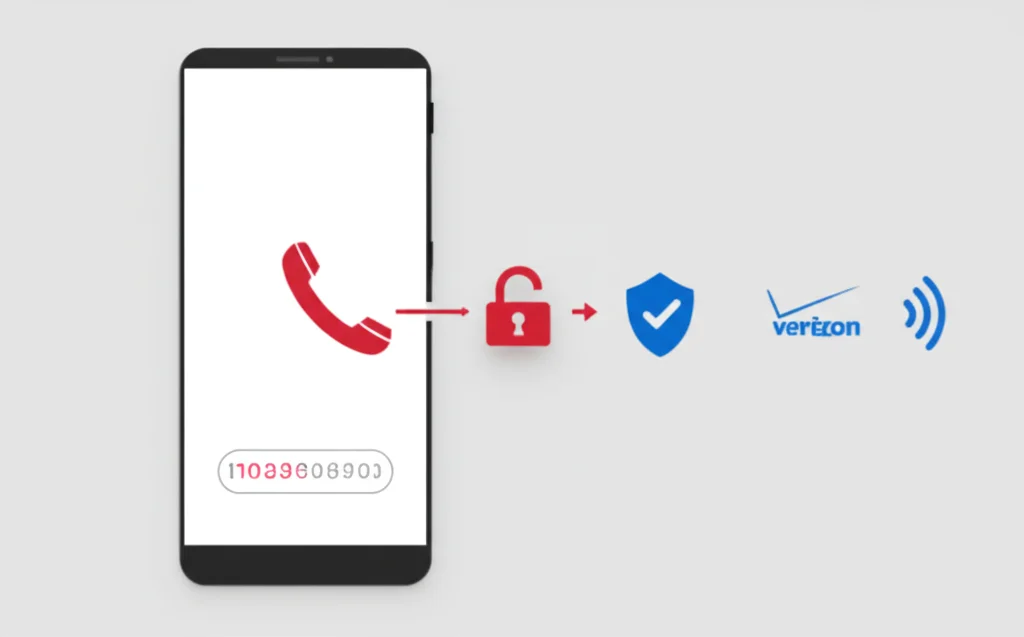
To get your Verizon port-out PIN (Number Transfer PIN), open the My Verizon app and go to Account → My Plan → Manage next to your line → Number Transfer PIN, or dial *611 from your Verizon phone. The PIN is valid for 7 days, and Number Lock must be off before it works.
What is a Verizon Port-Out PIN?
A Number Transfer PIN is a temporary code that Verizon generates to authorize moving your phone number to a new carrier. Verizon introduced this system in 2023 following FCC requirements to protect customers from unauthorized port-outs and SIM-swap fraud.
Key Facts About Verizon Transfer PINs:
- Temporary code generated on demand
- Valid for 7 days after creation
- Can be generated by any Account Manager or Account Member
- Different from your 4-digit Verizon account PIN
- Required by all carriers when porting out of Verizon
- Number Lock must be turned off before the PIN will work
Account PIN vs. Transfer PIN: Your regular 4-digit Verizon account PIN is used to access your account. The Number Transfer PIN is a separate, temporary code specifically for porting your number to another carrier. Don't confuse the two — your new carrier needs both.
4 Ways to Get Your Verizon Transfer PIN
Choose whichever method is most convenient. All four will give you the same Number Transfer PIN. The My Verizon app and website are the quickest options.
My Verizon App (Fastest)
- Open the My Verizon app on your phone
- Tap the Account tab at the bottom
- Select My Plan
- Scroll down and tap Manage next to your line
- Tap Number Transfer PIN
- Confirm your identity (account PIN or biometrics)
- Your PIN will be displayed on screen and sent via text
The app is the most convenient method — your PIN appears instantly and is also texted to your Verizon number.
My Verizon Website
- Go to myverizon.com and sign in
- Navigate to Account > My Plan
- Click Manage next to the line you want to port
- Select Number Transfer PIN
- Verify your identity
- Your PIN will be displayed and texted to you
Works from any browser on any device. You'll need your Verizon login credentials.
Call Customer Service
- Call 1-800-922-0204 from any phone
- Or dial *611 from your Verizon phone
- Say "Number Transfer PIN" or "port out" to the automated system
- Verify your identity with your account PIN
- A representative will generate your PIN and text it to you
Best option if you're having trouble with the app or website. Customer service is available 7 AM – 9 PM local time.
Visit a Verizon Store
- Bring a valid government-issued photo ID
- Visit any corporate Verizon store (not an authorized retailer)
- Ask a representative to generate your Number Transfer PIN
- They'll verify your identity and provide the PIN
Best if you need in-person assistance or can't access your Verizon account online.
Requirements & What You'll Need
Before requesting your transfer PIN, gather everything your new carrier will need to complete the port:
To Generate Your PIN:
- • Verizon account login credentials
- • Account Manager or Account Member status
- • Your 4-digit Verizon account PIN
- • Number Lock must be turned off
For Your New Carrier:
- • Verizon account number (up to 14 digits)
- • Number Transfer PIN
- • 4-digit account PIN
- • Billing address (must match exactly)
- • Account holder's full name
Where to Find Your Verizon Account Number:
Your account number appears on your monthly bill (paper or digital). You can also find it in the My Verizon app under Account > My Plan, or by logging into myverizon.com and going to your Account Overview. If you have a prepaid account, your account number is your 10-digit phone number.
Disable Number Lock (Number Transfer Lock)
Verizon enables Number Lock by default on most accounts. This security feature blocks unauthorized port-outs — but it also blocks your port request. You must turn it off before your transfer PIN will work.
How to Disable Number Lock:
Via My Verizon App:
- Open the My Verizon app
- Go to Account > My Plan
- Tap Manage next to the line you're porting
- Find Number Lock and toggle it Off
Via My Verizon Website:
- Sign in to myverizon.com
- Go to Account > My Plan
- Click Manage next to the line
- Find Number Lock and click to turn it Off
Note: Number Lock may also be called "Number Transfer Lock" or "SIM Protection" depending on your account type and device. All of these must be disabled for a successful port-out. Only Account Managers can disable Number Lock.
Costs & What to Expect
Verizon does not charge a fee for porting out your number — the FCC prohibits port-out fees. However, there are some financial considerations:
| Item | Cost | Details |
|---|---|---|
| Port-out fee | $0 (Free) | FCC prohibits port-out fees |
| Early termination fee (ETF) | Up to $350 | Only if you're still under contract (rare in 2026) |
| Device payment balance | Varies | Remaining balance on financed devices becomes due |
| Final bill proration | Varies | Verizon may charge full month — no proration |
| Promotional credits | Lost | Trade-in credits, line discounts, and promos end immediately |
Tip: Before porting out, check your device payment balance in the My Verizon app under My Devices. If you still owe on a phone, the remaining balance becomes due on your final bill. Consider timing your switch right after a billing cycle starts to maximize the service you've already paid for.
Troubleshooting Common Issues
Number Lock is still on
This is the #1 reason port-outs fail. Go to My Verizon > Account > My Plan > Manage (your line) and make sure Number Lock is toggled off. It can take up to 2 hours for the change to take effect in Verizon's system. Try again after waiting.
Transfer PIN expired
Verizon Transfer PINs are valid for 7 days. If yours has expired, generate a new one using any of the four methods above. There's no limit to how many PINs you can request.
Using account PIN instead of transfer PIN
Your new carrier needs both your 4-digit account PIN and the Number Transfer PIN. These are two different codes. If porting fails, make sure you're providing the correct PIN for each field.
Account information mismatch
The name, billing address, and account number you give your new carrier must match Verizon's records exactly. Log in to My Verizon and verify your billing address. Even minor differences (like "St" vs "Street" or "Apt 3" vs "#3") can cause rejections.
Port request rejected or stuck
If your port request is rejected, you'll receive a reason code from your new carrier. Common fixes include regenerating your transfer PIN, verifying Number Lock is off, and double-checking your account number. If the port has been pending for more than 24 hours, contact your new carrier to check the status.
Prepaid vs. postpaid confusion
If you're on Verizon Prepaid, your account number is typically your 10-digit phone number. The process to get a transfer PIN is the same, but you'll use the My Verizon Prepaid section of the app or website. Make sure you're logging into the correct portal.
Next Steps After Getting Your PIN
Complete Your Number Transfer:
- Disable Number Lock — If you haven't already, turn off Number Lock in My Verizon. Wait up to 2 hours for it to take effect.
- Contact your new carrier — Give them your Verizon account number, Number Transfer PIN, 4-digit account PIN, and billing address.
- Keep your Verizon service active — Do not cancel your Verizon account before the port completes. Canceling early can cause you to permanently lose your number.
- Wait for the transfer — Wireless-to-wireless ports typically complete within 4–24 hours. You may experience a brief service interruption during the switch.
- Test your new service — Make a call and send a text to confirm your number is working on the new carrier. Check that you can receive calls too.
| Transfer Type | Typical Timeframe |
|---|---|
| Wireless to Wireless | 4–24 hours |
| Wireless to VoIP | 1–5 business days |
| Wireless to Landline | 3–10 business days |
Frequently Asked Questions
How long is a Verizon Number Transfer PIN valid?
Your Verizon Number Transfer PIN expires after 7 days. If the transfer isn't completed within that time, you'll need to generate a new one. There's no limit to how many times you can request a new PIN.
Is the Verizon port-out PIN the same as my account PIN?
No, they are completely different. Your account PIN is a permanent 4-digit code for accessing your Verizon account. The Number Transfer PIN is a temporary code generated specifically for porting. Your new carrier needs both — the account PIN for verification and the Transfer PIN to authorize the port.
Does Verizon charge a fee to port out my number?
No. The FCC prohibits carriers from charging port-out fees. However, you may owe device payment balances, early termination fees (if under contract), and you'll lose any promotional credits or discounts tied to your account. Verizon typically does not prorate your final bill.
What is Number Lock and do I need to disable it?
Number Lock (also called Number Transfer Lock or SIM Protection) is a Verizon security feature that blocks unauthorized port-outs. It's enabled by default on most accounts. You must disable it in My Verizon before your transfer PIN will work. Go to Account > My Plan > Manage your line and toggle Number Lock off.
Can I port my Verizon number to a VoIP service like BubblyPhone?
Yes, you can port your Verizon number to any VoIP service. The process is the same — provide your account number, Transfer PIN, account PIN, and billing address. VoIP transfers typically take 1–5 business days to complete, which is longer than wireless-to-wireless ports.
Will I lose my phone number if I cancel Verizon before porting?
Yes — if you cancel your Verizon service before the port completes, you risk losing your phone number permanently. Always keep your Verizon account active until your new carrier confirms the transfer is complete. Once ported successfully, Verizon will automatically cancel that line.
Related Guides
T-Mobile Transfer PIN
How to get your T-Mobile port-out PIN
Verizon Call Forwarding
Verizon forwarding codes and setup
Verizon Call Forwarding Codes
*72, *73, and more Verizon codes
Virtual Phone Numbers
Get a second number without porting
Second Phone Number Apps
Best apps for a second line
Google Voice Alternatives
Compare VoIP alternatives for porting
Call Forwarding Codes
Complete list for all US carriers
AT&T Call Forwarding
Complete AT&T forwarding guide
Port Number to Google Voice
Port your Verizon number to Google Voice
Ready to Transfer Your Verizon Number?
The fastest way to get your Verizon Number Transfer PIN is through the My Verizon app — just navigate to your line settings and tap "Number Transfer PIN." Remember to disable Number Lock first, and keep your Verizon account active until the port is confirmed complete.
Want to port your number to a flexible VoIP service? BubblyPhone accepts number transfers from Verizon and all major carriers, giving you a second line that works from any browser on any device.