How to Get Your T-Mobile Transfer PIN (2026 Complete Guide)
Learn how to get your T-Mobile transfer PIN to port your number to a new carrier. Step-by-step guide for the T-Mobile app, website, and #PORT# dial code method.
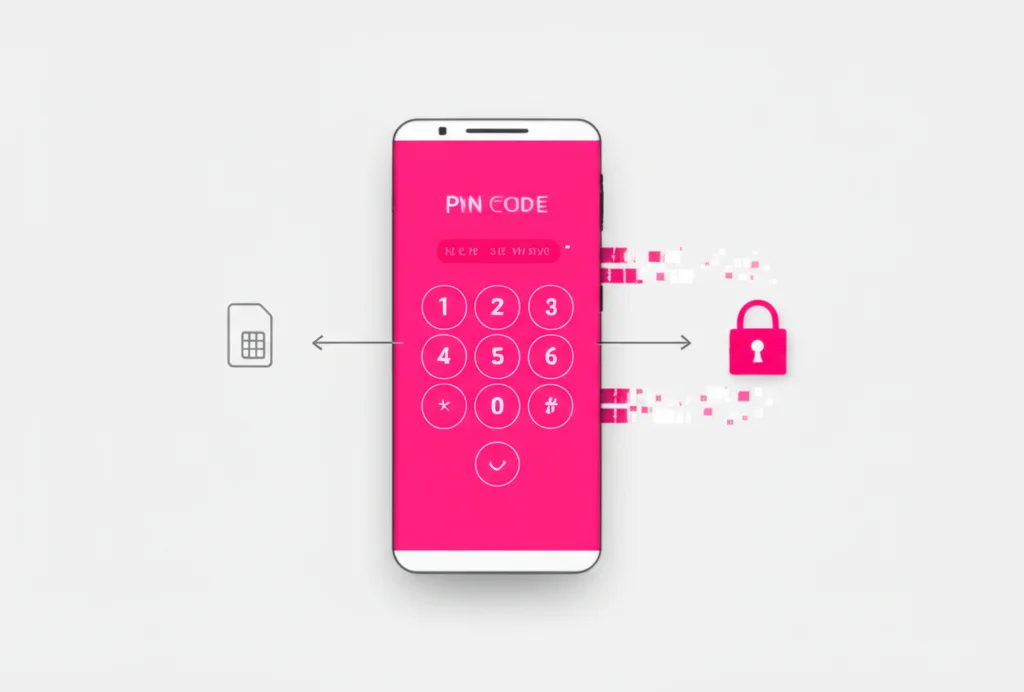
To get a T-Mobile transfer PIN (Number Transfer PIN, or NTP), dial #PORT# (#7678#, not *7678) from your T-Mobile phone. A 6-digit PIN arrives by text and stays valid for 7 days. Only the primary account holder can request it; you can also get one in the T-Life app under Account → Profile Settings → Line Settings → Request a transfer PIN.
What is a T-Mobile Transfer PIN?
A Number Transfer PIN (NTP) is a temporary 6-digit code that authorizes the transfer of your phone number from T-Mobile to another carrier. T-Mobile introduced this security measure to prevent unauthorized port-outs and protect customers from SIM-swap fraud.
Key Facts About Transfer PINs:
- 6-digit code generated on demand
- Valid for 7 days after creation
- Can only be generated by the Primary Account Holder
- Different from your regular T-Mobile account PIN
- Required by all carriers when porting out of T-Mobile
Important: Your transfer PIN is not the same as your T-Mobile account PIN or passcode. The transfer PIN is a temporary code specifically for porting your number to a new carrier.
3 Ways to Get Your T-Mobile Transfer PIN
Choose the method that works best for you. The dial code method is fastest, but all three options will give you the same 6-digit transfer PIN.
Dial Code Method (Fastest)
- Open the Phone app on your T-Mobile device
- Dial #PORT# (or #7678#)
- Press the call button
- Receive your transfer PIN via text message instantly
This is the quickest method—you'll get a text with your PIN within seconds.
T-Mobile App (T-Life)
- Open the T-Mobile (T-Life) app on your phone
- Log in if you haven't already
- Select Account
- Tap Profile Settings
- Select Line Settings
- Tap Request a transfer PIN
- Follow the on-screen instructions
Make sure you're connected to the T-Mobile network (turn off Wi-Fi) and disable any VPN.
T-Mobile Website
- Go to my.t-mobile.com and log in
- Click your name or My Account (top right)
- Select Profile
- Click Line Settings
- Select Request a transfer PIN
- Click Get a transfer PIN
Works from any device. You'll receive the PIN via text to your T-Mobile phone.
Requirements & What You'll Need
Before requesting your transfer PIN, make sure you have everything ready for a smooth porting process:
To Generate Your PIN:
- • Primary Account Holder access
- • Connected to T-Mobile network (Wi-Fi off)
- • VPN disabled (including iCloud Private Relay)
- • Port Out Protection disabled (if enabled)
For New Carrier:
- • T-Mobile account number (on your bill)
- • Transfer PIN (6 digits)
- • Account PIN/Passcode
- • Billing address with ZIP code
Where to Find Your T-Mobile Account Number:
Your account number is located in the upper right corner of any T-Mobile bill (paper or digital). You can also find it in the T-Mobile app under Account > Profile Settings, or by logging into my.t-mobile.com.
Disable Port Out Protection
If you've enabled Port Out Protection (a security feature that blocks unauthorized transfers), you'll need to disable it before you can use your transfer PIN.
How to Disable Port Out Protection:
- Log in to my.t-mobile.com or the T-Mobile app
- Select Account
- Under Lines and Devices, select the line you want to port
- Scroll to Active Add-ons and select Manage add-ons
- Find Port Out Protection in the Services section
- Uncheck the box next to Port Out Protection
- Select Continue and then Agree & Submit
Note: Only the Primary Account Holder can disable Port Out Protection. Authorized Users can add this feature but cannot remove it.
Troubleshooting Common Issues
"Unable to generate transfer PIN" error
Make sure you're connected to T-Mobile's cellular network (turn off Wi-Fi). Disable any VPN services, including Apple iCloud Private Relay. Try the #PORT# dial code instead.
Not the Primary Account Holder
Only the Primary Account Holder can generate transfer PINs. Ask the account holder to generate the PIN for you, or contact T-Mobile to update account ownership.
Transfer PIN expired
Transfer PINs are valid for 7 days. If your PIN has expired, simply generate a new one using any of the three methods above.
Can't disable Port Out Protection
Some users report issues removing this feature. Contact T-Mobile's T-Force team on X (Twitter) or Facebook, or visit a T-Mobile store for assistance.
Port request rejected by new carrier
Double-check that your account number, transfer PIN, and billing address match exactly what T-Mobile has on file. Even small differences can cause rejections.
Next Steps After Getting Your PIN
Complete Your Number Transfer:
- Contact your new carrier — Provide them with your T-Mobile account number, transfer PIN, and billing address.
- Keep your T-Mobile account active — Don't cancel until the transfer is complete. Canceling early can cause you to lose your number.
- Wait for the transfer — Wireless transfers typically take 10 minutes to 3 hours. Landline transfers can take 3-10 business days.
- Test your new service — Make a test call and send a text to confirm your number is working on the new carrier.
| Transfer Type | Typical Timeframe |
|---|---|
| Wireless to Wireless | 10 minutes – 3 hours |
| Wireless to VoIP | 1–5 business days |
| Landline Transfer | 3–10 business days |
Frequently Asked Questions
How long is a T-Mobile transfer PIN valid?
Your T-Mobile transfer PIN is valid for 7 days from the time it's generated. If the transfer isn't completed within that window, you'll need to request a new PIN.
Can I get a transfer PIN as an Authorized User?
No, only the Primary Account Holder can generate transfer PINs. If you're an Authorized User, you'll need to ask the account holder to generate the PIN for you.
Is the transfer PIN the same as my account PIN?
No, they are different. Your account PIN is a permanent security code for accessing your T-Mobile account. The transfer PIN is a temporary 6-digit code specifically for porting your number to another carrier.
Will I lose my phone number if I cancel T-Mobile before porting?
Yes, you could lose your number. Keep your T-Mobile account active until the transfer is complete. Once your number is successfully ported, T-Mobile will automatically cancel that line.
What if my transfer PIN isn't working?
Make sure you're entering the 6-digit PIN correctly and that it hasn't expired (7-day limit). Verify that Port Out Protection is disabled. If issues persist, generate a new PIN or contact T-Mobile support at 1-877-789-3106.
Can I port my number to a VoIP service like BubblyPhone?
Yes! You can port your T-Mobile number to VoIP services. The process is the same—provide your account number, transfer PIN, and billing address. VoIP transfers typically take 1-5 business days to complete.
Related Guides
T-Mobile Call Forwarding
Set up call forwarding on T-Mobile
Verizon Call Forwarding
Call forwarding codes for Verizon
AT&T Call Forwarding
Complete AT&T forwarding guide
Virtual Phone Numbers
Get a second number without porting
Second Phone Number Apps
Best apps for a second line
Google Voice Alternatives
Port your number to VoIP services
Verizon Port-Out PIN
Transfer your Verizon number
Ready to Transfer Your Number?
Getting your T-Mobile transfer PIN takes less than 2 minutes. The fastest way is to dial #PORT# from your T-Mobile phone—you'll receive your 6-digit PIN via text instantly. Remember to keep your T-Mobile account active until the port is complete.
Looking to port your number to a flexible VoIP service? BubblyPhone accepts number transfers from T-Mobile and all major carriers, giving you a second line that works on any device.