How to Port Your Number to Google Voice (2026): Complete Guide
Port your number to Google Voice for $20 — free unlimited US calls and texts forever. Full steps, carrier requirements, and timeline.
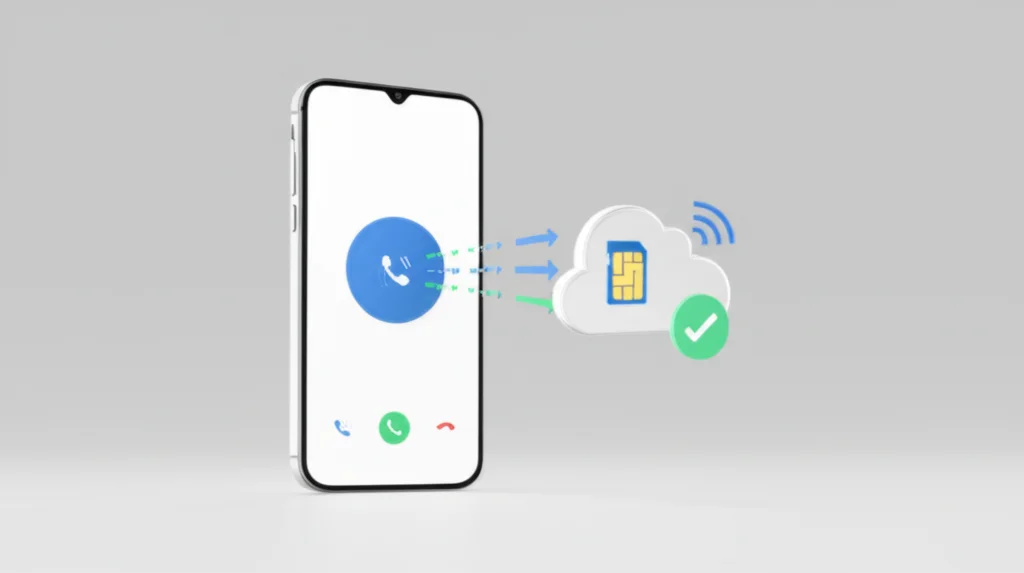
To port a phone number to Google Voice, go to voice.google.com → Settings → Port a number, enter the number with your carrier account number and transfer PIN, and pay a one-time $20 fee. Most U.S. mobile numbers qualify; calls transfer within 24–48 hours and texts within 3 business days.
Which Numbers Can Be Ported to Google Voice?
Not every phone number can be ported to Google Voice. Before you start, check whether your number type is supported by using the Google Voice porting tool at voice.google.com.
Can Be Ported
- • Active U.S. mobile/wireless numbers
- • Major carriers (Verizon, AT&T, T-Mobile)
- • MVNOs (Cricket, Metro, Boost, Mint Mobile)
- • Google Fi numbers
- • Most prepaid wireless numbers
Cannot Be Ported Directly
- • Landline numbers (needs workaround)
- • Toll-free numbers (800, 888, 877, etc.)
- • VoIP numbers (TextNow, Vonage, etc.)
- • Hawaii (808) and Alaska (907) area codes
- • Numbers from outside the U.S.
Landline workaround: If you have a landline number, you can first port it to a prepaid mobile carrier (T-Mobile Prepaid is commonly recommended, ~$10–20 for a SIM and plan). Once the number is recognized as a wireless number, you can then port it to Google Voice with the standard $20 fee.
What You'll Need Before Starting
Gather all of this information before you start the porting process. The most common reason ports fail is incorrect or mismatched account details.
Porting Checklist:
- • Google account — A personal Gmail account works for the free tier
- • $20 payment method — Paid via Google Pay (non-refundable if you provide wrong carrier info)
- • Active phone service — Your current carrier service must remain active throughout the process
- • Account holder name — Must match your carrier records exactly (including middle initials)
- • Carrier account number — Found on your bill or in your carrier's app
- • Account PIN or transfer PIN — Varies by carrier (see table below)
- • Billing/service address — Must match your carrier records exactly
- • A forwarding number — After porting, you'll need a separate phone number to receive forwarded calls on your physical phone
Critical: Do not cancel your current carrier service before the port completes. Canceling early can cause you to lose your phone number permanently. Your old carrier's service will be automatically canceled once the port finishes.
Step-by-Step Porting Process
Check eligibility
Go to voice.google.com, open Settings, and use the porting tool. Enter the phone number you want to port to verify it's eligible.
Click "Port a number"
In Google Voice settings, find the Port a number option under your phone/account section. Click Get Started and enter the number.
Verify your number via SMS
Google sends a 6-digit verification code to the number you're porting. Enter it to prove you control the number.
Enter your carrier details
Provide your current carrier's account number, PIN/transfer PIN, and account holder name exactly as they appear on your bill.
Review and pay $20
Review your porting request details, then pay the one-time $20 fee via Google Pay.
Wait for completion
Phone calls typically port within 24–48 hours. Text messages can take up to 3 business days. Google Voice will notify you when the port is complete.
Set up call forwarding
After porting completes, add your new phone number (the one on your physical device) as a forwarding number in Google Voice settings so calls to your old number ring your phone.
Carrier-Specific Account Details
Each carrier has different requirements for what you need to provide. Here's a quick reference:
| Carrier | Account Number | PIN / Transfer Code |
|---|---|---|
| Verizon | 10 or 14-digit number (on bill or My Verizon app) | 4-digit account PIN + Number Transfer PIN |
| AT&T | Found on bill or AT&T app | Number Transfer PIN (request via AT&T; expires in 4 days) |
| T-Mobile | On bill; Prepaid = your phone number | Transfer PIN (dial #PORT# or use T-Life app) |
| Cricket | Via myCricket app or call 800-274-2538 | 4-digit account PIN |
| Metro by T-Mobile | Call 888-863-8768 | Account PIN |
| Mint Mobile | Via live chat or call 213-372-7777 | Account PIN |
For Verizon users, see our detailed Verizon Port-Out PIN guide. For T-Mobile users, see our T-Mobile Transfer PIN guide.
Porting Timeline & What to Expect
| What | Timeline |
|---|---|
| Phone calls start working | 24–48 hours |
| Text messages start working | Up to 3 business days |
| Old carrier auto-cancels your line | Once port completes |
| Porting out of Google Voice (later) | Up to 7 business days |
What Happens After the Port Completes:
- Your old carrier automatically cancels the ported line — you don't need to call them
- Your old SIM card stops working for calls/texts (it was tied to the ported number)
- You'll need a new phone number/plan for cellular service (data, calls via cell network)
- Your ported number now lives in Google Voice — calls and texts come through the app or web
- If you were under contract, you may owe an early termination fee on your final bill
- Device payment balances from your old carrier become due immediately
Important: After porting, your phone number becomes an internet-only number. All calls and texts go through the Google Voice app or website over Wi-Fi or mobile data. You'll need a separate phone plan for cellular connectivity.
Costs & What's Included Free
| Item | Cost |
|---|---|
| Port-in fee (one-time) | $20 |
| Google Voice personal plan | Free forever |
| Google Voice Starter plan (optional) | $10/month |
| Port-out fee (to leave Google Voice later) | $3 (free if you originally ported in) |
| International calls | Pre-purchased credits at per-minute rates |
Free Plan Includes:
- Unlimited calls and texts to U.S. and Canadian numbers
- Voicemail with automatic transcription
- Call forwarding to linked phone numbers
- Spam call filtering and blocking
- Multi-device support (web, Android, iOS)
- Call screening and Do Not Disturb
- No recurring monthly fees — works indefinitely
The optional Starter plan ($10/month), now available to personal Gmail accounts since late 2025, adds features like on-demand call recording, desk phone support, and SLA guarantees. Most personal users won't need it.
Google Voice Limitations to Know Before Porting
Google Voice is a great deal for free calling, but it has real limitations you should understandbefore committing your phone number:
No 911 emergency services
Google Voice explicitly states it cannot place or receive emergency calls. You must maintain a separate phone line or cellular plan for 911 access.
No international SMS
You can only send texts to U.S. and Canadian numbers. You can receive texts from international numbers, but cannot reply internationally.
Internet-dependent
All calls and texts require a Wi-Fi or mobile data connection. There's no cellular fallback — if you lose internet, you lose phone service on that number.
Limited MMS and group messaging
Group messaging and picture/video messaging (MMS) have inconsistent support depending on the recipient's carrier. Messages over 160 characters are split into multiple texts.
Account suspension risk
Google's automated spam filters can suspend accounts with little warning. Recovery can be extremely difficult — some users report weeks of effort involving FCC complaints to regain access. If your account is suspended, you could lose access to your ported number.
U.S. only
The free personal plan is only available in the United States. You cannot port international numbers, and Hawaii (808) and Alaska (907) area codes are not supported.
Troubleshooting Common Issues
"Number not eligible for porting" error
Your number is likely a landline, VoIP, or toll-free number, or from an unsupported area code (808 or 907). Use Google's eligibility checker first. For landlines, use the two-step workaround: port to a prepaid mobile carrier first, then to Google Voice.
Port rejected — information mismatch
This is the #1 reason ports fail. Your account holder name, account number, PIN, and billing address must match your carrier's records exactly. Even minor differences like "St" vs "Street" or a missing middle initial can cause rejection. Contact your carrier to verify the exact details on file, then retry.
Port stuck in "Pending" for days
If your port has been pending for more than 72 hours, contact your current carrier's number portability department and reference your Google Voice porting ID. You can also cancel the port in Google Voice settings and start a new one (the $20 fee may be refunded for canceled ports).
Carrier blocking the port (Number Lock)
Many carriers enable Number Lock or Port Protection by default, which blocks port-out requests. Disable it in your carrier's app or account settings before initiating the port. See our guides for Verizon and T-Mobile.
Texts not working after calls are ported
This is normal — text message porting takes up to 3 business days, even after calls are already working on Google Voice. Wait the full 3 days before troubleshooting further.
$20 fee not refunded after failed port
The porting fee is non-refundable if the failure was due to incorrect carrier information you provided. However, if you cancel a pending port before it completes, you may receive a refund. Double-check all details before submitting.
Alternatives if Porting Fails or Isn't Right for You
If your number can't be ported to Google Voice, or if the limitations are deal-breakers, consider these alternatives:
Use call forwarding instead
Keep your number with your current carrier and set up call forwarding to a free Google Voice number. You avoid the porting process entirely, but keep paying your carrier bill.
Port to BubblyPhone
BubblyPhone accepts number transfers from all major carriers, supports landlines and VoIP numbers, works in any browser, and offers pay-as-you-go international calling with no monthly fees.
Get a free Google Voice number
Instead of porting, get a free Google Voice number and forward your existing number to it. Callers reach you, but they see the Google Voice number if you call them back.
Use a different VoIP service
Services like Google Voice alternatives (Grasshopper, RingCentral, etc.) accept a wider variety of number types including landlines and some VoIP numbers.
Frequently Asked Questions
How much does it cost to port a number to Google Voice?
There is a one-time $20 porting fee paid via Google Pay. After that, the Google Voice personal plan is completely free — unlimited calls and texts to the U.S. and Canada with no monthly charges. The fee is non-refundable if the port fails due to incorrect carrier information.
How long does it take to port a number to Google Voice?
Phone calls typically start working within 24–48 hours. Text messages can take up to 3 business days. The FCC requires simple wireless ports to be completed within 1 business day, but the full process (including texts) may take longer.
Can I port a landline number to Google Voice?
Not directly — Google Voice only accepts wireless/mobile numbers. However, you can use a two-step workaround: first port your landline to a prepaid mobile carrier like T-Mobile Prepaid (~$10–20), then port that mobile number to Google Voice for $20. Toll-free numbers (800, 888, etc.) cannot be ported at all.
Will my old carrier automatically cancel my service?
Yes. Once the port completes, your old carrier automatically cancels the line tied to that number. You do not need to contact them separately. However, you may still owe a final bill, device payment balance, or early termination fee. Never cancel your carrier service before the port completes — doing so can cause you to lose the number.
Can I port my number back out of Google Voice later?
Yes. You can port your number out of Google Voice to another carrier. It costs $3 to unlock the number (free if you originally ported it in). The port-out process takes up to 7 business days and is initiated through your new carrier, not Google Voice.
Does Google Voice support 911 emergency calls?
No. Google Voice explicitly states it cannot place or receive emergency calls. After porting, you must maintain a separate cellular plan or landline for 911 access. This is one of the most important limitations to consider before porting your primary number.
Related Guides
Verizon Port-Out PIN
Get your Verizon transfer PIN
T-Mobile Transfer PIN
Get your T-Mobile port-out PIN
Google Voice Alternatives
Compare the best VoIP alternatives
Google Voice in Canada
Why it's blocked + Canadian alternatives
Virtual Phone Numbers
Get a second number without porting
Second Phone Number Apps
Best apps for a second line
Call Forwarding Codes
Forward calls instead of porting
WiFi Calling Apps
Best apps for calling over WiFi
Is Porting to Google Voice Right for You?
Porting to Google Voice makes sense if you want a free second line for unlimited U.S. and Canadian calls, or if you're looking to keep an old number alive without paying a monthly carrier bill. The one-time $20 fee is a great deal compared to $30+/month for a carrier plan.
However, if you need 911 access, international texting, reliable MMS, or don't want to risk account suspension, Google Voice may not be the best choice for your primary number.
Need a more flexible VoIP solution? BubblyPhone offers browser-based calling with no app downloads, accepts transfers from all carriers, and works worldwide with pay-as-you-go pricing starting at $0.72/minute.