How to Forward a Text on Android in 3 Taps (Google Messages + Samsung)
Long-press the message, tap the three dots, tap Forward. Plus: how to auto-forward incoming SMS to another phone, why you can't forward multiple texts at once, and what to do when the Forward option is missing.
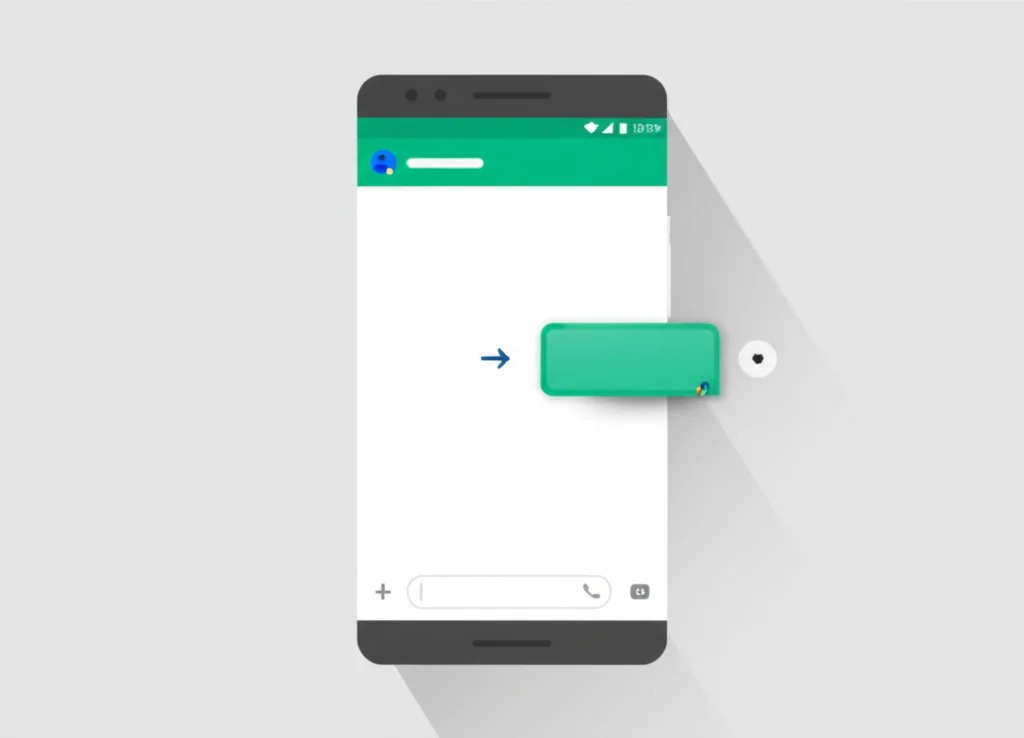
The answer in 3 taps
- Long-press the text you want to forward
- Tap the ⋮ (three dots) at the top right
- Tap Forward, choose recipient, send
To forward a message in Google Messages, touch and hold it, tap Forward, pick a contact and send. If Forward isn't in the pop-up, it's under the ⋮ menu at the top right (older versions). Samsung Messages uses a slightly different menu, covered below.
That covers the basic case. The reason you're probably here, though, is one of three less-obvious cases that the basic instructions don't handle:
- You want to forward many messages at once — Google Messages doesn't let you. There's a workaround below.
- You want it to happen automatically — Android has no built-in auto-forward. Two free apps that handle this are covered here.
- The Forward option is missing — usually a Google Messages cache issue or a carrier-locked feature. Fixes are below.
Table of Contents
How to Forward a Text in Google Messages
Google Messages is the default messaging app on most Android phones in 2026, including Samsung Galaxy S25, Google Pixel, OnePlus, and Motorola devices. Here's how to forward a text:
Step-by-Step: Google Messages
- 1Open the conversation
Launch Google Messages and tap on the conversation containing the text you want to forward.
- 2Long-press the message
Tap and hold the specific message bubble you want to forward. The message will become highlighted.
- 3Tap the three-dot menu (⋮)
Look in the top-right corner of the screen for the overflow menu icon (three vertical dots). Tap it.
- 4Select "Forward"
From the dropdown menu, tap Forward. A recipient selection screen will appear.
- 5Choose recipient and send
Select a recent contact, search by name, or tap New message to enter a phone number. You can select multiple recipients — each will receive the message individually (not as a group). Tap Send.
Tip: After long-pressing the message, the Forward option is inside the three-dot menu — not in the initial popup that appears. Many people miss this because they expect to see "Forward" right away.
How to Forward a Text in Samsung Messages
If you have a Samsung Galaxy phone released before 2025 (Galaxy S24 or earlier), you may still be using the Samsung Messages app. The steps are slightly different:
Step-by-Step: Samsung Messages
- 1Open the conversation
Open Samsung Messages and navigate to the conversation with the text you want to forward.
- 2Long-press the message
Tap and hold the message bubble. A popup menu will appear directly.
- 3Tap "Forward"
Select Forward from the popup menu. Unlike Google Messages, the option appears immediately — no need to dig into a three-dot menu.
- 4Add recipient and send
A new message window opens with the forwarded text pre-filled. Enter the recipient's name or number in the To field. Tap Send.
Important: Starting with the Samsung Galaxy S25 series (January 2025), Samsung has removed Samsung Messages entirely. Google Messages is now the only pre-installed messaging app on the Galaxy S25 and newer Samsung devices. If you have a Galaxy S25 or later, follow the Google Messages instructions above.
Can You Forward Multiple Messages at Once?
Unfortunately, Google Messages does not support forwarding multiple messages simultaneously. When you select more than one message (by long-pressing and then tapping additional messages), the Forward option disappears from the menu entirely. You can only delete messages in bulk — not forward them.
Workarounds for Multiple Messages
Copy & Paste Method
- Long-press and copy each message individually
- Open a new conversation
- Paste messages into the text field
- Add context or labels as needed
- Send as a single combined message
Share via Email/App
- Long-press a message in Google Messages
- Tap the ⋮ menu → Share
- Select Gmail, WhatsApp, or another app
- Repeat for additional messages
- Useful for archiving conversations
How to Forward a Text to Email
Android doesn't have a direct "forward to email" button for text messages, but there are two easy ways to do it:
Method 1: Share via Gmail
- Long-press the message in Google Messages
- Tap the three-dot menu (⋮) in the top right
- Select Share (not Forward)
- Choose Gmail or your email app from the share sheet
- Enter the recipient email address and tap Send
Method 2: Google Voice Email Forwarding
If you use Google Voice, you can enable automatic text-to-email forwarding. Open the Google Voice app → Settings → Messages → Toggle on "Forward messages to email." All incoming texts to your Google Voice number will be forwarded to your Gmail automatically.
How to Forward an Entire Text Conversation
This is one of the most commonly asked questions about Android messaging — and unfortunately, there's no built-in way to forward an entire text conversation on Android. Here are the best workarounds:
Option 1: SMS Backup & Restore App
The most reliable method for exporting full conversations:
- Install SMS Backup & Restore from the Play Store
- Create a backup of your messages
- Export specific conversations as XML files
- Share the backup file via email or cloud storage
Option 2: Google Messages for Web
Access your messages on a computer for easy copying:
- Go to messages.google.com/web on your computer
- Scan the QR code with your phone's Google Messages app
- Open the conversation you want to copy
- Select and copy the conversation text, then paste into email or a document
Option 3: Screenshot Method
For short conversations, take scrolling screenshots. On most Android phones, take a screenshot (Power + Volume Down), then tap Capture more or Scroll capture to extend the screenshot down the conversation. Share the screenshot images directly.
How to Automatically Forward Texts on Android
Unlike iPhone (which can forward iMessages between Apple devices), Android has no built-in automatic text forwarding feature. You'll need a third-party app. Here are the most reliable options:
| App | Price | Forward To | Best For |
|---|---|---|---|
| SMS Forwarder | Free (50 msg/mo) | Email, phone, Telegram, webhook | Personal use |
| AutoForward Text | Subscription | Email, phone, Slack, API | Business & parents |
| IFTTT | Free tier available | Email, apps, 700+ services | Flexible automation |
| Tasker | $3.49 one-time | Phone, email, custom actions | Power users |
Setting Up SMS Forwarder (Most Popular Free Option)
- Install SMS Forwarder from the Google Play Store
- Open the app and tap Add Filter
- Choose a forwarding method: email (SMTP), phone number, or Telegram
- Set your filter rules — forward all messages, or only from specific contacts/keywords
- Enable the filter and grant the necessary permissions (SMS access, run in background)
- Send yourself a test text to verify it forwards correctly
Privacy note: Auto-forwarding apps require extensive permissions including full SMS access. Only install apps from trusted developers with strong reviews. The free version of SMS Forwarder limits you to 50 messages per month.
Forwarding RCS, MMS, and Group Text Messages
Not all messages are created equal on Android. Here's how forwarding works for each message type:
| Message Type | Can Forward? | Limitations |
|---|---|---|
| SMS (Text Only) | Yes | None — forwards as a new SMS |
| MMS (Photos/Video) | Yes | Media may be compressed (carrier limit: 300KB–3.5MB) |
| RCS Messages | Yes | Downgrades to SMS/MMS if recipient doesn't have RCS |
| Group Texts (MMS) | Individual messages only | Cannot forward entire group thread at once |
| RCS Group Chats | Individual messages only | No end-to-end encryption for RCS group chats yet |
RCS in 2026: With Apple adding RCS support to iPhones in iOS 18 (September 2024), cross-platform messaging has improved significantly. Forwarding RCS messages to iPhones now works better than ever, though some features like reactions may not translate across platforms.
Troubleshooting: Forward Option Not Working
Forward Option Not Appearing
The most common issue. In Google Messages, the Forward button isn't in the first popup — it's hidden in the three-dot overflow menu.
Fix:
- Long-press the message bubble (not the white space around it)
- Look for the ⋮ icon in the top-right corner of the screen
- Tap it to find the Forward option
- Make sure only one message is selected — the Forward option disappears when multiple messages are selected
Only Emoji Reactions Showing
Some users report that long-pressing a message only shows emoji reactions instead of the text selection menu.
Fix:
- Hold your finger on the message for 2-3 full seconds (not a quick tap)
- If emoji reactions appear, look above or below them for a selection bar, then check the ⋮ menu
- Update Google Messages to the latest version from the Play Store
- Clear the app cache: Settings → Apps → Messages → Storage → Clear Cache
App Crashing or Not Responding
If Google Messages freezes or crashes when you try to forward a message.
Fix:
- Restart your phone
- Update Google Messages to the latest version
- Clear app cache and data: Settings → Apps → Messages → Storage → Clear Cache
- Make sure the correct messaging app is set as default: Settings → Apps → Default apps → SMS app
Forwarded Message Failing to Send
The forward action works, but the message doesn't deliver to the recipient.
Fix:
- Check your cellular signal — toggle airplane mode on/off
- Ensure the SIM card is properly seated
- If forwarding MMS with large media, the file may exceed your carrier's size limit
- Reset network settings: Settings → System → Reset options → Reset Wi-Fi, mobile & Bluetooth
Frequently Asked Questions
Does the original sender know if I forward their text?
No. There is no notification sent to the original sender when you forward their message on Android. The forwarded message appears to the new recipient as if you typed it yourself — there's no "forwarded" label like in WhatsApp.
Can I forward a text from Android to iPhone?
Yes. You can manually forward any text to an iPhone number using the standard forward method. The message will be delivered as SMS or MMS. For automatic cross-platform forwarding, you'll need a third-party app like SMS Forwarder — there's no built-in Android-to-iPhone text sync.
Can I forward multiple text messages at once?
No, Google Messages only allows forwarding one message at a time. When you select multiple messages, the Forward option disappears. Your best option is to copy and paste each message individually, or use the Share function to send via email or another app.
Can I automatically forward all texts to another phone number?
Android doesn't have a built-in auto-forward feature. You need a third-party app like SMS Forwarder (free, 50 messages/month), Tasker ($3.49 one-time), or IFTTT. These apps can automatically forward incoming texts to another phone number, email, or even Telegram.
Does forwarding a text cost extra?
Forwarding a text counts as sending a new SMS or MMS message. If you have an unlimited texting plan (most plans in 2026 do), there's no extra cost. If you're on a limited plan, each forwarded message counts toward your message allowance. Forwarding MMS with photos or video may use mobile data.
Why did Samsung remove Samsung Messages?
Starting with the Galaxy S25 series in January 2025, Samsung partnered with Google to make Google Messages the sole pre-installed messaging app. This means RCS messaging works out of the box on all new Samsung phones. If you have an older Samsung device (S24 or earlier), Samsung Messages may still be available.
Need to Make Calls from Your Browser?
BubblyPhone lets you make international calls directly from your web browser — no app download needed. Perfect for when texting isn't enough and you need to actually talk.
Try BubblyPhone Free →Related Guides
How to Forward Text Messages (iPhone & Android)
Complete cross-platform guide for forwarding texts on any device
How to Schedule a Text on iPhone
Send text messages at the perfect time with scheduling
Auto Reply Text on iPhone
Set up automatic text responses using Focus Mode
Why Are My Text Messages Not Delivering?
Troubleshoot undelivered texts on iPhone and Android
How to Make a 3-Way Call on Android
Conference calling guide for Samsung, Pixel, and more
Call Forwarding on Android
Forward phone calls to any number on Android phones
Best WiFi Calling Apps
Make calls over WiFi when cellular signal is weak
How to Hide Your Number When Calling
Block your caller ID on Android and iPhone