How to Tell If You're on a 3-Way Call on Android (7 Signs) + How to Make One
Can you tell if someone merged your call? Yes — here are 7 audio cues that reveal a 3-way call on Android. Plus step-by-step guide to make conference calls on Samsung Galaxy & Pixel.
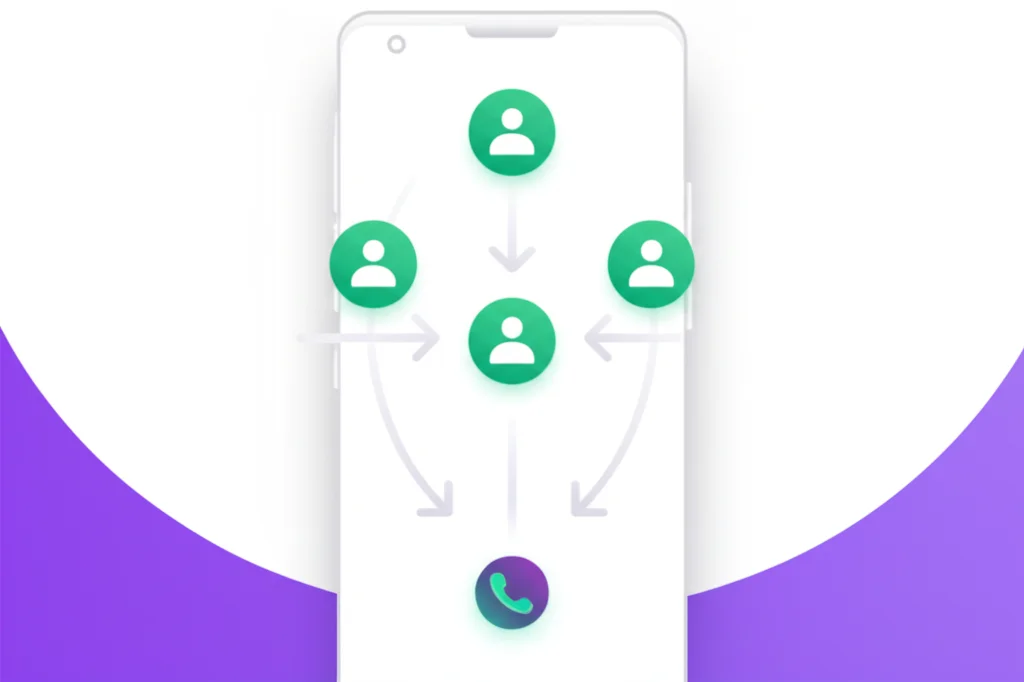
You usually can't tell from the screen: Android shows no alert when someone merges you into a 3-way call, and only the person who tapped Merge sees "Conference call." Listen instead for a 5-15 second hold, a click or beep, a new background, or a third voice. To start one yourself, tap Add call, dial, then tap Merge.
Quick Answer: 3-Way Call on Android
During a call: Tap Add call (+) → Dial second person → When they answer, tap Merge
Works on all Android phones: Samsung, Pixel, OnePlus, Motorola, and more
Table of Contents
How to Make a 3-Way Call on Android
Making a 3-way conference call on Android is straightforward using your phone's built-in dialer. Here's the universal method that works on all Android phones.
Step-by-Step Instructions
- 1Call the first person
Open the Phone app and dial the first person you want on the call. Wait for them to answer.
- 2Tap "Add call" (+)
Look for the Add call button (usually a + icon) on your call screen. This puts the first person on hold.
- 3Dial the second person
Enter the second phone number or select from contacts. Tap the green call button.
- 4Tap "Merge" or "Merge calls"
Once the second person answers, tap the Merge button (looks like two arrows merging). Your screen will now show "Conference call."
- 5Add more participants (optional)
Repeat the process: tap Add call, dial, wait for answer, then Merge. Most carriers allow 5-6 participants total.
Tip: Can't find the Add call button? Press the three-dot menu (⋮) on the call screen - it may be hidden there on some Android devices.
Samsung Galaxy 3-Way Call Steps
Samsung Galaxy phones running One UI have a slightly different interface. Here's how to make a conference call on Samsung GalaxyS25, S24, A54, Z Fold, and other models.
Samsung Galaxy Conference Call Steps:
- 1. Open the Phone app and call the first person
- 2. Once connected, tap Add call (+ icon)
- 3. The first caller is automatically put on hold
- 4. Dial the second number and tap the green Call button
- 5. When they answer, tap Merge (upward arrow with two tails)
- 6. Screen will display "Conference call" - all three parties can now talk
Managing Samsung Conference Calls
During a Samsung conference call, tap the Conference call dropdown to see all participants:
- Split: Tap to speak privately with one person (puts others on hold)
- End: Tap the red button next to a participant to remove just them
- Add: Tap Add call to add more participants (up to 6 total on most carriers)
Google Pixel 3-Way Call Steps
Google Pixel phones use the standard Google Phone app, making 3-way calling on Pixel very straightforward.
Google Pixel Conference Call Steps:
- 1. Call the first participant from the Phone app
- 2. During the call, tap Add call
- 3. Your first call goes on hold automatically
- 4. Dial the second participant and call them
- 5. Once they answer, tap Merge
- 6. You now have a 3-way conference call
Pixel phones on Verizon, AT&T, and T-Mobile typically support up to 6 participants in a conference call, though this depends on your carrier and plan.
How to Tell If You're on a 3-Way Call on Android
The most searched question about Android conference calls is: "How to tell if you are on a 3-way call on Android?"The short answer is that Android does not notify you when someone merges a third person into your call. Here's everything you need to know about detection.
Key Fact: Android Has No 3-Way Call Notification
Unlike what many people believe, Android does not display any alert, banner, or notification when someone adds you to a conference call. Your call screen will continue showing only the original caller's name/number. Only the person who initiated the merge can see "Conference call" on their screen.
If You Started the Conference
- Your screen shows "Conference call"
- You can see all participants in a dropdown
- You can manage, split, or remove callers
- The Merge button appears when adding callers
If Someone Else Added You
- No visual indicator - you won't see "Conference call"
- May hear a brief click, beep, or pause
- Voice quality may slightly change
- May notice background noise or echoes
- Third voice suddenly joins the conversation
How to Know If Someone Merged Your Call
When someone taps "Merge" on their Android phone to add you into a conference, here's what happens on your end:
| What Happens | What You'll Notice | Reliability |
|---|---|---|
| Brief hold period (5-15 sec) | Silence or hold music while they dial the third person | High |
| Click or beep on merge | Audible "click" when the Merge button connects all parties | Medium |
| Audio quality change | Slightly lower quality, more compression, or subtle echo | Medium |
| New background noise | Third person's environment (traffic, office sounds, breathing) | Medium |
| Screen notification | Nothing - your screen still shows only the original caller | None |
The Hard Truth
There is no guaranteed way to detect if someone has secretly added a third party to your call on Android. Only the person who initiated the conference can see all participants. You'll need to rely on audio cues or simply ask the other person if anyone else is listening.
7 Audio Cues That Someone Merged Your Call
- Sudden silence or hold (5-15 seconds): The most reliable sign — they put you on hold to dial the third person
- Click or beep sound: When the Merge button is tapped, you may hear a brief click
- Audio quality drops: Conference calls use more bandwidth, sometimes lowering quality
- New background noise: A third person's environment introduces new ambient sounds
- Echo or audio feedback: Multiple microphones on one call can cause subtle echoing
- Delayed responses: More participants add slight network latency
- Change in the caller's behavior: They may pause, whisper, or seem distracted while adding someone
Privacy tip: If you suspect someone is recording or conferencing you in without consent, be aware that many US states have two-party consent laws that require all parties to agree to being recorded or listened to.
Carrier Limits: How Many People Can Join?
The number of participants allowed in a conference call depends on your carrier and whether you're using HD Voice (VoLTE).
| Carrier | Max Participants | Notes |
|---|---|---|
| Verizon | 6 (HD Voice) 3 (non-VoLTE) | HD Voice/VoLTE required for 6-person calls |
| AT&T | 6 | Standard on most postpaid plans |
| T-Mobile | 5-6 | Varies by plan and device |
| Mint Mobile | 5 | Uses T-Mobile network |
| Other MVNOs | 3-5 | May require activation; contact carrier |
Pro Tip: If you need more than 6 participants, use a VoIP app like BubblyPhone, Zoom, Google Meet, or Microsoft Teams instead of your phone's native conference calling.
Merging an Incoming Call
If someone calls you while you're already on a call, you can merge them into a 3-way conference.
How to Merge an Incoming Call:
- 1. You're on a call and receive another incoming call
- 2. Tap Hold & Answer or Answer (this puts the first call on hold)
- 3. Speak with the new caller to confirm they want to join
- 4. Tap Merge to combine both calls into a conference
- 5. All three parties are now connected
You can also swap between calls without merging by tapping the "Swap" or "Switch" button, which lets you speak privately with each person alternately.
Managing Conference Participants
As the person who started the conference call, you have control over the participants.
Remove Someone
Tap the dropdown, then tap the red "End" or "Drop" button next to their name
Split Calls
Tap "Split" to speak privately with one person while others are on hold
Add More People
Tap "Add call" again to dial another participant, then "Merge"
Ending the Conference Call
When you (the host) tap the red End Call button:
- On most Android phones: All calls are disconnected for everyone
- Some carriers allow others to continue talking after the host leaves
- To leave while letting others continue, try using the "Split" function first, then end only your connection
Troubleshooting 3-Way Calls on Android
"Add call" button is missing
You can't find the option to add another caller.
Solutions:
- Tap the three-dot menu (⋮) or More button on the call screen
- Check if your carrier supports conference calling on your plan
- Ensure you have cellular signal (not just WiFi)
- Contact your carrier to enable 3-way calling on your account
"Merge" button doesn't appear
You added a second call but can't merge them.
Solutions:
- Wait for the second person to fully answer (not just ringing)
- Some carriers don't support merging certain call types (e.g., international calls)
- Try ending both calls and starting fresh
- Check if you've reached your carrier's participant limit
Poor audio quality on conference call
Voice sounds muffled, echoes, or drops out.
Solutions:
- Move to an area with better cellular signal
- Avoid using speakerphone - use headphones or hold phone to ear
- Ask participants to reduce background noise
- If one person has poor connection, they may need to rejoin
Can't add more than 3 people
You're hitting a participant limit before reaching 5-6 people.
Solutions:
- Older phones or non-VoLTE connections limit to 3 callers
- Enable HD Voice / VoLTE in Settings → Connections → Mobile networks
- Some MVNOs (budget carriers) have lower limits
- Use a VoIP app for larger group calls
Tips for Better 3-Way Call Quality
Do This
- ✓ Call from a location with strong signal
- ✓ Use earbuds or headphones
- ✓ Stay in a quiet environment
- ✓ Enable HD Voice/VoLTE
- ✓ Keep the call short for best quality
Avoid This
- ✗ Using speakerphone (causes echo)
- ✗ Calling from areas with poor coverage
- ✗ Background noise (fans, traffic, etc.)
- ✗ Mixing cellular + VoIP calls (can't merge)
- ✗ Walking during the call (signal handoffs)
Need a Better Conference Call Solution?
Get crystal-clear conference calls with BubblyPhone. Unlimited participants, no carrier restrictions, and works over WiFi anywhere in the world.
Try BubblyPhone Free →Frequently Asked Questions
How do I make a 3-way call on Android?
Start a call with the first person. Once connected, tap Add call (+ icon) to dial the second person. When they answer, tap Merge to combine both calls. All three parties can now talk together. This works on Samsung, Pixel, OnePlus, and all other Android phones.
How to tell if you are on a 3-way call on Android?
Android does not show any notification or visual indicator when someone adds you to a 3-way call. Your screen will still display only the original caller's name. The most reliable sign is a 5-15 second period of silence (while they dial the third person), followed by a click or beep when calls are merged. Other cues include audio quality changes, new background noise, echo, and delayed responses.
How to know if someone merged your call?
When someone merges your call on Android, you may notice: (1) being placed on hold for 5-15 seconds while they call the third person, (2) an audible click when the Merge button is pressed, (3) a drop in audio quality, and (4) new background sounds from the third person's environment. There is no on-screen notification — only the person who initiated the merge sees "Conference call" on their display.
How many people can be on a conference call on Android?
Most carriers allow 5-6 participants on a conference call if you have HD Voice/VoLTE enabled. Verizon supports up to 6 with HD Voice (3 without), AT&T supports 6, and T-Mobile supports 5-6. Older phones or non-VoLTE connections may be limited to 3 participants.
Why is my Merge button not working?
The Merge button won't appear until the second person answers and the call is connected. Make sure you're not trying to merge a VoIP call (like WhatsApp or FaceTime) with a regular cellular call, as these cannot be merged. Also check that your carrier supports conference calling on your plan.
Can I add someone to a call without them knowing?
Technically yes, you can merge someone into a call without explicitly telling them. However, they may hear a click or notice a change in audio quality. It's always best practice to inform all parties when adding someone to a conference call for ethical and legal reasons.
Is 3-way calling free on Android?
3-way calling is a carrier feature, not an Android feature. Most postpaid plans on Verizon, AT&T, and T-Mobile include conference calling at no extra charge. However, all participants' calls use your plan minutes (if you don't have unlimited calling), and international calls may incur charges.
Related Guides
Detect a 3-Way Call (Full Guide)
7 signs someone added a third person, legal implications, and privacy tips
3-Way Call on iPhone
Make conference calls on iPhone and iOS
Call Forwarding on Android
Forward calls to another number on any Android phone
Samsung Call Forwarding
Complete Samsung Galaxy forwarding guide
Record Phone Calls
Record calls on iPhone with iOS 18.1 and third-party apps
WiFi Calling Apps
Best apps for calling over WiFi anywhere in the world