iPhone Auto Text Reply on Vacation Not Working? Set It Up So It Actually Holds
iPhone has no vacation auto-reply for texts; Driving Focus is the only built-in one. Why it stops working on holiday (it turns itself off, Recents, one reply per person), the settings that make it hold, Shortcuts for specific people, and what still needs a second number.
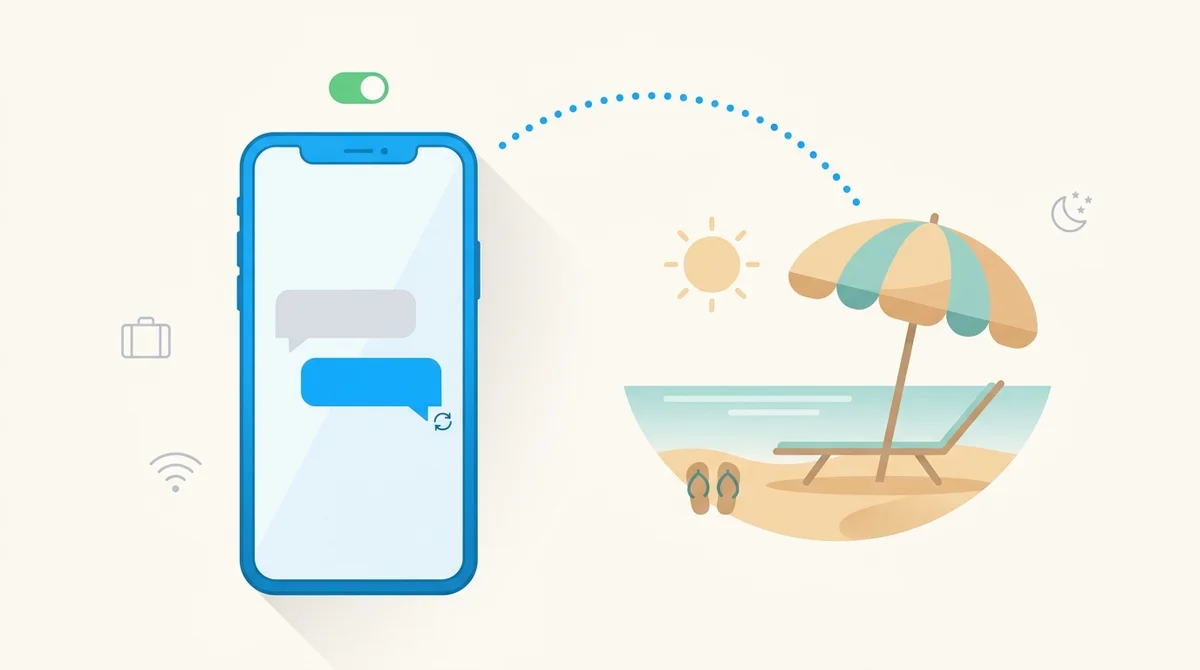
iPhone has no vacation auto-reply for texts. The only built-in one lives inside Driving Focus, and it works as an out-of-office responder if you set it up the right way.
- Settings, Focus, Driving: set Auto-Reply to All Contacts and write your message.
- Set Driving to turn on Manually, then switch it on from Control Center. Left on Automatically, it turns itself off the moment you stop moving, which is the number one reason “it stopped working on holiday”.
- It replies once per person, only in the Messages app, and never to numbers that are not in your Contacts.
Why your vacation auto-reply stopped working
People set up Driving Focus on the way to the airport, see it reply to the first text, and assume it is handled. Two days later a friend says they never got a reply. Nothing broke. The feature was designed for a 20-minute drive, and each of its defaults works against a two-week holiday. Check these in order.
- The Focus turned itself off. With the default “Automatically” setting, Driving switches on when the phone senses car motion and off when it stops. Sitting by a pool counts as stopped. Fix: Settings, Focus, Driving, While Driving, choose Manually, then turn the Focus on yourself from Control Center. It now stays on until you turn it off.
- Auto-Reply is set to Recents or Favorites. Recents covers people you have replied to recently; Favorites is your starred contacts. Everyone else gets silence. Fix: Settings, Focus, Driving, Auto-Reply, All Contacts.
- They already got the one reply. The Focus sends a single auto-reply per conversation while it stays on, so someone who texted you on day one and again on day four only ever saw the first one. Turning the Focus off and on resets it.
- They are not in your Contacts. Unknown numbers never receive the auto-reply, on purpose. If a colleague texts from a new number, they will not hear back.
- They used WhatsApp. The auto-reply only answers iMessage, SMS and RCS in the Messages app. WhatsApp, Instagram, Signal and Telegram are untouched.
- A shared Focus turned it off. Focus settings sync across your Apple devices. Turning Driving off on your Mac or iPad turns it off on the iPhone too, unless you switch off Share Across Devices under Settings, Focus.
Set up Driving Focus as an out-of-office responder
These are the exact screens in iOS 26 and iOS 27. Older iOS 15 to 18 use the same names.
- Open Settings, tap Focus, then Driving. If Driving is not listed, tap the plus button and add it.
- Tap Auto-Reply. Under Auto-Reply To choose All Contacts.
- Replace the default message (“I'm driving with Driving Focus turned on. I'll see your message when I've arrived at my destination.”) with your own. Keep it short; long replies are cut into several texts on SMS.
- Back on the Driving screen, tap While Driving and choose Manually. This is the step most guides skip.
- Before you leave, open Control Center, tap Focus, and tap Driving. The car icon appears on the Lock Screen while it is on.
Two behaviours to know. First, anyone who receives the auto-reply can break through by replying with the single word “urgent”, which delivers their next message with a normal notification; Apple documents this, and it is a feature, not a bug. Second, the Focus also silences most notifications while it is on. If you want the replies without the silence, add the people you care about under Allowed Notifications on the same screen.
Three messages that work as vacation replies
- Personal: “Away until 28 Sept with patchy signal. I'll reply when I'm back. If it's urgent, reply with the word urgent and I'll see it.”
- Work, with a fallback: “Out of office until Monday 29 Sept. For anything that can't wait, email hello@yourcompany.com or call the main line.”
- Short and honest: “On holiday, phone mostly off. Back on the 28th. Text ‘urgent’ if it really is.”
Leave out anything you would not want a stranger to read: the auto-reply goes to every saved contact, including the dentist and the letting agent. Saying the house is empty for two weeks is a bad idea.
Shortcuts: an auto-reply for specific people or phrases
The Shortcuts app can answer messages too, with different rules. Its Message trigger fires when a message arrives from senders you choose, or containing a phrase you choose, and it can run without asking. That makes it useful for the cases Driving Focus cannot cover: replying to one client with a specific message, or answering anyone who texts the word “quote” with your rates.
- Open Shortcuts, tap Automation, then the plus button.
- Choose Message. Pick the senders, or set Message Contains to a phrase, or both. Select Run Immediately and turn off Notify When Run if you do not want a banner each time.
- Add the action Send Message. Type your reply and set the recipient to Shortcut Input, so it goes back to whoever wrote.
Limitations: it replies every time, not once per conversation, so keep the trigger narrow or you will answer a friend's ten messages ten times. It cannot be set to “anyone” without a phrase. And reports differ on how reliably it fires while the phone is locked, so test it with a friend before you rely on it for a trip.
What iPhone still cannot do, and what fills the gap
There is no way on an iPhone to answer every text from every number with a scheduled out-of-office message. Apple does not give apps access to incoming SMS, so no App Store app can do it either, whatever its listing says. The options that do exist:
- Driving Focus, manually: covers all saved contacts, once each. Good enough for most holidays.
- Shortcuts: covers named people or phrases, every time.
- A business or virtual number: services that give you a second number can auto-reply on that number to anyone, on a schedule, because the reply happens on their servers rather than on the phone. This is the only true responder, at the cost of giving people a different number to text.
- Email: for work contacts, the Mail or provider vacation responder still does the heavy lifting. Point your text auto-reply at it.
After the trip
Turn Driving off in Control Center, then put While Driving back to Automatically or Car Bluetooth if that is how you used it before. If you leave it on Manually, the Focus will never turn on for actual driving again, which is the opposite of what it was built for.
Frequently Asked Questions
Abroad and need to call home?
BubblyPhone calls any mobile or landline in 200+ countries from your browser over Wi-Fi, with no roaming charges and no SIM. Top up from $5 and pay by the minute.
Related guides
- iPhone text to Android not saying Delivered: what each status means and the fixes.
- How to forward text messages: get your texts on a second phone while you are away.
- Call forwarding codes: send calls somewhere else for the duration of the trip.
- Voicemail greeting examples: the spoken version of your out-of-office.