How to Get a Virtual Phone Number: Steps, Costs and Setup
Table of Contents
You're staring at an account's phone-number field, or you need a separate line without buying another SIM. To get a virtual phone number, choose the country and number type, create an account, complete any required verification, then activate and test it before relying on it for calls or codes.
The important distinction is getting a number versus getting one a particular service accepts. A number can receive ordinary calls perfectly and still fail a bank's verification check.
Choose the Number Type Your Goal Needs
A virtual phone number is delivered through an internet-based voice service rather than tied exclusively to one SIM or landline. Choose it by what you need to receive, not just the area code.
Number type by goal
The FCC's guide to internet-based voice services distinguishes interconnected services that make and receive calls through the regular telephone network. That connection is why emergency-calling disclosures and portability rules can apply, while country-specific assignment rules may require identity checks or a local address.
An app-only username isn't equivalent. Before paying, confirm that someone using an ordinary phone can dial your number without joining the same service.
Choose reach before appearance
We can issue a US number to someone living outside the US. That doesn't make it a mobile number or guarantee acceptance by an American account-verification system.
If you want a memorable area code or digit pattern, understand how choosing your phone number works. When evaluating options to rent a virtual phone number, check whether it's dedicated, how long you retain it, and whether its intended use matches yours.
Calling credit is pay as you go; only the optional dedicated-number plan is recurring.
Buying rule: If receiving verification codes is essential, arrange a backup verification method before buying the number.
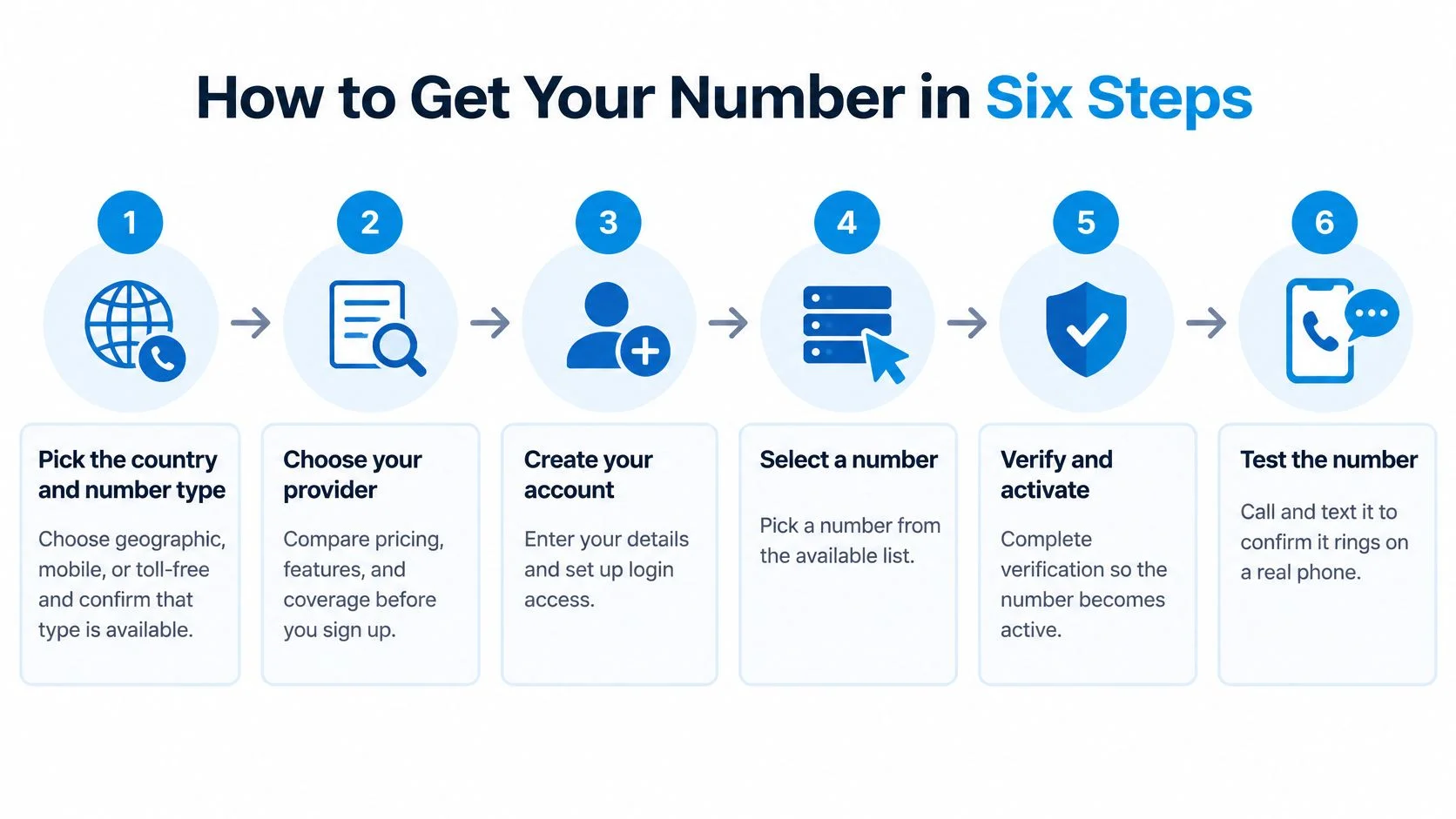
How to Get Your Number in Six Steps
To get a usable virtual number, select its country and capabilities, register, verify your eligibility, and test its routing. Don't publish it until calls reach the intended device and supported messages arrive.
Use this visual overview to keep the purchase and activation stages separate.

Select and register
- Pick the country and number type. Choose geographic, mobile, or toll-free, and compare coverage, included functions, and eligibility before selecting an available number. The common mistake is assuming a mobile-looking number supports every mobile function, or choosing a category the receiving service won't accept.
- Use international format. Enter the country code and national number, normally omitting the domestic trunk prefix; the ITU-T E.164 numbering standard permits a maximum of 15 digits, excluding the international dialing prefix. Leaving a domestic zero after the country code can produce an invalid destination, and correct formatting alone doesn't establish SMS capability.
- Create your account. We support registration with an email address, Google account, or Apple account, followed by browser access or sign-in through the iPhone or Android app. Use a login you'll retain, rather than a temporary work address you could lose when changing jobs.
Verify and prove it works
- Submit required identity or address documents. Match your registration details to the documentation, and prepare legal-entity information, proof of address, and the calling purpose for a business application. A geographic number's availability doesn't mean you qualify to hold it, so don't substitute an unrelated address to bypass a local-presence requirement.
- Complete the activation challenge. Follow the offered email, SMS, or payment-card verification process, then confirm that the number shows as active rather than merely reserved. If a challenge fails, resolve that specific issue instead of opening duplicate accounts or repeatedly changing payment details.
- Configure routing and run an acceptance test. A practical test described in the number-provisioning guidance accompanying E.164 is 10 inbound and 10 outbound calls, using at least two unrelated networks and mobile and landline destinations. Log failed connections, delayed incoming texts, one-way audio, and caller-ID mismatches rather than accepting a successful dashboard status as proof.
Keep a simple test sheet with the destination, network, time, result, and fault. It helps distinguish a single unreachable destination from a routing problem affecting every call, and gives support something concrete to investigate.
The video provides another view of the setup process.
A working setup connects calls involving ordinary mobiles and landlines, plays the intended voicemail greeting, and presents the caller ID you selected. If texting matters, add an incoming-message test from the actual service you intend to use, not just a friend's phone.
Set Up Calls, Texts and Forwarding
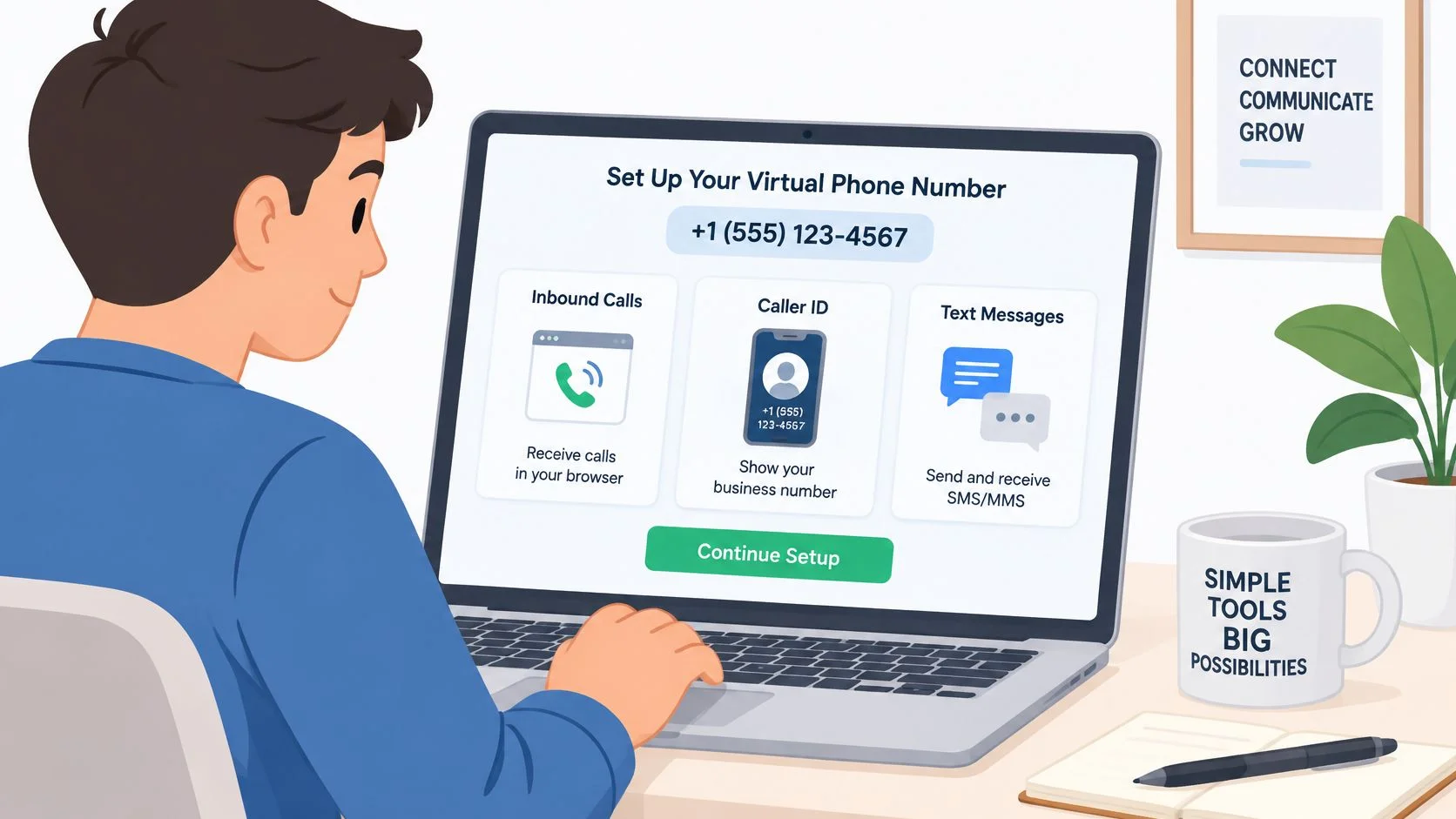
A call can ring in your browser or app, forward to your mobile, or go to voicemail. Set the route before sharing the number, then check what happens when you don't answer.

Check the complete call path
- Forwarding destination: Enter the full international number and confirm it isn't forwarding back to the virtual number.
- Voicemail greeting: Record a clear greeting, leave a message, then check playback and retrieval.
- Mobile and landline tests: Ask someone with an ordinary phone to call, then repeat from a different network.
- Unanswered calls: Let a call ring out and check that it reaches voicemail rather than disconnecting.
For a team, decide who handles missed calls before adding routing options. This guide to setting up a business VoIP phone system covers turning a separate line into a shared answering workflow.
With a BubblyPhone Number, incoming texts arrive on your dedicated number and you can reply from the app. Whether messages to unverified or arbitrary recipients are supported can depend on the market. See the guide to receiving SMS on a virtual phone number for more on receiving messages.
To place an outgoing call, enter the destination, check the displayed rate, and press call. The person you call receives an ordinary phone call and doesn't need an app or account.
An activated number isn't working until someone on another network can reach it.
Fixing Rejected Codes and Blocked Calls
A rejected number usually means the platform blocks its number category, the required SMS route isn't supported, or the account requires a stable mobile number. Buying another virtual number won't reliably fix a category-level restriction.
Banking, government services, healthcare portals, and other sensitive logins are poor places to assume compatibility. Acceptance is service-specific: a dedicated number can still be rejected, while successful delivery of an ordinary text doesn't prove that a short-code verification message will arrive.
Diagnose the symptom before replacing the number
Symptoms, causes and fixes
When a code fails, first confirm the destination's country code and whether the service accepted the number at registration. Then check the incoming-message inbox, request a fresh code through the service's normal process, and use its voice-call option if offered.
If ordinary messages arrive but that service's codes don't, stop treating it as a general inbox failure. Use a backup authentication method or the service's account-recovery process instead of repeatedly requesting codes.
The Congressional Research Service's analysis of caller identity and authentication highlights the security distinction between voice identity and text authentication. For critical accounts, retain recovery codes or another supported authentication factor, and don't make a temporary or untested number your only route back in.
Separate incoming reliability from outgoing reputation
A number may receive calls while its outbound calls get filtered. The FCC's call-authentication guidance explains how authenticated caller identity supports blocking and labeling decisions; rapid bursts, abandoned calls, mismatched identity, and number rotation can also make legitimate outreach resemble abuse.
Keep a consistent identity, contact people who expect your call, and publish an alternate callback channel. Our calling access works from any country with an internet connection and needs no special account beyond ordinary registration, but that access doesn't override another service's verification policy.
When a code never arrives, the dependable fix is often your backup method, not a second virtual number.
Caller ID, Emergency Calls and Porting Rules
Use a virtual number only when you understand its emergency limitations, control the caller ID, and know whether you can retain it when switching services. These are separate checks, not benefits automatically included with every number.
Emergency calling
For US interconnected VoIP services, the FCC's VoIP and 911 guidance requires 911 access, a registered physical location, a way to update that location, and warnings about emergency-service limitations. Providers must transmit the caller's number and registered location to the appropriate emergency call center.
If you move without updating that address, responders could be sent to the wrong place. A browser calling service that isn't an interconnected replacement may not fall under every E911 obligation, so verify its emergency support and retain another dependable way to contact emergency services.
Caller ID
Spoofing means deliberately falsifying transmitted caller-ID information to disguise identity. Under the Truth in Caller ID Act and FCC rules, misleading information sent with intent to defraud, cause harm, or wrongfully obtain anything of value is prohibited, and the FCC's spoofing guide states penalties can reach $10,000 per violation.
A separate business identity isn't permission to impersonate someone else. Use your assigned number or another number you've verified and are authorized to display.
Porting
In the US, customers switching services within the same geographic area can generally retain their number, and the FCC's number-porting guide says simple ports must normally be processed within one business day. Eligibility still depends on the number category, geographic rules, and destination service.
Before initiating a move, review the number-porting eligibility checklist and collect the account details the receiving service needs. Don't cancel the existing service before confirming how the transfer must proceed.
- Registered location: Keep the emergency-service address accurate wherever applicable.
- Authorized identity: Confirm your right to display the outgoing number.
- Port eligibility: Get confirmation that the destination accepts your number before committing.
Pick a Plan and Make Your First Call
A dedicated number makes sense when people need to reach you, send you texts, or leave a voicemail. If you only place outbound calls, skip the number and pay for the calls you make.
Plan options at a glance
Setting up a US local number has a $3 one-time fee. The optional number plan is the only monthly charge; calling itself has no subscription.
Consider the dedicated number if:
- You need a number people can call or text.
- You want inbound calls to ring in the browser or app, forward to your mobile, or go to voicemail.
- You need a number for verification and can keep another recovery method active until the service accepts and tests it.
Calls reach phones in 222 countries without an app, SIM card, or browser extension. Check the live destination rates before dialing, since the rate depends on the destination and number type.
To make your first call, sign in, add credit, enter the destination in international format, check the rate, and press call. The person you call receives an ordinary phone call and does not need a BubblyPhone account or app.
Make your first call with BubblyPhone in a browser. A $5 minimum top-up gets you started, and unused credits do not expire.