How to Call Brazil from US Step by Step

Table of Contents
- Match the destination city
- Build a São Paulo mobile number
- Use the right path for your device
- Check who will bill you
- Read the rate and billing rules together
- Check their clock, not just yours
- Complete the browser setup
- Follow one complete dial path
- Match the symptom to the next check
- Separate number problems from audio problems
011 + 55 + two-digit area code + local number is the sequence to call Brazil from the US; on a mobile or compatible browser dialer, use +55 instead of the 011 + 55 prefix. A Brazilian mobile number needs nine digits after the area code, beginning with 9, while a landline needs eight.
That extra mobile digit can matter more than your calling plan. A perfectly affordable call still won't connect if you leave out part of the number. Start by matching the city code and counting the subscriber digits, then choose whether to call from your own phone or a browser.
Dial the Exact Digits for Any Brazilian Number
Dial 011, then 55, then the two-digit Brazilian area code, then the local number. The FCC's international calling guide gives the Rio de Janeiro landline pattern as 011-55-21-XXXX-XXXX.
Each part has a different job. The exit prefix tells your US telephone network you're calling internationally; the country code routes the call to Brazil; the area code identifies the destination region.
The Brazilian area code is called the DDD, short for Discagem Direta à Distância. The ITU's Brazilian numbering document identifies Brazil's country code as +55 and documents the numbering structure, including two-digit area codes and nine-digit mobile subscriber numbers beginning with 9.
Match the destination city
Use a confirmed DDD rather than guessing from the recipient's address. If a city isn't listed with a verified code below, ask the recipient for the complete number, including its area code.
Brazilian area codes and dial strings for US callers
In this table, DDD means the recipient's two-digit area code, not letters to enter into the phone. Each X represents a digit from their actual number.
For another reference while preparing your contact, use the Brazil country-code guide.
Build a São Paulo mobile number
Say a relative sends the illustrative number (11) 91234-5678. You would enter +55 11 91234 5678 in a compatible mobile or browser dialer, or 011-55-11-91234-5678 on a conventional US telephone.
Check the number in this order:
- Identify the DDD: Keep the area code that belongs to the recipient's number.
- Remove domestic prefixes: Don't retain a leading
0after Brazil's country code. - Count the subscriber digits: A landline has eight; a mobile has nine and begins with
9. - Choose the international prefix: Use
011-55on a conventional US telephone or+55in a compatible dialer.
The plus sign represents international access. It replaces 011, not Brazil's country code, so don't enter 011 +55 together.
Practical rule: Count only the subscriber number when checking whether it's a landline or mobile. Don't include the country code or DDD in that count.
If a relative sends a mobile number with too few digits, ask them to resend the complete number. A missing initial mobile digit is a useful thing to check, but don't repair an uncertain number by guessing.
Only the caller adds the international prefixes. The person in Brazil answers their ordinary phone.
If you're nervous about speaking Portuguese, prepare your introduction before dialing. ChatPal's guide to apps to practice Portuguese out loud can help you rehearse a greeting, ask for the right person, and explain why you're calling.
Dial Directly from a US Landline or Smartphone
From a US landline, enter 011-55, the DDD, and the local number. From a smartphone, use the phone's regular dialer and enter the same destination in +55 format.
You don't need a browser to make a direct international call. However, your telephone provider must allow international calling on your line, and its charges apply.
Use the right path for your device
On many smartphone keypads, pressing and holding 0 inserts the plus sign. If you're pasting a number, inspect the result before tapping the call button, especially when copying from an email signature or business directory.
For a landline call, lift the handset and enter the complete sequence without treating the area code as a separate call. For a smartphone call, check the completed number on screen first, then place it.
Check who will bill you
A call placed through your phone's normal telephone service uses your phone provider's international billing, not a browser calling service's rates. Check whether your plan includes Brazil, whether the destination type affects the price, and whether international calling needs activation.
- Before a long conversation: Confirm the applicable international rate with your provider.
- After a successful connection: Save the recipient in international plus format so you don't rebuild the number next time.
- If the call fails immediately: Inspect the saved contact for an extra domestic prefix or missing area code before redialing.
The recipient doesn't need to create an account or install anything for a normal telephone call. They answer the landline or mobile you've dialed.
Confirm Rate Time and Language Before You Dial
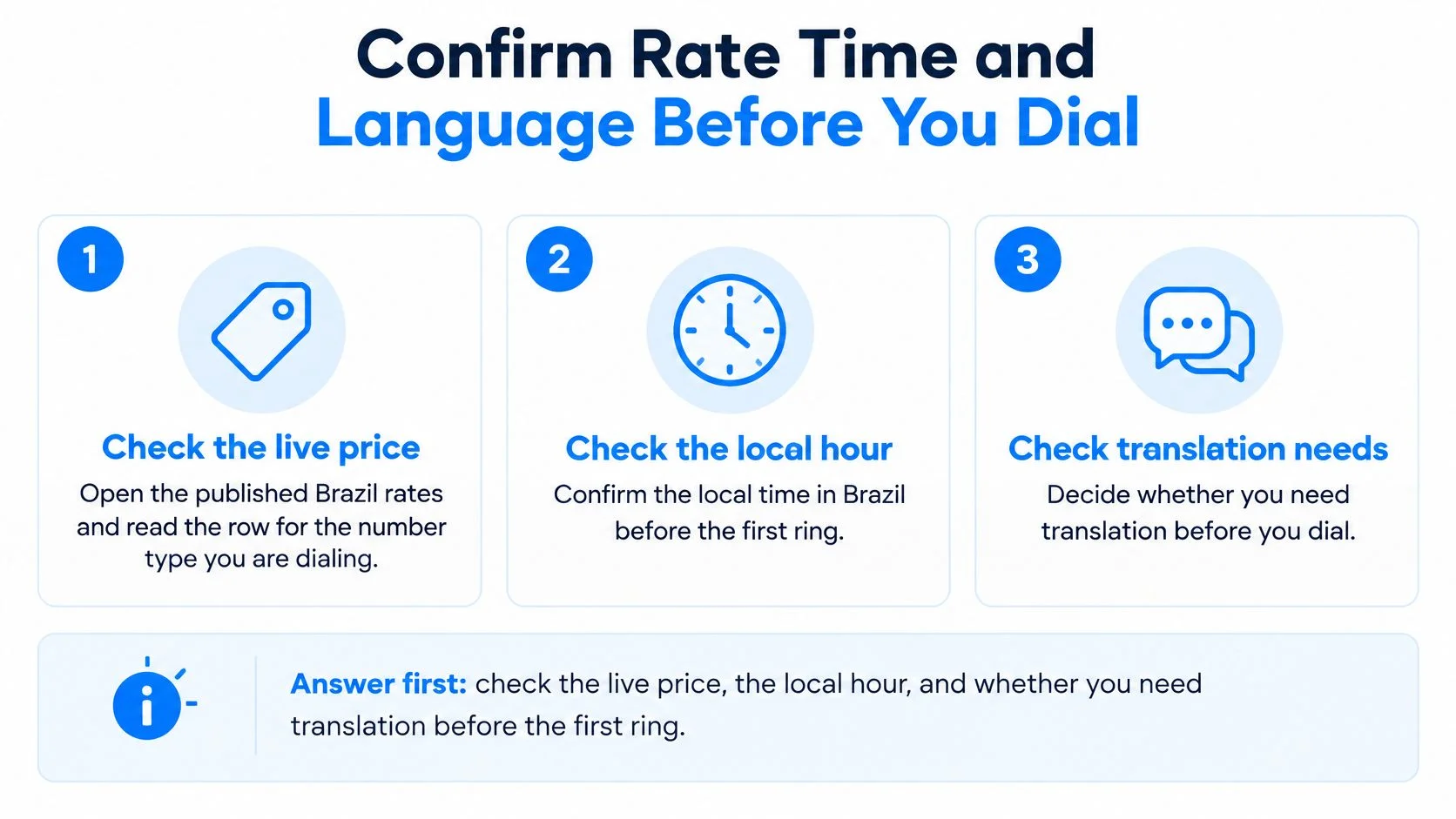
Check the live price, the recipient's local hour, and whether you'll need translation before the first ring. These checks prevent an unexpected charge, an inconvenient interruption, or a conversation neither person can follow.
Use this checklist before connecting.

Read the rate and billing rules together
Open the live calling rate table and select Brazil. Read the entry for the number type you're calling rather than assuming a landline and mobile cost the same.
Calling uses prepaid credit, with a minimum top-up of $5, and unused credit never expires. There's no connection fee, no minimum commitment, and no subscription required for outbound calling. The only recurring product is the optional dedicated-number plan.
Billing is per minute, rounded up to the next whole minute. That means a short connected call still consumes a whole billed minute, and translation adds its own per-minute charge when enabled.
The international calling rates explanation helps distinguish the displayed rate from the amount ultimately deducted for a connected conversation.
Check their clock, not just yours
Look up the current local time for the recipient's city on the day you call. Brazil spans different time zones, and changes to US seasonal clocks can change the difference between your location and theirs.
Don't assume a saved mental shortcut works throughout the year. For a supplier, confirm business hours; for family, ask which local evening or weekend window suits them.
Agree on a time using the recipient's city and local clock. A message saying “your evening” is safer than assuming both people mean the same hour.
Decide on language support before connecting. Live translation and bilingual captions can help both people speak their own language, but they're optional paid features rather than part of the basic call rate.
For a business conversation, keep names, addresses, quantities, and reference numbers in front of you. Ask the other person to repeat important details and confirm them explicitly rather than relying on captions alone.
Place the Call in Your Browser with BubblyPhone
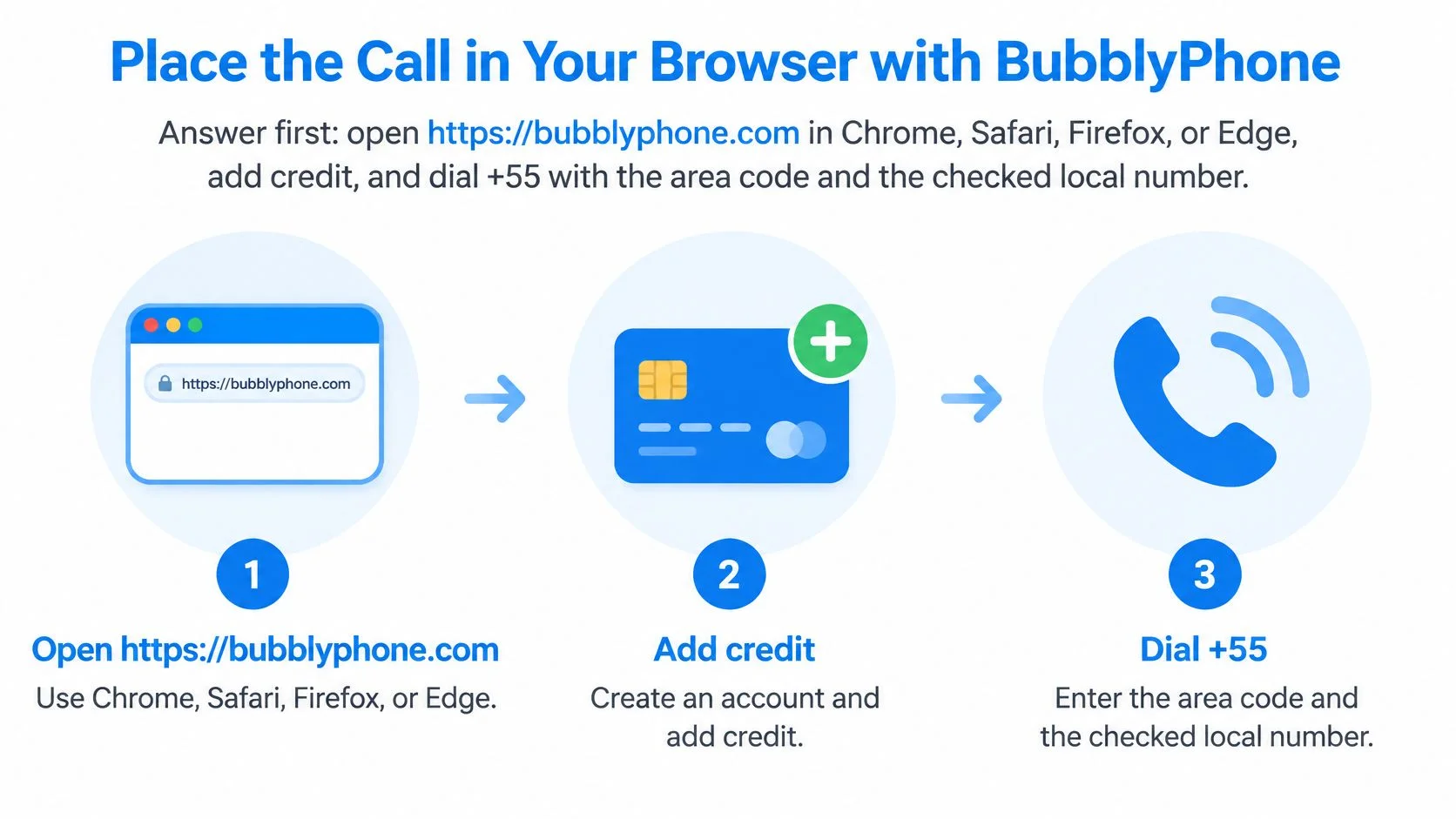
Open BubblyPhone's browser dialer, create your caller account, add credit, and enter +55 followed by the checked DDD and subscriber number. It works in Chrome, Safari, Firefox, or Edge, and the person you're calling doesn't need an app or account.
Browser calling is an alternative to placing the call through your own telephone provider. Your internet connection carries your side of the conversation, while the recipient answers a regular landline or mobile.
The basic process is shown below.

Complete the browser setup
- Create your caller account. Open the website in your browser and sign in or register. The account belongs to you, not the person receiving the call, so you don't need to walk a relative or supplier through any setup.
- Add prepaid credit. Choose your top-up before opening a conversation. This separates payment setup from the moment you're ready to call and lets you check your available balance first.
- Enter the international number. Use
+55, then the recipient's DDD and validated subscriber number. Don't add011before the plus sign or retain a Brazilian domestic prefix. - Confirm the destination category. Match the number you're about to dial to the Brazil landline or mobile entry you checked in the rate table. A contact label such as “office” isn't proof that the number is a landline, so use the actual number format.
- Enable translation only if needed. Choose language support before connecting if you and the recipient don't share a comfortable language. Keep it off when you don't need it, since it's a separately billed feature.
- Allow microphone access and press call. When the browser asks for permission, allow the microphone for the calling site. The recipient's phone rings through enterprise-grade global carrier infrastructure, just like an ordinary incoming call.
Follow one complete dial path
Say you're calling the São Paulo mobile used in the earlier example. Paste +55 11 91234 5678 into the browser dialer, inspect the displayed destination, confirm your balance, and enable the microphone.
Keep the calling tab open while it connects. If you're wearing a headset, make sure the browser is using that microphone rather than a disconnected accessory or the wrong input.
When the person answers, introduce yourself and ask whether it's a convenient time. For a supplier call, state the order or reference you're calling about before discussing changes.
Before pressing call: A correct-looking country selection doesn't prove the entire number is correct. Read the DDD and local number once more.
You can also use this video walkthrough for the calling process.
After hanging up, inspect your call history and remaining balance. If you enabled translation, you can review the saved transcript, while checking any important agreement directly with the recipient.
Installing a mobile app later is optional. If you choose the iOS or Android app, signing into the same account syncs your balance, contacts, and history, so you don't need to maintain separate calling records.
Fix a Brazil Call That Will Not Connect
If a Brazil call disconnects immediately, first check for an extra domestic prefix, a missing DDD, or a mobile number entered like a landline. A fast busy signal alone doesn't identify the cause, so validate the number before changing your connection or adding credit.
Anatel's Brazilian numbering plan distinguishes the mobile pattern +55 XX 9XXXX XXXX, with nine subscriber digits beginning with 9, from the fixed-line pattern +55 XX XXXX XXXX, with eight subscriber digits.
Match the symptom to the next check
Brazil call problems and the fix
These symptoms are clues, not conclusive diagnoses. Immediate voicemail can also mean the recipient has diverted calls or switched off their phone; it doesn't prove your digits are wrong.
Separate number problems from audio problems
Don't add Brazil's domestic carrier-selection sequence to a US-originated call. If the number is correct, confirm international calling permission, account authorization, and available credit.
For browser audio trouble, refresh the page and allow microphone access. Check the selected input and output devices, then test another supported browser if necessary.
- Test the connection: Wi-Fi and mobile data can both work; try the other connection if audio keeps cutting out.
- Check the VPN: Temporarily disable it for a test, since it can interfere with the media path.
- Preserve verified digits: If you reach the expected voicemail greeting, don't start editing the number.
Use the call-failure troubleshooting guide if the same symptom persists. Change one thing at a time so you can tell whether the problem was formatting, account access, or audio.
Call a Brazilian landline or mobile from any browser with BubblyPhone; the person you're calling needs no app or account. Credits start at $5 and never expire, so sign in, add credit, and dial your checked +55 number when they're ready to talk.