Call to United States: A Practical Guide from Anywhere

Table of Contents
- Start with the full number, not just the country code
- Check the local time before you spend a minute
- Know whether the number can receive international traffic
- The part that confuses most callers
- A worked example
- When the country code is not enough
- The continental time zones you need to think about
- Why daylight saving keeps tripping people up
- What shapes the sound
- The last stretch still matters
- The difference is friction, not just price
- What occasional callers value
- The pre-call flow to follow
- Run this check before you dial
You're trying to call someone in the United States, and the problem usually isn't “what's the country code.” It's whether you've got the full number, the right local time, and a call method that won't burn money before the person even picks up.
A smooth call to United States starts with three checks, the number format, the time window, and the route your call will take. Once those are clear, the rest is mostly avoiding the common mistakes that waste minutes and cause failed connections.
What You Need Before You Call the United States
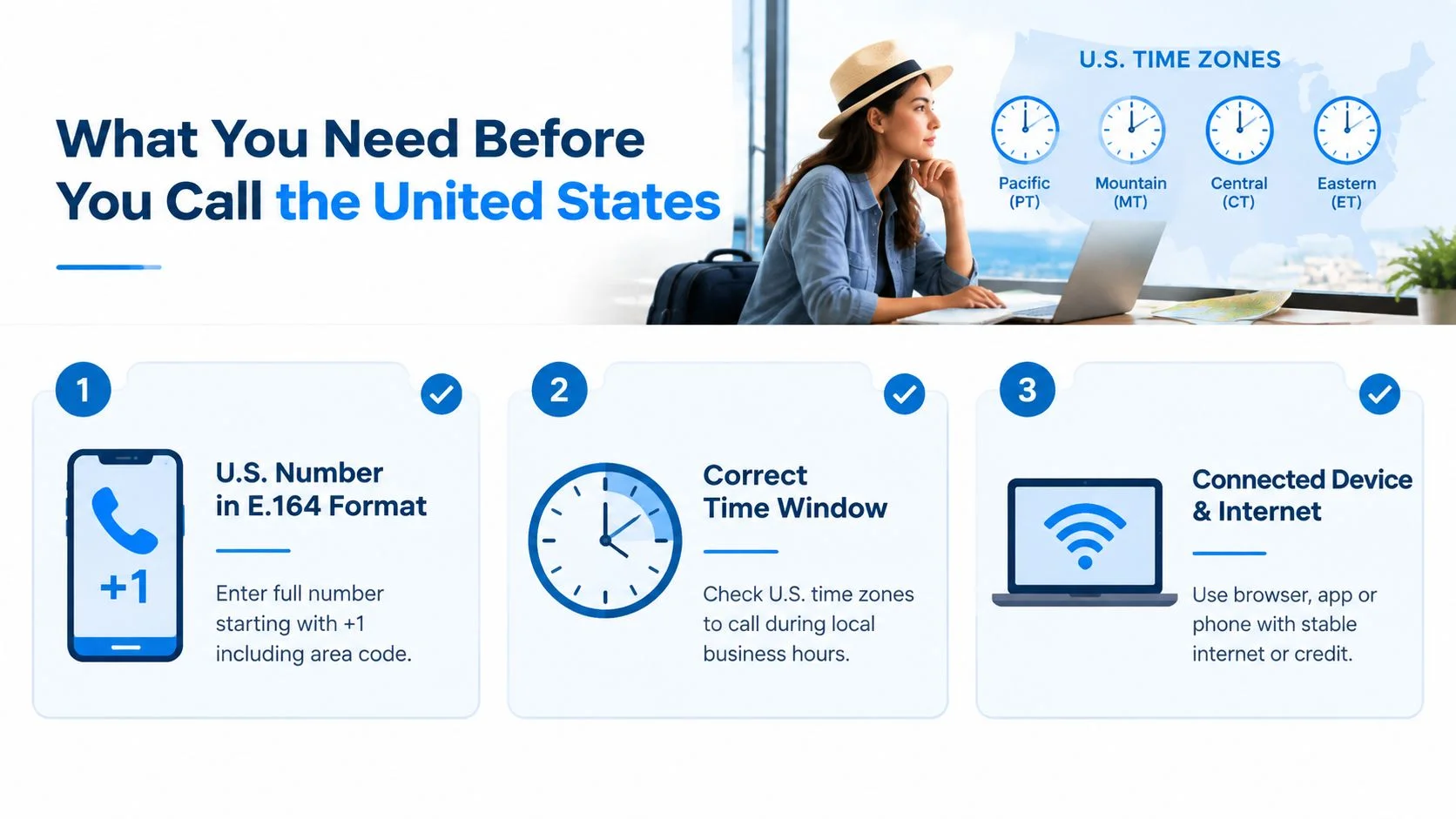
A clean call to United States starts before you press dial. You need the full number, a way to reach it from your country, and a check on whether the person you're calling is even likely to answer. Miss one of those steps, and the call can fail, hit the wrong hour, or cost more than planned.
Start with the full number, not just the country code
A U.S. number from abroad should be written in E.164 form, with +1 followed by the 10-digit national number, meaning the area code and the local line number together. That format keeps the number easy for phone systems to read and route, as shown in in the NANP overview and ITU's E.164 guidance.
A local-looking number can hide what you still need. (202) 555-1234 works as a domestic format, but abroad it should become +1 202 555 1234 so the network knows exactly where to send it.
Practical rule: if the area code is missing, ask for the full number before you dial.
Check the local time before you spend a minute
Area codes point to regions, and regions usually point to time zones. That matters because a caller in London, Lagos, or Manila may be reaching someone in a U.S. morning, afternoon, or late night without realizing it.
That's also why a time-zone lookup tool is worth opening before you dial, it converts the area code into the callee's local clock so you can pick a window that lands in their workday. If you want help setting up a number for repeat contact, getting a U.S. phone number from anywhere is a useful next read.
Know whether the number can receive international traffic
A number can be written correctly and still be a poor route for an international call. Some U.S. numbers accept inbound traffic normally, while others are limited by carrier settings or by the owner's setup.
That is the workflow problem many callers miss. A browser dialer may show the destination rate before you spend a minute, and a time check may show that the number is technically reachable but socially bad to call. The same kind of route awareness appears in phone tips for Nigeria from China, where the basic numbering pattern is not enough on its own.

The Dialing Format for U.S. Numbers From Abroad
A U.S. number from abroad is usually written as +1, then the three-digit area code, then the seven-digit local number. That is the clean international form, and most browser dialers, SIP systems, and modern phones read it correctly.
The part that confuses most callers
The + is not decoration. It tells the phone system you are dialing internationally, and on many phones it stands in for the country-specific exit code you would otherwise enter by hand.
If your country uses 00 as the international prefix, that usually comes first. If your country uses 011, that prefix comes first instead. Other countries and carrier setups use different access patterns, but the structure stays the same, exit prefix, country code, area code, local number.
A worked example
A San Francisco number written as (415) 555-0132 becomes +1 415 555 0132 from abroad. The area code stays with the number, the leading 1 marks the U.S. part of the North American numbering plan, and the domestic trunk habits you might use at home drop away.
Before you dial, run the number through the dialing guide to confirm the exit prefix for your country.
The common mistakes are easy to make. People leave out the area code, keep a domestic trunk prefix that does not belong in international format, or misread a vanity number and type the wrong digits. Toll-free prefixes like 800, 888, 877, and 866 still use +1 when you dial them internationally, although the owner can still block access.
Practical rule: if a U.S. number looks domestic, rewrite it once in international format before you dial it anywhere else.
When the country code is not enough
The international numbering system is managed, not improvised. Country codes and the wider numbering rules are maintained through the ITU numbering resources, which is why the country code belongs to a global plan, not just a local habit.
Picking the Right Time to Reach Someone in the U.S.
The best time to call the U.S. is usually local weekday business hours, roughly 9 a.m. to 5 p.m., with late morning being the easiest window for many. The challenge is that the U.S. spans several time zones, so the same clock time can be useful in one region and awkward in another.
The continental time zones you need to think about
The four mainland zones are Eastern, Central, Mountain, and Pacific. Alaska and Hawaii sit further back on the clock, so a “good time” for the lower 48 isn't automatically good for those states.
If you're in the UK or Western Europe, a morning call often lands well in the U.S. morning. Callers in the Middle East and East Africa often do better in the late afternoon U.S. window. India and South-East Asia can catch the U.S. morning, but only if they call very early their own time. Australia and New Zealand usually reach the U.S. afternoon after midnight at home.
Why daylight saving keeps tripping people up
The U.S. changes clocks in March and November, so the gap between your local time and theirs can shift by an hour. That's enough to turn a polite business call into an early-morning interruption.
If you call U.S. clients, suppliers, or family often, treat the time check as part of the number check. A correct format with a bad hour still creates friction.
A clean dialing plan isn't just about reaching a number. It's about reaching someone when they can actually answer.
What Call Quality to Expect Over Internet and Phone Lines
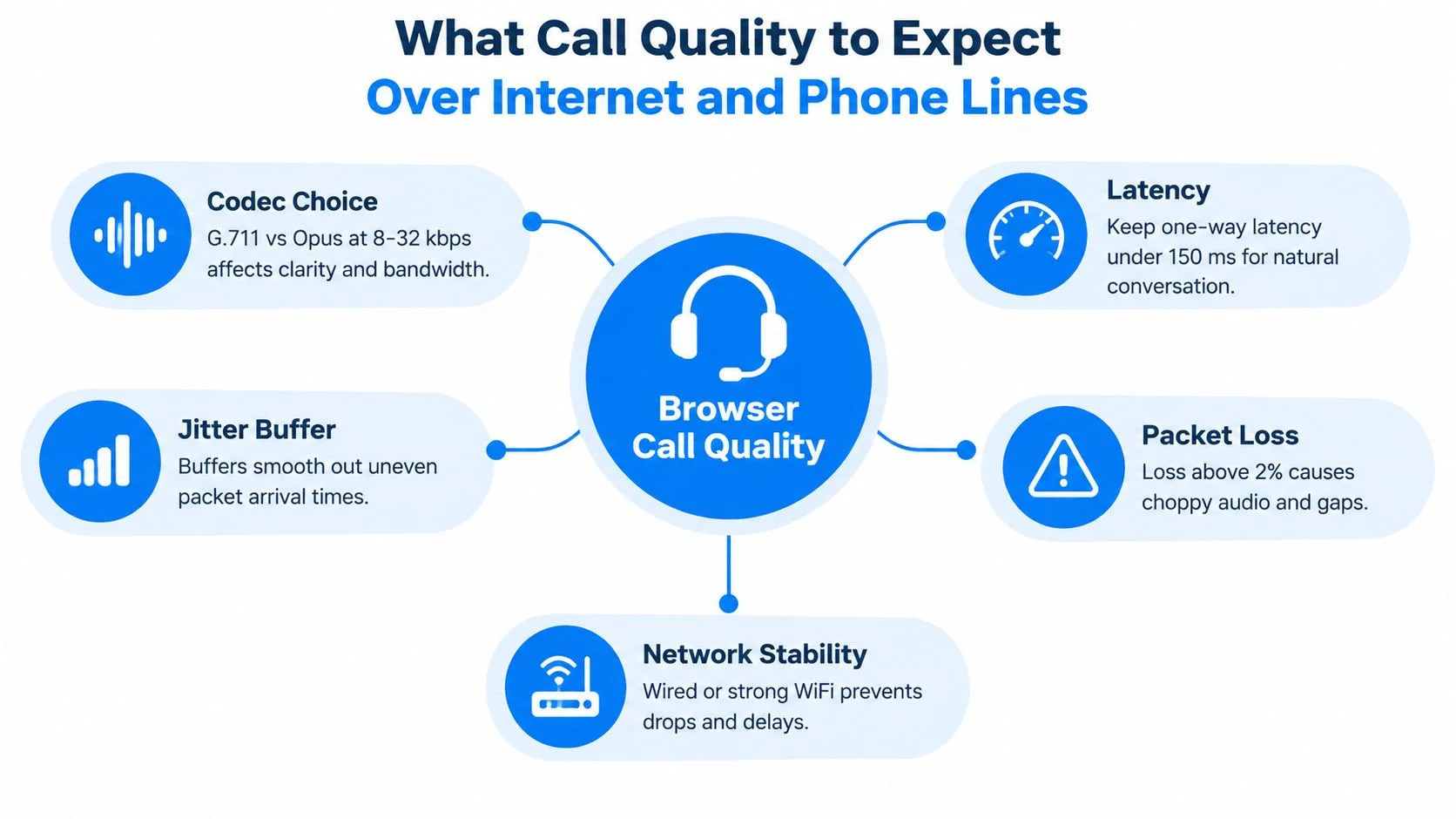
A browser call to the U.S. can sound almost like a normal phone call, or it can pick up small delays and gaps. The outcome depends on the codec, latency, jitter buffer, packet loss, and the quality of the final phone line that answers the call.

What shapes the sound
Public WebRTC calling guidance points to a simple pattern. Clear mono voice often needs roughly 30 to 100 kbps upstream, browser-to-server latency can add about 20 to 80 ms, and international PSTN signaling can add another 100 to 300 ms according to WebRTC calling guidance. When one-way delay stays below about 300 ms, a conversation usually feels normal. Above 500 ms, the rhythm starts to feel slow and people begin talking over one another.
The codec decides how much audio detail the network has to carry. G.711 uses more bandwidth. Opus is more efficient. Both can sound fine if the connection stays steady. A jitter buffer works like a small holding area for late packets, which helps when the network sends audio unevenly. Once packet loss climbs, you hear brief gaps or choppiness.
The last stretch still matters
A clean browser hop does not end the story. Many calls still finish on a PSTN leg in the United States, so the last stretch may run over a regular landline or cellular network. That is why a browser call can still sound compressed even when the web side is working well.
Your headset and microphone matter too. A built-in laptop mic in a noisy room can make any service sound worse than it is. A wired headset and a stable connection usually give the cleanest result. If the other person has weak signal on their side, you may hear a pause or a half-second gap even when your own setup is fine.
The realistic expectation is clear voice on a decent network, occasional pauses on a poor one, and no video, because a browser-to-phone call carries audio only. Video needs both people to be in the same app with compatible video features. For teams that automate calling workflows, the same routing and delay issues matter even more, which is why this automated outbound calling software guide is useful when calls need to scale beyond one person at a time.
Why Browser Pay-As-You-Go Changes the Cost Equation
A browser dialer changes the question from, “Which plan should I stay on?” to, “What will this call cost right now?” For someone who only reaches the United States now and then, that is a better workflow. There is no reason to carry a monthly plan just to cover a few cross-border calls.
The difference is friction, not just price
With browser pay-as-you-go, there is usually no subscription to activate before the first call. Open the dialer, add credit if needed, then place the call. Carrier billing often adds more steps, such as default international settings, hidden add-ons, or a monthly bundle that never gets used.
Transparency is the main advantage. A browser-based workflow can show the rate before you press call, while post-call billing from a traditional plan may not appear until later as itemized charges. That matters when you only need one short conversation and do not want a surprise on the next statement.
What occasional callers value
Here is the practical trade-off:
- No standing commitment. You can make one call and stop there.
- Visible per-minute cost. You know the charge before the call begins.
- Any browser. You are not tied to one handset or one app flow.
- No need to keep unused credit on a timer. You add what you need and use it when you need it.
For U.S. calling, check the published per-minute rate table for your destination type before you dial, since landline and mobile termination can differ. Legacy carrier setups can be less forgiving if you are on a default pay-per-use arrangement. The point is simple. The billing model should match how often you call.
Practical rule: if you call the U.S. once a month or less, a model that avoids a subscription is often easier to live with than one that looks cheaper on paper but charges you for being idle.
Checking U.S. Rates Before You Spend a Minute

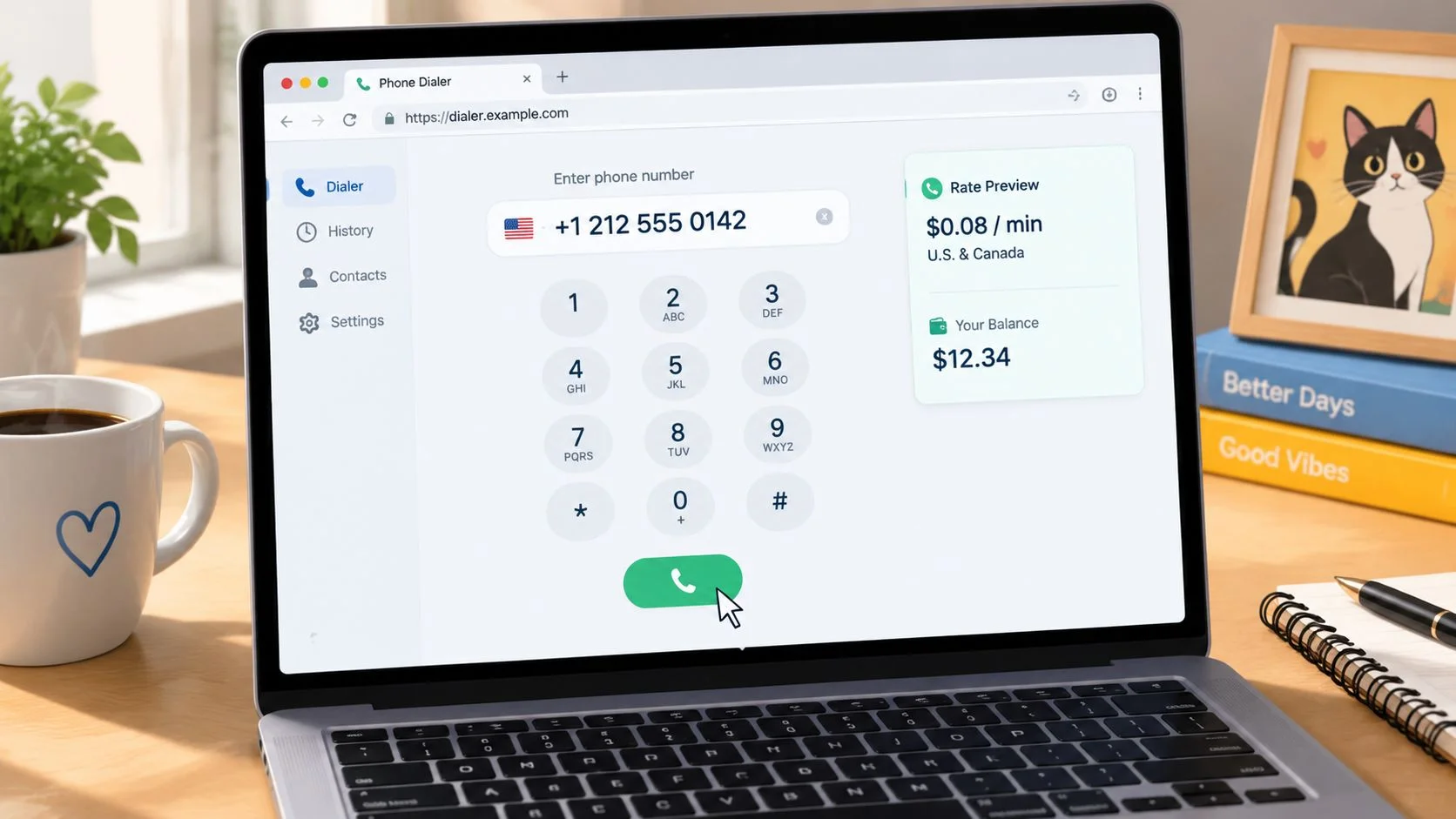
A call can look cheap until the dialer shows the destination rate. That is the moment to pause. Before you spend a minute, a browser dialer should tell you the country, the per-minute charge, and the estimated total so you can decide whether the call still makes sense.
The pre-call flow to follow
Start with the number itself. Enter the U.S. number in E.164 format, beginning with +1. Once the dialer identifies the destination correctly, it can show the U.S. rate for that route instead of treating the number like a local entry.
Then check whether the price changes by destination type. Some systems show separate landline and mobile rates because the call may be routed differently on the back end. That difference can be small or noticeable, but either way, the preview should make it plain.
Next, look at the billing increment and the balance you have available. A call that looks like a few cents per minute can cost more than expected if the system rounds up in larger blocks. If you see a preview for a 10-minute call, use that figure as the planning number, not the per-minute rate alone.
A clear preview works like a receipt before the purchase. You are not guessing, you are checking the bill first. If the rate is visible up front, you can compare it with the planned call length and decide whether to continue, shorten the call, or wait.
If you want to estimate total spend before dialing, the call cost calculator gives you a quick way to turn a per-minute rate into a call-level estimate.
A Short Pre-Call Checklist and Next Step
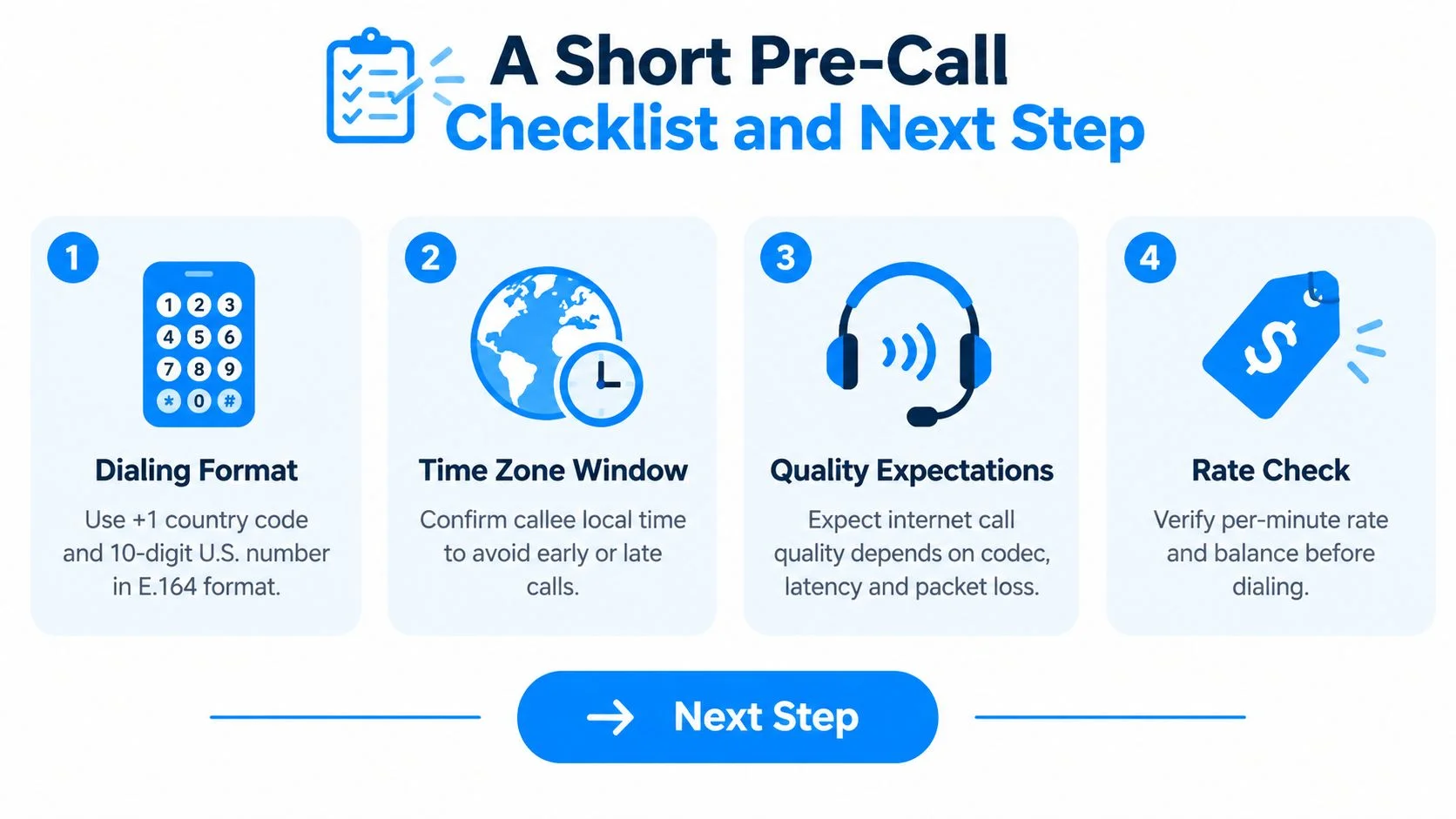
A good call to United States is usually won or lost before the call even starts. If you can run through a short checklist in under a minute, you avoid the usual mistakes, wrong format, wrong hour, weak audio, and surprise pricing.

Run this check before you dial
- Confirm the exit code. Use the international prefix your country expects, or switch to the plus sign on a modern phone if it's supported.
- Write the number in E.164 form. Keep +1 and the 10-digit U.S. number together, with the area code included.
- Check the local time. Match the callee's time zone, whether that's Eastern, Central, Mountain, or Pacific.
- Test the microphone. A clear voice path matters more than a perfect screen.
- Review the displayed rate. Don't dial until you've seen the destination price.
- Confirm your balance. Make sure you have enough credit for the whole call.
- Place the call. Once the format, time, quality, and price all look right, go ahead.
That workflow is the answer to “how do I call the U.S. from abroad?” It's not just dialing, it's checking the route, the timing, and the spend before the first ring.
If you want to make the next call from your browser, try BubblyPhone. It works in any browser, the person you're calling doesn't need an app or account, and credits start at $5 and never expire, so you can handle a U.S. call only when you need one.