How to Call from USA to India in 2026

Table of Contents
- Mobile numbers and the missing zero
- Landlines need the geographic area code
- Prepare the account and audio
- Check the destination before connecting
- Where a morning US call arrives
- Schedule by city, not a remembered offset
- Why an international label matters
- Make verification easy
- Match the symptom to the next check
- Internet calling isn't a domestic-call workaround
- Keep the first attempt straightforward
Dial 011 91 followed by the Indian number from a US phone, or +91 followed by the same digits in a browser, always dropping the domestic leading 0. For an Indian mobile, use the complete 10-digit mobile number after 91.
You may have a relative's saved contact open, a school office to reach, or a supplier waiting for confirmation. Before you press call, check more than the digits: is it a reasonable hour in India, and does the person know an international call is coming? A correctly formatted number won't help if their phone stays silent because they're asleep or screening unfamiliar callers.
The Dial String for Mobiles and Landlines
Use 011 91 [Indian number] from a conventional US phone or +91 [Indian number] in a browser dialer, with the domestic leading zero removed. If your saved contact still starts with that zero, edit it before trying again.
The FCC's international calling guide gives the sequence as the US international access code 011, the destination country code, the area or city code where applicable, and the subscriber number. Each part has a different job: the exit code starts an international call, the country code identifies India, and the remaining digits identify the destination.
Mobile numbers and the missing zero
India's country code is 91, and the official telephone-number guidance supports this mobile example: a domestic number written as 09876543210 becomes 011 91 9876543210 internationally.
In a browser, that same example becomes +91 9876543210. Treat it as a formatting example, not a number to call.
The zero isn't part of the mobile number you need overseas. It's a domestic trunk prefix, so keeping it after the country code adds an unwanted digit.
US to India dial formats
Landlines need the geographic area code
For a landline, keep the area code but remove its domestic zero. TRAI's numbering recommendations show Delhi's international format as +91 11 XXXXXXXX and describe mobile numbers as a closed 10-digit system, separate from the country code.
Don't type +011 91. The plus sign already represents international access, so adding the US exit code creates an invalid stack.
Practical rule: Save the contact in plus-sign international format rather than repairing the same domestic number before every call.
Keep the complete international number within the 15-digit maximum described in India's official numbering guidance. Before saving, compare the number against the appropriate mobile or landline row, rather than assuming every Indian contact has the same structure.
Use our India country-code guide when checking a contact someone has sent in domestic format. The receiving phone can be an ordinary mobile or landline; the person answering doesn't need to install anything.
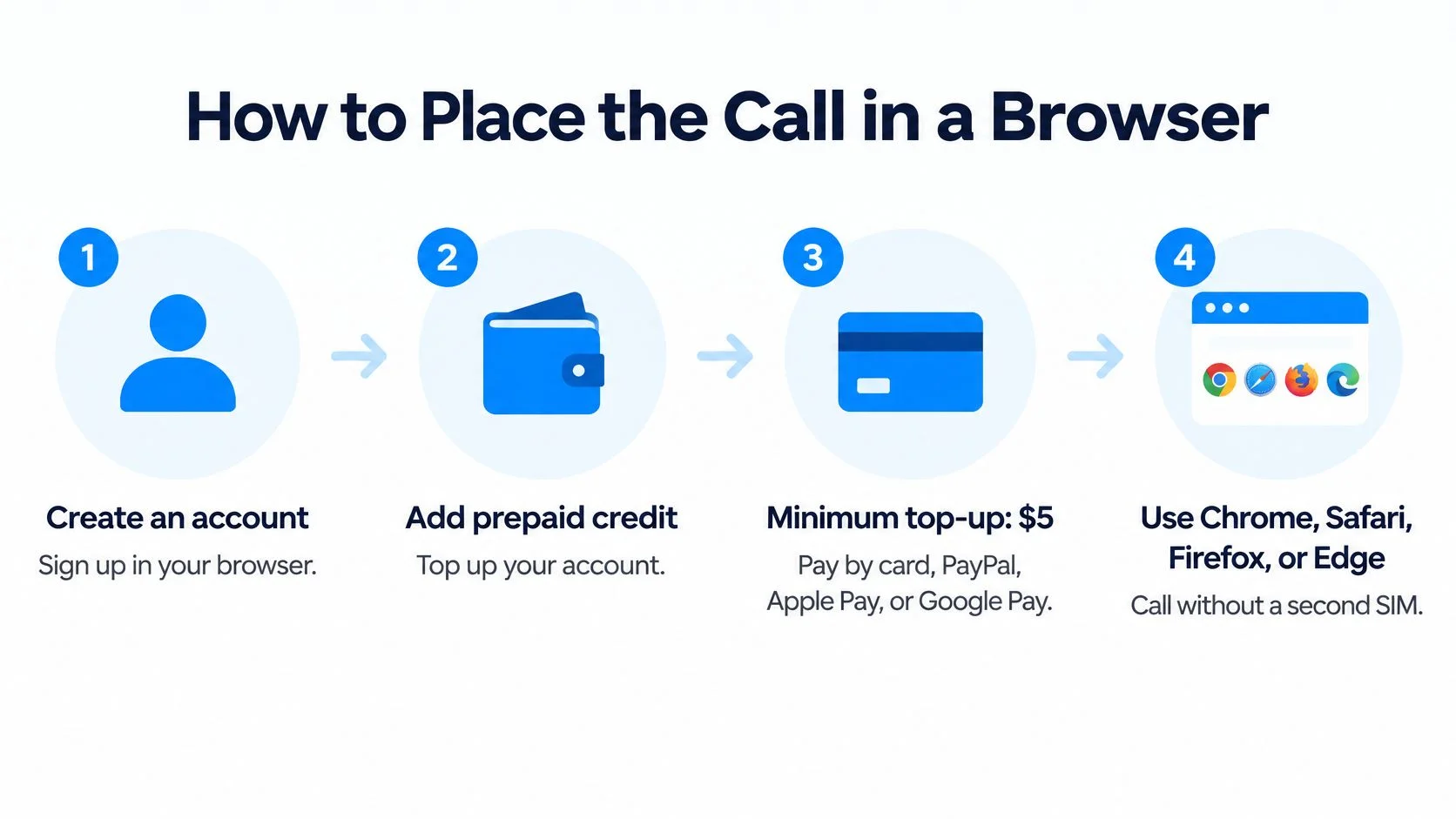
How to Place the Call in a Browser
Open the browser dialer, allow microphone access, enter the Indian number in international format, and press call. You can use a laptop, tablet, or phone without adding a second SIM.
The setup separates your account and payment details from the recipient's phone. Only you need to sign in to place the call.
Use this visual checklist before opening the dialer.

Prepare the account and audio
- Create your calling account. Sign up in your browser and keep the account open on the device you'll use. This prevents an interrupted setup when you're ready to dial.
- Add prepaid credit. The minimum top-up is $5, paid by card or a supported digital wallet, and credits never expire. Add credit before arranging a time-sensitive call so payment setup doesn't delay you.
- Allow the microphone. When the browser asks for permission, choose allow. If you previously blocked access, open the site's permissions, enable the microphone, and reload the dialer.
- Select the correct audio devices. Check that the microphone is the one you intend to use, especially if a headset is connected. A short test conversation can reveal a muted headset or the wrong speaker before a longer family call.
Check the destination before connecting
- Enter the full international number. Paste the cleaned contact rather than its domestic version. Read the displayed destination carefully so a missing area code or leftover prefix doesn't pass unnoticed.
- Confirm the live destination price. Check the live calling rates for the number type before a long conversation. Billing is per minute, rounded up to the next whole minute, and calling needs no subscription.
- Enable translation if you need it. Optional live translation supports 62 languages, displays bilingual captions, and saves a transcript afterward. It's a separate per-minute add-on, so switch it on deliberately rather than assuming it's included.
- Press call, speak, then hang up. The Indian phone receives a normal telephone call. The person answering needs no app and no account.
Use stable Wi-Fi and keep your microphone unobstructed. If you're testing a new computer, a 30-second test call is enough to ask whether both sides can hear clearly, though billing still rounds up to a whole minute.
The browser route doesn't require a special extension. If you later use our mobile apps, your balance and call history remain available across devices.
For a guided demonstration, watch the calling walkthrough.
Keep the international calling walkthrough handy if you're helping a family member set up their first call. Ask them to complete permissions and audio checks before the agreed calling window, not while the recipient is waiting.
US Clock Times That Land in India
India uses India Standard Time, UTC+5:30, year-round, without daylight-saving changes, according to timeanddate's India time-zone guide. India is ahead of the main continental US time zones, but the gap changes when a US location moves between standard and daylight time.
That distinction matters when you call at the same US hour every week. Your clock may change while your relative's clock in India stays exactly as it was.
Where a morning US call arrives
The following conversions apply when the US location observes the standard or daylight time shown. All the example arrival times are on the same calendar date.
US local time versus India Standard Time
For example, a 9:00 a.m. Eastern standard-time call reaches Delhi at 7:30 p.m., while the same Pacific standard-time appointment arrives at 10:30 p.m. These worked examples show why one nationwide US calling time won't suit every household.
Say a parent in California wants to reach grandparents before their evening meal. During Pacific daylight time, 6:00 a.m. in California converts to 6:30 p.m. IST. That may work better than waiting until the caller's own breakfast is finished.
Check the Indian date as carefully as the hour. A late-evening US call can arrive the following day.
Schedule by city, not a remembered offset
Choose your exact US city in our best-time-to-call tool, then check both the Indian time and date. Some US locations don't follow the usual daylight-saving pattern, so a city-based conversion is safer than a broad regional label.
For a recurring business appointment, use a named time zone such as America/New_York and Asia/Kolkata, or store the appointment in UTC. Avoid manually fixing the difference in a calendar note.
Offer a two-hour window and write the IST time in the invitation. Confirm that the recipient is free before starting a long discussion, especially when you're calling an office near closing time.
What the Person in India Should Expect
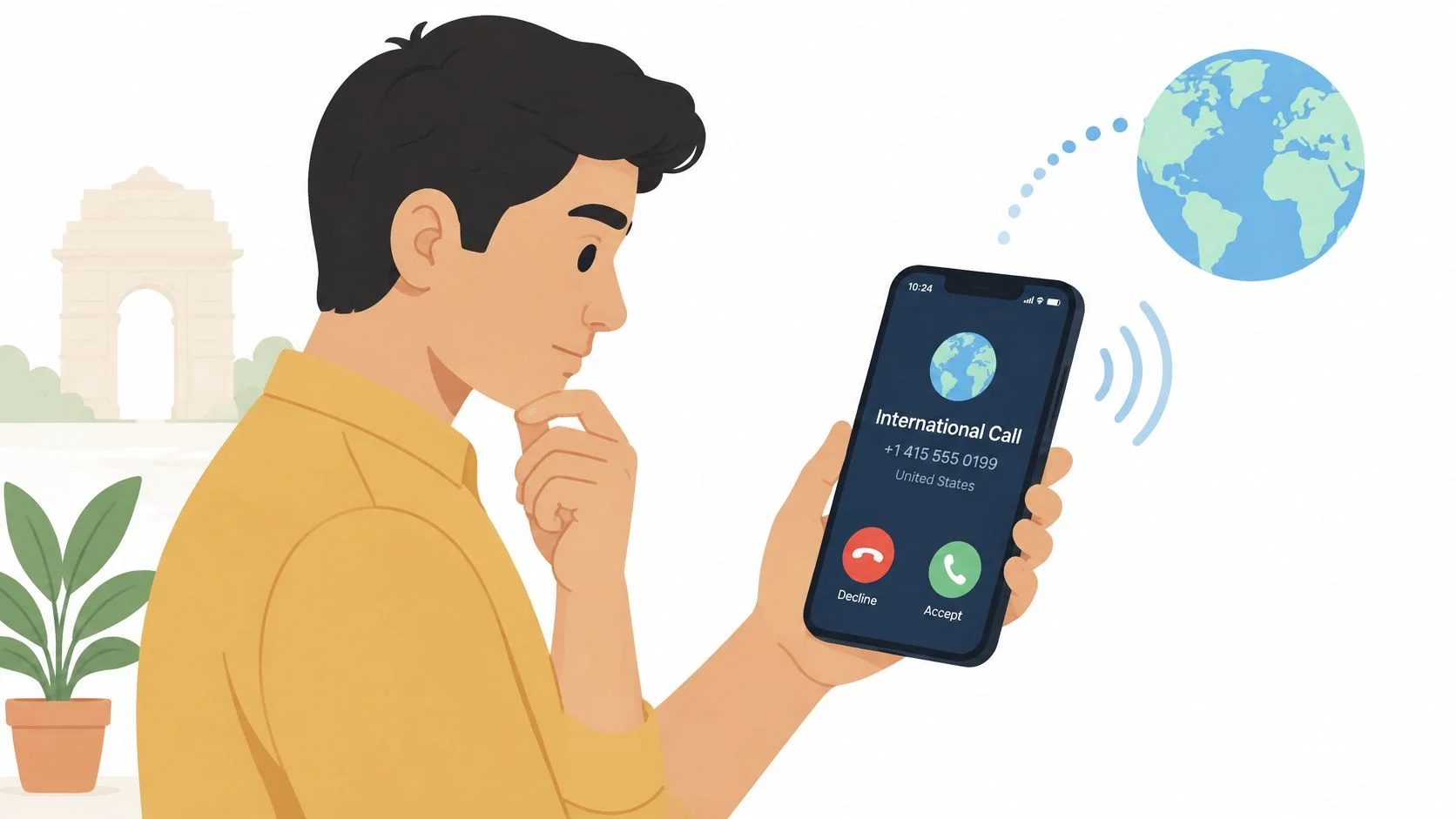
The person in India may see an International Call label even when the caller is a relative or a familiar business contact. Tell them beforehand so they don't reject a legitimate call because its presentation looks unfamiliar.
A browser call doesn't need to look like a domestic Indian call to be genuine. Don't promise a particular displayed number or encourage the recipient to ignore a warning without checking who's calling.
The recipient may pause before answering an unfamiliar international number.

Why an international label matters
India's Department of Telecommunications reported that its International Incoming Spoofed Calls Prevention System blocked about 90% of identified spoofed calls, approximately 1.35 crore calls, in a 24-hour period, according to its official announcement. The system targets overseas calls that falsely display Indian mobile numbers, and telecom providers were instructed to label overseas-origin calls as international.
That finding concerns identified spoofed traffic, not ordinary family calls. It explains why you should use a valid, non-misleading caller ID, not try to disguise an overseas call as one placed inside India.
For a weekly family conversation, send a message through your existing trusted conversation and include the agreed IST window. Tell them the incoming call may look international.
For a school office or supplier, provide your name, organisation if relevant, and reason for calling beforehand. An employee screening unfamiliar numbers then has something concrete to recognise.
Make verification easy
- Don't request security codes. Never ask relatives to read out a one-time password, bank code, or account credential.
- Don't introduce urgent payment demands. If money comes up unexpectedly, let the recipient end the call and verify through a trusted contact method.
- Respect a callback check. Someone who wants to confirm your identity is being careful, not difficult.
- Report suspected fraud. Suspected scam communications can be reported through the Sanchar Saathi portal or app.
A familiar voice isn't a reason to share a security code. Agree on a safe way to verify unexpected requests before anyone needs it.
Wi-Fi changes how your device connects, not the expectation you should set with the recipient. Their handset may still present the call as international, and their mobile-network conditions still affect whether they hear you clearly.
Connection Problems and the Fix for Each
If the call ends immediately, first compare the dialed number with your cleaned international contact. If it connects without usable audio, check microphone permission and the selected audio devices before redialing.
Work through one change at a time. Repeatedly editing the number, switching networks, and changing audio settings together makes it harder to identify what fixed the problem.
Match the symptom to the next check
These are practical first checks, not definitive diagnoses. A busy signal or a missing ring can have several causes, so don't assume the recipient has blocked you.
Call failures and the change that fixes them
For silence, check more than the permission prompt. A disconnected headset, muted microphone, or audio output routed to another device can produce similar symptoms.
For a dropped conversation, move closer to your Wi-Fi access point or use a more stable connection. Ask whether the recipient has reliable mobile reception too; improving your connection won't repair a weak signal at their end.
If the displayed balance is low, compare it with the current destination charge before retrying. Don't interpret every failed attempt as a payment issue, and don't change the country code to experiment.
Internet calling isn't a domestic-call workaround
Using a browser or Wi-Fi doesn't automatically turn a US-origin call into domestic Indian traffic. In its 2025 recommendations, TRAI said internet-telephony calls originating outside India should pass through an international long-distance gateway, like other international calls.
That is a routing recommendation, not a promise about how every handset will display an incoming call. Internet calling still involves telephone-network routing, caller-ID checks, and destination-network conditions.
Keep the international contact unchanged once you've verified it. If the recipient doesn't answer, send the agreed calling window instead of repeatedly dialing or switching to a domestic format.
When requesting help, note the destination type, approximate attempt time, and exact symptom. Say whether the call ended, rang unanswered, connected without audio, or dropped during speech, without sharing passwords or payment details.
Call India From the Browser Now
Open the dialer, select your verified Indian contact, and call during the recipient's agreed IST window. That combines the three checks that matter most: a usable number, a suitable time, and a recipient who expects an international call.
You don't need to organise matching software at both ends. We connect to Indian mobile and landline numbers, which is useful when you're reaching a household phone, school reception, or supplier who can't join an app-based conversation.
Keep the first attempt straightforward
- Prepare the contact. Save the international version once, then read the destination before connecting.
- Prepare the conversation. Have reference numbers or questions ready so you don't spend the opening searching through documents.
- Prepare the audio. Confirm permission and use a headset if your room produces echo.
- Prepare the recipient. Agree on the Indian local time and explain that the incoming call may be marked international.
For an occasional caller, prepaid calling avoids taking on a calling subscription. The only recurring product is the optional dedicated-number plan for people who later want a US number for incoming calls.
Start with a short conversation if this is your first browser call. Once both sides can hear clearly, you can continue naturally rather than troubleshooting during an important discussion.
If the attempt fails, preserve the verified contact and check the specific symptom. A blocked microphone needs a permission change, not a different country code.
Call India with BubblyPhone from any browser, with no app or account needed by the person answering. Credits start at $5 and never expire, so open the dialer, enter your Indian contact, and make your call at the agreed IST time.