How to Call from India: Prefixes, Codes, and Browser Options

Table of Contents
You're in Mumbai trying to reach family in London, or in Bengaluru calling a client in Singapore, and the dial pad is asking a deceptively simple question: which digits come first? To call abroad from India, use 00 + the destination country code + the full national number, or use + on a mobile phone in place of 00.
The right method depends on more than the digits. Traditional ISD calling uses your SIM, landline, or office phone, while browser-based calling can let you place a call through the internet without asking the recipient to install an app or create an account.
Why Dialing From India Starts With the Exit Prefix
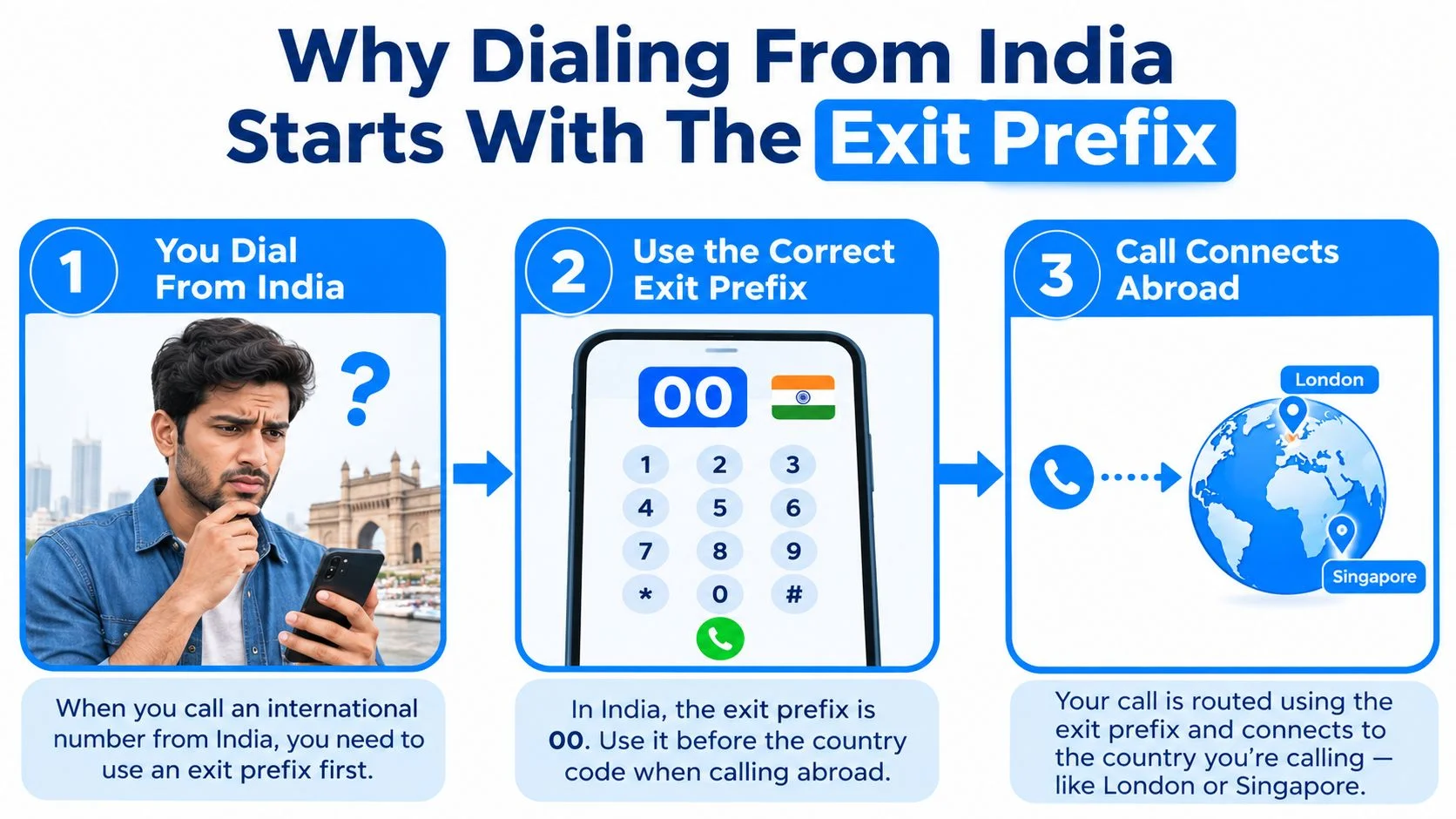
The first step in how to call from India is choosing the international exit prefix. From an Indian landline or mobile network, that prefix is 00. It tells the telephone system that the next digits belong to a number outside India, rather than to a domestic area or mobile network.
The basic formula is:
00 + country code + area or mobile code + subscriber number
On a smartphone, you can normally replace 00 with +. Pressing and holding the 0 key usually produces the plus sign. The advantage is portability. A contact saved as +44... can remain usable when you're in Delhi, travelling abroad, or connected to a different mobile network.

What ISD and IDD mean
ISD, IDD, and international dialing describe the same broad service, calling a number in another country. The access prefix is the part that separates an international call from an ordinary domestic call. The method applies across mobile SIMs, fixed lines, and business phone systems, although an account administrator or operator may need to enable international access.
India's +91 country calling code was assigned through the International Telecommunication Union's global numbering plan in the 1960s. It's the prefix someone outside India dials before an Indian number, and it remains the universal identifier used for routing Indian numbers internationally, as documented in this overview of telephone numbers in India.
Practical rule: Save international contacts with + and the country code. It reduces confusion when you switch between domestic and international networks.
India's telephone market makes accurate formatting especially important. The total telephone subscriber base reached 1,205.64 million in Q2 2024 and 1,306.14 million by Q4 2025, while the active wireless subscriber base reached 1,177.60 million in February 2026, according to the Press Information Bureau's telecom figures. For a concise reference, keep the international dialing guide nearby when you're checking a number before calling.
Country Codes and Number Formats You Will Hit Most
After 00 or +, enter the country code, followed by the destination's area code or mobile code, and then the subscriber number. Keep that order intact. The most common mistake is copying a domestic number exactly, including a leading trunk zero that the international format doesn't use.
Worked examples
For a London landline written domestically with an area code beginning in zero, remove that domestic zero after adding the UK country code:
00 44 20 XXXX XXXX
The same number in plus format is:
+44 20 XXXX XXXX
The 44 identifies the United Kingdom, and 20 identifies London. The domestic 020 becomes 20 internationally.
For a US mobile, use the country code 1 and the full ten-digit national number:
00 1 XXX XXX XXXX
There's no leading zero to remove in this example. A Singapore number follows a shorter pattern:
00 65 XXXX XXXX
Singapore uses 65 as its country code and generally doesn't require a separate area code in this format.
For calls into India, the country code is +91, used after the international access code when dialing from abroad, as shown in this India country code reference. Indian mobile numbers contain 10 digits, and the domestic trunk zero isn't included after +91. In other words, write an Indian mobile number as +91 followed by its ten-digit number, as explained in this Indian phone number format guide.
India doesn't add a separate outgoing trunk code beyond the 00 international access prefix. The destination country determines what comes next, so check whether that country requires you to drop a domestic leading zero. A broader country codes list can help when the destination isn't one of the common examples above.
Making the Call From a Browser Without an App
A browser-based call can bypass the usual carrier dialing process. Open a web calling page, enter the complete international number with + and the country code, allow microphone access, and select the call button.

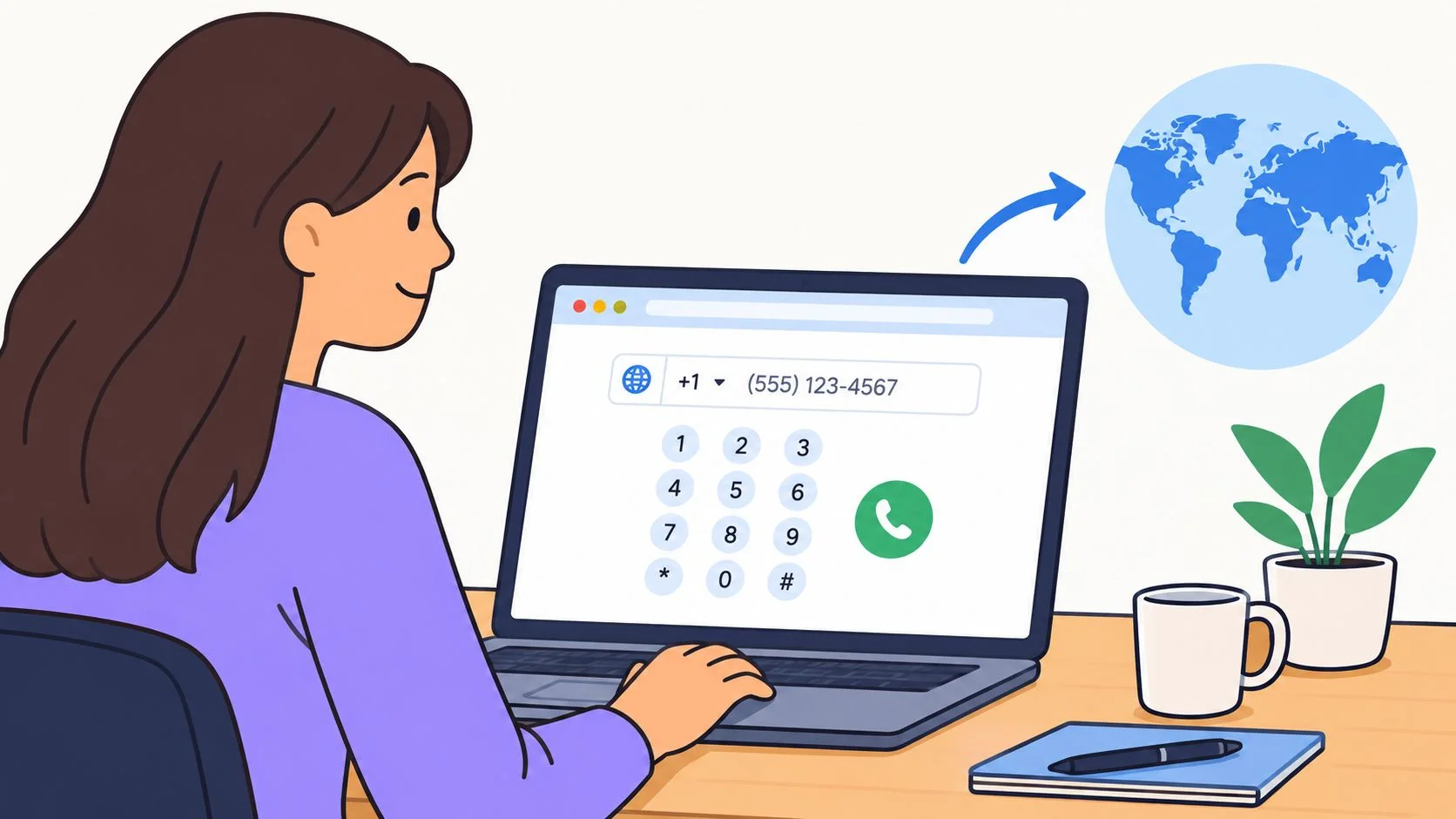
The caller needs a reasonably stable internet connection, a working microphone, a speaker or headset, and the destination number in full international format. The recipient doesn't need to install an app or create an account when the service uses a normal browser link. They open the page, grant microphone permission if asked, and answer the call.
A simple browser workflow
- Open the calling page on your phone, tablet, or computer.
- Paste the full number, including
+and the country code. Don't paste a domestic version that still contains a trunk zero. - Check permissions. Your browser may ask to use the microphone.
- Start the call and keep the microphone unobstructed.
- Use headphones if the other person hears an echo.
A browser call is useful when the person receiving the call has a smartphone or computer but doesn't want another app, login, or phone number to remember. Depending on the service, a call may continue even if the caller closes the original browser tab, which can help when hotel or café Wi-Fi is unreliable. You should still avoid switching networks during an important conversation, because any internet call depends on the connection carrying the audio.
The short video below shows the general browser calling experience and the type of dial pad you may encounter.
Browser calling isn't the same as a free app-to-app call. It can connect to an ordinary mobile or landline, so the recipient can answer using the phone they already have. Before dialing, review the online calling options and confirm whether the service connects to the destination number type you need.
ISD Rates vs Pay-as-You-Go Browser Calling
Traditional ISD calling uses your Indian carrier's international route. Browser pay-as-you-go calling uses internet access and prepaid credit instead, so you choose between carrier convenience and tighter control over how you initiate and pay for the call.
ISD tariffs are generally quoted by destination and minute. The operator may require ISD activation, particularly for prepaid access, and charges can appear on a landline or postpaid mobile bill. Calling-card rules require international long-distance operators to report country-specific minutes and consumer per-minute rates, reflecting the regulated and metered nature of international calling, as described in the TRAI calling-card regulation_legal_vetted.pdf).
Browser services typically use prepaid credits, a card, or another supported payment method. With BubblyPhone, calls are billed per minute and rounded up to the whole minute. No subscription is required for calling, the minimum top-up is $5, and credits never expire. Destination pricing can change, so check the live international rates before placing the call.
Your call frequency should guide the choice. Someone who calls from a rural area with weak data may prefer ISD, while someone making an occasional overseas call from a laptop may value browser access. Pay-as-you-go also makes it easier to stop after the available credit is used instead of allowing an unexpected billed balance to build.
Indian Rules, Spoofed Calls, and What to Watch For
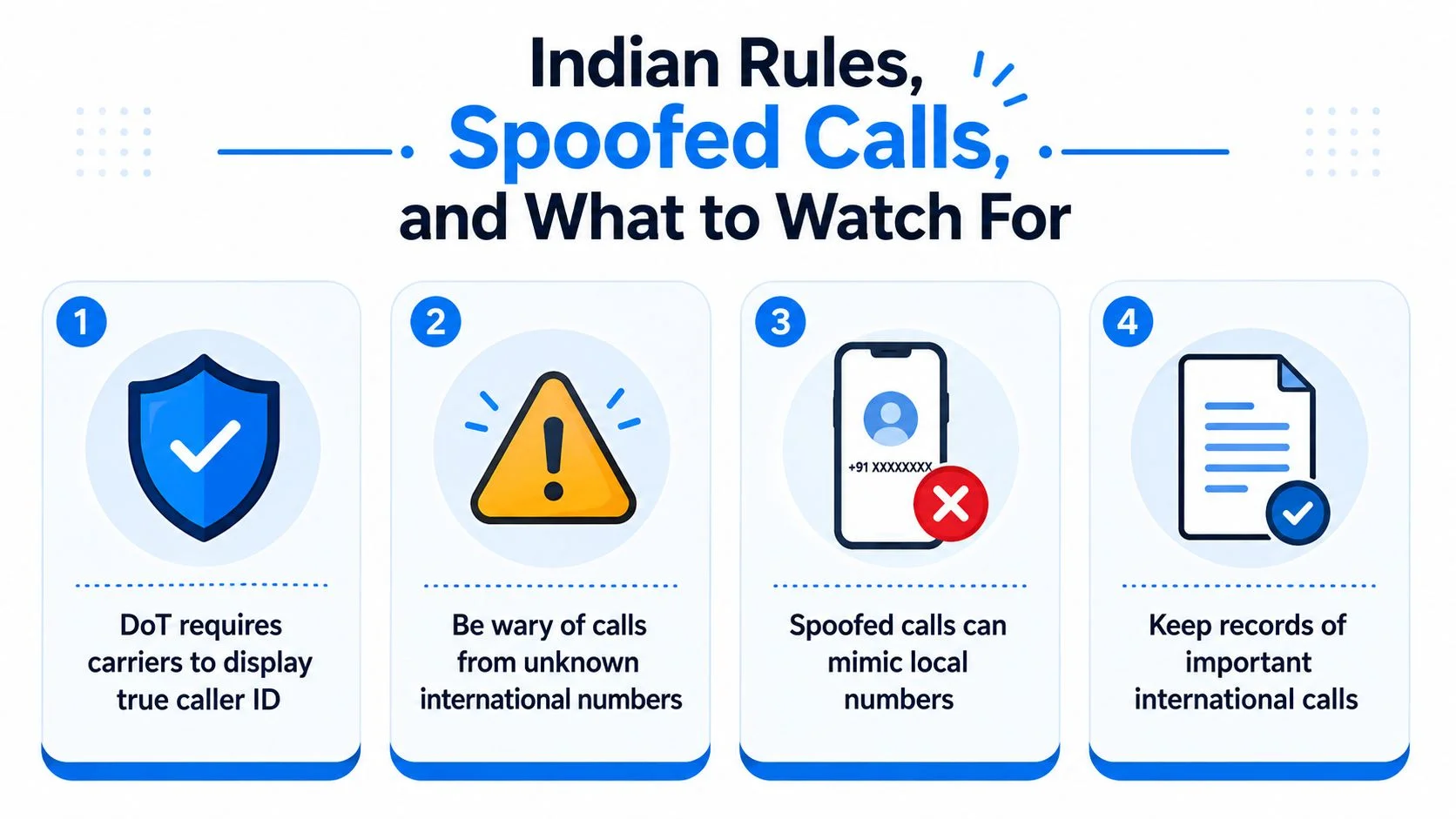
International calls from India can fail for compliance reasons, and a caller ID isn't always proof of where the call originated. India treats international routing as a regulated service, and restrictions can apply when a system tries to bypass the permitted boundary between international calling and domestic PSTN routing.
Indian telecom rules permit outbound international VoIP in relevant circumstances, but direct VoIP-to-PSTN bridging inside India can be restricted or prohibited under licensing conditions. For business calling, use a properly licensed international route rather than attempting a domestic PSTN bypass. Prepaid users may also need to opt in before ISD access is enabled, so a blocked call can reflect account policy rather than a dialing mistake.

Why caller ID can mislead you
Caller ID spoofing makes an overseas call appear to come from an Indian-looking mobile number. Fraudsters can manipulate signaling or use improperly configured international routes, so the displayed +91 prefix doesn't necessarily prove that the caller is physically in India.
DoT reported that its spoofed-call blocking system identified and blocked 95.6% of spoofed international incoming calls, reducing daily spoofed calls from about 13.5 million to about 600,000, as reported in the regulatory coverage cited by Ozonetel's India VoIP overview. Strong filtering can also block legitimate calls when their headers or caller identification don't meet network requirements.
Treat these signs seriously:
- Unknown international callers: Don't return a missed call automatically.
- Requests for OTPs: Never share a one-time password over an unsolicited call.
- Identity or banking demands: Verify requests involving Aadhaar, bank details, or account access through an official channel.
- Pressure tactics: End the call if someone demands immediate payment or secrecy.
Keep records for important business conversations, and verify the caller through a known phone number or official website before sharing information.
Picking the Right Method for Your Situation
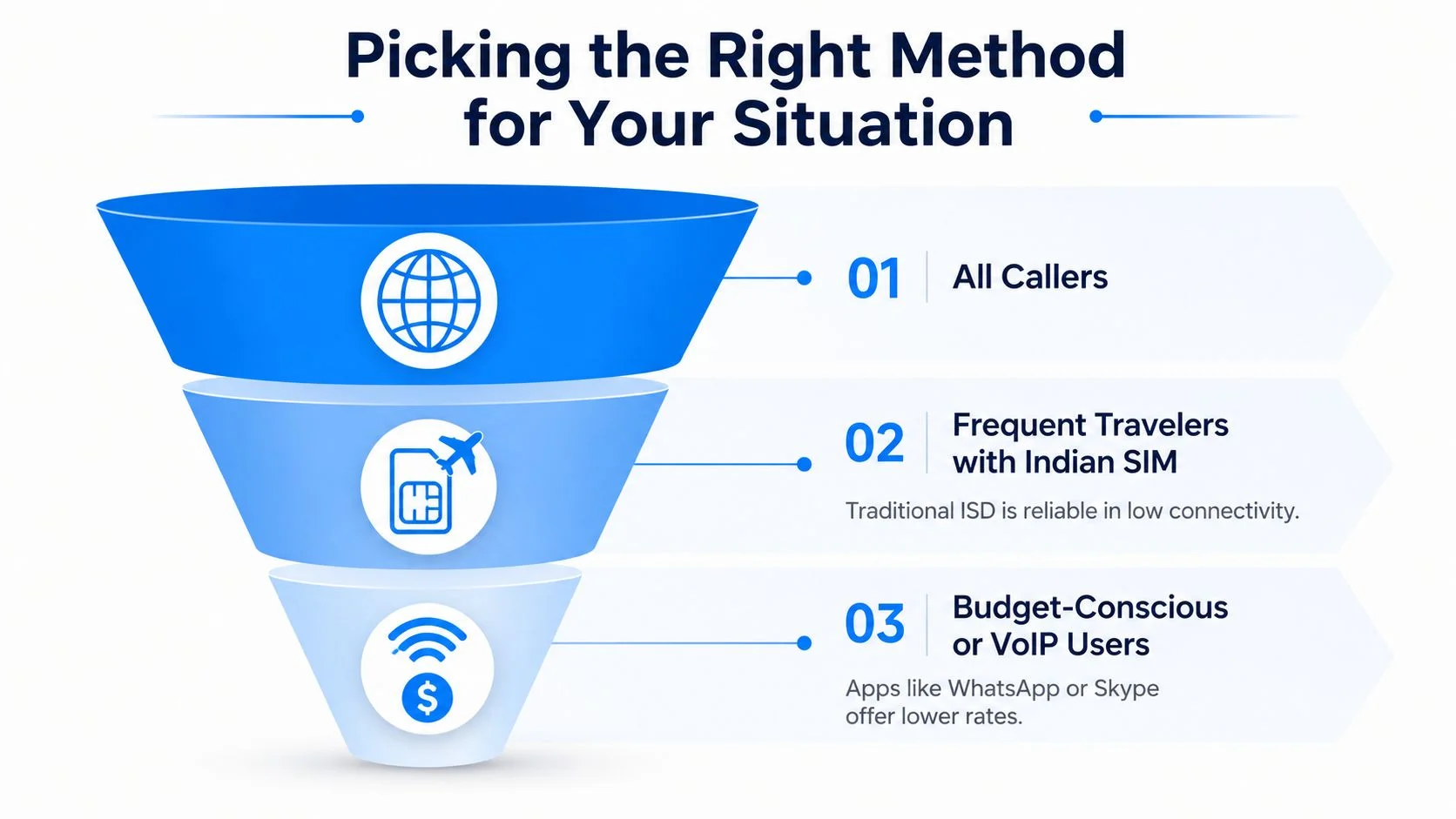
Choose carrier ISD when you need a phone-network call in an area with weak internet. Choose browser calling when you want to call from a laptop or smartphone without making the recipient install software or open a new account.

Match the method to the caller
Frequent travelers with an Indian SIM may prefer traditional ISD for hotel landlines, office phones, or locations where mobile data is unreliable. The trade-off is that international access may need activation, and charges follow the operator's billing rules.
Families calling relatives abroad often need the least complicated experience. A browser-based service can be practical for a one-off call when an older relative can open a link but doesn't want to install an app. If the recipient only has a regular mobile or landline, choose a service that terminates directly to that number.
Small businesses should prioritize dependable records, approved routing, and clear spending controls. A browser option can fit teams that need calls from computers, while carrier ISD may suit offices with established phone systems and consistent network access. Recording or transcription features may be available through some services, but enable them only after considering consent and local requirements.
Make the decision quickly
Ask yourself three questions:
- How often will you call? Frequent callers may prefer an established carrier arrangement, while occasional callers may favor prepaid browser credit.
- Can the recipient open a link? If yes, a browser call may reduce setup. If not, use a service that reaches a normal phone.
- Do you need call records? Businesses may need history, notes, or recordings, while a personal caller may only need a clear connection.
For a carrier call, remember 00 + country code + number, or use + on a mobile. For browser calling, enter the complete international number and check the destination format before pressing call.
For a browser-based international call, BubblyPhone lets you call from a browser to landlines and mobiles, while the person you're calling needs no app or account. Credits start at $5 and never expire, with pay-as-you-go billing rounded up to the whole minute.