Calls to Philippines from USA: A Practical 2026 Guide

Table of Contents
Dial Philippine numbers from the United States as +63 followed by the Philippine number without its leading 0, or as 011 63 from a US landline. Any modern browser on a US connection can reach a regular Philippine landline or mobile without the recipient installing anything.
That distinction matters when you're calling a parent with a basic handset, a relative without mobile data, or a supplier who answers a fixed line. App-to-app calling works only when both people are online and using compatible software. A browser dialer that terminates on an ordinary phone number solves a different problem, because the caller handles the internet connection while the recipient answers normally.
The connection between the two countries has always depended on practical access. The first direct US-Philippines communications link used a trans-Pacific submarine telegraph cable, with construction beginning in 1901 and service starting on July 4, 1903. Messages that once traveled by ship for weeks could then move between San Francisco and Manila in minutes, creating the corridor later used for voice, data, and internet traffic. A Philippine-Guam submarine cable landed at Baler in 1964 and brought high-quality voice circuits to the Philippines, as documented in this history of Philippine telecommunications.
How to Dial a Philippine Number From the United States
Use 011 63 from a US landline, or replace 011 with + on a mobile phone or browser dialer. Remove the Philippine domestic trunk prefix, so a local number beginning with 0 becomes an international number beginning with +63 and the next digit.
For example, the domestic mobile number 0917 123 4567 becomes +63 917 123 4567. From a US landline, dial 011 63 917 123 4567. Keeping the 0 after 63 creates the wrong international sequence because the 0 belongs to the Philippine domestic dialing plan. The Philippines numbering and dialing plan confirms this format.
Mobile numbers and landlines
Philippine mobile numbers generally use a three-digit network prefix beginning with 9, followed by a seven-digit subscriber number. Don't use the prefix to assume the recipient's current carrier, because number portability can weaken that assumption.
Landlines use geographic area codes. Metro Manila uses area code 2, so a domestic example such as 02 1234 5678 becomes +63 2 1234 5678. Other Philippine geographic numbers use their own area codes, so copy the complete local number first and remove only the domestic leading 0 when converting it.
Before dialing, normalize the number into one canonical version beginning with +63. If you're saving contacts or using a browser dialer, the international dialing guide can help you check the country and prefix structure.
Practical rule: Never type +63 0.... Choose either the domestic format with 0, or the international format with +63, but don't combine them.
The number itself is the first troubleshooting test. If the call fails immediately, compare the digits against the original Philippine number, check whether it's a mobile or landline, and confirm that the domestic 0 was removed.
Time Zones and the Best Hours to Call
The Philippines stays on Philippine Time, UTC+8, throughout the year and doesn't use daylight saving time. The time difference with the United States changes when US clocks change, not when Philippine clocks change, as explained in this US-Philippines time zone reference.
During US daylight saving time, the Philippines is typically 12 hours ahead of Eastern Time and 15 hours ahead of Pacific Time. Each difference becomes one hour larger during the US winter. That makes a US morning call an evening call in the Philippines, while a US evening call can land during the recipient's night.

Pick the overlap, not just a convenient hour
A caller in Eastern Time has the simplest family window around their morning or early afternoon, which corresponds to evening or late night in Manila. Central, Mountain, and Pacific callers need to move the call earlier if they want to reach the Philippines during a comfortable evening period.
A practical approach is to agree on a Philippine evening first, then work backward:
- Eastern Time: US morning or early afternoon may fit a Philippine evening.
- Central Time: Start earlier in the US day to preserve the same Philippine window.
- Mountain Time: A US morning slot is usually more considerate than a US evening slot.
- Pacific Time: Early morning can reach Manila in the evening, while late afternoon may be too late there.
For work calls, ask the Philippine contact to propose a local time and confirm the US equivalent on the calendar invitation. For family calls, save the agreed window in both local time zones rather than relying on memory. The best time to call tool is useful when relatives or teams are spread across regions.
Comparing the Main Ways to Call the Philippines
The right method depends less on the caller's device than on the recipient's phone. Traditional carrier calling reaches ordinary numbers but can be hard to budget, app-to-app calling can work well when both people are online, and browser-based calling removes the need for the recipient to install anything.
Traditional phone calling
A US phone carrier's international service is familiar. You dial the number from your normal phone, and the recipient answers on a regular mobile or landline. The trade-off is billing visibility. The cost depends on the caller's plan and international terms, so check the current destination rate before assuming a domestic plan covers the call.
This route is convenient for occasional callers who don't want another workflow. It can be less suitable for frequent family calls or small businesses that need to monitor usage closely.
App-to-app calling
App-to-app calling normally requires both parties to install compatible software, create or use accounts, and maintain a data connection. It can be a good fit when both people already use the same service and have reliable internet access.
It doesn't solve the basic-phone problem. A recipient without a smartphone, data plan, app, or digital confidence can't be expected to complete setup just to answer one call.
Browser-based calling
A browser dialer shifts the setup to the US caller. You open the dialer, enter the Philippine mobile or landline in international format, and the recipient answers the regular phone already in their hand. This is the most direct choice when the other person has cellular voice service but no data, app, or account.
BubblyPhone provides browser-based calling to regular landlines and mobiles, with pay-as-you-go credits and current rates shown before dialing. Calls are billed per minute and rounded up to the whole minute. No subscription is required for calling, while an optional dedicated-number plan serves people who need a separate inbound identity.

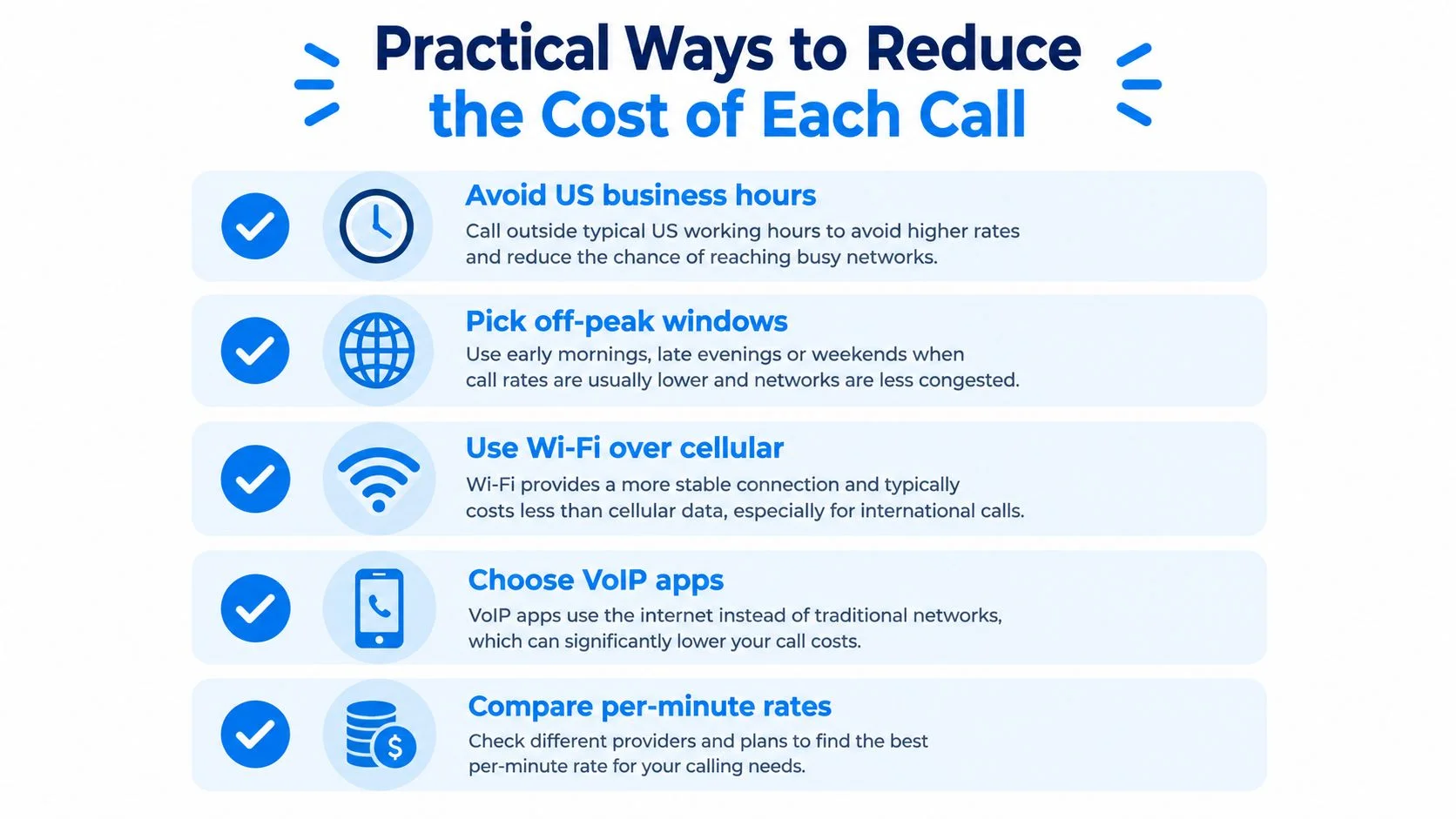
The key question is simple: who carries the friction? If the recipient has no data, put the setup on the caller's side and use a route that terminates on the recipient's ordinary phone.
Practical Ways to Reduce the Cost of Each Call
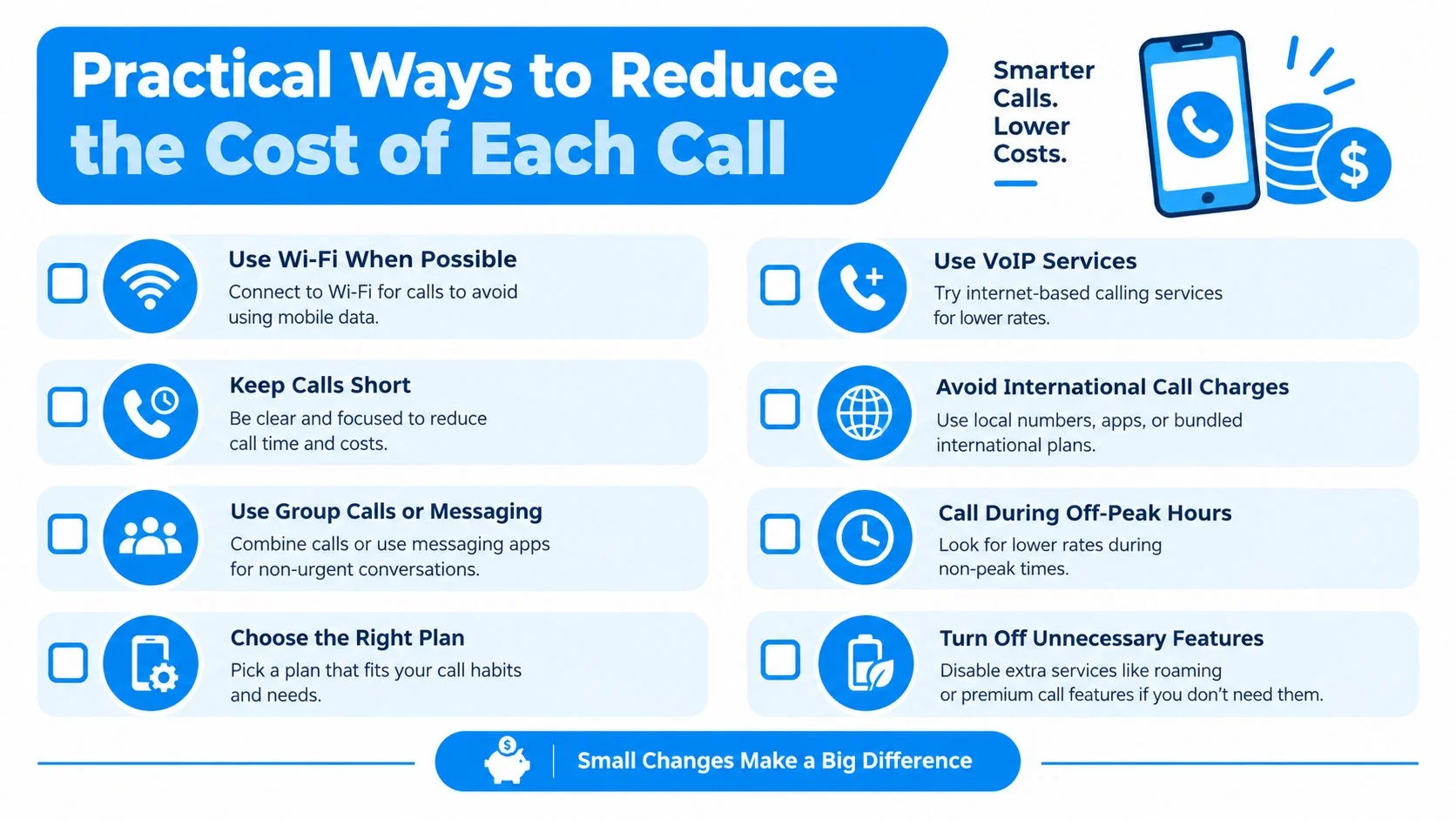
Control the bill by checking the number, timing, connection, and billing method before you press call. Per-minute prices change, so use the live Philippines calling rates instead of relying on an old screenshot or remembered figure.
Remove avoidable waste
A short pre-call check catches most preventable problems:
- Confirm the format: Convert
09...to+63 9..., and convert a domestic landline prefix by removing only its leading 0. - Identify the destination: A Philippine mobile and a geographic landline can have different published rates. Confirm the number type before dialing.
- Check the local time: A US business-hour call can arrive during Philippine night hours. Agree on a window that suits both sides.
- Use a stable connection: Wi-Fi is often preferable to congested mobile data on the caller's side, especially for a longer conversation.
- Review caller identity: Decide whether the recipient should recognize a US number, a dedicated number, or another legitimate caller-ID presentation.

Understand whole-minute billing
A pay-as-you-go service that rounds calls up to the whole minute makes short calls easy to understand, but a call that ends just after a minute boundary can be billed for the next whole minute. Don't leave a browser tab open while you search for the number, and don't assume a reconnecting call has stopped billing until the call screen confirms it has ended.
Roaming creates a separate risk. Calling through a Philippine SIM while someone is traveling can involve international voice terms, while a US caller using a browser pays according to the published destination rate. Compare the actual route before choosing based on habit.
Peak-hour assumptions also mislead. Not every service uses the same time-based pricing, so verify the live table rather than assuming that a particular hour is cheaper. The reliable savings come from correct formatting, avoiding failed attempts, choosing the right destination type, and ending calls cleanly.
Call Quality and Reliability Across Connections
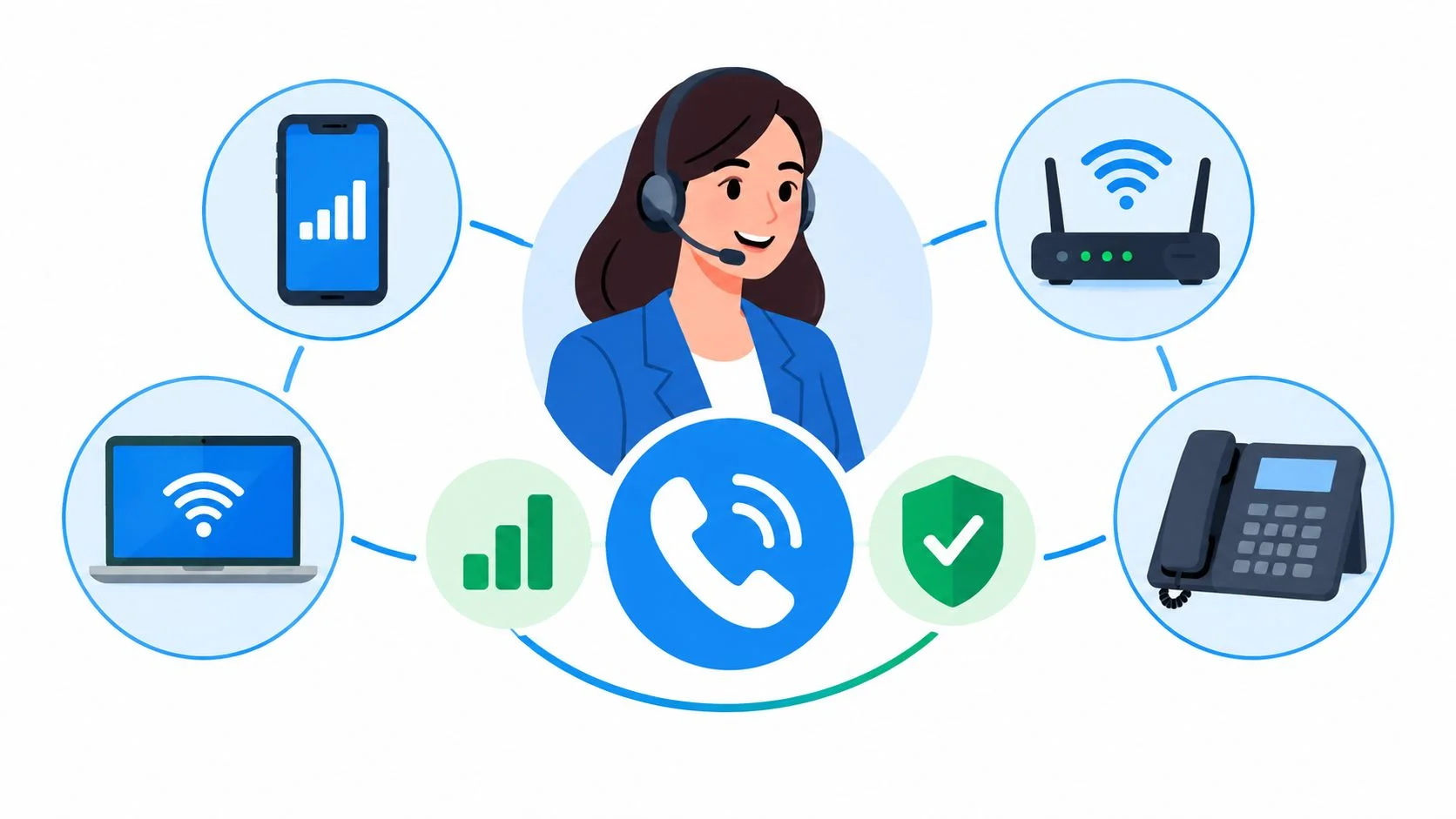
The person you are calling may have only a basic phone, no app, and no data plan. That does not prevent a reliable conversation, but it means the recipient's local cellular or landline connection sets the final ceiling for audio quality. On the US side, stable Wi-Fi helps prevent clipping and delays.
Browser-based calling sends your audio through enterprise-grade global carrier infrastructure and protects it in transit with WebRTC encryption. The recipient does not need WebRTC, an app, or mobile data because the call reaches an ordinary Philippine number. In practice, the strongest setup combines steady Wi-Fi for the caller with good cellular or fixed-line reception for the recipient.

Diagnose the failure by symptom
If both voices sound clipped, check the US connection first. Move nearer to the Wi-Fi access point, pause large uploads, and close tabs that may be using the microphone or network.
If only one person hears audio, inspect the US microphone permission, headset selection, and mute controls. Ask the Philippine recipient whether the handset is in a weak-signal area, inside a building with poor reception, or connected to a noisy speakerphone.
Audio that starts clearly and degrades later usually points to a changing connection, not a dialing-format error. Reconnect to stronger Wi-Fi, replace speakerphone use with a headset, or call back if the recipient's local signal has changed.
Calls are not recorded unless a feature requiring recording, such as transcription, is enabled. WebRTC provides encryption in transit, as described on the BubblyPhone calling service.
Dedicated Numbers and Live Translation for Long-Term Callers
A dedicated number solves identity and reachability, while live translation solves language friction. They're separate purchases for separate problems, and most callers should decide which problem they have before adding either feature.
When a dedicated number makes sense
A dedicated US or Philippine number gives family members, customers, or suppliers a consistent line to call back. It can support inbound calls, voicemail, forwarding, and receiving SMS on the applicable plan. SMS on dedicated numbers is receive-only, so don't choose this product expecting to send outbound text messages.
The dedicated-number plan is the only recurring product in the lineup. Ordinary outbound calling doesn't require a subscription, and prepaid calling credits don't expire. If you want people to call a stable number, review the dedicated number options and check the included features before subscribing.
This is useful for a business that doesn't want staff to publish personal numbers, a traveler who needs a reachable identity, or a family member who wants relatives to call one consistent destination.
When translation earns its place
Live translation addresses a different situation. Each person can speak their own language while the service translates during the conversation, with bilingual captions and a transcript when the relevant feature is enabled. It's an optional per-minute add-on available on calls, not a replacement for a dedicated number.
Ask two questions before paying:
- Do people need to call you back at a stable number? Consider a dedicated number.
- Can both people hear each other but struggle to understand the language? Consider live translation.
Don't buy a dedicated number to solve comprehension, and don't add translation when the core issue is that the recipient has no app or reliable data. Match the feature to the obstacle.
Common Questions About Calling the Philippines From the US
Does the recipient need an app or data plan? No. A browser-based call can terminate on a regular Philippine mobile or landline, so the recipient can answer with the phone service they already use. This matters for offline households, including the roughly 18.8 to 19 million Filipinos who were offline around the beginning or end of 2025, about 16.2% of the population, according to Digital 2025 Philippines.
What should I do about dropped or one-way audio? Check the browser's microphone permission, selected headset, mute state, and Wi-Fi stability. If the US side is clear but the recipient is breaking up, ask them to move to a stronger cellular or fixed-line signal.
Can a US business show a US caller ID when calling Philippine customers? It can present a legitimate caller identity, but it shouldn't falsify or mislead. The Federal Communications Commission's caller-ID guidance states that Section 227(e) prohibits causing false or misleading caller-ID information to appear when the intent is to defraud, cause harm, or wrongfully obtain something of value.
Will a rural Philippine landline work without a messaging app? Yes, if the line is active and reachable through the international numbering plan. The call uses the landline's voice connection, so the recipient doesn't need a smartphone, data plan, or messaging account.
A Fast Way to Make the Call Right Now
The person you need may have only a basic Philippine mobile or landline. If they have no app, account, or data plan, use a browser-based dialer that connects to their existing phone service.
Enter the destination as +63 without the domestic 0, review the current rate, check the local time, and call from a stable internet connection. The caller handles the setup. The recipient answers directly, which suits older relatives, shared phones, rural households, and people with limited digital access.
The same approach works for US businesses contacting Philippine customers or suppliers. They can reach a regular number without asking the other party to install software first.
These calls often support family, work, and financial relationships across the Pacific. Filipinos living abroad sent nearly $33 billion in formal remittances in 2017, while remittances represented about 11% of Philippine GDP in 2016, according to the Filipino-American community overview.
Check the rate table before dialing. Prepaid credits help control spending, and ordinary outbound calls do not require a subscription. A recurring plan applies to a dedicated number instead.
Make calls to Philippine mobiles and landlines from a modern browser with BubblyPhone. The recipient needs no app or account. Credits start at $5 and never expire, so BubblyPhone lets you place the call now.