2 Phone Numbers on One Cell Phone: 4 Ways in 2026
Table of Contents
- Who Each Route Suits
- Stored Profiles Are Not Active Lines
- Check Three Things Before You Buy
- Data and Verification Codes Also Need a Check
- Run This Two Call Test
- What Calling Actually Costs
- Where Non-SIM Numbers Stop Working
- Keep a Cellular Line for Emergencies
- Travelers and Families Split Across Countries
- Small Businesses
- Privacy, With an Honest Caveat
Yes, one phone can carry two numbers in four ways, through a second SIM or eSIM, two eSIM profiles, a dedicated number from a browser based service, or a second line app or forwarding. The trade off is simple, SIM based numbers can carry cellular calls, texts, and data, while non SIM numbers add a separate calling identity without giving you a second cellular connection.
Say you've moved country for work. Your bank still sends codes to your home number, your family calls that number, and your new employer expects a local number. Carrying two handsets solves none of that neatly. Running 2 phone numbers on one cell phone can, but only if you decide in advance which line receives calls, which one carries data, which one gets verification codes, and which one you'd use in an emergency.
Four Ways to Run Two Numbers on One Phone
Four routes add a second number to a phone, and they differ mainly in whether the number rides on a cellular plan. Native routes run the second line through your phone's own cellular modem, so it can take calls, texts, and mobile data like your first line. Non SIM routes skip the modem entirely and give you a separate calling identity through a dedicated number, a second line app, or calls forwarded from an existing line.
Those four routes produce the six options in the table. The first three rows are the native route in three card combinations, and the last three rows are the three non SIM routes.
Six ways to add a second number to one phone
Core trade off: Native routes keep SMS, mobile data, and roaming on the phone itself. Non SIM routes add a separate calling identity but no cellular data.
Who Each Route Suits
Travelers who need to keep a home number reachable need a native route, because the home line stays registered for calls and texts while the second SIM supplies local data. A business owner who wants suppliers to dial a separate number often starts with a dedicated number, since inbound calls and voicemail forward to any number chosen and there is no second mobile plan to manage. Forwarding suits short gaps like a house move or a network outage, because only one number ever exists and you can switch the redirect off later.
The route you pick also decides where each job lands. Verification codes and SMS arrive on whichever line carries texts, which rules out forwarding and limits a dedicated number to receiving texts rather than sending them. Mobile data has to come from a SIM based line, so a non SIM second number never competes for that job.
Costs follow the same split. Native routes bill through a mobile plan for each line. A dedicated number adds an optional monthly plan while calling itself is billed per minute. Forwarding charges are set by your operator, so check that rate before you leave it switched on for weeks.
Route Each Job Across Two Lines
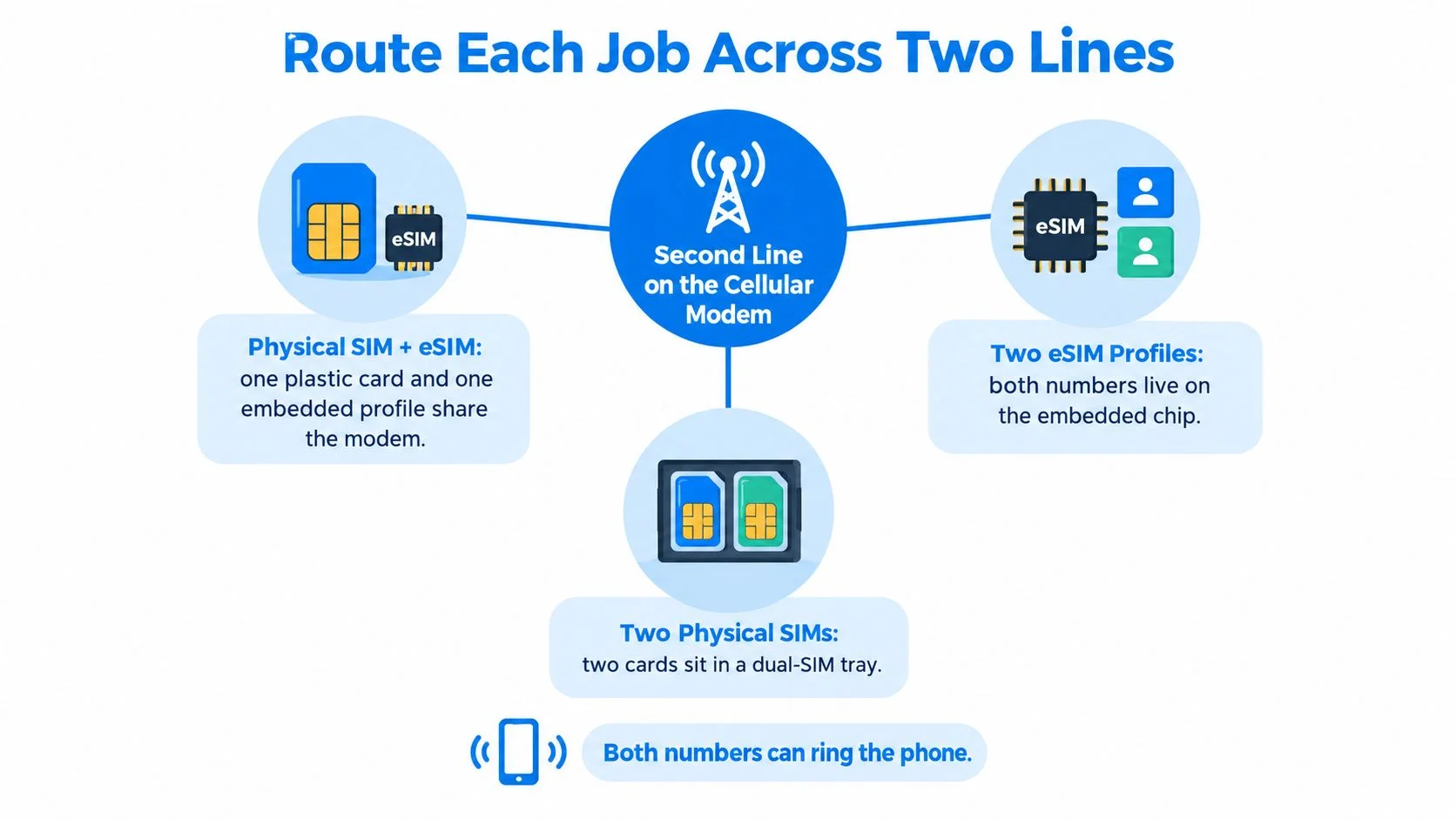
A second SIM based line runs on your phone's own cellular modem through a physical SIM plus an eSIM, two eSIM profiles, or two physical SIMs. Both numbers can ring the phone, but the modem generally carries one active cellular voice call at a time, so think of it as one radio serving two addresses rather than two separate phones.
The Apple Dual SIM support guide describes this as Dual SIM Dual Standby, or DSDS, where both lines stay registered for incoming calls and SMS while you choose which line supplies cellular data and which line is the default for outgoing calls or messages. When one SIM is engaged in a call, the other is temporarily unavailable, although call forwarding or carrier reachability features can redirect that second call.

Stored Profiles Are Not Active Lines
Don't confuse how many eSIM profiles your phone can store with how many lines can run at once. A phone may hold several downloadable profiles and still allow only two to operate together. The Apple eSIM support page notes that supported iPhones can use a physical SIM plus an eSIM, and iPhone 13 and later can also use two eSIMs.
On Android, Pixel 3a and later models can use one physical SIM and one eSIM, while Pixel 7 and later models may use two eSIMs when the carrier permits it. Android's Multiple Enabled Profiles design supports two enabled profiles on a single eSIM chip only on compatible devices running Android 13 or later, using separate logical ports to the modem. That reduces your dependence on a SIM tray. It doesn't remove carrier or regional restrictions.
Check Three Things Before You Buy
- Handset support: Your exact model supports the SIM combination you want.
- Carrier freedom: The phone is either carrier-free or compatible with both operators.
- Plan support: Each operator allows the eSIM or Dual SIM feature on your plan.
Which line handles each job on a two number phone
For a traveler or small business, keep the home number as the voice and SMS identity and set the travel or business line as the preferred data line. Confirm roaming and emergency calling behavior with both operators before you depend on either line.
The common mistake is setting the new local line as the default calling line for everyone. Your family and bank then see an unfamiliar number, and return calls go to a line you may drop when the trip ends. Finish with a three part check. Text each number from another phone, call each one, and confirm the data line shown in settings.
Where a Second SIM Line Falls Short
Two numbers on one phone don't give you two fully independent calls at the same time. That's a limit many people discover only after they've already handed out both numbers.
The Apple iPhone Dual SIM guide states that a line can receive a call while the other line is already handling a call only when Wi-Fi Calling is enabled for the incoming line. Without it, the phone may rely on the active line's cellular data connection, and availability depends on the device and network configuration.
Say a shop owner is 20 minutes into a supplier call on the work line when a client rings the personal line. Without Wi-Fi Calling on that second line, the client may land in voicemail without the phone ever ringing. Businesses that present a different number to customers than the one staff answer on use a related idea, and this explainer on how phone number masking works shows how the displayed number and the answering number can differ.
Data and Verification Codes Also Need a Check
Only one line carries mobile data at a time. Switching the data line can pause apps and background sync for a moment, and leaving your home line in charge of data while you're abroad can trigger roaming charges you didn't expect.
Texts need the same caution. Confirm each number really receives verification codes on your handset before you attach it to a bank login or a new account, and read this guide on receiving SMS on a virtual phone number if your second number isn't SIM based.
Run This Two Call Test
- Call line A from an outside phone and stay connected.
- Call line B from a third phone while the first call runs.
- Note the result, whether B rings, goes to voicemail, or drops.
- Repeat the test with Wi-Fi Calling switched on and off.
Enable Wi-Fi Calling on both lines where your operators offer it, set forwarding for unanswered calls on the busy line, and tell your closest contacts which number to use for urgent matters.
Costs and Limits of Dedicated Numbers and Forwarding
A second number can sit in an account instead of a SIM slot. A dedicated number has no SIM of its own: calls to it pass through a browser-based service and are routed through enterprise-grade global carrier infrastructure to the phone you already carry. It works like a receptionist directing a visitor to the right desk; the public number stays the same, while the answering device is the routing decision.
BubblyPhone's dedicated-number plan is optional, and it is the only subscription-based product. It includes monthly calling credit, receives inbound calls, forwards them to another number, collects voicemail and SMS, and can enable per-minute transcription of incoming calls. Outbound calling stays pay-as-you-go, with no subscription.
What Calling Actually Costs
You pay per minute from prepaid credits, rounded up to the nearest whole minute. A call lasting 3 minutes 10 seconds bills as 4 minutes. The minimum top-up is $5, and credits never expire under BubblyPhone's pricing policy; the live BubblyPhone rates table shows the per-minute rate for each destination before you dial.
Because every call rounds up, several short check-ins can bill for more total minutes than one longer call using the same total talk time. That makes the rounding rule the figure to plan around when you expect quick calls rather than one long conversation.
Where Non-SIM Numbers Stop Working
SMS on dedicated numbers is receive-only. The number can collect a code or a message sent to you; use a line that can send texts when a customer expects a reply or a delivery driver needs instructions.
Some banks and sign-up forms reject app-based numbers for verification. Before you publish or rely on a second number, enter it in the exact service's verification screen, request a real code, and confirm it reaches your handset.
Forwarding has two meanings worth separating. A dedicated number can send inbound calls to another phone under the plan. On a cellular line, this guide to a phone forwarding number covers call forwarding as a fallback for calls you do not answer, with charges set by your operator. The hosted number carries the receive-only SMS feature; forwarding decides where the call lands.
Keep a Cellular Line for Emergencies
The FCC guide to VoIP and 911 service says interconnected VoIP providers must automatically provide 911 service, collect the customer's physical location before activation, allow location updates, and transmit the caller's callback number and registered location to the appropriate emergency center. It also warns that some VoIP 911 calls may reach the wrong center, fail to transmit location or callback information, or be unavailable when the service is not fully interconnected with the public telephone network.
Assign emergency calling to your cellular line on the local network. If you keep a VoIP number as backup, register the address where you are now and update it after a move.
Three Setups for Travel, Business and Privacy
Each setup below assigns every job to a named line. Pick the pattern that matches your situation and copy its assignments exactly.
The short video below walks through how a browser based call reaches a regular phone number.
Travelers and Families Split Across Countries
Keep your home number on your primary SIM for bank, government, and two factor codes, and keep it as the identity people call. Add a local eSIM for mobile data abroad and for local calls where a local number gets a faster answer. If relatives abroad need one number that always reaches you, a dedicated number can ring your phone wherever you are. The caller needs no app or account, and you pay per minute from prepaid credit.
Small Businesses
Use a dedicated number for supplier and customer calls, forward it to the owner's mobile, and turn on voicemail for the hours nobody answers. This guide to a virtual phone number for small business covers that arrangement in more detail. Because dedicated numbers receive SMS only, send business texts from a line that supports outgoing messages and say so in your voicemail greeting.

Privacy, With an Honest Caveat
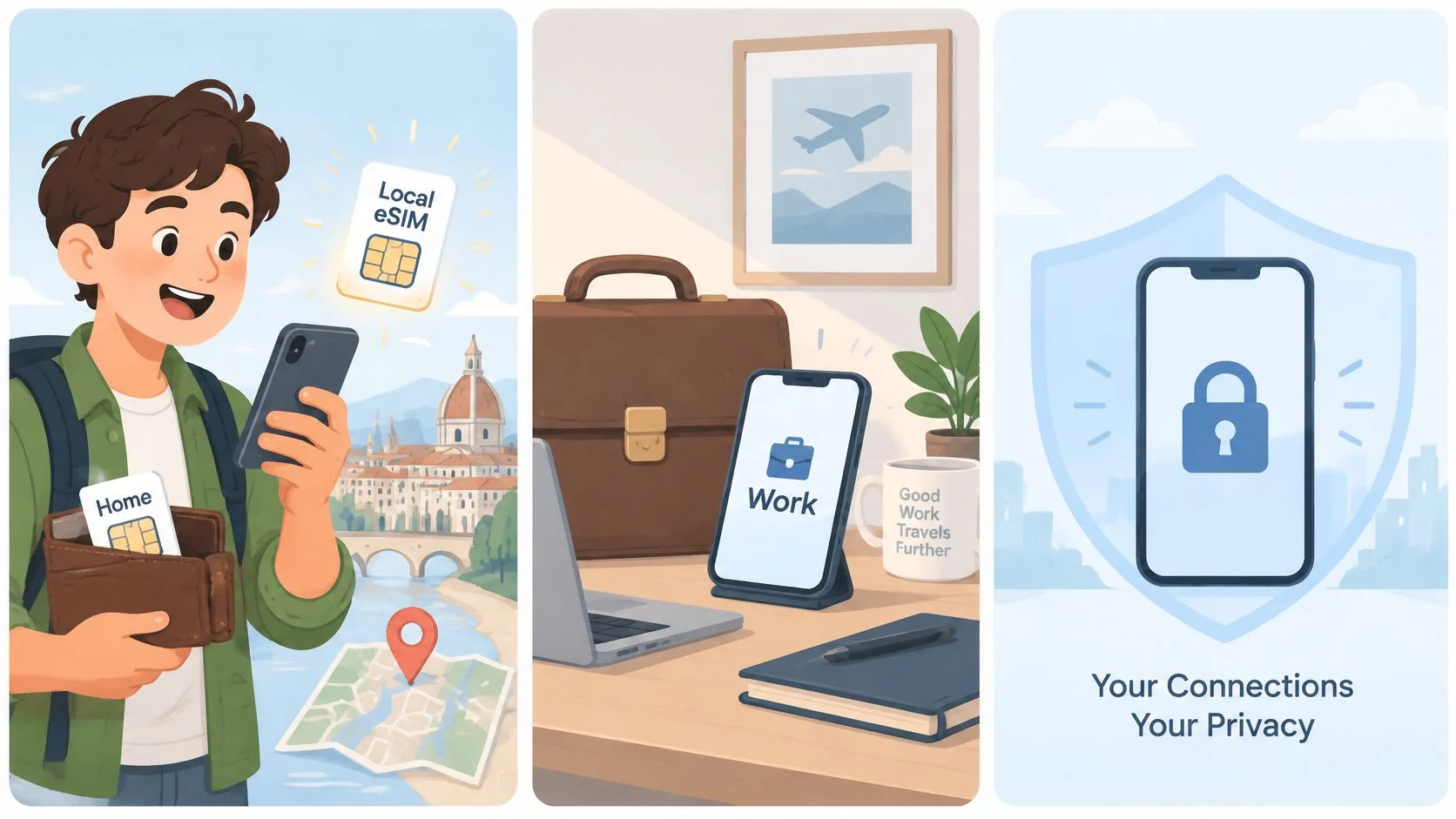
A second number can keep marketplace listings, dating profiles, and work outreach away from your personal contacts. The separation is weaker than is commonly assumed, a point made in ABI Research eSIM coverage reported by AAP, which forecast 403 million consumer eSIM enabled devices shipping in 2025. Two identities still share one physical device, one notification surface, one contact database, and often the same messaging and authentication environment.
A private number can still surface in call history, lock screen previews, shared contact suggestions, backups, or workplace management tools.
A second line improves privacy only when you set notifications, backups, authentication, and caller ID behavior separately for each number. Otherwise you're centralizing more personal data on one phone rather than compartmentalizing it. There's a recovery risk too. If a second number is lost, recycled, or unreachable while you travel, password resets and two factor codes can lock you out. Tie each account to one number, keep backup codes offline, and write down which number each account uses before you leave home.
Pick Your Setup and Make the First Call
The first test call tells you whether the routing works. A text that arrives on the wrong line or an outgoing call that uses the wrong identity means the setup needs one more pass before you rely on it.

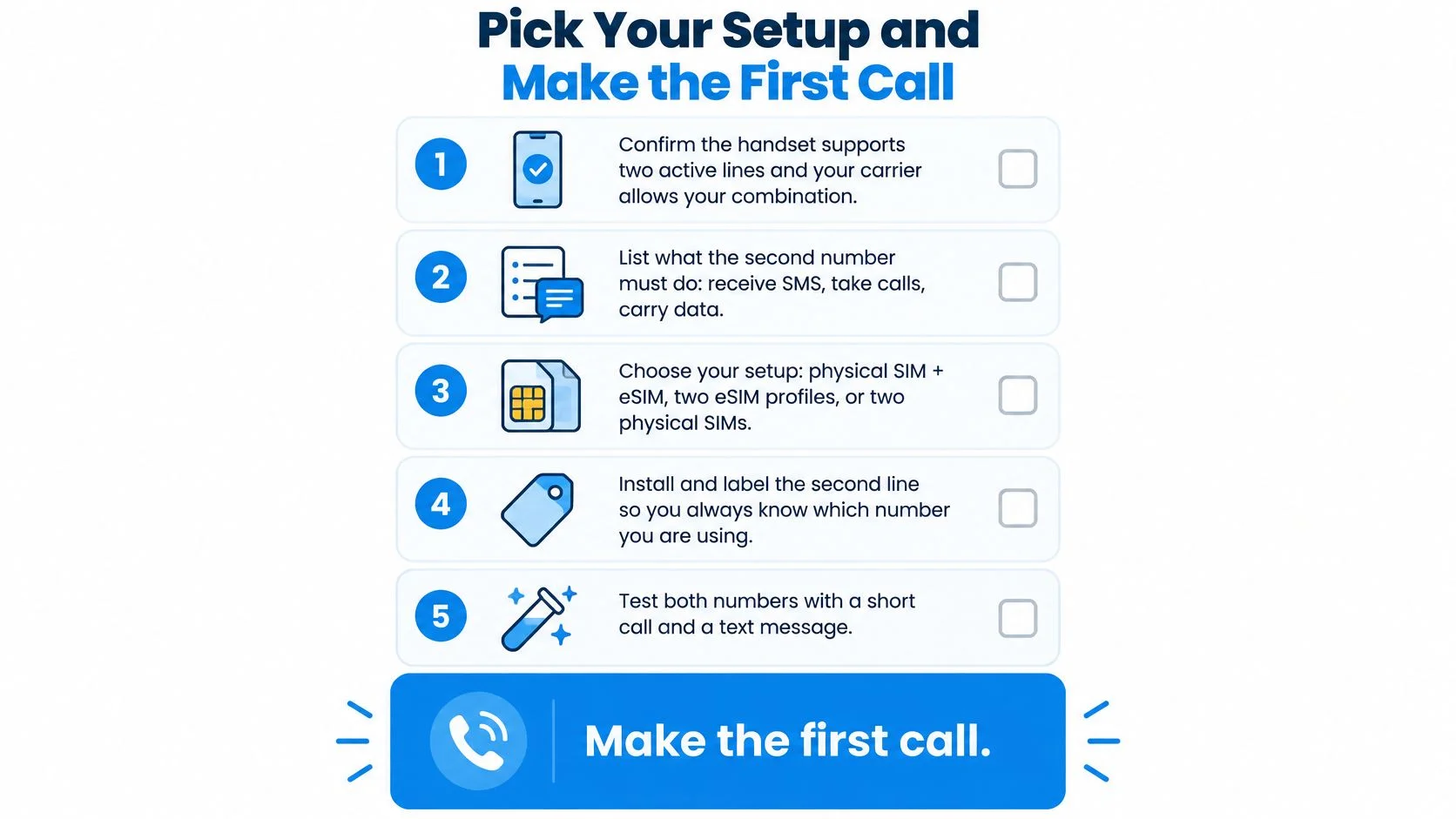
- Confirm the hardware. Make sure the handset supports two active lines and the carrier allows the combination you want.
- Assign the jobs. Decide which number receives calls, SMS codes, mobile data, and outgoing calls, and which jobs stay on the original line.
- Pick the route. Use a native dual line when the second number must handle SMS, data, or roaming. Choose a dedicated number for a separate calling identity without another phone plan. Keep forwarding as a backup path.
- Set the defaults. In phone settings, choose the calling line, data line, Wi-Fi Calling, and forwarding destination for unanswered calls.
- Test both numbers. Run the two-call test, send a text to each number, and place one outgoing call from each line.
Label both lines with plain names such as Home and Work. Carrier names rarely explain which identity you are about to use, and a clear label can stop a customer call going out from a personal line. Before dialing, read the line shown on the call screen rather than relying on memory.
For a browser-based second number, place one test call to a landline or mobile and confirm the call history records it under the separate identity. Check the published rates table for the destination before dialing. If the number also has to receive calls or texts, use a dedicated-number plan rather than outbound calling alone.
Ready to run a second identity without a second handset? Visit BubblyPhone to make a browser test call to a landline or mobile. The person receiving it needs no app or account, so you can confirm the routing before sharing the number.