How to Get a US Phone Number From Outside the US (2026)
Get a US phone number from any country with no SIM, US address or SSN: $3/month. Every route compared, what it costs, and which apps refuse VoIP numbers.
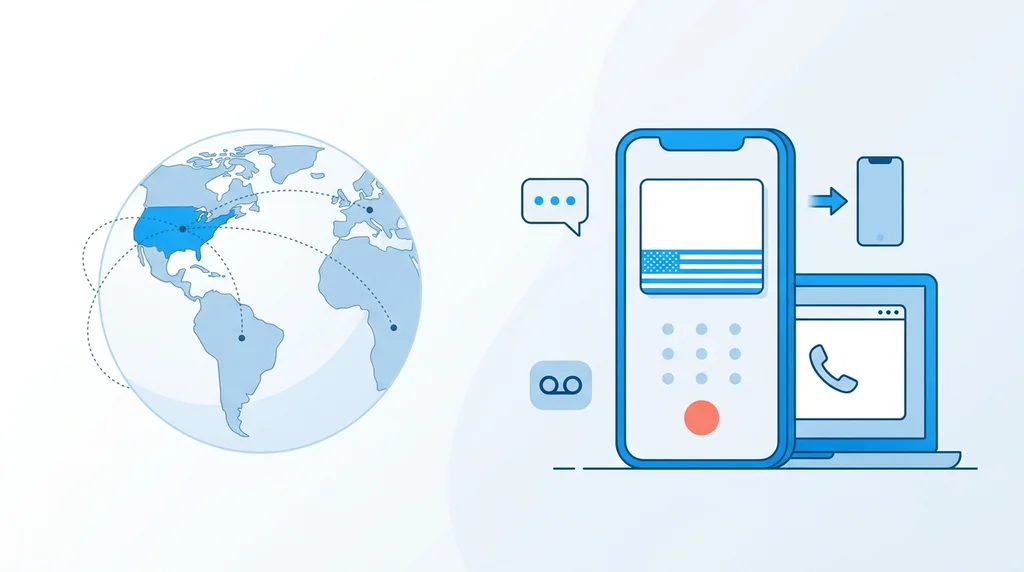
TL;DR — 30-Second Read
- From outside the US, the quickest route is an internet (virtual) number: no SIM, US address or SSN, and it works within minutes.
- A BubblyPhone number costs $3/month from your balance ($3 setup), or $9.99/month by card with $6 of calling credit included.
- It handles calls well: it rings in your browser or app, forwards to your own mobile, and takes transcribed voicemail. You can receive texts and reply.
- It won't pass every verification check. WhatsApp, Microsoft, OpenAI, Cash App and Zelle say in their own help pages that they don't accept VoIP numbers.
- For those, you need a real US SIM or eSIM, and most US carriers want you inside the US to activate it.
The short answer
To get a US phone number while living in another country, buy a virtual US number online. With BubblyPhone it's $3/month, you pick a state or area code, and the number works the moment you buy it: calls ring in your browser or the app, or forward to the mobile you already have. What a virtual number can't promise is that every app will accept it for verification codes. If you need a number for WhatsApp, Zelle or Cash App, read the route table below first.
Most people who buy a US number from us don't live in the US. In the last 90 days, buyers came from the US, Pakistan, India, the UK, Australia, Germany, the Philippines and Israel, and three out of four bought their number on the day they signed up. They know what they need: family and clients in the US who should be able to call them, a US form with a phone field, or an online account that wants a +1 number.
The usual advice doesn't help much from abroad. Google Voice makes you sign up from inside the US, TextNow is limited to the US and Canada, and Skype numbers ended with Skype in May 2025. This guide covers the routes that still work, what each one costs, and where each one fails. That last part matters most, because no virtual number passes every verification check.
What this guide covers
Which route fits which job
Pick the route by what the number has to do, not by price. A number that lets your US clients call you is a different product from one that passes a bank's phone check.
| What you need the number for | Virtual number | US SIM / eSIM |
|---|---|---|
| Family, friends or clients in the US calling you | Yes, the main use | Yes, but roaming can be costly |
| Calling US numbers so they see a +1 caller ID | Yes | Yes, at roaming rates |
| A phone number on a US form, website or invoice | Yes | Yes |
| Texts from people and businesses | Yes, receive and reply | Yes |
| Codes from apps that accept internet numbers | Often (see the list below) | Yes |
| WhatsApp, Zelle, Cash App, Microsoft, ChatGPT sign-up | No: they refuse VoIP numbers | Yes |
| Set up from outside the US | Yes, in minutes | Usually not: activation needs you in the US |
Many people end up with both: a virtual number as the public line that people call, and a US eSIM or their home mobile for the few accounts that insist on a mobile number.
Route 1: a virtual US number
A virtual number is a real +1 number that lives on the internet instead of on a SIM card. Americans dial it like any other US number, and it doesn't cost them anything extra. On your side it rings wherever you are online.
What a BubblyPhone number does
- Rings in your browser, the iOS app and the Android app, on Wi-Fi or mobile data, in any country.
- Forwards to your own mobile in any country, so you can answer US calls on the phone you already carry.
- Takes voicemail when you don't answer, transcribed to text.
- Receives texts, and you can reply. Replies to some US carriers can fail. It isn't built for bulk texting or messaging people who haven't texted you first.
- Shows as your caller ID when you call US numbers from BubblyPhone, so people see a US number they can call back.
What it costs
| Item | Price |
|---|---|
| The number, paid from balance | $3 setup, then $3/month |
| The number, paid by card | $9.99/month with $6 of calling credit included |
| Answering a call in the browser or app | About $0.03 per started minute |
| Forwarding a call to your mobile | The incoming leg plus your country's per-minute rate |
| Incoming text | From $0.01 |
| Reply text | From $0.05 per segment |
| Missed calls, voicemail-only calls | Free |
There's no contract. The monthly fee comes out of your balance, and you can release the number from your dashboard whenever you like.
How to get one
- Create an account with an email address, Google or Apple. You don't need a US address, SSN, ID or SIM.
- Add balance, or choose the $9.99/month card plan.
- Search for a number by state or area code on the numbers page. A New York 212 or a Los Angeles 310 works the same as any other area code, so pick one that suits the people who will call you.
- Buy it. It's assigned straight away and calls start reaching you.
- Optional: set your own mobile as the forwarding number, record a voicemail greeting, and turn on push notifications in the app.
Route 2: a US SIM or eSIM
A prepaid US mobile plan gives you a true mobile number, which passes the checks a virtual number fails. The catch is getting it started from abroad.
- You usually have to be in the US to activate it. Tello, one of the cheapest prepaid carriers, says in its help center that you must be physically in the US to activate an eSIM or move a number to it. Other prepaid carriers have similar rules.
- You pay for a phone plan, not just a number. Cheap prepaid plans run from roughly $5 to $25 a month, plus roaming charges when you use the line outside the US.
- The line has to stay active. Prepaid plans that aren't renewed are suspended, and the number is eventually reassigned to someone else.
- It needs a phone that supports eSIM or a free SIM slot. Codes arrive on that phone over the mobile network, so roaming has to work where you live.
If you visit the US even once, this is the most reliable way to get a number that banks, WhatsApp and payment apps accept. If you never travel there, it's usually not available to you.
Route 3: keep the US number you already have
If you're leaving the US, keep your mobile number alive rather than starting over. Your bank, your tax accounts and your old contacts already know it, and a lost number can't be reclaimed once your carrier gives it to someone else.
- Move it to a cheap prepaid plan before you leave, and keep paying it from abroad. It stays a mobile number and keeps passing verification checks.
- Moving it to Google Voice (a one-off fee, and you have to start the move from inside the US) keeps the number but turns it into an internet number. After that, apps that refuse VoIP numbers will refuse it too.
What doesn't work from abroad
Google Voice
A free Google Voice number has to be set up from inside the US, and it also asks you to verify an existing US phone number. Google's product experts say the same thing in thread after thread: it can't be set up from outside the US. If you already have one, Google takes it back after a period without use (it doesn't publish how long), so make a call or send a text now and then. See Google Voice alternatives.
TextNow
TextNow offers its service in the US and Canada only. Its support pages say a number stays yours only if you call or text at least once a day, a new number expires within 24 hours unless you use it, and a released number can't be restored. See TextNow alternatives.
Skype numbers
Skype closed on May 5, 2025, and its US numbers stopped working with it. Guides that still list a Skype Number as an option are out of date.
Free “receive SMS online” websites
These sites publish incoming texts on a public page, so anyone can read the code that was sent to “your” number and take over the account later. The numbers are shared by thousands of people and most apps block them. Don't use them for anything you want to keep.
Verification codes: what works and what doesn't
A virtual number receives codes from many services, but not from the ones that only accept mobile numbers. Before sending a code, many apps look up what kind of line a number is. Our numbers show up as a landline or as VoIP, depending on the database the app uses, and never as a mobile. Any app that requires a mobile number will refuse them.
Services that say no in their own help pages
- WhatsApp: lists VoIP numbers as unsupported for registration.
- Microsoft: VoIP numbers can't be added for sign-in or verification codes.
- OpenAI (ChatGPT): doesn't support landlines, VoIP or Google Voice numbers for phone verification.
- Cash App: can't send codes to non-fixed VoIP numbers such as Google Voice.
- Zelle: Bank of America and Wells Fargo say VoIP, landline and Google Voice numbers can't enroll.
Codes that did reach our numbers
Between June and October 2026, BubblyPhone numbers received verification codes from Google, YouTube, Apple, Amazon, PayPal, Stripe, Uber, TikTok, Instagram, Facebook, Discord, Pinterest, Walmart, Bank of America, Ally, Chime, Wise and Airwallex, plus WhatsApp Business.
Read this list carefully. A code arriving means the service sent one to at least one of our numbers. It doesn't mean every sign-up passes. Some services check again later, and rules change without notice. Treat it as evidence that these services can work, not a guarantee.
We keep the full service-by-service list, with what each one says in its own help pages, in which apps refuse VoIP numbers.
Keeping the number, and what happens if it lapses
A number you use for accounts has to stay paid, or someone else may end up with it. Princeton researchers found in 2021 that most recycled mobile numbers they sampled were still linked to accounts the new owner could take over, at services including Amazon, Facebook, Google and PayPal.
- BubblyPhone warns you before the monthly fee is due (7, 3 and 1 day before). If your balance can't cover it, you get 7 more days to top up and keep the number.
- After that the number is released and may go to someone else. We can't promise to get it back.
- Before you give up a number, change it in every account that uses it.
- Use an authenticator app or passkey instead of text codes wherever an account offers one. It's safer than SMS on any kind of number.
Side-by-side comparison
| Option | Sign up from abroad | Monthly cost | Line type | How you keep it |
|---|---|---|---|---|
| BubblyPhone number | Yes | $3 from balance, or $9.99 by card with $6 credit | Internet (VoIP / landline in lookups) | Keep the monthly fee paid |
| US prepaid eSIM (e.g. Tello) | Activation needs you in the US | About $5–25 plus roaming | Mobile | Keep the plan renewed |
| Google Voice | No | Free (personal) | Internet (VoIP) | Use it regularly; Google reclaims idle numbers |
| TextNow | US and Canada only | Free with ads, or paid plans | Internet (VoIP) | Call or text at least once a day |
| Skype Number | Closed | n/a | n/a | Ended May 5, 2025 |
Competitor details checked against each company's own help pages on October 18, 2026.
Get your US number
$3/month from your balance, or $9.99/month by card with $6 of calling credit included. Pick a state or area code, and answer US calls in your browser, in the app, or on your own mobile.
Choose a numberFrequently asked questions
Can I get a US phone number if I don't live in the US?
Can I use a virtual US number for WhatsApp?
Will it work for bank and payment app codes?
Is there a free way to get a US number from abroad?
Can I choose the area code?
Do people in the US pay extra to call it?
What happens if I stop paying?
Can I make calls from the number too?
Related guides
Which apps refuse VoIP numbers
Service by service, from their own help pages
US number for an LLC
For founders running a US company from abroad
Google Voice alternatives
When you can't sign up for Google Voice
Second phone number apps
A second line on the phone you already have
Calling without a SIM
Make calls over Wi-Fi from any device
BubblyPhone rates
Per-minute rates, including forwarding to your mobile