Call Without SIM Card: 10 Best Apps & Methods (2026)
Make phone calls without a SIM card using WiFi. 10 apps tested on Android, iPhone & tablets — WhatsApp, Viber, BubblyPhone. Free and paid options compared.
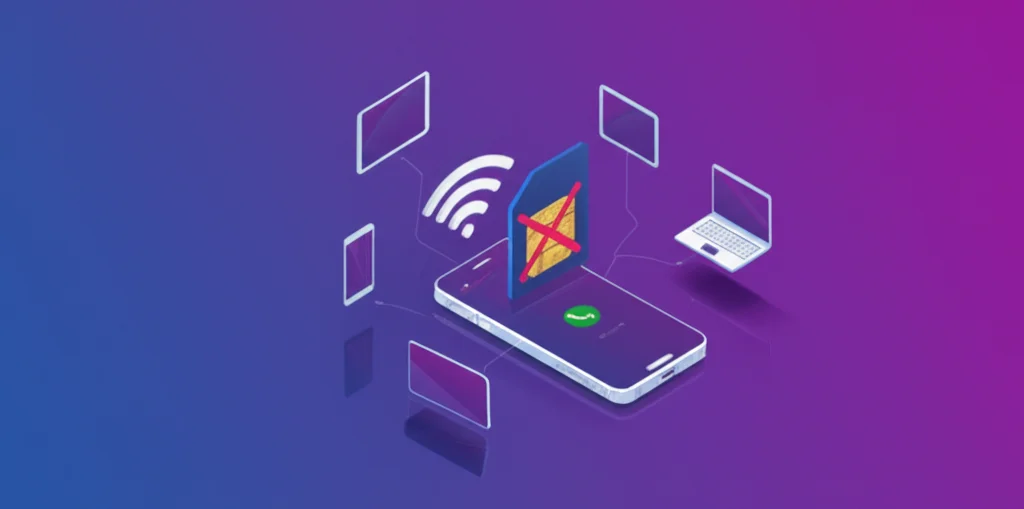
Need to make calls without a SIM card? Whether your SIM is damaged, you're traveling internationally, or you simply want a more affordable way to call, there are excellent solutions available in 2026. This guide covers the 10 best apps and methods to make phone calls using only WiFi or mobile data.
Last updated: August 4, 2026
Quick Answer:
Yes, you can make calls without a SIM card using VoIP (Voice over IP) apps. The best option is BubblyPhone which works directly in your browser - no app installation or SIM required. Other popular options include WhatsApp and Google Voice (US only).
How Does Calling Without a SIM Card Work?
When you make a traditional phone call, your phone uses the cellular network through your SIM card. But with VoIP (Voice over Internet Protocol) technology, your voice is converted into data packets and transmitted over the internet instead. This means you only need:
- WiFi connection - Home, office, cafe, or hotel WiFi
- Mobile data - Even without a SIM, some devices support WiFi calling or eSIM data plans
- A VoIP app or service - Like BubblyPhone, WhatsApp, or Viber
Did You Know?
VoIP calling is often 90%+ cheaper than carrier rates for international calls. Check the live per-minute rate for your country before you dial — no guesswork, no surprise bills.
Can You Use Wi-Fi Calling Without a SIM Card?
The built-in Wi-Fi Calling feature on Android and iPhone does not work without a SIM. That toggle in your settings routes calls through your mobile carrier — it just uses Wi-Fi as the transport — so it needs an active SIM or eSIM and a carrier plan behind it.
What does work without a SIM is app- and browser-based calling: VoIP services like BubblyPhone, WhatsApp, or Viber bypass the carrier entirely and place the call over the internet. That's why they work on SIM-less phones, tablets, and laptops — any device with Wi-Fi and a microphone. If you searched "Wi-Fi calling without SIM," a VoIP app is the answer, not the carrier toggle.
10 Best Apps to Call Without a SIM Card in 2026
1. BubblyPhone - Best Browser-Based Calling (No App Needed)
BubblyPhone is the easiest way to call without a SIM card. It works directly in your web browser - no app installation required. Simply visit the website, sign up, and start calling real phone numbers worldwide.
Why It's Best for No-SIM Calling:
- Works on any device with a browser
- No app installation required
- Calls real phone numbers (not just app-to-app)
- Works on tablets, laptops, old phones
- Crystal-clear call quality (WebRTC)
Pricing:
- Pay-per-minute, no subscription
- Rates vary by country — see live rates
- Top up from $5, no connection fee
Perfect for: Travelers, people with broken SIMs, calling from tablets/laptops, international calling on a budget
Start Calling Without a SIM Today
No app needed. Works on any device. No subscription.
Try BubblyPhone Free →2. WhatsApp - Best for Free App-to-App Calls
WhatsApp allows free voice and video calls over WiFi. However, both parties must have WhatsApp installed - you cannot call regular phone numbers for free.
Limitation: You still need a phone number to create a WhatsApp account initially.
3. FaceTime - Best for iPhone, iPad and Mac
FaceTime Audio and video calls run over WiFi and work with just an Apple Account email, so a SIM-less iPhone, a WiFi-only iPad or a Mac can all call other Apple users for free.
4. Google Voice - Best for US Residents
Google Voice provides free calling within the US and Canada, plus affordable international rates. However, it's only available to US residents.
Note: Not available in the UK, Australia, Germany, or most other countries. See our guides for Google Voice alternatives.
5. TextNow - Free US Number with Ads
TextNow offers a free US/Canadian phone number with unlimited calling - but you'll watch ads before each call.
6. Viber - Popular in Europe & Asia
Viber offers free Viber-to-Viber calls and Viber Out credits for calling regular phones. Popular in Eastern Europe and Southeast Asia.
7. Facebook Messenger - Social Network Calling
Call any Facebook friend for free. You can sign up with email (no phone required), but you can only call other Messenger users.
8. Discord - Best for Group Calls & Gaming
Discord offers excellent voice quality for group calls. Sign up with just an email - no phone number required.
9. Signal - Most Private Option
Signal is the most privacy-focused calling app with end-to-end encryption. Used by journalists and privacy advocates.
10. Telegram - Feature-Rich Messaging & Calls
Telegram offers free voice calls with excellent quality. Popular in Russia, Iran, and parts of Asia.
Comparison: Best Apps for Calling Without SIM
| App | Call Real Phones? | Phone Needed to Sign Up? | App Required? | Cost |
|---|---|---|---|---|
| BubblyPhone | Yes | No (email only) | No (browser) | From $0.02/min |
| No | Yes | Yes | Free (app-to-app) | |
| Google Voice | Yes | Yes (US only) | Yes | Free US/CA |
| TextNow | Yes (US only) | No | Yes | Free (with ads) |
| Discord | No | No | Web/App | Free |
When Do You Need to Call Without a SIM Card?
Traveling Internationally
Avoid expensive roaming charges by using WiFi calling at hotels, airports, and cafes. BubblyPhone works on any WiFi network worldwide.
Damaged or Lost SIM
If your SIM card is damaged or you lost your phone, you can still make calls from a tablet, laptop, or borrowed device using WiFi.
Using a Tablet or Laptop
Most tablets don't have SIM slots. BubblyPhone lets you make real phone calls directly from your iPad, Android tablet, or laptop.
Saving Money on International Calls
Even if you have a SIM, WiFi calling is often 90%+ cheaper for international calls compared to carrier rates.
Free Calls Over Wi-Fi in the Philippines (No Load, No Data)
If you're on Wi-Fi only — piso Wi-Fi, mall Wi-Fi, or home broadband with no load — app-to-app calls are completely free: Messenger, Viber, and WhatsApp calls cost nothing over any Wi-Fi connection, as long as the person you're calling uses the same app.
Calling an actual Globe, Smart, or DITO number (or any landline) is different: no app can do that for free, because connecting to the phone network always costs the provider money. With BubblyPhone you can call real Philippine numbers from any browser over Wi-Fi for roughly $0.26–$0.35/min — check the live Philippines rates before you call. For calling relatives abroad (US, Canada, UAE), rates are usually far lower than Philippine carriers' IDD charges.
How to Make a Call Without SIM Card (Step-by-Step)
Connect to WiFi
Connect your device to any WiFi network. This can be home WiFi, a coffee shop, hotel, or airport WiFi.
Open Your Browser
Go to bubblyphone.com in Chrome, Safari, Firefox, or Edge. No app download needed.
Create a Free Account
Sign up with just your email address. No phone number verification required. Top up from $5 and pay by the minute.
Enter the Phone Number
Type any phone number with the country code (e.g., +91 for India, +44 for UK). Click the call button.
Start Talking!
Your call connects within seconds. Enjoy crystal-clear audio powered by WebRTC technology.
Calling Without SIM: Android vs iPhone
To call without a SIM card on Android: connect to Wi-Fi, open Chrome, go to bubblyphone.com (or install a VoIP app), allow the microphone, and dial — the phone's empty SIM slot doesn't matter because the call never touches the cellular network. The same steps work on iPhone via Safari.
Android Without SIM
- Connect to WiFi in Settings
- Open Chrome browser
- Visit bubblyphone.com
- Allow microphone permission
- Start calling immediately
Works on: Samsung, Pixel, OnePlus, Xiaomi, any Android 8+
iPhone Without SIM
- Connect to WiFi in Settings
- Open Safari browser
- Visit bubblyphone.com
- Allow microphone permission
- Start calling immediately
Works on: iPhone 6s and newer (iOS 14+)
Ready to Call Without a SIM Card?
Join thousands of users making affordable international calls from any device.
Get Started Free →