How Do I Call the Philippines: A Complete Dialing Guide
Table of Contents
- From the United States and Canada
- From the UK, Australia, and Europe
- Mobile numbers
- Landlines and the Manila change
- A simple browser workflow
- The extra-zero problem
- An old or incomplete Manila contact
- A local mobile number used abroad
- Assuming every calling app works the same way
- Control the call cost
- Improve the audio path
- Start with a normalized contact
You're staring at a Philippine mobile number saved as 09XX XXX XXXX, or a Manila landline that suddenly won't connect from abroad. To call the Philippines, replace the local leading 0 with the Philippines country code +63, then dial the remaining number. From a North American landline, use 011 63 instead of +63.
What You Need to Dial to Reach the Philippines
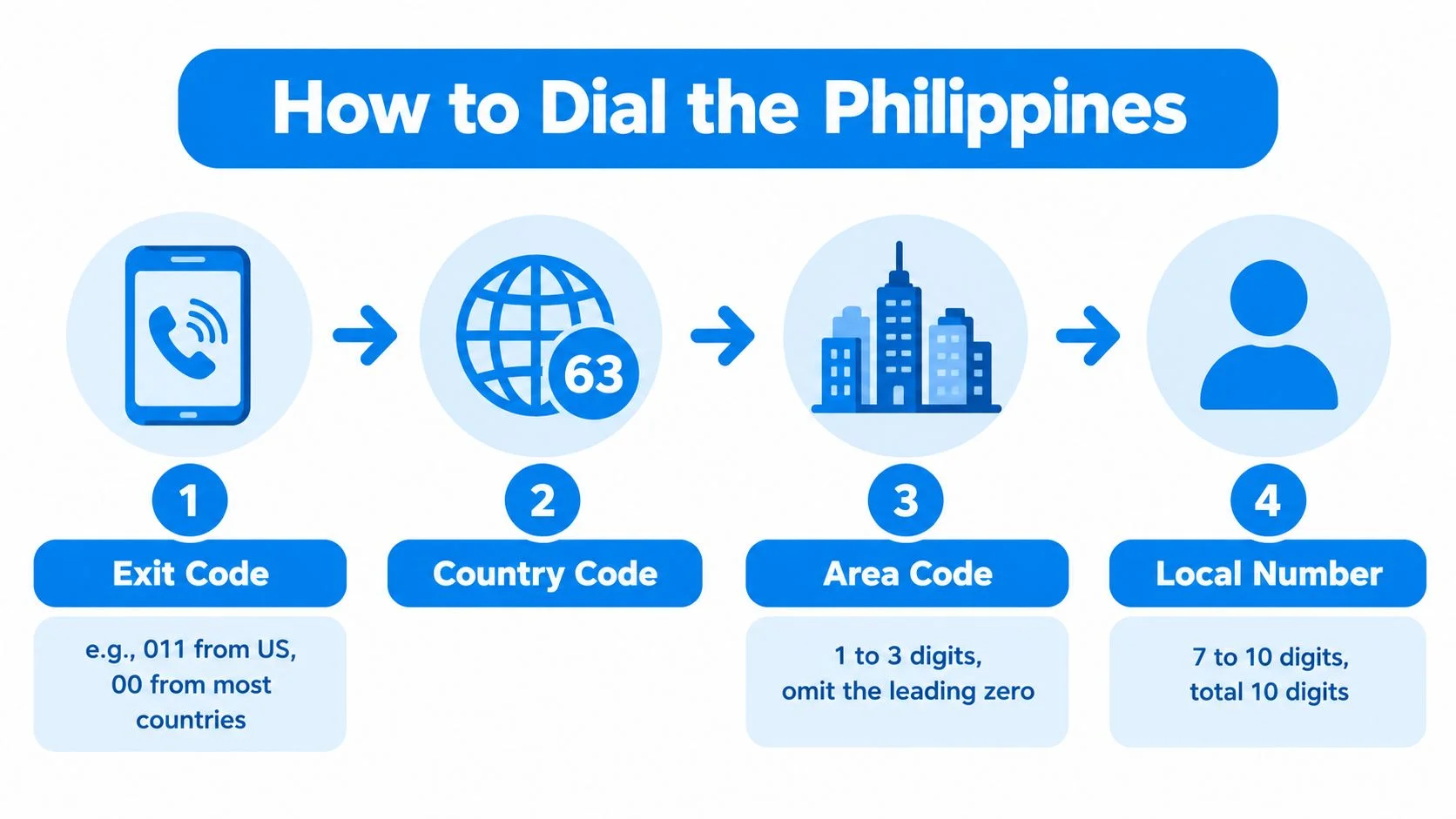
The basic international pattern is exit code + 63 + area code + local number. The exit code tells your country's telephone network that you're placing an international call. The Philippines country code is +63, and the area code identifies the Philippine region before the local number identifies the specific line. The Philippines uses +63 under the ITU-T E.164 numbering plan (ITU numbering information).
From the United States or Canada, the exit code is usually 011. From the United Kingdom, Australia, and most of Europe, it's generally 00, although Australia uses 0011. On a smartphone, the plus sign normally replaces the exit code, so you can begin with +63.
For a Philippine landline, the number after 63 includes the area code, with its domestic trunk zero removed. Manila uses area code 2, Cebu uses 32, and Davao uses 82. Mobile numbers are different. They're written domestically beginning with 09, but internationally they begin with +63 9, followed by the remaining mobile digits (Philippine dialing plan overview).

Practical rule: Every part matters. A wrong exit code, an extra zero, or an omitted +63 can stop the call before it reaches the Philippines.
If you're comparing browser-based options, you can also review how the AI handles calls to understand how assisted calling workflows can manage international conversations. For a focused explanation of the country prefix, see this Philippines country code guide.
Dialing the Philippines From the US, UK, Australia, and Beyond
The only part that changes by origin country is the international exit code. Everything after 63 follows the Philippine number format.
From the United States and Canada
For a Manila landline, dial 011 63 2 followed by the subscriber number. For a mobile saved locally as 0917 XXX XXXX, dial 011 63 917 XXX XXXX. The same structure applies in Canada because both countries commonly use 011 as the exit prefix.
From the UK, Australia, and Europe
A UK caller uses 00 63 followed by the Philippine number. An Australian caller generally uses 0011 63. Callers in Germany, France, and most of Europe usually use 00 63.
On iOS and Android, save contacts in international format whenever possible. A stored number beginning with +63 can travel with you across countries, so you won't need to remember which exit code applies to your current location. Some calling applications also format the number automatically, but check the displayed digits before pressing call.
Mobile and Landline Numbers in the Philippines
Philippine mobile numbers use +63 followed by a ten-digit mobile number beginning with 9. Philippine landlines use +63, an area code, and the subscriber number, so the correct format depends on the destination type (national telephone writing conventions).
Mobile numbers
A domestic mobile number typically looks like 09XX XXX XXXX. Internationally, remove only the first 0, producing +63 9XX XXX XXXX. No separate city area code is added to a mobile number.
The mobile prefix identifies a mobile destination, while a landline requires the geographic area code. The important storage habit is to save the complete international version, not the domestic version copied from a local contact list.
Landlines and the Manila change
On October 6, 2019, Metro Manila and nearby areas moved from seven-digit landline numbers to eight-digit landline numbers in the 02 region. The National Telecommunications Commission implemented the change to expand numbering capacity, which means those landline destinations are now 11 digits when the +63 country code is included (Philippine numbering history).
A Manila number written locally as 02 8123 4567 becomes +63 2 8123 4567 internationally. Don't save it as +63 02 8123 4567, because the domestic trunk 0 has already been replaced by the country code.
Calling From a Browser Without an App or Account
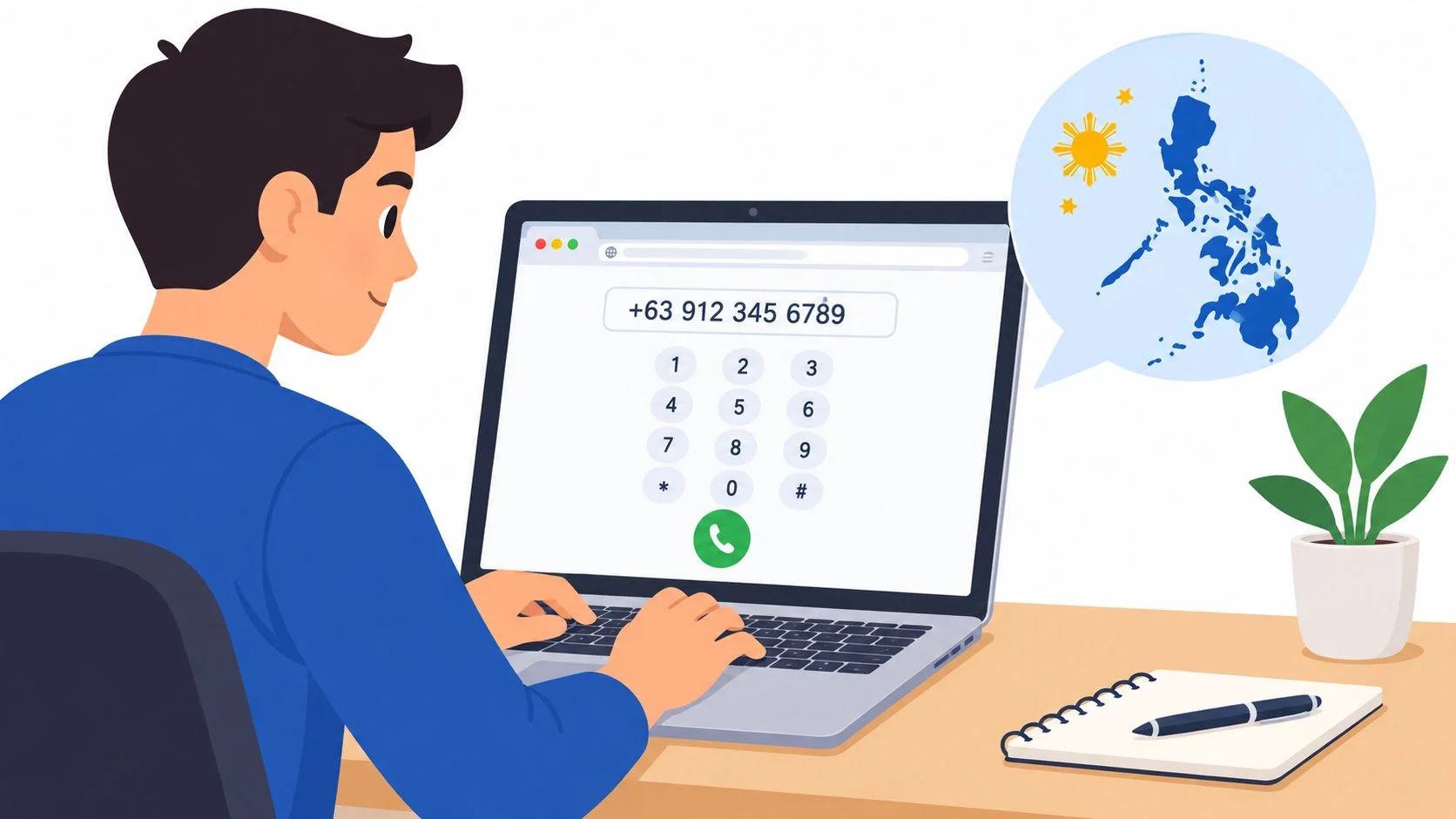
Browser calling lets you open a website, enter the same +63 number you'd use on a smartphone, and speak through your computer, tablet, or phone browser. The receiving person can answer on a normal mobile or landline and doesn't need an app or account.

A simple browser workflow
- Open the calling page. Use a modern browser such as Chrome, Safari, or Firefox.
- Paste the international number. Enter
+63followed by the mobile or landline digits, with the domestic leading zero removed. - Review the displayed price. Check the current per-minute rate before dialing.
- Allow microphone access. Your browser needs permission to use the device microphone and speakers.
- Press call. The service connects to the regular Philippine phone network.
This approach avoids app installation, PIN entry, and a SIM change. It can be useful when a stored contact stops connecting, when you're traveling, or when you want to avoid putting an overseas call through a roaming SIM. For broader ideas about browser communication experiences, RapidNative communication offers useful product context.
The trade-off is straightforward. Roaming is convenient but can be costly, while a local SIM may require setup that isn't worthwhile for a short visit. Browser calling sits between those choices, using your existing device and internet connection while reaching the recipient's ordinary phone.
For a direct browser route, see this guide to calling the Philippines. Before speaking, check the microphone permission, close unnecessary audio applications, and confirm that the number starts with +63.
Common Dialing Mistakes That Break the Connection
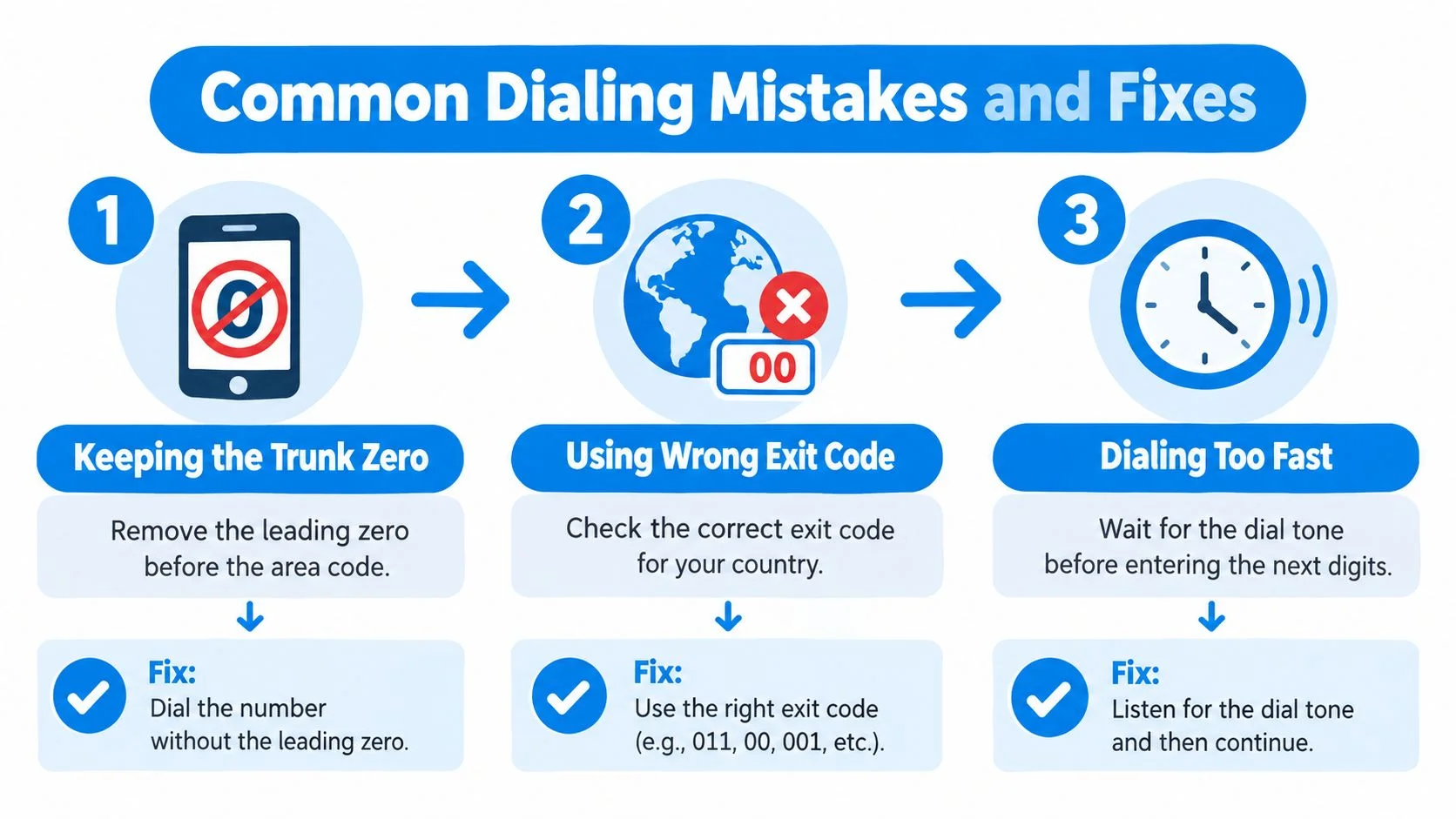
Most failed calls to the Philippines trace back to a few formatting errors. The fastest fix is to inspect the number from left to right, starting with the exit code and ending with the local digits.
The extra-zero problem
A domestic landline may begin with 02, but the international version uses +63 2. From the United States, the incorrect pattern is 011 63 02; the corrected pattern is 011 63 2, followed by the landline number. The same rule applies to provincial area codes that are written with a domestic trunk zero.
Mental check: After 63, the area code should not begin with another 0.

An old or incomplete Manila contact
The 2019 Manila migration changed the length of 02 landline destinations. If a stored contact still contains an old subscriber number, verify the current number with the person or organization you're calling. Don't assume that an older saved format will continue routing correctly.
Mental check: Confirm that the Manila contact reflects the post-migration eight-digit subscriber format.
A local mobile number used abroad
A number saved as 09XX XXX XXXX is a domestic Philippine format. Abroad, remove the first 0 and prepend +63, giving +63 9XX XXX XXXX. If you dial the local version from another country, your phone may interpret it as incomplete or route it incorrectly (international calling format guidance).
Mental check: Every international contact should begin with +63, not 09.
Assuming every calling app works the same way
Some calling workflows depend on an active internet connection, an account, or a PIN. If one stops dialing, don't keep changing the Philippine number blindly. Try the same normalized +63 contact in a browser-based dialer, then check your microphone, connection, and available balance.
The number format and the calling method are separate problems. Fix the digits first, then troubleshoot the connection.
Pay-As-You-Go Billing and Call Quality Tips
Pay-as-you-go calling charges by the minute, and billing may round a call up to the next whole minute. That means a brief connection can consume a full billed minute, while a longer conversation accrues in predictable minute units. Check the live destination table before calling because mobile and landline prices can differ and may change.
The table intentionally avoids a fixed price. A current rate is more useful than an old figure, particularly when the destination type affects the charge. You can read this explanation of international calling rates before adding credit.
Control the call cost
- Check the destination type: Confirm whether you're calling a mobile or landline before dialing.
- Review billing rules: Look for whole-minute rounding and any connection-fee policy.
- Test briefly: Call a known number for a short audio check before starting a long conversation.
- Watch the balance: Keep the call page visible so you can end the call before the balance runs out.
Improve the audio path
Your internet connection affects browser call quality, so use strong Wi-Fi or a wired connection when available. Close bandwidth-heavy downloads, video streams, and background synchronization. A headset usually produces cleaner speech than open laptop speakers because it reduces echo.
If the other person hears distortion, ask them to move away from a loudspeaker or unstable connection too. A short test confirms microphone volume, speaker output, and whether both sides can hear without delay. If the call fails before connecting, check the number format separately from the audio settings.
Putting It Together and Making Your First Call
To call the Philippines, use the exit code, +63, the area code without its leading zero, and the local number. For mobiles, the international number begins +63 9; for landlines, it includes the relevant area code after +63.
Start with a normalized contact
For a Manila landline, enter +63 2 8123 4567. For a Philippine mobile, enter +63 917 123 4567. These examples show the two formats clearly: the landline keeps its area code, while the mobile uses its 9XX mobile prefix.
Open a browser-based calling page, sign in if the service requires it, and confirm that your prepaid balance covers the test. A small balance can be enough for a quick check, but review the live rate and whole-minute billing rule before placing the call.
Press call and ask the recipient to confirm that the line rings and that both voices are clear. Test the microphone and speakers before settling into a longer conversation. Once the contact is saved with +63, the same number can be used from different countries without rebuilding the entire dial string.
Don't leave the number in a note and hope you remember later. Normalize the contact, make the short test call, and resolve any formatting issue while the person you need is available.
BubblyPhone lets you call Philippine mobile and landline numbers from a browser, with no app or account required for the person receiving the call. Calls use pay-as-you-go credits, starting at $5, and those credits never expire, so visit BubblyPhone and make your first +63 call now.