How to Build AI Voice Agent: Design, Test and Deploy
Table of Contents
You have the demo working. A button on a web page opens the microphone, you say hello, and a pleasant synthetic voice asks how it can help. Then an ops colleague dials in from a phone on a busy street, talks over the agent mid-sentence, and the whole thing falls apart: the agent keeps talking, replies land three seconds late, and the appointment it books is for the wrong day.
Building an AI voice agent that survives that call is a five-part assembly job wrapped around a testing and governance job. The speech models are the part you can buy. Turn-taking, tool failure handling, consent rules and a staged rollout are the part you build, and they're where most projects stall.
Map the Five Parts of a Voice Agent Before You Build
A working voice agent is five connected parts, and a single live call touches all five within about a second.
The transport carries caller audio in and agent audio out. Streaming speech-to-text turns the caller's speech into text while they're still talking. The language model decides the reply, keeps the thread of the conversation and calls tools. Text-to-speech speaks the answer. The orchestration layer routes calls, runs tool calls, writes logs and decides when a person takes over.

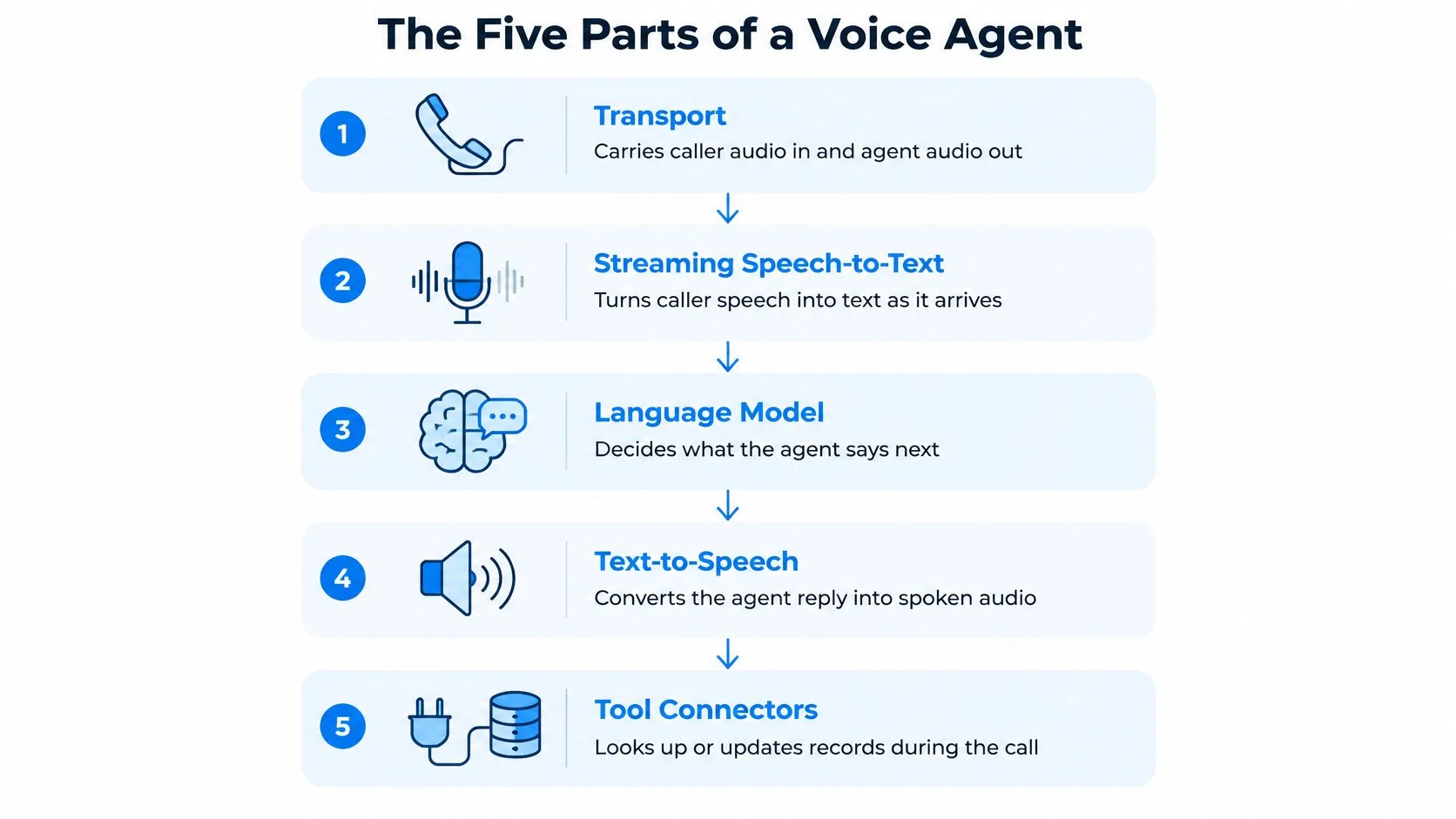
Each part carries exactly one decision you have to make before writing code. Get that decision wrong and no amount of model quality saves the call.
| Component | Job during a call | Decision you make |
|---|---|---|
| Transport | Carries caller audio in and agent audio out | Browser (WebRTC) or phone line through a telephony bridge |
| Speech-to-text | Turns caller speech into text for the model and the log | Streaming or batch, language list, accent coverage |
| Language model | Decides the reply, keeps context, calls tools | Response speed versus reasoning depth for each call type |
| Text-to-speech | Speaks the reply in a natural voice | Voice choice, streaming start, pronunciation of names and numbers |
| Orchestration and tools | Routes calls, runs CRM lookups and transfers, writes logs | Which actions need confirmation or a human |
The build order that avoids rework
- Define the single call job the agent must finish. Booking one appointment type, verifying one account, checking one delivery. A job you can measure beats a personality you can't.
- Choose the transport. That follows from where the caller starts, not from which one you've used before.
- Pick speech and language components by latency and language coverage. Test both on recordings of your own callers, not on clean studio audio.
- Connect two or three business tools. A lookup, a write and a transfer. Every one of them will fail at some point, so each needs a failure line the agent can say out loud.
- Test under realistic call conditions. Accents, noise, silence, interruptions and tool timeouts.
- Launch to a small share of live calls. Five to ten percent, with a person on standby.
The most common mistake is starting with the voice and the prompt before the call job is defined. That produces a demo which sounds impressive for twenty seconds and breaks on the first interruption, because there's no defined finish line for the agent to return to.
Practical rule: if you can't name the condition that sends the caller to a human, you have a demo, not an agent.
For a picture of what changes when a voice agent handles a real customer relationship rather than a scripted demo, how an AI voice agent boosted loyalty is worth reading next to these architecture notes.
Run one check now, before any code: state the agent's job in one sentence, then name the condition that hands the caller to a person. If either takes more than a sentence, the scope is still too wide.
Choose a Browser or Phone Architecture First
Browser clients connect over WebRTC. Phone-based and server-to-server agents run on a server-side WebSocket. That one rule decides most of your stack.
WebRTC is the open standard for real-time audio, video and data that works without users installing separate software. It became both a W3C Recommendation and an IETF standard in 2021, and by then it was supported by all major browsers used by approximately 95% of web users, which means the agent runs in Chrome, Safari, Firefox or Edge with no plug-in, as the W3C WebRTC standards history records.
The responsibilities split cleanly. Establish the browser session in the client, keep secrets and business tools on a backend, and pass only the minimum session configuration to the browser. For a phone workflow, run the call through a backend that controls routing, authentication, tool execution, logging and escalation.
| Caller starts on | Transport | Server path | Typical use |
|---|---|---|---|
| Web page | WebRTC from the browser | Backend issues the session and holds secrets and tools | Click-to-talk demo or website widget |
| Dialed phone number | Telephony bridge to the server | WebSocket session on the backend | Inbound support line |
| Agent dials out | Telephony bridge to the server | WebSocket session on the backend | Appointment reminders, supplier follow-up |
That table is the whole architecture decision. A web widget and a dialled support line reach the same backend, one through a browser session and one through a phone bridge, which is why you can replace the entry point later without rewriting the reasoning and tool layer.
If you'd rather not operate the telephony bridge yourself, developers can make AI-powered phone calls with their own model through the BubblyPhone API and keep the business logic in their own backend.
Then pick the path your first caller takes. If people arrive from a web page, design the browser path first and let the phone line come second. If they dial a number, design the phone path first, because narrowband audio and carrier signalling failure modes are what you'll spend the first month debugging.
How to Wire the Live Call Loop
A caller is reading an account number, pauses, and the agent talks over the rest. Both voices hit the transcript. The booking tool writes the wrong record, and nobody notices until the customer calls back. That failure is a loop problem. Fix it in the session, before you argue about the model.
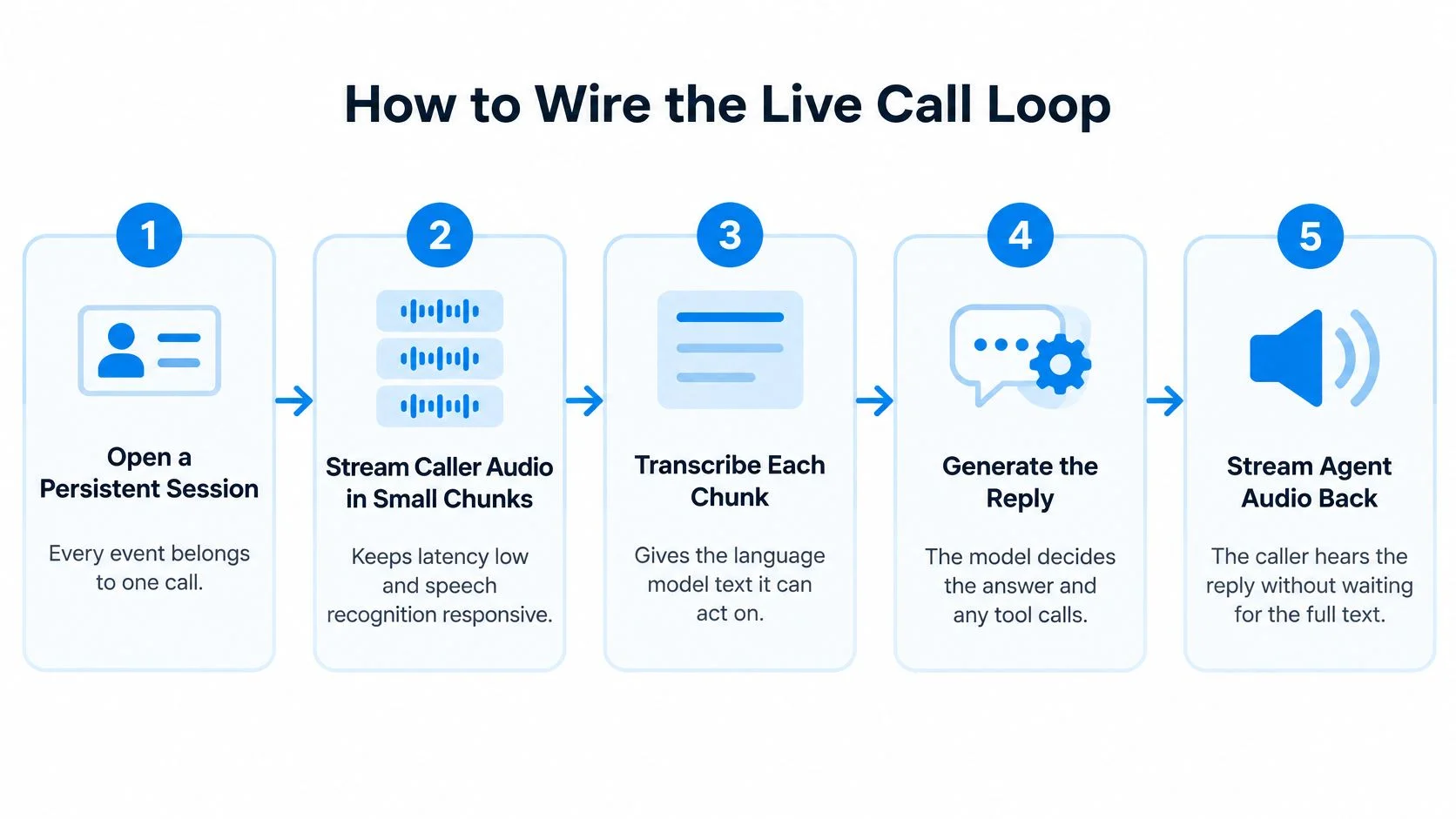
The live call loop is one persistent, event-driven session. Audio and text flow in increments, output streams as it is produced, and function calls stay inside that same session, as the realtime API reference sets out. A stateful session is what makes interruption handling possible.

Seven steps in the loop
- Open a session with an identifier and stamp every event with it. Audio frames, partial transcripts, tool results and hang-ups all belong to that identifier, so logs join up at 2 a.m. when something fails. A new session per utterance throws away context and leaves interruptions impossible to reason about.
- Stream caller audio in small chunks and declare the format. Twenty to fifty milliseconds per frame works. A 48 kHz capture pushed into an 8 kHz telephone session produces garbled speech that the model transcribes as confident nonsense. That is worse than silence, because the agent acts on it.
- Detect turn boundaries from words and audio together. Waiting for silence alone fails the moment someone pauses mid-thought ("my number is, uh, hold on a second"). The failure is predictable: the agent jumps in while the caller is still reading an account number and books the wrong record.
- Stream the reply as it is generated. Start speech synthesis on the first clause instead of waiting for the full answer. A two-second wait before audio begins reads as a broken line.
- Stop agent audio the instant new caller speech arrives. If the agent talks over the caller, both voices land in the transcript and the model answers a half-heard question. I treat barge-in as a release gate: if a scripted interrupt does not cut playback within one frame, the loop is not ready.
- Run every tool call asynchronously and return explicit success or failure to the session. Without a failure state the agent improvises, confirming an appointment that does not exist or a refund that never lands.
- Set a timeout and a retry limit on every external system, then hand off. An unbounded CRM lookup leaves the caller listening to nothing. A few seconds of silence is indistinguishable from a dropped call.
A stalled tool is an outage. If the timeout is longer than the caller's patience, the timeout does not exist.
Booking flows stress the loop hardest, and how Mercateer answers plumbing calls shows what a narrow, high-volume receptionist job looks like when the loop holds.
What a clean first turn looks like
The greeting starts within about a second of connection. The caller interrupts and the agent stops without repeating the sentence it was cut off in. The log shows every event in order, with no gap where audio was dropped.
Watching that happen beats reading about it:
Set the audio format explicitly, for example PCM16 at the session's sample rate, and preserve sample-rate and channel metadata on the way in. Keep transcription as a separate stream even though the model reasons over audio directly. The transcript feeds captions, search, quality review and the compliance record, and its latency and accuracy can be tuned on their own, as the agents SDK realtime quickstart shows by configuring audio and a transcription model separately.
Treat the transcript as evidence. If it drives tool calls or customer records, add a confidence check and a read-back before anything irreversible happens.
The session can transfer a call, query a CRM, schedule an appointment or validate account details without ending, because media transport stays separate from application logic. Tool calls still need an explicit result, a timeout and a handoff path, or the caller hears silence while the backend waits.
Test Interruptions, Noise and Failures Before Launch
A better model rarely fixes a broken voice agent. 72% of respondents in a 2025 industry survey named voice quality and conversational flow the most critical deployment barrier, and 60% called integration one of the biggest adoption challenges, according to the State of Voice AI 2025 research. The bottleneck sits in the seams between components.
In my builds, the breakage is never the wiring of speech-to-text, a model and text-to-speech. That connection takes days. What takes weeks is proving the whole call survives real callers, and testing is where a project earns the right to take live traffic.
The staged test path
Simulated calls first, scripted and replayed from a corpus built on your real caller population, including multilingual speakers and mixed accents. Shadow mode next, where the agent joins live calls, listens and drafts replies without speaking, so you can compare its answer to what the human said. A human-verified pilot after that, with recordings reviewed line by line. Production monitoring last, with automatic escalation whenever confidence or tool reliability drops below a threshold you set in advance.
Skipping shadow mode is the most common shortcut and the costliest one. Simulated callers speak in turns and wait politely. Real callers interrupt, mumble, hand the phone to a colleague and switch languages mid-sentence, and none of that shows up until the agent hears live audio it cannot act on. A week of shadow data tells you which scenarios the table below needs.
Track word-error rate per group rather than averaged, task-success rate, interruption-recovery rate, transfer rate, containment rate, cost per successful call and time to first audio. Log model errors separately from telephony, CRM, webhook and authentication failures, or every incident becomes a debate about whose system broke. An averaged word-error rate can hide a 30-point gap between your largest caller group and your smallest, so keep the per-group split from day one.
| Test | What to simulate | Pass signal |
|---|---|---|
| Barge-in | Caller speaks over the agent one second into a reply | Agent stops within about 300 ms and answers the new words |
| Silence | Eight seconds with no speech after a question | Agent re-prompts once, then offers a person |
| Background noise | Café, road and TV noise at normal call volume | Key entities such as dates and names survive in the transcript |
| Accent and language mix | Speakers from three language groups, plus code-switching | Word-error rate reported per group, not averaged |
| Telephone-bandwidth audio | Replay of narrowband recordings | Intent recognized after at most one repeat |
| Tool timeout | CRM lookup fails after five seconds | Agent tells the caller and offers a callback or transfer |
| Misrecognized number | Wrong digits in an account number | Agent reads the number back and asks for confirmation before acting |
The rule I'd apply before any pilot: no scenario in that table fails twice in a row without a documented fix. Two failures means the fix is a guess, and guessing at turn-taking is how agents end up talking over callers in production.
The audio conditions matter as much as the scenarios. Narrowband telephone audio compresses consonants, speakerphones add echo the transcription model has never heard in training data, and cross-talk confuses the endpointing that decides when a turn ends. A stack that only sounds clean on a headset recording isn't tested yet. If live calls sound thin or chop mid-sentence, work through improving VoIP call quality before blaming the model, because packet loss and jitter produce failures no prompt change will fix.
Handle Recording, Consent and Human Handoff Safely
Don't record calls unless a feature requires it. When you do, store only the transcript or the fields the workflow needs, and put a deletion date on every one of them.

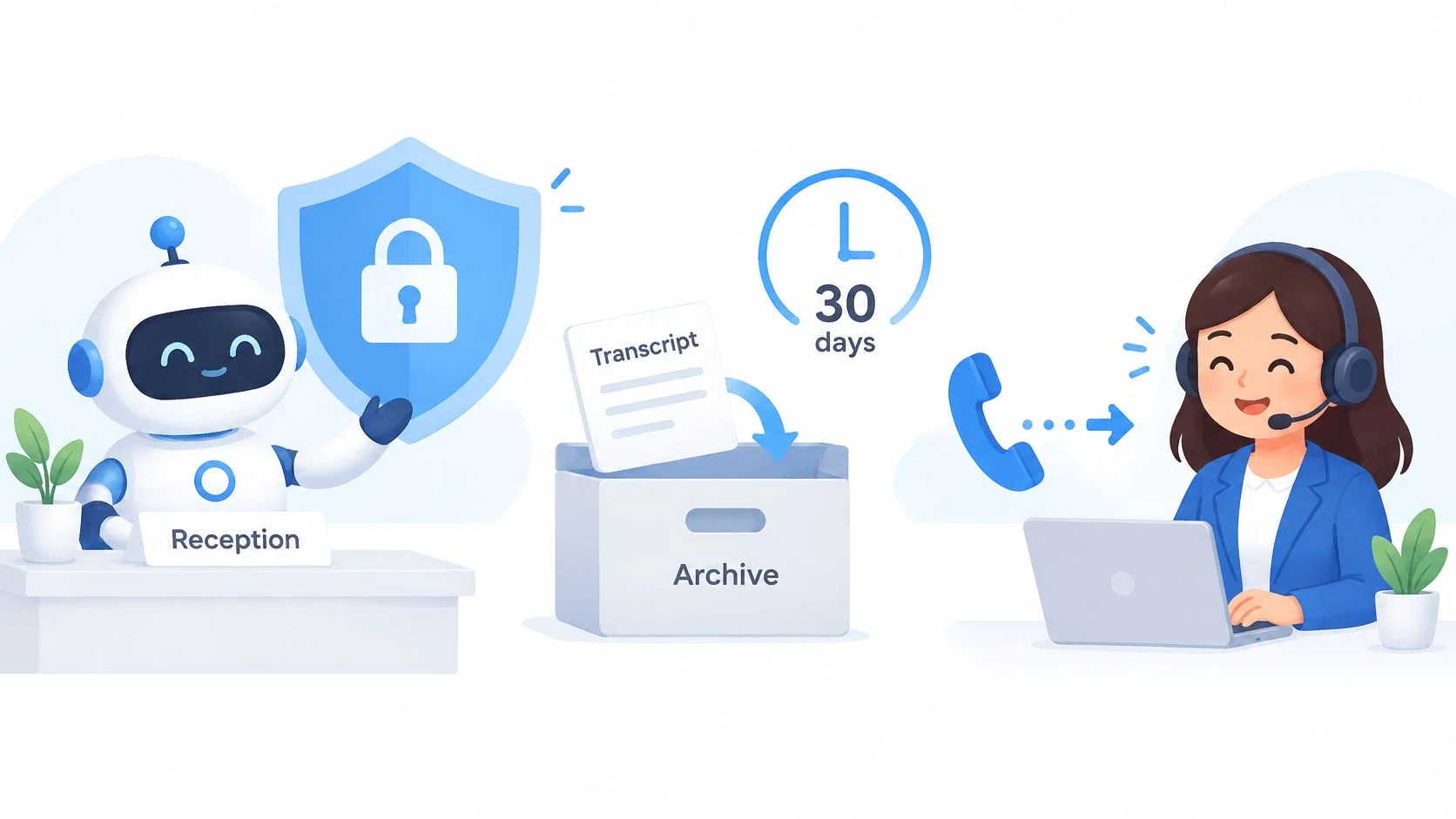
Voice data carries background conversations, sensitive personal information and sometimes biometric signals, so the default has to be data minimisation: redact payment details and identifiers before storage, define retention per data type, and require explicit human approval for refunds, account changes and legal commitments.
Hold the system to a risk framework
The U.S. National Institute of Standards and Technology published its Artificial Intelligence Risk Management Framework in January 2023 as a voluntary framework organised around four functions: Govern, Map, Measure and Manage, per the NIST AI Risk Management Framework. Translated into engineering, that means one named owner accountable for the agent; a written record of intended users, languages, call contexts and known failure modes; measurement against the failure cases in your test table; and a defined owner for rollback decisions.
Keeping those four functions current matters most for international calling, where accents, multilingual conversations and automated decisions can produce uneven error rates across caller groups. Guidance on production voice deployments keeps landing on the same short list: auditable logs, deterministic fallback logic when a tool call fails, evaluation data drawn from real caller populations, and tight control over access to CRM and business systems, as 42voice's review of voice AI trends describes.
The four fallback cases
- The caller refuses recording. Continue the call without capture, or route to a human. Say which one happens before the call starts.
- Recognition is uncertain. Read the value back and ask for confirmation rather than acting on a guess.
- A tool returns conflicting data. Stop, tell the caller you're checking, and escalate. Never let the model pick the friendlier number.
- The caller asks for a person. Transfer without a retention pitch.
Keep caller authentication, such as a one-time code, separate from voice-biometric identification. They carry different consent requirements and very different breach consequences. Consent, recording and automated-calling rules also differ by country and market, so check each destination before launch. Our call recording laws reference covers how jurisdictions split on consent so you can check a destination quickly.
Sign-off checklist: one accountable owner, a documented language list, retention periods per data type, redaction verified on a sample, human approval required for irreversible actions, and a named person who can turn the agent off.
How to Connect Tools and Deploy With Monitoring
A booking tool can return a result while the caller is still waiting for confirmation. Define what the agent may say at each tool state before drafting its prompt. Start with CRM lookup, booking and account verification, and give each a clear input and output contract.

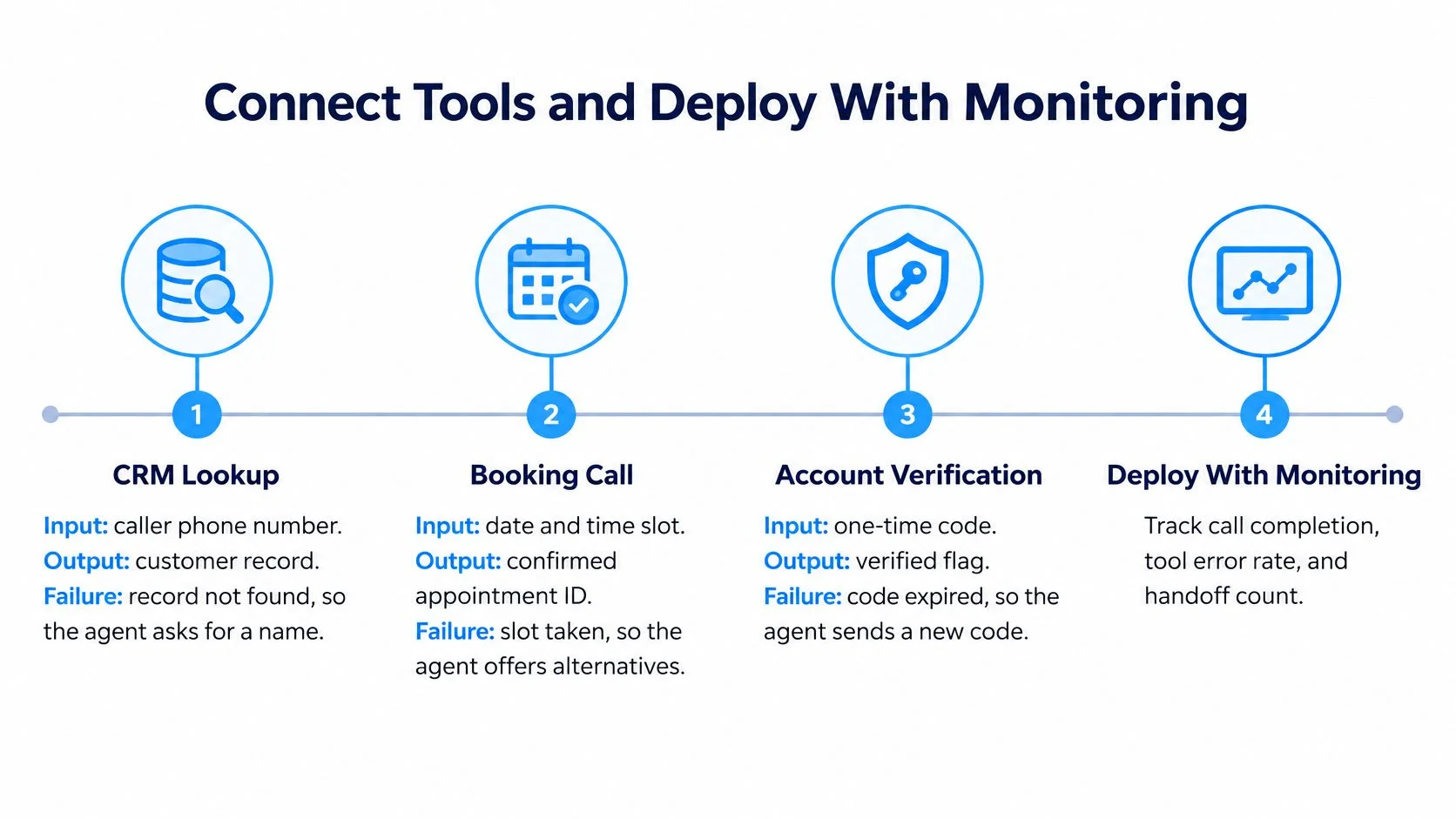
Every failure state needs a caller-facing sentence and a fallback: a callback offer, a transfer or a read-back confirmation. Test those responses against the earlier scenarios. Then use a staging number in shadow mode, where the agent listens and drafts replies without speaking. Compare those drafts with the tool results before allowing spoken responses.
Treat shadow mode as a deployment gate.
For programmatic call control, the programmable voice API overview explains how the pieces fit. Check the connection alongside the tool behavior: a successful lookup alone does not prove the caller received a usable answer.
During the earlier pilot, apply rollback rules by call type and language rather than relying on an overall average. Set thresholds before launch using the staging and pilot results. The table turns the testing metrics into deployment decisions.
| Metric | What it reveals | Rollback trigger and action |
|---|---|---|
| Time to first audio | Greeting delay | Sustained drift above the launch baseline: return the affected call type to humans. |
| Containment rate | Tasks completed without a person | A fall after a prompt or tool edit: revert that change. |
| Transfer rate | Handoff demand | A rise for one call type or language: pause expansion for that group. |
| Interruption-recovery rate | Barge-in handling | A drop below the pilot result: route affected calls to humans. |
| Cost per successful call | Spend against completed tasks | Rising cost with flat containment: pause expansion and review failed tasks. |
Review transcript samples every week. Log prompt edits, tool changes and routing decisions together so a regression can be traced to a specific release. Widen deployment only when the affected call types meet their thresholds again.
Place Your First Test Call Today
Run the barge-in scenario from the test table on a real call first, before writing more code. A live call exposes timing faults no simulator shows, because the delay between the caller's interruption and the agent's silence depends on your network, your session handling and your audio pipeline at once. That combination is exactly what staging environments flatten out.
Use BubblyPhone to place that call from any modern browser, and check the destination rate before a longer session, since repeated test calls add up in minutes. Have a colleague pick up on a landline or mobile and interrupt the agent mid-sentence, once early in the greeting and once during a tool response. Those two points fail differently.
Then read the log. Look for the stop event when you interrupted, the order of the transcript segments, and whether the tool result came back before the agent spoke again. A stop event that arrives after the agent finished its sentence means your interruption handling is theoretical, and a transcript that orders the caller's words after the agent's reply means your segments are timestamped at generation rather than at playback. Both are session event handling faults in the call loop, and both hide completely in simulator tests.
Fix the fault, then run the scenario as many times as it takes to see two clean passes in a row. One pass proves nothing, because network jitter can mask a race condition on a lucky run. Two consecutive clean passes on a live line is the weakest evidence worth trusting, and it is still stronger than a hundred simulator runs.
Make the call yourself: an AI voice agent is only proven by a live conversation, so open BubblyPhone in any browser and test the interruption scenario today. You can be on a real call within about two minutes of signing up, with no app to install, no subscription and credits starting at $5 that never expire. The person on the other end picks up on a landline or mobile with nothing to install and no account to create.