How Do I Call Sweden from Us? Exact Steps for 2026
Table of Contents
Dial 011, then 46, then the Swedish number with its leading 0 removed, or use +46 on a mobile or browser dialer. If you're copying a number from a website, business card, or contact, check for that extra zero before you call. Keeping it after 46 can make a valid Swedish number look disconnected.
Dialing Format for Sweden From the US
From a U.S. landline, dial 011, then 46, then the Swedish number without its domestic leading 0. On a mobile phone or browser dialer, use +46 followed by the same Swedish digits, again without the 0. That zero is a domestic trunk prefix, not part of the international number.
The rule applies to both geographic landlines and mobiles. Swedish mobile ranges include 070, 072, 073, 076, and 079; after +46, they become 70, 72, 73, 76, and 79. Don't remove any other digits. Sweden's international country code is +46, allocated in 1954, and its numbering plan follows the E.164 framework for international telephone numbers (Swedish numbering plan).
For a traditional U.S. telephone line, 011 is the international access prefix; the FCC describes the sequence as access code, country code, area or city code, then subscriber number (FCC international calling guidance). Mobile and browser dialers generally accept the plus format, where + substitutes for the access prefix.
Before dialing, rewrite the destination as one continuous international number: country code first, then the Swedish digits with no domestic zero. For a Stockholm number, that means +46 8, not +46 08. See the Sweden country-code dialing guide.
Checking a Swedish Number Before You Dial
The bracketed zero in +46 (0)8 XXX XX XX is the trap. It shows the domestic format, where Stockholm numbers begin with 08. After +46, leave that zero out. If you keep it, the call may sound like it has reached a disconnected line.

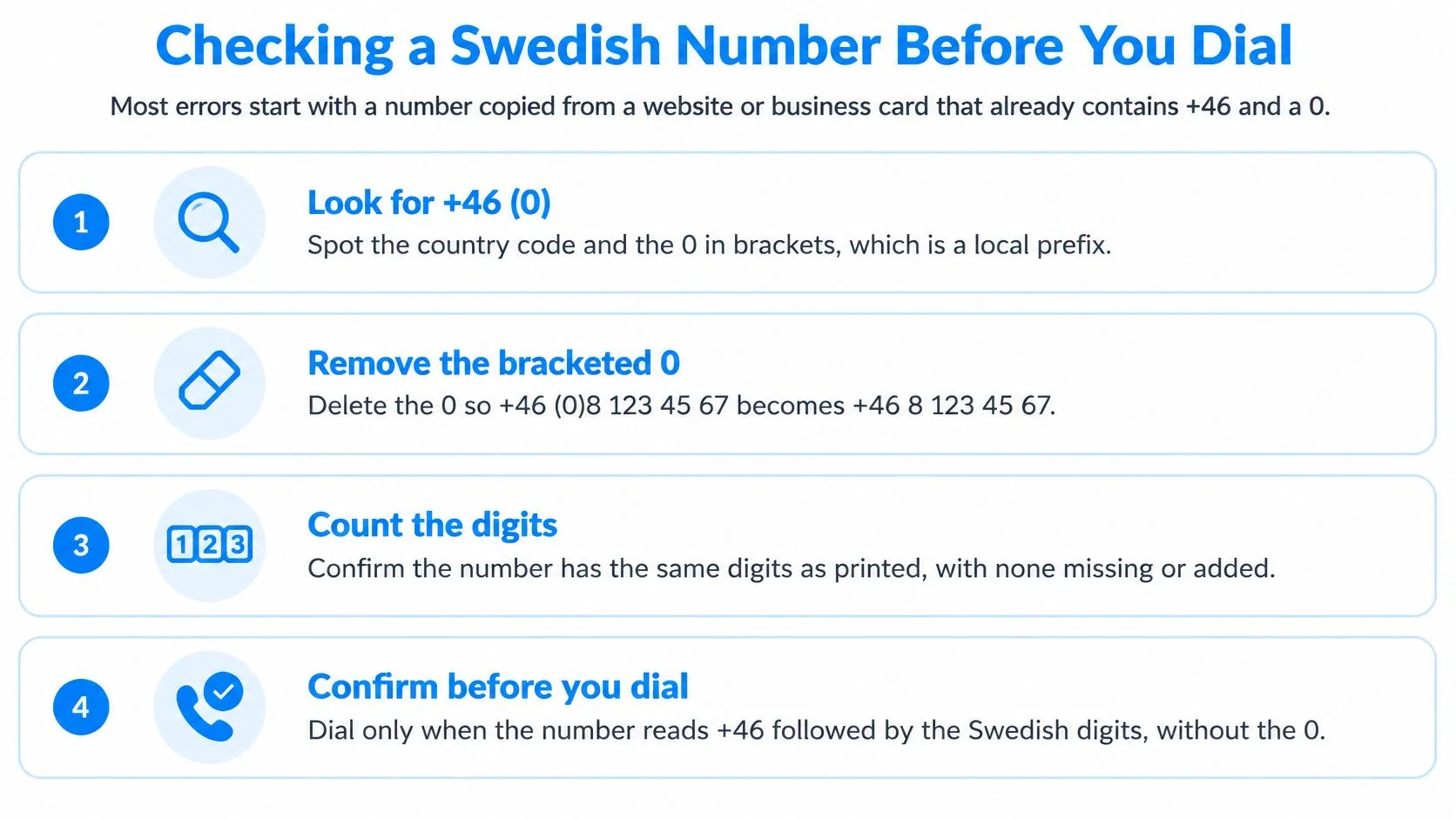
Run these checks
- Inspect the number as written. If a zero appears immediately after
+46, remove it. This applies whether it is written plainly or in brackets, as in+46 (0)8. - Compare it with the original. Check the number against the website, business card, or contact entry you copied it from. Remove only the domestic zero and keep every other digit.
- Identify the number type. Prefixes such as
70and79are mobile ranges;8and31are geographic area codes. Both use the same zero-removal rule. - Validate the formatted number. Use a phone number format checker before dialing if the source gives conflicting versions. A format check can catch misplaced or extra digits, but it cannot confirm that the number is active.
The Swedish numbering plan is managed by PTS, which assigns number blocks to telecommunications operators. It follows the E.164 structure: the country code comes before the national significant number. Keep the remaining area-code or mobile digits intact, and do not add a second zero after +46 (PTS numbering and addressing).
If the number still fails, ask the person or business that provided it to confirm the digits before assuming the destination is out of service. The numbering plan allows 7 to 13 digits after the country code, so there is no single fixed length to apply to every Swedish number (Swedish numbering plan).
Landline, Mobile and Browser Calling Compared
A small business owner in Ohio who calls a Stockholm supplier twice a month has three practical options. A U.S. landline works if the plan includes Sweden. A mobile phone works if its international terms cover the call. Browser calling can avoid a phone-plan change, though prepaid credits and per-minute billing add a separate account to manage.
A landline is straightforward when Sweden is already included in the calling plan. Otherwise, check its international terms before calling. Mobile charges can also depend on the plan, particularly when traveling or when international calls are billed separately.
Browser calling uses an internet-connected browser and an international-format number. With BubblyPhone, the caller needs an account and prepaid credits. The recipient can answer on a regular Swedish landline or mobile, without installing an app or opening an account. Calls are billed per minute, rounded up to the whole minute.

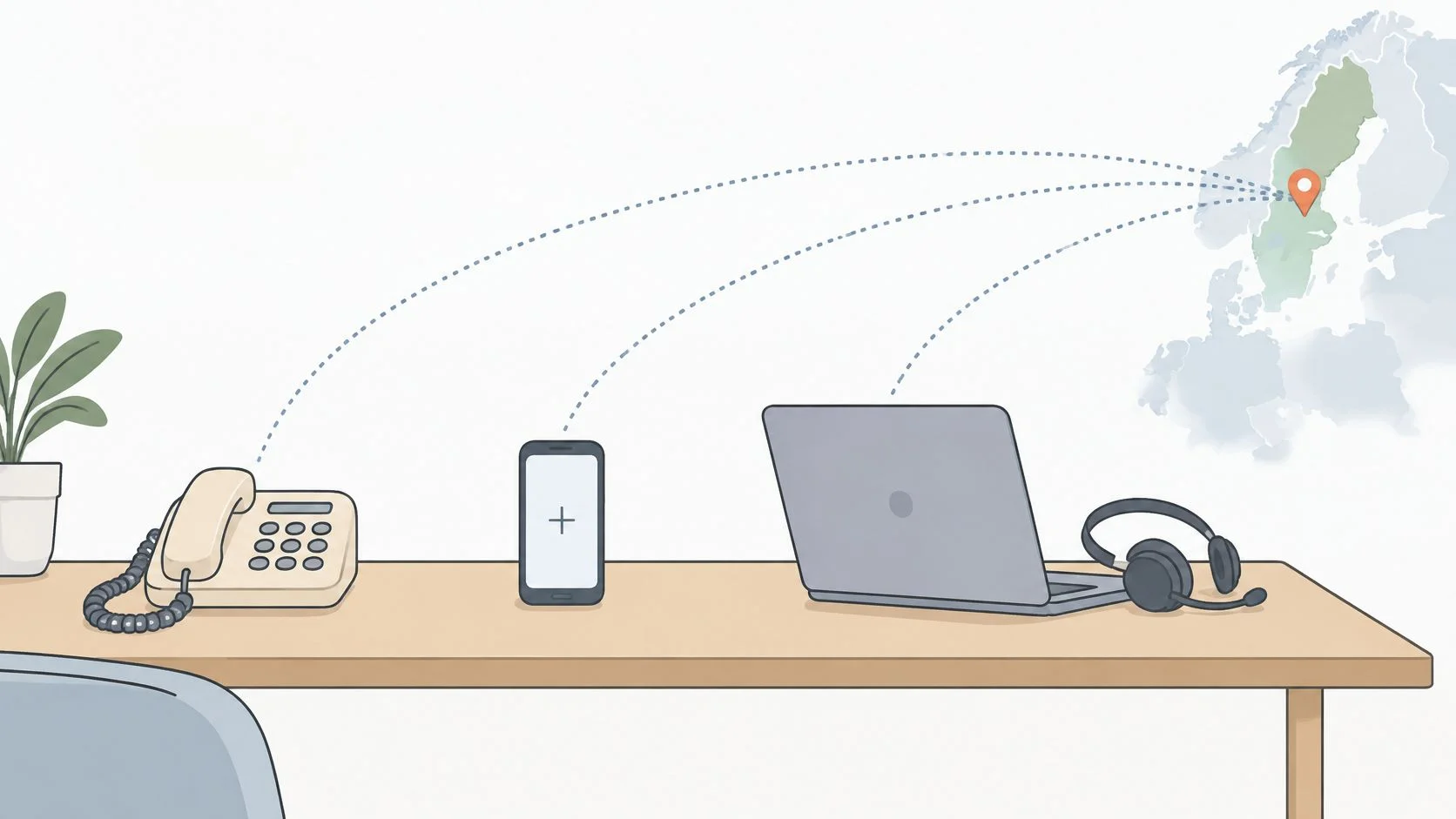
For the Ohio business, browser calling is a practical choice if the landline plan excludes Sweden and changing plans is not worthwhile for occasional calls. The trade-off is managing prepaid credits and checking the per-minute billing terms. The recipient still uses their regular phone.
Dial a Swedish Number Step by Step
You have the Swedish number ready, perhaps copied from a company website or business card. Before dialing, use the number-checking steps in the previous section to confirm its format. Then follow the route for your device.

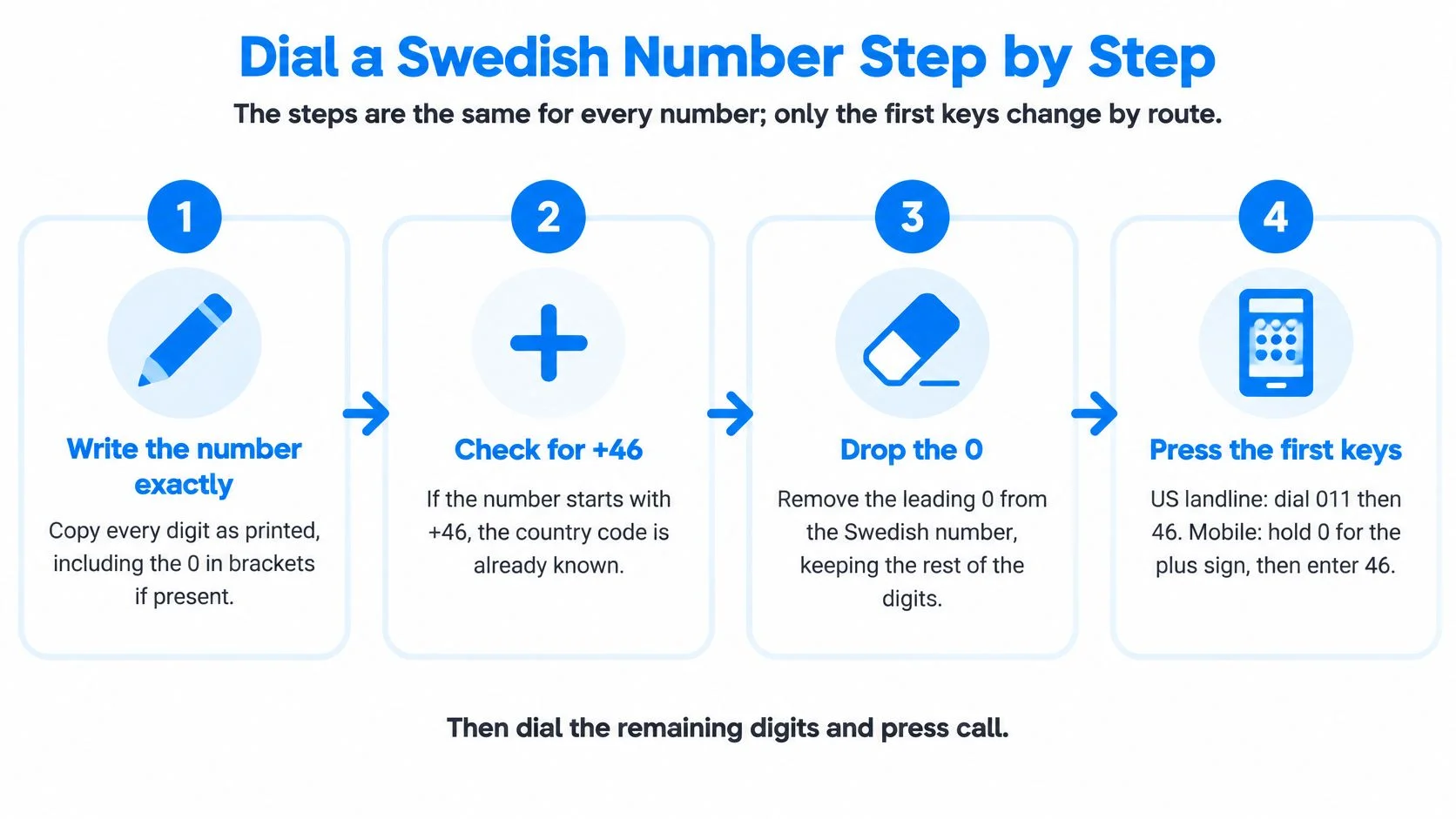
- Select the route. Use your landline, mobile phone, or browser dialer, depending on how you plan to place the call.
- Enter the number. Type the international-format number into your mobile phone or browser dialer. On a landline, enter the format required for that route.
- Place the call. Check the screen or keypad before pressing call. A missing or extra digit can send the call to the wrong destination, or make a working number appear disconnected.
- Save the contact. Store the checked international version so it is ready to use next time. If the number came from an online listing or an old business card, confirm it with the person or business before relying on it.
If the call does not connect, note the message or tone you hear and check the likely causes in the troubleshooting table that follows.
Common Failed Calls and How to Fix Them
Use the symptom table to narrow down what failed. Check one likely cause at a time, then retry.
A number copied from a website, business card, or saved contact can look complete and still be wrong. Check the full number against the source, especially if the call reaches a stranger or ends as though the line is disconnected. Ask the recipient to confirm the number if the digits do not match.
If the number checks out but the call still fails, review the route and account separately. A successful connection followed by a quick end can point to a balance issue, while a call that rings without an answer may just reach someone at an inconvenient time. Checking the balance and local time helps distinguish those cases without changing the number unnecessarily.
Quick diagnosis: Verify the contact, check the available balance, then consider timing. Change one thing at a time so you can identify what resolves the problem.
Rates, Billing and Optional Extras to Review
Browser calls use prepaid credits rather than a subscription. Credits do not expire, and billing is per minute, rounded up to the next whole minute. Check the live rate table mentioned earlier for current destination rates; landline and mobile calls may have different rates.
Rounding can add a billed minute even when a call runs only slightly over a minute boundary. For example, a 61-second call is billed as two minutes, while a call lasting 5 minutes and 10 seconds is billed as six. Keep that in mind when estimating the cost of a short call.
Live AI translation is a per-minute add-on. It displays bilingual captions during the call and saves a transcript in call history. Compare the total for the same call with and without translation before enabling it, since the add-on increases the per-minute charge.
A dedicated-number plan is recurring and separate from calling credits. It provides a number for receiving calls and SMS, with SMS limited to receiving. Without translation or another add-on, the call is charged at the base calling rate alone.
Place Your First Call with BubblyPhone
A Swedish number copied from a website, business card, or contact may still include its domestic 0. Remove that 0 after +46 before dialing. Check the number, then confirm the destination rate before placing the call.
BubblyPhone lets you call Swedish landlines and mobiles from a browser. The recipient needs no app or account. Add prepaid credit, enter the corrected number in +46 format, and call. Check the digits carefully if a call appears disconnected, since an extra 0 can make the number invalid.
Make your next call from your browser, with no app installation or account required for the recipient.