Call of Us: How to Reach the United States from Anywhere

You're in Manila, a bank has flagged a charge from Austin, Texas, and the hotline on your card reads +1 512 555 0188. To make a call of us from abroad, enter the number in international format, use a way to pay for call minutes, and choose an option that lets the recipient answer without installing software.
The key format is simple: +1 followed by the three-digit area code and the seven-digit local number. That same pattern works for a US landline, mobile, toll-free line, or internet-based phone number.
What a Call of Us Actually Means in 2026
A call of us means placing a real-time voice call to a United States phone number while you're outside the country. It isn't a brand slogan or a generic “contact us” instruction. It's a practical dialing problem with three parts: the correct international format, a way to pay for minutes, and a calling method that doesn't force the person you're reaching to install an app.
For the number in the opening example, you'd dial:
+1 512 555 0188
The +1 identifies the United States within the international telephone numbering system. 512 is the area code, and 555 0188 is the local number. You can enter the digits with spaces, or without them, depending on the dialer.
The history behind this works because voice can be digitized, split into packets, and carried across data networks. Packet voice research dates back to the 1970s. In 1974, Network Voice Protocol was tested over ARPANET with 16 kbps CVSD-encoded voice, and a separate real-time conversation used 2.4 kbps LPC between California and Massachusetts. The history of Voice over IP describes how these experiments established the technical basis for modern internet calling. In 1993, VocalTec's Internet Phone helped move the technology from research into consumer access.
You can use this guide for calls to regular landlines, mobile phones, toll-free numbers, and VoIP endpoints in the United States. The recipient might be a bank, a relative, a hotel, or a supplier. If you also want help with what to say once someone answers, this conversation on the phone guide can help you prepare.
Practical rule: From abroad, start with +1, add the three-digit area code, then enter the seven-digit local number.
Reading a US Phone Number the Right Way
A US phone number is easiest to understand as a postal address. The +1 country code is like the country on the envelope, the area code narrows the destination to a region, and the remaining seven digits identify the specific line.
The international format is:
+1 XXX YYY ZZZZ
Inside the United States, people commonly write the same number as:
1 XXX YYY ZZZZ
or simply:
XXX YYY ZZZZ
The difference matters because a caller abroad must identify the country before the US network knows where to send the call. If your device uses a plus sign, enter +1. If it asks for an international access code instead, the device may convert that plus sign into the correct outbound prefix for your location.

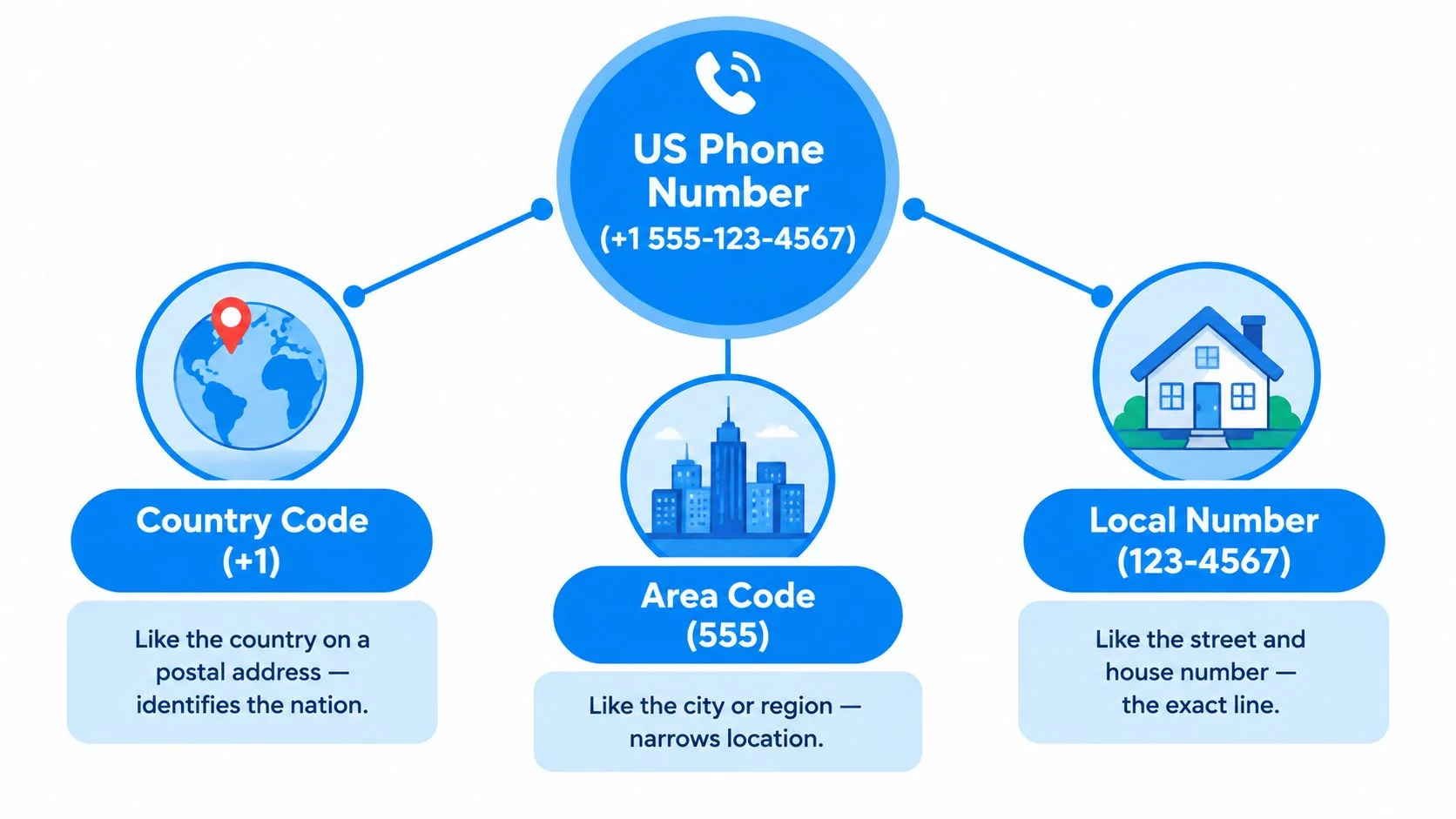
Take the opening number, +1 512 555 0188:
- +1 means the destination is the United States.
- 512 is the area code associated with a geographic region.
- 555 0188 is the individual local number.
Area codes don't tell you whether a line is a landline or mobile. They can identify geographic numbers, while some internet-based numbers are non-geographic. Prefixes such as 800, 888, and 877 generally identify toll-free services, where the US recipient normally pays the domestic charge. Calling those numbers from abroad can work differently, and international access or billing isn't guaranteed.
For a deeper reference, bookmark this US phone number format guide. Once you can separate the country code, area code, and local number, you can enter a US number confidently from a mobile phone, desk phone, or browser dialer.
The Three Main Ways to Reach a US Number From Abroad
You can reach a US number from abroad in three broad ways: a traditional carrier call, an app-to-app internet call, or a browser-based call to the actual phone number. The best choice depends less on the label and more on whether the recipient can answer without installing anything.
A traditional carrier call routes through your mobile or landline operator and charges you according to its international calling terms. It can be convenient if you already have a roaming plan or bundled US minutes, but the recipient generally receives a normal phone call and doesn't need special software.
App-based calling uses data instead of a conventional voice channel. It can work well for two people who already use the same service, but both sides usually need the app, an account, and a signed-in connection. That makes this option less useful for a bank hotline, a business contact, an older relative, or anyone who doesn't want another account.
Browser-based VoIP sits between those models. You enter the full US number in a web dialer, and the service connects to a regular landline or mobile. WebRTC, the browser standard for sending and receiving media between browsers or devices, provides the technical foundation for browser calling without a separate app. The W3C WebRTC specification defines those media and data capabilities.
Audio quality depends on the network path in every model. Browser calls need a stable data connection, while carrier calls depend more on the caller's voice service and roaming arrangement. For a fuller explanation of pricing choices, see this guide to international calling rates.
How Per-Minute Billing Works When You Call the US
International calling is usually metered by time, and the important detail is how the service rounds that time. The ITU-T's international charging guidance describes call duration as charged in whole minutes, with a fraction of a minute rounded up to the next full minute. The ITU-T charging recommendation supports the basic rule behind many per-minute calling services.
That means a call lasting a few seconds can count as a full minute. A call that runs just beyond a minute can count as two minutes. The quoted destination rate still matters, but the rounding method determines how short conversations affect your balance.
Don't use a made-up destination rate to estimate a real call. Rates can change by country, number type, and service, so check the live rate table before dialing. Also look for whether the service adds a connection fee, separates peak and off-peak pricing, or treats toll-free numbers differently.
Before you call, check four details:
- Billing increment: Confirm whether the service bills by the whole minute or by smaller time units.
- Extra charges: Look for connection fees, taxes, or other additions.
- Number type: Verify whether a toll-free, mobile, landline, or VoIP destination has separate treatment.
- Call record: Compare the displayed estimate with the charge shown after the call ends.
If the person you're calling is a business, ask whether its toll-free line accepts international calls. A US toll-free prefix doesn't automatically guarantee free access from another country.
Why Browser-Based Calling Changes Who Picks Up
Browser-based calling changes the equation because the recipient doesn't have to join your software ecosystem. You open a browser tab, enter the US number, and the other person answers on the phone they already use.
That matters for diaspora families. A grandparent may answer a normal incoming call but ignore an unfamiliar app invitation, forget a password, or avoid account setup altogether. A small business owner may also prefer to see a regular phone call rather than pause work to download software and complete verification.
Travel creates another clear use case. A caller abroad can use hotel Wi-Fi or mobile data for the browser connection instead of placing a conventional cellular voice call through a roaming arrangement. The quality still depends on the network, but the access method avoids making the recipient responsible for setup.

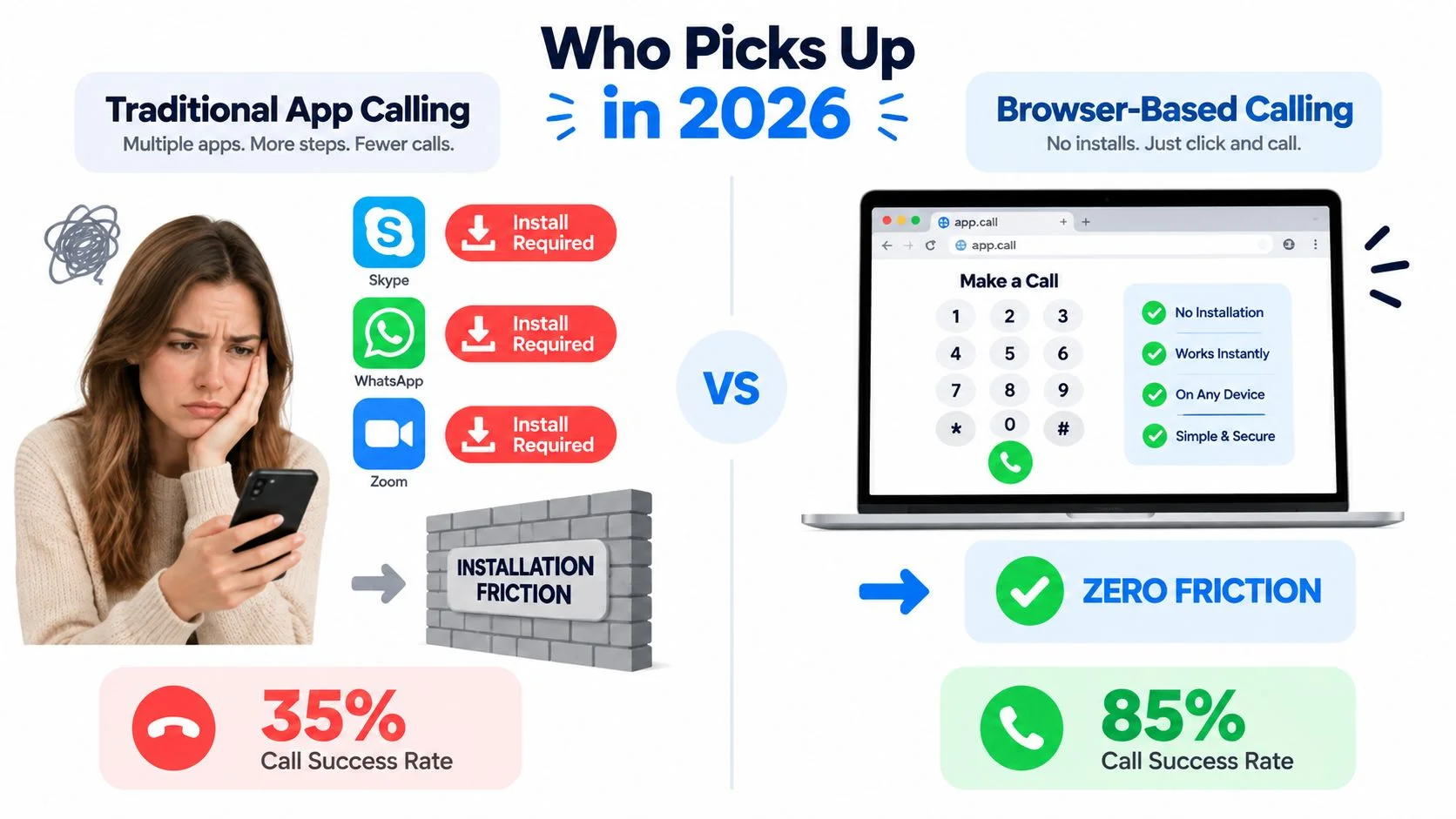
Browser calling isn't magic. The caller needs a compatible browser, microphone permission, and a usable data path. WebRTC's adaptive jitter buffer and Opus packet-loss concealment help smooth audio when the connection fluctuates. Expert guidance notes that the jitter buffer can mask roughly 40 to 80 milliseconds of real latency, so WebRTC voice-agent call-quality guidance recommends focusing on the complete media path, not only server processing.
For troubleshooting from a computer, these PC calling tips are useful when microphone access, speakers, or browser permissions cause trouble. You can also review browser-based internet calling options when the recipient must remain on an ordinary phone.
The Hidden Cost of Making the Other Person Install an App
A free app call isn't free if the recipient never gets through setup. The caller sees no per-minute charge, but the other person may face downloads, storage limits, account creation, email verification, authentication prompts, updates, and notification clutter before the first ring.
This friction is especially visible with older relatives, busy professionals, and people who don't want unfamiliar software on their phones. They may start the installation, lose patience during verification, or forget which password they used. The call then fails before anyone discusses the actual reason for calling.

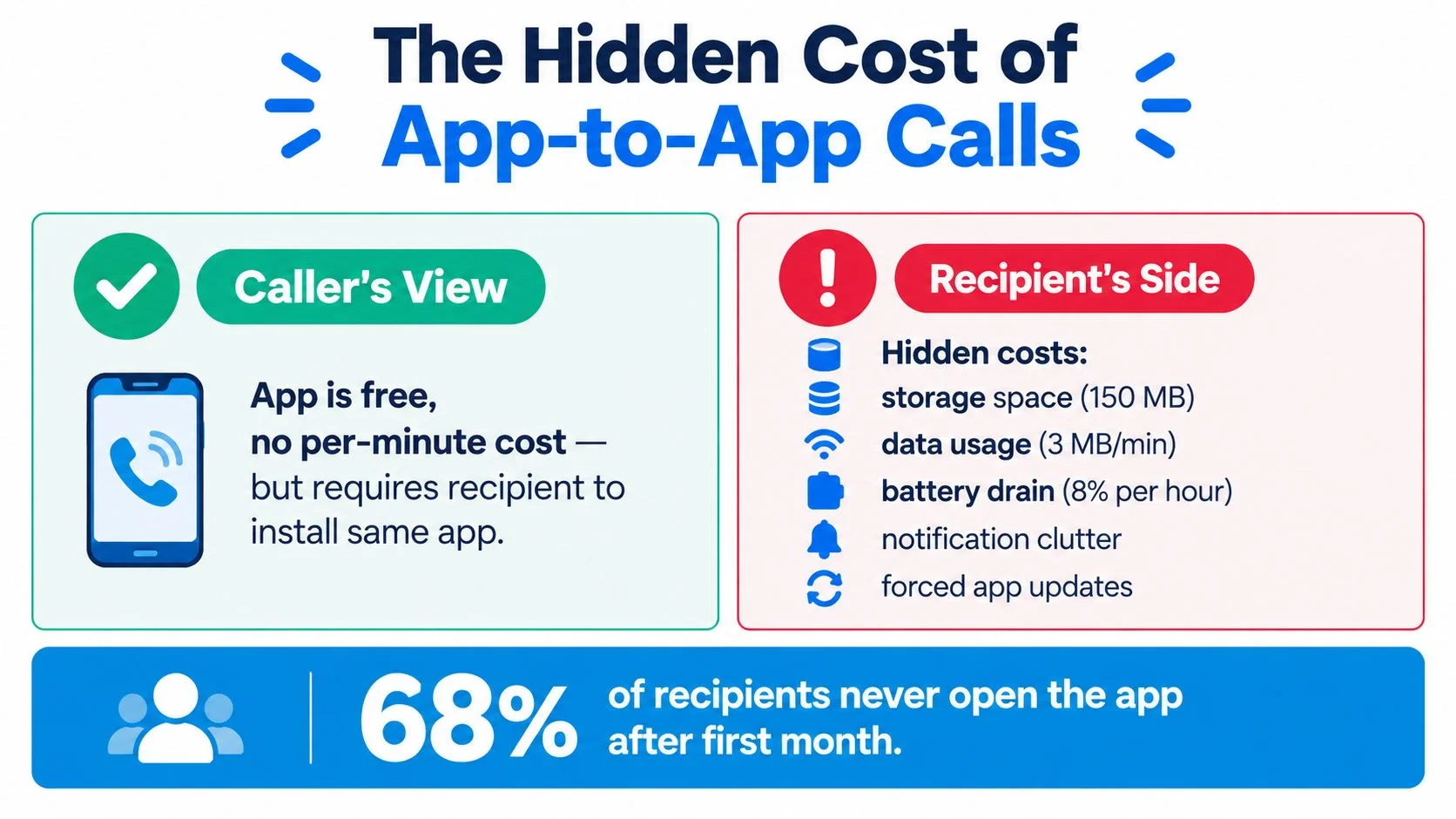
The central trade-off is simple:
- Caller-side price: The app may advertise no charge for the voice connection.
- Recipient-side effort: The recipient must install, register, verify, update, and remember the app.
- Connection outcome: The call only has value when the other person answers.
A browser dialer removes much of that recipient-side burden by connecting to a normal phone number. The caller still needs an account or payment method with the calling service, but the person answering doesn't need an app or account.
That distinction matters more than a tiny headline rate when the call is urgent. A bank, hotel, clinic, supplier, or family member may not be able to complete onboarding while you wait. If your goal is access, direct dialing to the existing phone line is often the more practical design.
Three Real Situations Where This Matters
The same +1 area code local-number format can serve very different needs. In each situation, the syntax stays fixed, but the right access method changes according to who must answer and how much setup they can tolerate.
A diaspora caller in Lagos needs to coordinate a flight with her sister in Atlanta. She has prepaid mobile credit, a short window before boarding, and no reason to expect her sister to install a new app. She enters the Atlanta number in international format through a browser dialer, and her sister answers on the phone already in her hand.
A New York small business owner is at a trade show in Lisbon when a supplier calls about an urgent order. The owner doesn't want to interrupt the conversation to download software, create a new account, and persuade the supplier to do the same. A browser-based call to the supplier's existing US or international number keeps the exchange tied to a familiar phone line.
A backpacker in Buenos Aires needs the front desk at a Texas hotel. The hostel Wi-Fi is inconsistent, so the caller moves closer to the access point, checks microphone permission, and tries the browser call again. The call may still depend on network quality, but the traveler avoids asking a hotel employee to install anything.

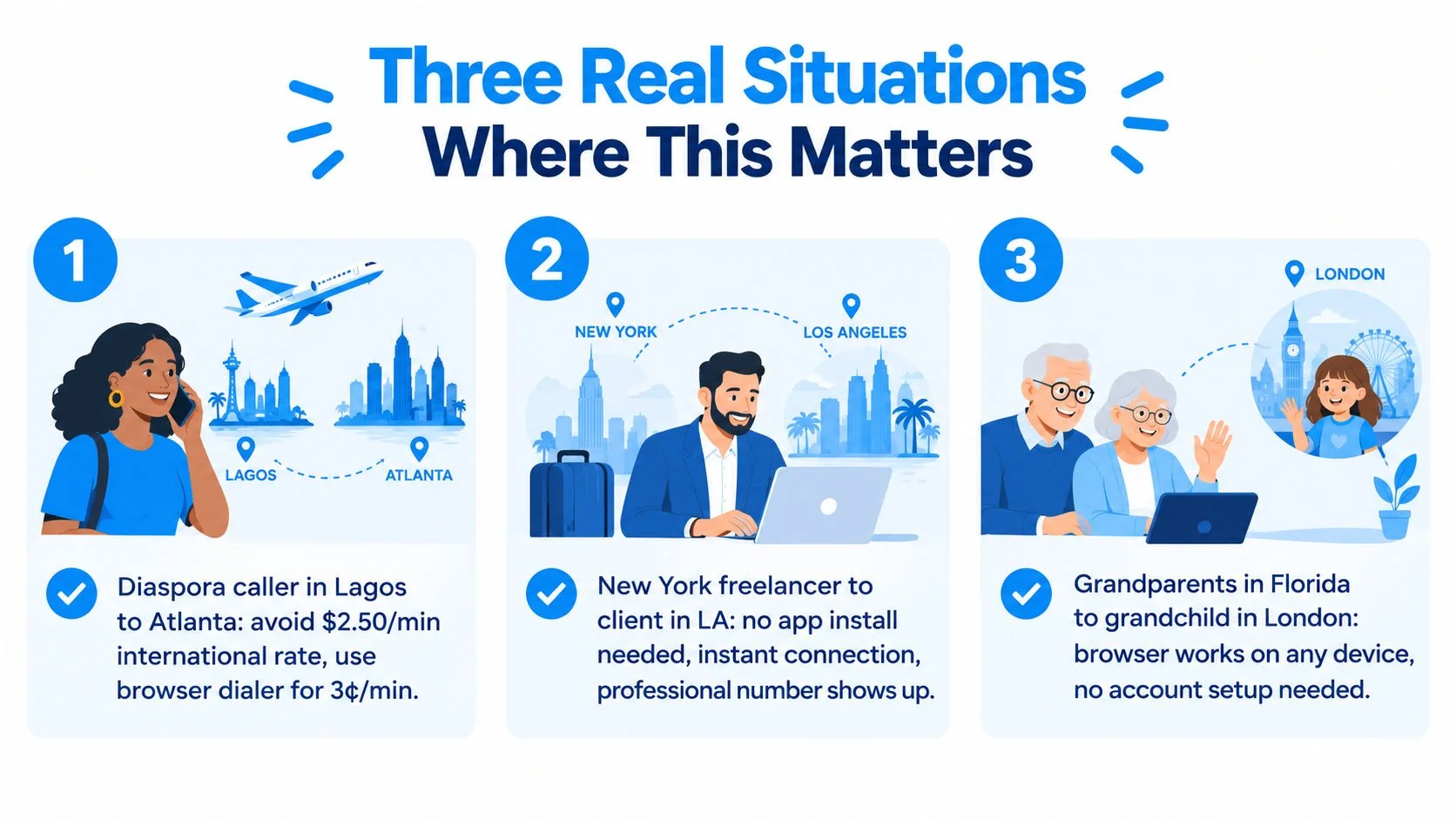
These examples point to one practical test: who has to do the work before the call can begin? If the recipient must install an app, your call depends on their time, device, storage, and willingness. If the recipient only needs to answer a normal phone call, you control more of the process.
Putting It All Together and Making Your First Call
To call the United States from abroad, remember three rules: enter +1, followed by the three-digit area code and seven-digit local number; choose a method that doesn't require recipient installation; and expect whole-minute billing when the service rounds up.
Your first browser call can follow this sequence:
- Open a browser dialer: Use a modern browser with microphone access and a reliable Wi-Fi or mobile-data connection.
- Enter the complete number: Type +1, the area code, and the seven-digit local number. For example, the opening number becomes +1 512 555 0188.
- Confirm the destination and billing terms: Check the number type and the live rate before placing the call. Pay attention to the billing increment and any applicable taxes or fees.
- Press call: The recipient answers on the existing landline or mobile phone, without downloading an app or creating an account.
If the call doesn't connect, check the number first. Then test microphone permission, speaker selection, and the data connection. For unstable WebRTC calls, sustained packet loss above 1%, jitter above 30 milliseconds, or round-trip time above 300 milliseconds can signal a quality problem that routing, region placement, TURN usage, or mobile-network selection may help resolve, as outlined in WebRTC call-quality testing guidance.
BubblyPhone lets callers enter a full phone number in a browser dialer and place calls to ordinary landlines and mobile phones. Its pay-as-you-go credits start at $5, never expire, and calls are billed per minute with rounding to the whole minute. No subscription is needed for calling, while the optional dedicated-number plan is the recurring product.
Visit BubblyPhone to call a US landline or mobile directly from your browser, without requiring the person you're calling to install an app or create an account. Check the live rates, add credits starting at $5, and enter the number in the +1 area code local number format to make your call.