Mobile VoIP International Call Rates: How Pricing Works

Table of Contents
International VoIP call rates are set per minute for each destination and number type, and BubblyPhone rounds billed time up to the whole minute without requiring a calling subscription. A 90-second call therefore uses two billed minutes, so check the live rate for the exact country and number type rather than relying on a general advertised price.
You may be about to call a parent abroad, confirm an order with a supplier, or contact a hotel while traveling. The useful question isn't just what a minute costs. It's what you'll pay to finish that conversation, including rounding, optional features, and the internet connection you use.
What Sets an International VoIP Call Rate
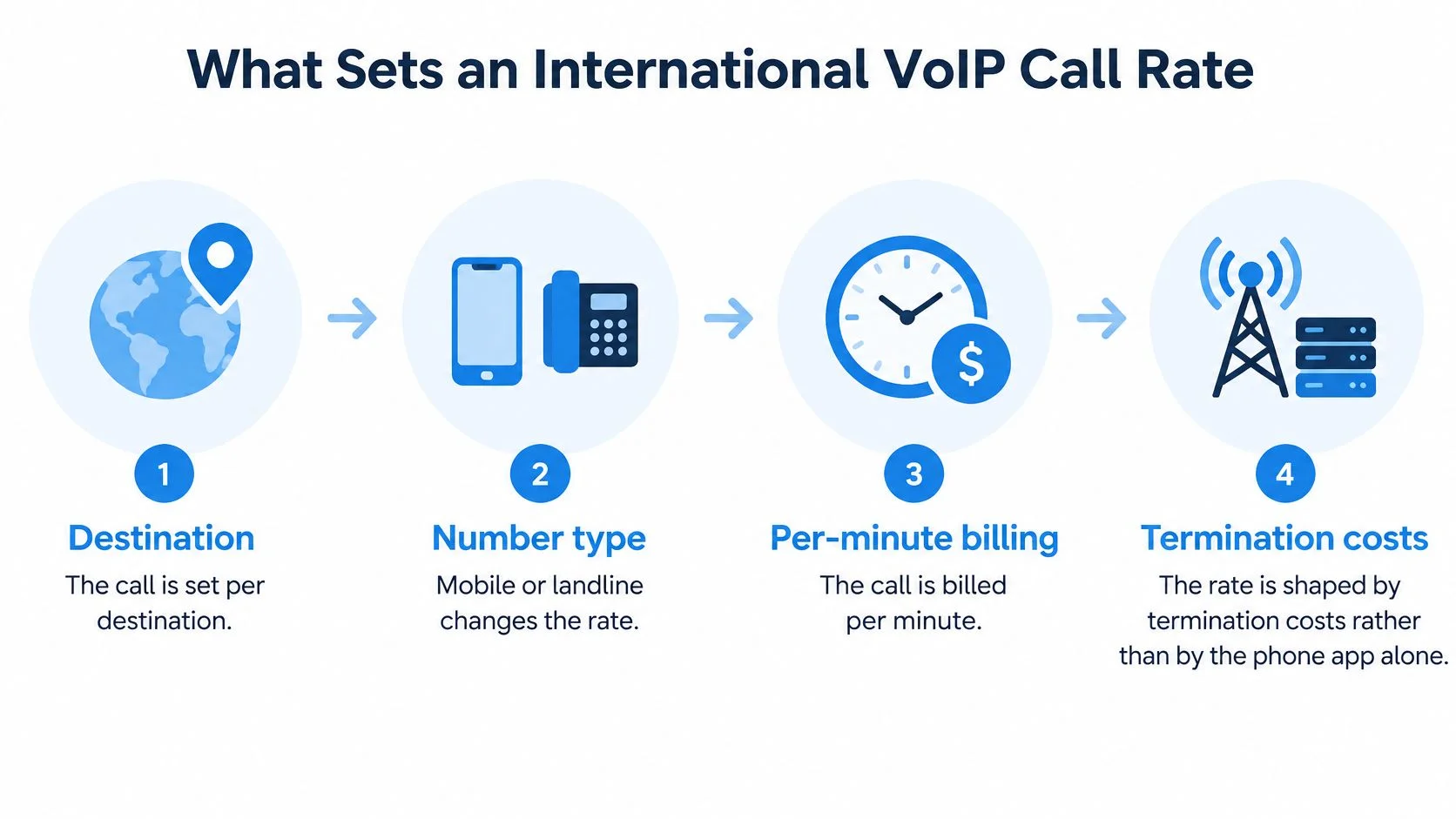
An international VoIP call rate depends on the destination and the network receiving the call. The browser or app provides access, but termination costs, the cost of delivering the call to the recipient's telephone network, help determine the price.
For someone calling family abroad, this distinction matters immediately. Calling a relative's mobile and calling their home landline may involve different rates, even when both phones are in the same country.
Why internet routing changed the economics
Traditional international calling relied on settlement arrangements between networks. Competition, regulatory liberalization, and internet-based routing weakened that model and reduced the underlying cost of moving calls across borders.
The International Telecommunication Union reported settlement-rate declines of about 4% annually between 1992 and 1996, roughly 12% annually from 1996 to 1998, and later more than 20% annually. It also described routing through third countries or over the internet to avoid higher termination charges, in its analysis of international calling and settlement rates.
That history explains why lower-cost international calling became commercially viable. It doesn't mean an internet call avoids every telephone-network charge. A call to an ordinary mobile or landline still needs a path into the receiving network.

What remains in the retail price
The retail rate isn't just the cost of carrying audio over the internet. It reflects several distinct inputs.
These inputs explain why one global price is not a reliable reference. A broad starting-price claim can't tell you what your specific recipient will cost to reach.
A useful cost model separates the questions. First identify the destination rate. Then calculate billed duration. Add only the features you've enabled, and consider whether your connection can support a usable conversation.
Pricing rule: Treat the live destination rate as the starting input, not the finished cost estimate.
This approach also prevents a common analytical mistake: assuming that a historical fall in wholesale costs guarantees a particular retail price today. Use history to understand the market. Use the current rate table to decide whether to place the call.
How Destination and Number Type Change the Price
A mobile phone and a landline in the same country can have different international calling rates. Mobile termination is a separate cost category, not merely a different label on the same country price.
ITU-T Recommendation D.99 identifies an indicative rate specifically for international mobile termination within the ITU's D-series tariff recommendations. The practical implication is straightforward: country selection alone doesn't finish a rate lookup.
Match the destination category
Read the destination label as a combination of geography and number type. Don't substitute a familiar-looking country name for an exact match.
Premium and special-service numbers deserve particular attention. Don't assume an ordinary mobile or fixed-line entry covers them. If the dialer doesn't identify an applicable rate, resolve that uncertainty before proceeding.
Mobile VoIP international call rates should therefore be compared using matching destination categories. Comparing a mobile entry with a landline entry doesn't establish which option is less expensive for the call you intend to make.
Separate scheduling from pricing
Rates can change with routing, regulation, currency, and commercial terms. A saved note or an old screenshot is useful for historical comparison, but it isn't a substitute for the current displayed rate.
Use the Best Time to Call tool to plan around the recipient's local hours. That's a scheduling decision, not evidence of off-peak pricing. Don't infer that calling at a different local time changes the rate unless the service explicitly says so.
Before each call, verify:
- Destination country: Match the intended recipient's international number, not your current location.
- Number type: Confirm mobile, fixed, premium, or special service as applicable.
- Billing unit: Establish whether the displayed amount applies per minute and how duration is rounded.
The live rate table must be checked whenever the destination or number category changes. It should also be checked before a later call to the same number, rather than treating a previous price as permanent.
The important distinction is between where the person is and which number you're dialing. Read the rate associated with the telephone destination. Don't infer it from the recipient's travel plans, your location, or the device you're holding.
Billing Increments and What Short Calls Really Cost
A brief call can use more credit than its conversation time suggests. Calls are billed in whole minutes, rounded up, so billed duration differs from time spent talking. For frequent short calls, that difference belongs in the cost estimate alongside the displayed rate.
The calculation is:
Base call charge = rounded-up billed minutes × displayed destination rate
For a ninety-second call, multiply the live destination rate by two. This method needs no assumed destination price. Check the current rate table for the rate attached to the number before estimating the charge.
Estimate each conversation separately. Round its expected duration up to a whole minute, then multiply by the displayed rate. If you plan several calls, round each one before adding the charges. Combining their durations first can understate usage when individual calls end between minute boundaries.
A group of short calls is calculated call by call, not as one continuous conversation.
The service requires no calling subscription, has no connection fees or minimum commitments, and uses non-expiring prepaid credits. The minimum top-up is $5, according to the service page referenced earlier. A top-up adds balance; it does not guarantee a fixed amount of conversation time. The credit used depends on destination rates, rounded call durations, and any enabled features.
Before relying on an estimate, check the live rate table and the applicable billing terms. In particular:
- Balance: Allow for rounded billed minutes, not only the seconds you expect to talk.
- Early disconnections: Check how connected calls that end quickly are charged.
- Unanswered attempts: Verify whether the service charges for them.
- Call history: Compare recorded charges with the billing rule after calls.
Use billed minutes, rather than stopwatch time, as the basis for estimating call cost. This gives you a consistent calculation while leaving the destination price to be checked in the live rate table.
Add-Ons That Change the Total Bill
A live translation feature can change the cost of a call even when the destination rate stays the same. A dedicated number adds a separate subscription cost. Budget these charges alongside the per-minute rate, not as part of it.
Live AI translation supports 62 languages, with bilingual captions during a call and a transcript saved to call history. Treat translation as a separate per-minute cost. Check its current charge and billing basis before enabling it; the destination rate alone will not show the feature's full cost. If callers already share a language, leave translation off unless another need justifies the charge.
The dedicated-number plan is the only subscription-based product. Include it in the budget only if inbound access is needed, and handle its monthly credit separately from per-minute outbound charges. SMS is receive-only, so the number should not be budgeted as an outbound texting service.
Incoming-call transcription is optional and charged per minute when enabled. Calls are not recorded unless a feature that requires recording, such as transcription, is turned on. Check that setting before a sensitive conversation.
For a monthly estimate, total the relevant lines: destination charges for outbound calls, any enabled per-minute features, and the subscription if you need a dedicated number. Apply the service's stated terms to any included calling credit rather than assuming it offsets every charge.
This separates occasional outbound use from an inbound setup. Add a subscription only when the number's inbound role warrants it. Add translation or transcription only when the call requires that function, then account for its charge in the total.
How to Read a Live Rate Table Line by Line
A displayed per-minute price is only one input in a call estimate. The destination and number category select the row; billing increments and paid features determine the total. Check the current table before dialing, since a saved price may no longer apply.
Start with the full international telephone number. The E.164 framework limits an international number to 15 digits, excluding the international access prefix, as specified in the ITU's international numbering recommendation.
Prepare the number before reading the price
International dialing normally uses a plus sign, country code, and subscriber number. Remove a domestic trunk prefix where required. A correctly formatted number identifies the destination, but does not establish its price.
Use the live international rate table as the current reference. A screenshot can show what a table looks like, but its displayed rate may be out of date.

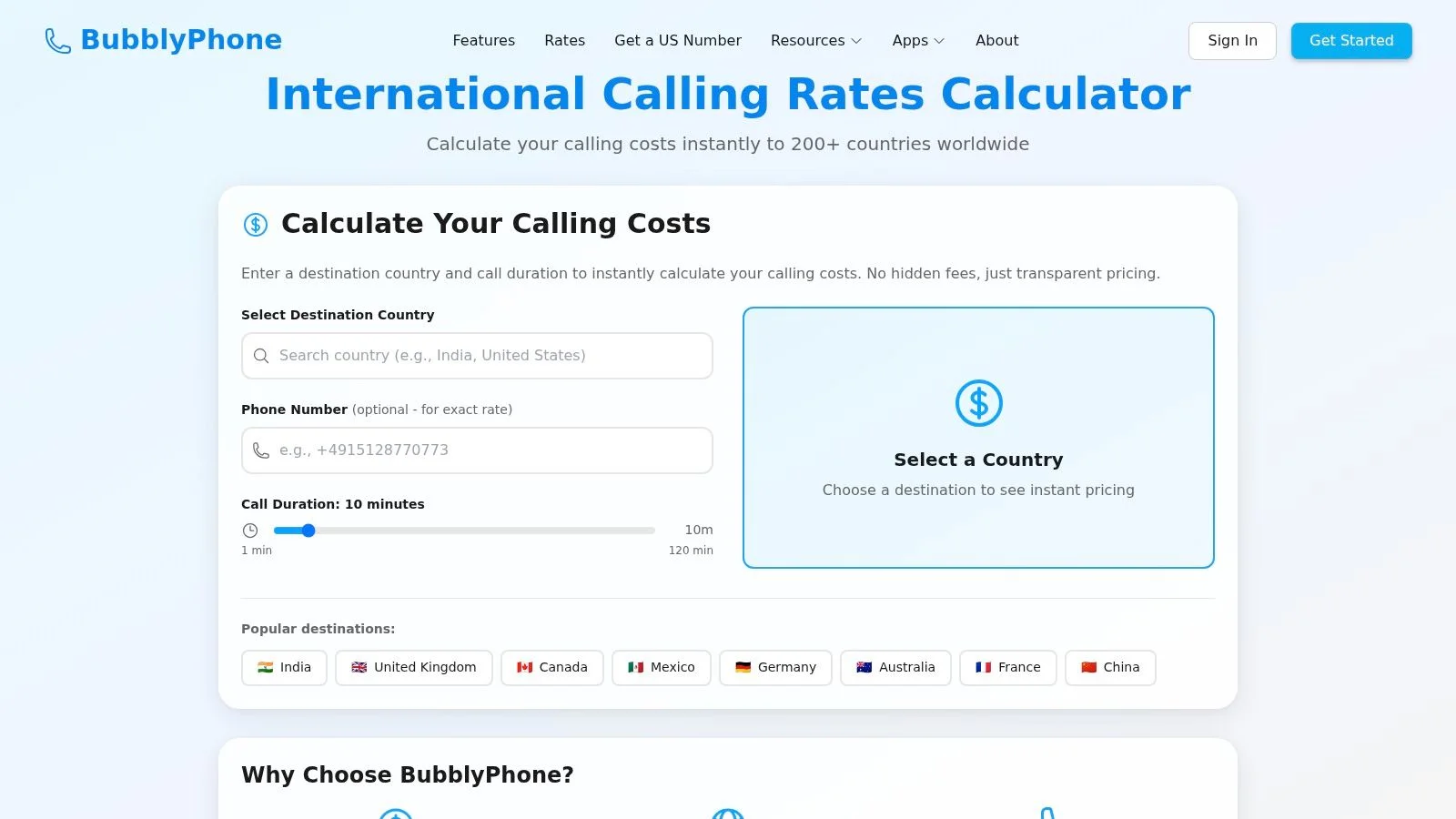
Read the entry in this order
- Locate the row for the number's destination, then verify the country code against the digits you plan to dial.
- Match the number category in that row, such as mobile, fixed, or a separately listed service.
- Read the per-minute amount with its currency label. Confirm the whole-minute rounding rule shown with the table.
- Multiply the rounded billed minutes by the row rate. Add separately priced features that will be enabled.
For example, if a call is billed in whole minutes, a call lasting less than one minute may still be charged for a full billed minute. Apply the table's stated rule to the planned duration, rather than multiplying the unrounded call time by the rate. Then add any applicable feature charge separately.
Check the currency before estimating. Compare the rate's currency with the currency used for payment, and review any conversion or payment charges shown during purchase. A balance purchase and a destination rate may use different units.
Two table-reading errors can make the estimate unreliable:
- Country code mistaken for area code: The international country identifier is not the local area code from a domestic format.
- Country entry mistaken for universal coverage: A country row may not cover every number category in that destination.
Before dialing: If the number category and table row do not match clearly, check the current table or dialer before estimating.
For recurring business calls, record the rate, destination category, and estimate date. This creates a reference for reviewing spend; it does not guarantee the rate will remain unchanged. The final check belongs in the live rate table or dialer. Correct number formatting and correct pricing are separate checks.
Quality, Connectivity and Emergency Calling Limits
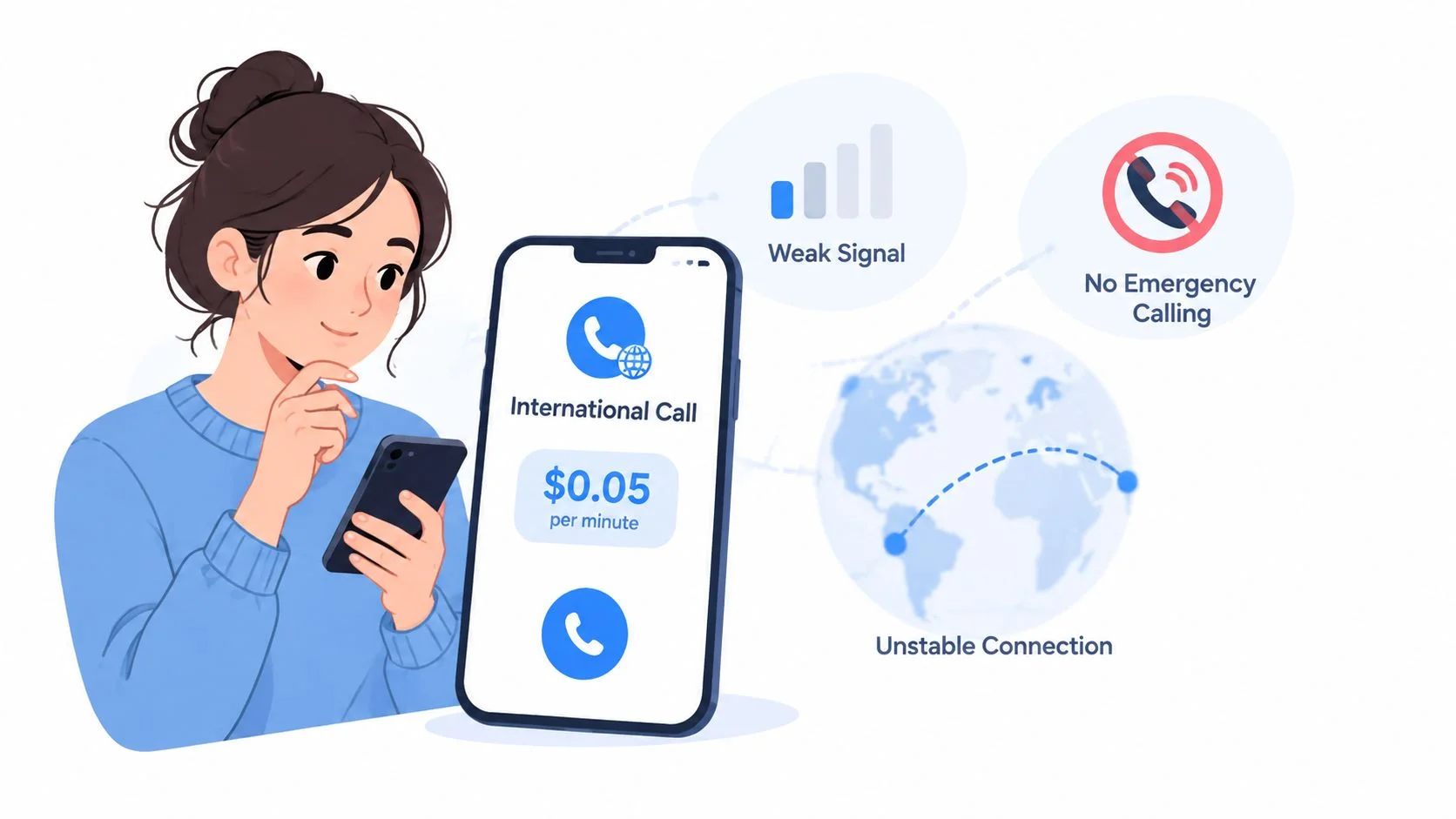
A displayed per-minute rate is only one part of the call's cost. Poor audio can lead to repeated attempts or a longer conversation, while mobile data or roaming charges can add separate costs. Check whether the connection is reliable enough for the call before treating the rate as the full expense.
Opus supports adjustable bitrates from 6 to 510 kbit/s, according to IETF RFC 7587 on the Opus payload format. That range describes audio encoding, not the price charged for a call. Lower audio bandwidth does not remove access, interconnection, numbering, support, payment, or mobile-termination costs.
Error protection must fit network conditions. Too much redundancy uses extra bandwidth; too little can make speech hard to understand. The practical test is whether both parties can hear each other clearly, without disruptive delay or missing words.

For technical context on browser calling and telephone-system connectivity, explore SIP and WebRTC. This can help distinguish a connection problem from a billing question.
The caller needs working internet access. The recipient can receive a standard telephone call without installing an app or creating an account. Assess the access method before choosing a route based on its displayed rate:
- Wi-Fi: Check stability and available bandwidth, not just the connection indicator.
- Domestic mobile data: Include the conditions of your data plan in the cost assessment.
- Roaming: Check roaming charges before treating browser calling as inexpensive.
- Weak audio: Switch between Wi-Fi and mobile data if available. Retry only when appropriate, then check whether the attempt added billed usage.
Affordability of connectivity also affects who can use internet calling. The ITU reports that mobile broadband access is unaffordable in around 60% of low- and middle-income countries in its Global Connectivity Report 2025.
A browser-based international call cannot replace local emergency access. The FCC's emergency-location guidance distinguishes obligations by service type, including fixed, non-fixed, and outbound-only interconnected services. Do not assume an international dialer provides the emergency functionality of a domestic replacement-phone service. Keep an appropriate local emergency-calling option available, especially while traveling.
Comparing Calling Options for Your Situation
A family call, a supplier conversation, and an automated voice-agent call have different cost drivers. Compare each option by its purpose, recipient access, payment model, and expected call pattern. The per-minute rate is only one line in that decision: billing increments, optional services, and connection reliability also affect the practical cost.
BubblyPhone is a browser-based, prepaid option for calling standard landlines and mobile phones. Its international VoIP phone service overview describes that model. For a specific call, check the live destination rate and billing increment, then estimate the rounded call cost. Add any optional service charges separately.
A useful comparison starts with the task, not the headline rate. A relative who uses a regular phone can answer without installing an app or creating an account. That may matter more than a lower rate attached to an app-to-app service.
For small businesses, separate outbound use from inbound availability. Occasional calls to suppliers or clients may need only outbound calling. A business that needs customers to call back may also need a dedicated number, which introduces a separate cost to assess. The broader budgeting considerations in VoIP costs for UK SMEs can inform a phone-system decision, but should remain distinct from the cost of an individual international call.
Travelers and remote workers should compare how often they call and which devices they can use. Browser access may suit an occasional call from an available computer; a mobile app may better suit repeated calls from a phone. Access alone does not establish the total cost. Include the destination rate, rounded duration, any selected add-ons, and the applicable data or roaming expense.
The service offers a browser dialer for Chrome, Safari, Firefox, and Edge, plus native iOS and Android apps. Balance and call history sync across devices. Prepaid credits can be funded by card, PayPal, Apple Pay, or Google Pay. These features describe access and payment, not the price of a particular destination.
Developers building AI voice agents have a different requirement: programmatic call control. The API supports automated calling, bring-your-own-model support, and webhook or streaming modes. Evaluate the API workflow and destination charges separately from a manual dialer.
Use the table as a screening tool, then verify the current destination entry and billing rule in the live rate table before dialing. Choose the option that fits the task and its full cost structure.
Quick-Reference Checklist and Your Next Step
Before dialing, estimate the cost of a completed conversation, not just the headline per-minute rate. The total depends on billed minutes, optional features, recurring products, and any data or roaming costs. A low rate does not settle the comparison if rounding or a second attempt changes the total.
Build a three-line estimate
Use the international call cost calculator to organize the estimate. Check its inputs against the live destination row and the feature charges shown in the dialer before calling.
- Base: Billed minutes × live destination rate. Round the planned duration up according to the stated billing increment.
- Features: Expected translation or transcription usage × the applicable feature rate. Include only features you intend to use.
- Access: Add any relevant data or roaming cost. Keep a selected dedicated-number subscription separate from outbound call charges.

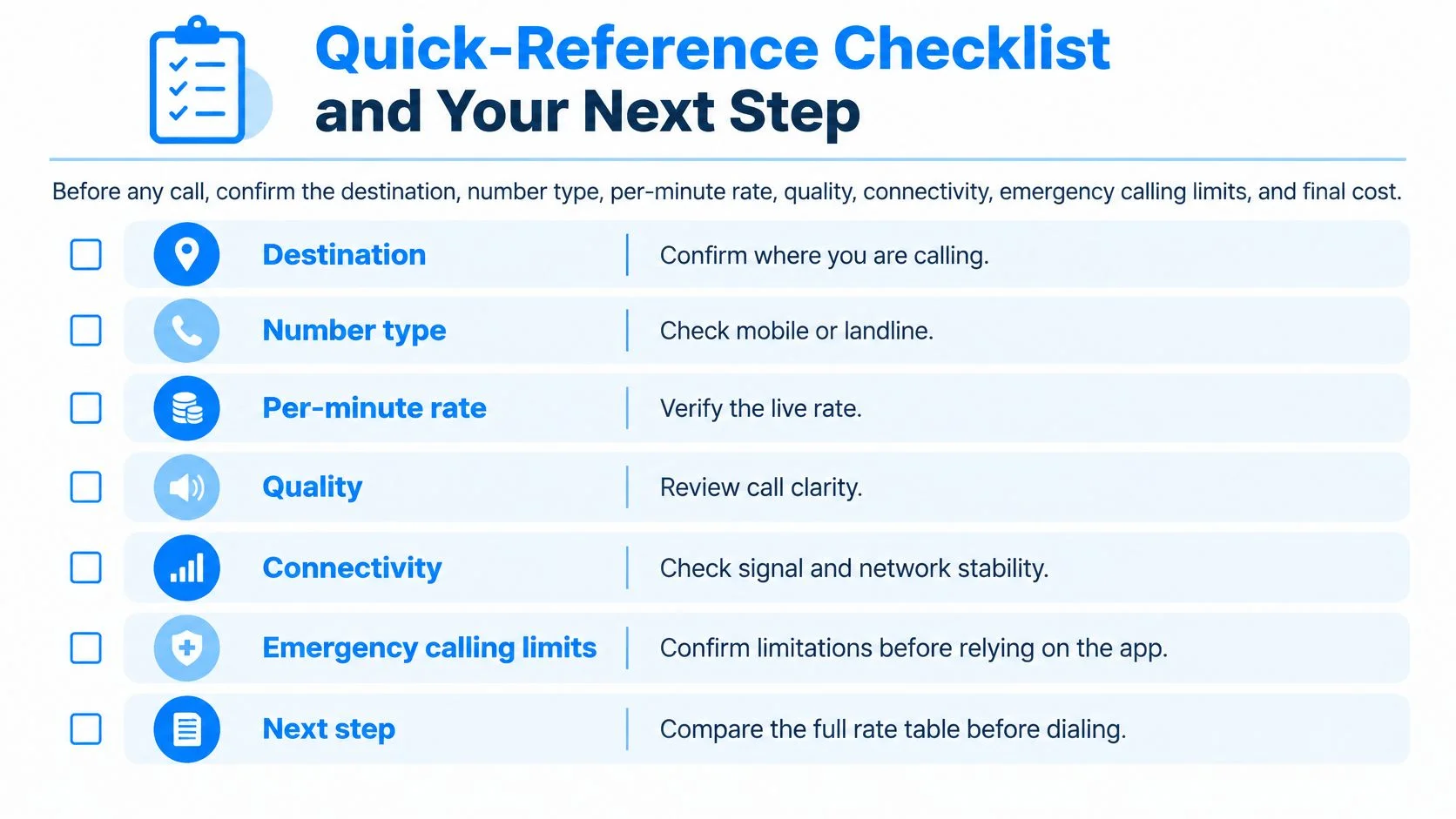
Do not enter an unknown amount as zero. If the recipient's number category, a feature's billing basis, or a displayed payment condition is unclear, resolve it before relying on the estimate. Confirm the destination category and current rate in the live table, then compare those inputs with what the dialer displays.
After the call, compare the estimate with the call history. Check the charged duration and enabled features. Note whether audio problems required another attempt, since repeated calls can raise the actual spend beyond the first-call estimate.
The final check is practical: confirm that the intended recipient is a landline or mobile number, then place the call through the browser. The recipient does not need an app or account. BubblyPhone credits start at $5 and do not expire, so occasional callers can fund calls without a calling subscription.
A useful reference is the gap between the estimate and the recorded charge. Keep the destination rate, rounded duration, and any selected extras visible when reviewing that gap. This makes the next estimate more precise without treating one per-minute figure as the full cost.