How to Disable Call Barring (2026)
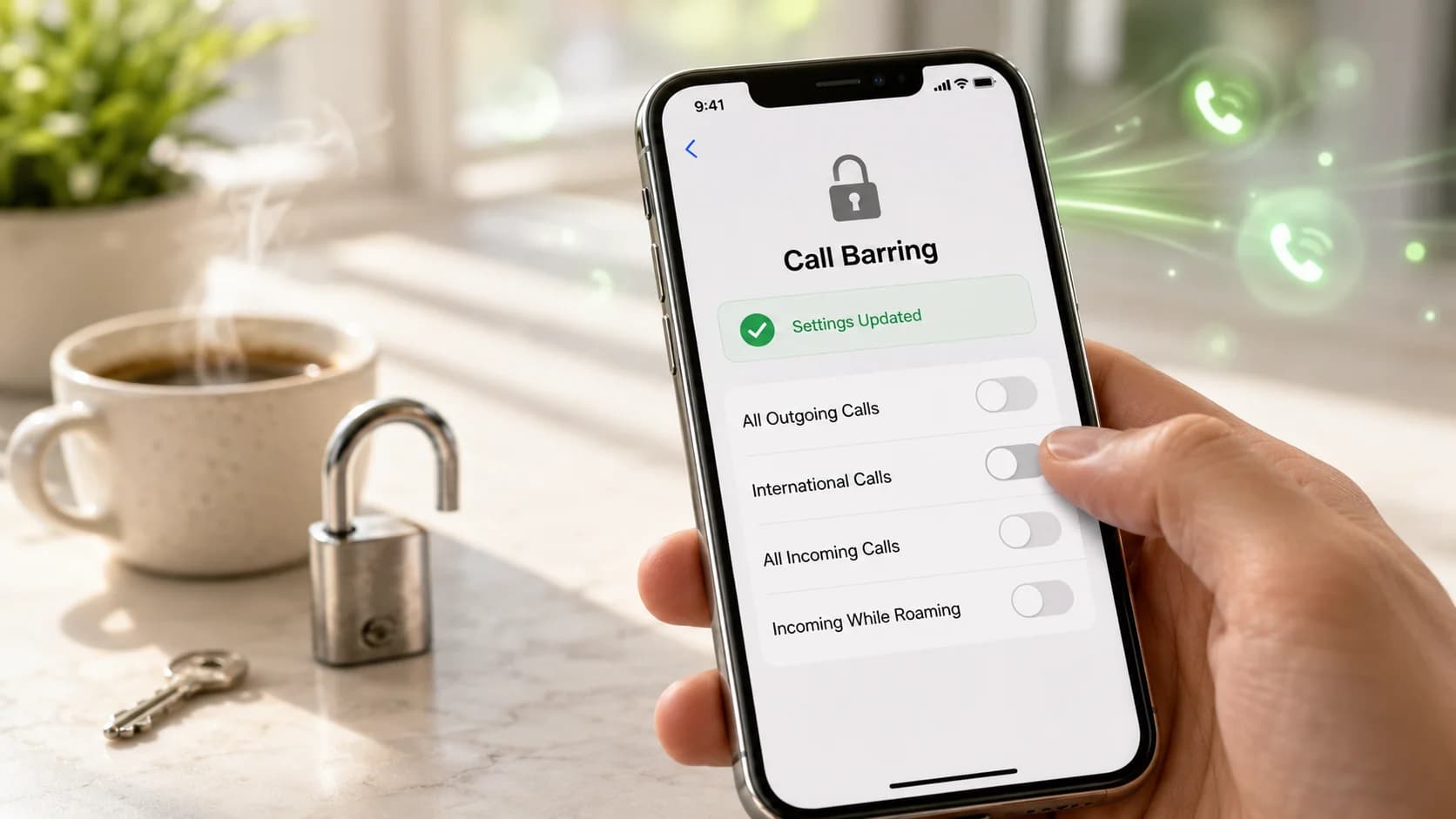
Table of Contents
- Quick answer
- First make sure it is actually call barring
- How to disable call barring on Samsung and many Android phones
- How to disable call barring on other Android phones
- What if you are on iPhone?
- If the barring password does not work
- Why call barring may not turn off
- Where BubblyPhone fits
- Related guides
- FAQ
- Is call barring the same as blocking a contact?
- Why can I make local calls but not international ones?
- Can I disable call barring without the password?
- Will resetting my phone remove call barring?
- Why do I not see a call barring option at all?
- Can BubblyPhone bypass call barring?
- Final take
If your phone says calls are barred, outgoing calls fail immediately, or international dialing suddenly stops working, the fastest fix is usually to check whether call barring is turned on for the line you are using.
On many Android phones, the path is inside the Phone app under call settings or supplementary services. On iPhone, the situation is less straightforward: Apple’s current support flow for failed calls points you first to carrier, account, and call-setting checks rather than a universal call-barring toggle.
This guide keeps the topic narrow on purpose. It is about turning call barring off, not a generic telecom definition.
Quick answer
If you are on Android:
- open the Phone app
- tap the menu or three dots
- open Settings
- go to Supplementary services, Calls, Calling accounts, or More
- open Call barring
- turn off the active barring type
- enter the barring password if asked
If you are on iPhone:
- check whether the issue is really a carrier or account block rather than a regular iPhone setting
- check blocked numbers, call forwarding, Silence Unknown Callers, and network settings
- contact your carrier if the phone explicitly says calls are barred
First make sure it is actually call barring
Call barring usually looks like one of these:
- all outgoing calls fail right away
- only international calls fail
- incoming calls fail only while roaming
- your phone shows a message about barring, barred calls, or call restriction
People often confuse call barring with other features.
It is not the same as:
- Call forwarding, which redirects calls somewhere else
- Blocked contacts or unknown-caller filters, which stop certain callers rather than barring the line category
- broader network issues covered in Why Calls Are Failing
That distinction matters because the fix is different.
How to disable call barring on Samsung and many Android phones
Samsung’s current support steps are clear:
- Open the Phone app.
- Tap the three-dot menu and go to Settings.
- Tap Supplementary services.
- Tap Call barring.
- Choose the SIM if needed.
- Turn off the barring type that is active.
Samsung also notes two practical details that matter in real life:
- on dual-SIM phones, call barring is set per SIM
- if you are asked for a password, you can try
0000, and if that fails, contact your provider
Vodafone’s current device guides show a very similar path on recent Samsung phones and note that some carrier/device combinations use a default barring password of 1919.
How to disable call barring on other Android phones
The menu labels vary, but the logic is the same.
Common paths include:
- Phone, then Settings, then Calls, then Call barring
- Phone, then Settings, then More, then Call barring
- Phone, then Settings, then Calling accounts, then choose the SIM, then More or GSM call settings, then Call barring
Turn off the specific restriction that is active. The common categories are:
- all outgoing calls
- outgoing international calls
- outgoing international calls except home country
- all incoming calls
- incoming calls while roaming
This is one place where a more specific fix is better than turning everything off. If the real problem is only that international calls are barred, disable that category rather than changing every setting on the line.
What if you are on iPhone?
This is where many generic articles get vague.
Apple’s current troubleshooting guide for failed calls tells you to check:
- carrier/account setup
- billing-related blocks
- blocked numbers
- call forwarding
- Silence Unknown Callers
- airplane mode and network settings
- carrier settings and iOS updates
That is important because Apple does not currently document a universal, built-in iPhone path for call barring in the way Samsung documents it for Galaxy devices. Based on Apple’s support flow, if your iPhone shows a call-barring style error, the practical fix is usually carrier-side or line-specific, not a standard iPhone menu that every user will see.
So on iPhone, do this in order:
- Make sure the problem is not just a blocked number or a forwarding rule.
- Check that your account does not have a billing or carrier block.
- Check for a carrier settings update.
- Toggle Airplane Mode on and off.
- Reset network settings if ordinary call failures continue.
- Contact your carrier if the line is specifically reporting call barring or call restriction.
If the barring password does not work
This is one of the most common reasons people get stuck.
What the current official sources show:
- Samsung says to try
0000first on supported Galaxy phones - Vodafone device guides for some current phones use
1919as the default barring password
The important takeaway is that defaults vary.
If neither works:
- stop guessing repeatedly
- make sure you are changing the correct SIM line
- contact the carrier that owns the SIM
- ask them to confirm or reset the barring password
In many cases, the carrier controls the password even if the toggle appears on the phone.
Why call barring may not turn off
If you have followed the steps and it still will not disable, the usual causes are:
- you are editing the wrong SIM on a dual-SIM phone
- only one specific barring category is active, such as international or roaming-only barring
- your carrier does not support the menu path shown on another device
- your account has a billing or network-side block
- the phone is not the problem, and the issue is really call forwarding or general call failure instead
That is why device-only instructions are often incomplete. Call barring is usually tied to both the phone and the mobile network.
Where BubblyPhone fits
BubblyPhone does not disable carrier call barring on your SIM. If your mobile line is restricted, you still need to fix that with the device or carrier.
Where BubblyPhone can help is as a practical workaround when:
- your normal cellular voice line is blocked or restricted
- you still have mobile data or Wi-Fi
- you need to place a call urgently, especially an international one
Because BubblyPhone is browser-based, it does not depend on the same carrier voice setting in the same way a normal mobile call does. It also uses a credit-based top-up model, so you can add credit when you need it, keep it for later because it does not expire, and avoid paying a fixed subscription during quiet months.
For that side of the problem, WiFi Calling Apps and Why Calls Are Failing are the best internal follow-ups.
Related guides
FAQ
Is call barring the same as blocking a contact?
No. Blocking a contact stops a specific person or number. Call barring restricts categories of calls on the line, such as all outgoing calls or incoming calls while roaming.
Why can I make local calls but not international ones?
Because only the international barring category may be active. Check whether outgoing international calls is the only restriction turned on.
Can I disable call barring without the password?
Usually no. If the phone prompts for the barring password, you normally need the correct code from the carrier or the default assigned to that device/carrier setup.
Will resetting my phone remove call barring?
Not always. If the restriction is tied to the carrier or SIM account, resetting the phone may not remove it.
Why do I not see a call barring option at all?
Some carriers do not expose it on every device, and some phones label the menu differently under Supplementary services, Calls, More, or Calling accounts.
Can BubblyPhone bypass call barring?
It does not switch off carrier call barring. But if your internet connection still works, a browser-based calling option may still let you place calls while you sort out the carrier-side restriction.
Final take
The fastest way to disable call barring is to treat it like a line setting, not just a random phone bug.
On Android, that usually means turning off the active barring type inside Phone settings and entering the correct barring password. On iPhone, it usually means checking Apple’s standard call-failure settings first and then going to the carrier for the actual barring reset if the problem is still line-specific.
That is also the main gap in the current SERP: too many articles pretend this is only a phone-menu issue, when in practice it is often a phone-plus-carrier issue.