How to Make a Blocked Call: Methods, Limits and Options
Table of Contents
In the US, dial *67 before the number on a touch-tone phone, or 1167 on a rotary phone, and the recipient will see a withheld number instead of yours. That's how to make a blocked call when you want privacy for one call.
You're calling a tradesperson back from your personal mobile, returning a message from a buyer, or phoning an office you'd rather not hand your direct number to. You don't want to pretend to be someone else. You just don't want your number saved, forwarded, or called back at all hours. That's a legitimate use, and it's different from trying to force your way past someone who has blocked you.
If the person has rejected anonymous calls or blocked your number outright, a code won't reliably override that choice. I'll separate what the codes do, how to use them, and what to do when a hidden-number call doesn't connect.
Caller ID Blocking Codes by Phone Type
For most US readers, the code is *67, dialed before the destination number. Find your phone type below, use that one code, and don't stack codes together.
These are per-call codes. They suppress your number for a single call and leave your line's default setting unchanged, so your next normal call shows your number again unless you've changed the default elsewhere.
Per-Call Caller ID Blocking Codes by Phone Type
What the recipient sees is wording, not your digits. Depending on the network and handset, that wording may be Private, Blocked, Unknown, or Number withheld. Different wording doesn't mean the code failed. It means the terminating network labels a withheld presentation differently.
Don't treat this as invisibility. Blocking affects presentation to the person you call. It doesn't hide the call from network operators or emergency services, and it doesn't stop the carrier from logging the call for routing, billing, and abuse prevention.
A blocked call hides your number from the recipient's screen. It doesn't make you untraceable, and it doesn't entitle you to an answer.
There's one check worth doing before you blame the code. If your line or device is set to always show your number, a per-call code may not take effect until that default is changed with your carrier or in your device settings. Business lines are a common culprit because administrators often lock caller ID presentation to a main company number.
If you use star codes for other calling features too, our guide to common star codes is a useful lookup. For this call, note your row, then dial in the right order.
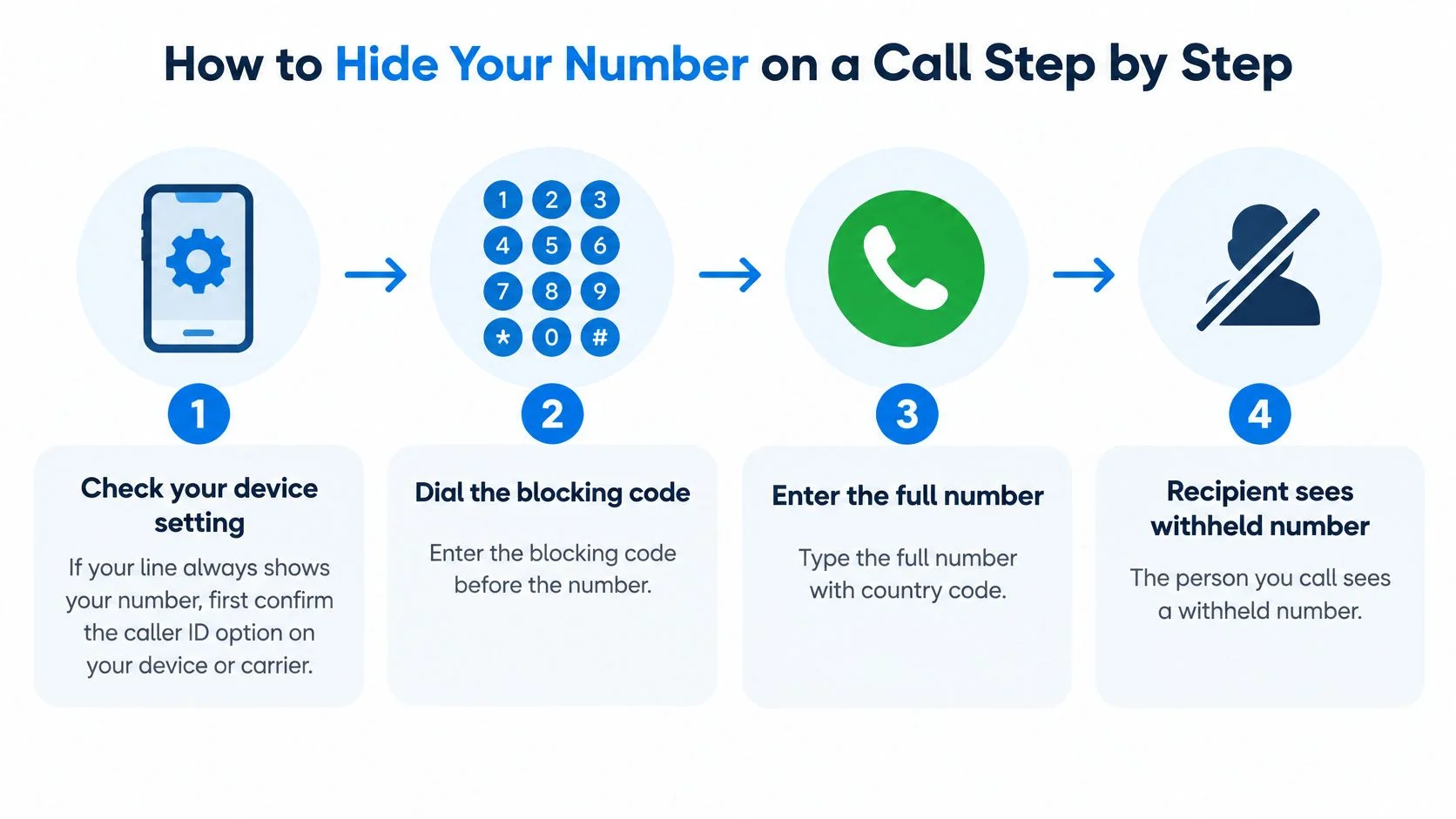
How to Hide Your Number on a Call Step by Step
Dial the blocking code first, then the full number with its country code, and the recipient should see a withheld number. Order matters more than anything else, because a code dialed after the number is just extra digits the network can't use.
The Federal Communications Commission order on per-call blocking identified *67 as the standard automatic per-call blocking method for interstate calls in the United States, with 1167 for rotary or pulse-dialing phones, allowing you to suppress transmission of your calling number for one call without changing your line's default setting. The recipient may see "Private," "Blocked," or "Unknown", and availability can vary for mobile, business, international, and internet-based calls.

Dialing Steps
- Check your device setting first. On an iPhone, look under Settings, Phone, Show My Caller ID. On Android, check the call settings in your phone app. If your line is forced to always show your number, turn that off or ask your carrier about the default, because a per-call code may not work while an always-on setting is active.
- Find your phone type and note its code. Use one code only. Don't combine a device-level hide setting, a carrier prefix, and a second prefix, since stacking instructions can produce an invalid dial string.
- Dial the code, then the full number. For an international call, that means the code, then the country code, then the local digits without dropping or duplicating a leading zero by habit. For example, you'd dial the code and then +44 followed by the UK number in international format.
- Wait for the line to connect. If you hear a tone, announcement, or prompt, listen to it instead of hanging up and redialing immediately. Some screening services tell you exactly what's wrong, such as asking you to reveal your number. Repeated rapid redials won't fix that and can look abusive to network filters.
- Identify yourself as soon as someone answers. Say your name, where you're calling from if it's work related, and why you're calling. Many people will hang up on silence or a vague opening from an unknown presentation, and they're reasonable to do so.
- Check your call log afterward. Confirm the entry you dialed included the code in the right place. If you're testing, test once with a consenting person who can tell you what their screen showed.
Two slips account for most failures I would check first. The first is dialing the code after the number. The second is assuming a code that works on a conventional line behaves identically on an internet-based call, where the service controls presentation differently.
If the code looks right and the call still fails, don't hunt for a second trick. The cause is usually recipient screening, a carrier rule, or a number format problem, and each one needs a different response.
Why Blocked Calls Fail and What to Do Next
A failed hidden call is rarely a dialing error alone. Often the call rings out or goes straight to voicemail because the recipient doesn't accept anonymous calls, so rule that out before you assume you've been personally blocked.
Recipients can enable anonymous-call rejection, use a screening service that asks you to reveal a number, or accept only saved contacts. Networks add another layer. FCC guidance on spoofing and call blocking permits voice-service providers to block calls from unassigned, unallocated, or invalid numbers and calls associated with Do Not Originate lists, and providers may also use reasonable analytics to block likely robocalls.
A legitimate international or business call can therefore be filtered when its presentation looks incomplete, unfamiliar, or similar to abusive traffic. A withheld caller ID can also be treated differently from an identified call when the recipient uses a whitelist.
Blocked Call Symptoms, Causes and Fixes
Match the symptom before you change anything. An invalid-number tone points at format. A prompt points at screening. Silence by itself proves very little, because it can also mean the phone is off, out of coverage, set to do not disturb, or diverted.
If the Recipient Has Blocked You
There's no reliable or appropriate technical method to force delivery to a device whose owner has blocked your number. Ofcom guidance on phone company services for nuisance calls reflects the same practical reality behind blocking services, because filtering decisions turn on the presented number and the recipient's chosen settings.
Work through this order instead:
- Confirm the layer. Decide whether the failure looks device-level, carrier-level, or caused by an invalid route.
- Check your presentation. Confirm you're presenting a valid, dialable caller ID that can receive a callback.
- Read the outcome. Note any announcement, rejection reason, or call status word for word.
- Use an agreed channel. Send a message where the recipient has permitted contact, asking for a callback at a set time.
- Use email for non-urgent matters. State who you are, what you need, and how to reply.
- Ask a mutual contact to relay a message. Keep it factual and brief.
- Leave one clear voicemail. Give your name, reason, callback number, and a time window, then stop.
Stop after two or three attempts spaced hours apart. Don't spoof a number, rotate through numbers, or set up automatic retries. Authentication systems are designed to detect mismatches between the transmitted caller ID and the actual originating number, and providers may block or label that traffic, which makes future legitimate calls harder.
Practical rule: Leave one identifiable way back and let the recipient decide.
When the failure isn't blocking at all, our guide to why calls are failing covers the wider set of connection faults.
Legal Limits of Blocking Versus Faking Your Number
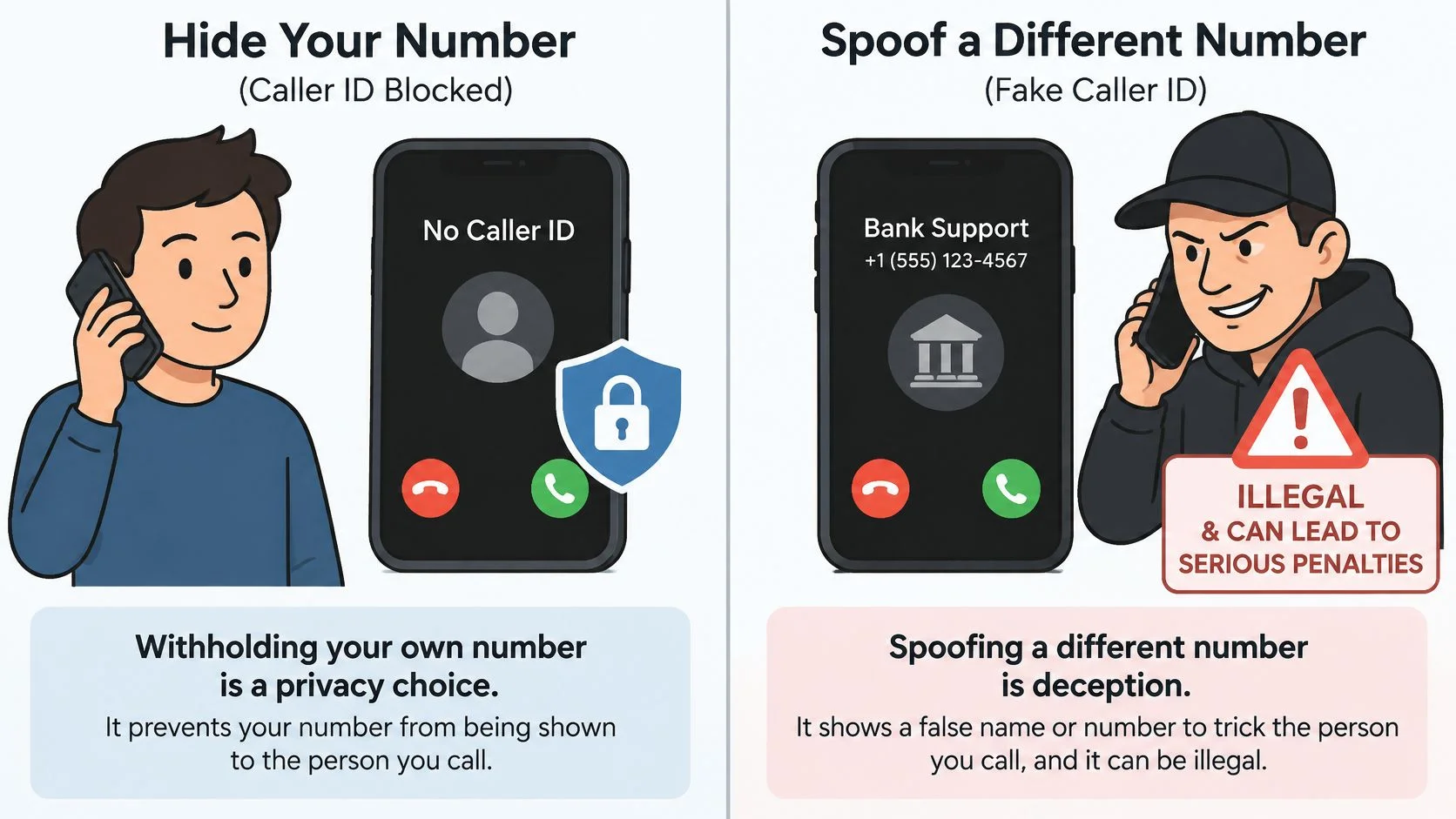
Withholding your own number is a privacy feature, while spoofing presents a different number or name to mislead someone. That's the line, and it matters more than which code you dialed.
The FCC guide to caller ID spoofing explains that US rules prohibit knowingly transmitting misleading or inaccurate caller-ID information when the purpose is to defraud, cause harm, or wrongfully obtain anything of value. Blocking with a privacy code prevents your number from being presented. Spoofing changes the identifying number or name sent through the signaling system.

Withholding Your Number Versus Spoofing Another Number
So making a blocked call means withholding your real number. It never means posing as a bank, a government office, a neighbor, a delivery company, or another person. Authentication frameworks are designed to test whether a caller is entitled to use the number it presents, which is why our explanation of STIR/SHAKEN is worth reading if you place business calls.
Practical conduct keeps you on the right side of the line. Identify yourself when the call connects. Don't use a hidden number to keep contacting someone who has told you to stop. Respect a rejection instead of treating it as a puzzle.
Rules differ outside the US, and a business caller should check the national regulator where the recipient is based before placing withheld calls at scale. If you're facing an actual allegation rather than a general question, get advice for your jurisdiction, for example through directories of criminal defence lawyers in Singapore if the matter arises there.
If the call would be misleading once the hidden number is removed, it isn't a privacy call. Don't place it.
Make Your Next Call With BubblyPhone
If the recipient accepts calls from you, place the call with the right code or with your identified number, and if they don't, switch channels instead of trying to evade the block. That decision comes before you choose a dialer.
The screenshot below shows the browser dialer you'd use to enter the number and check the rate before calling.

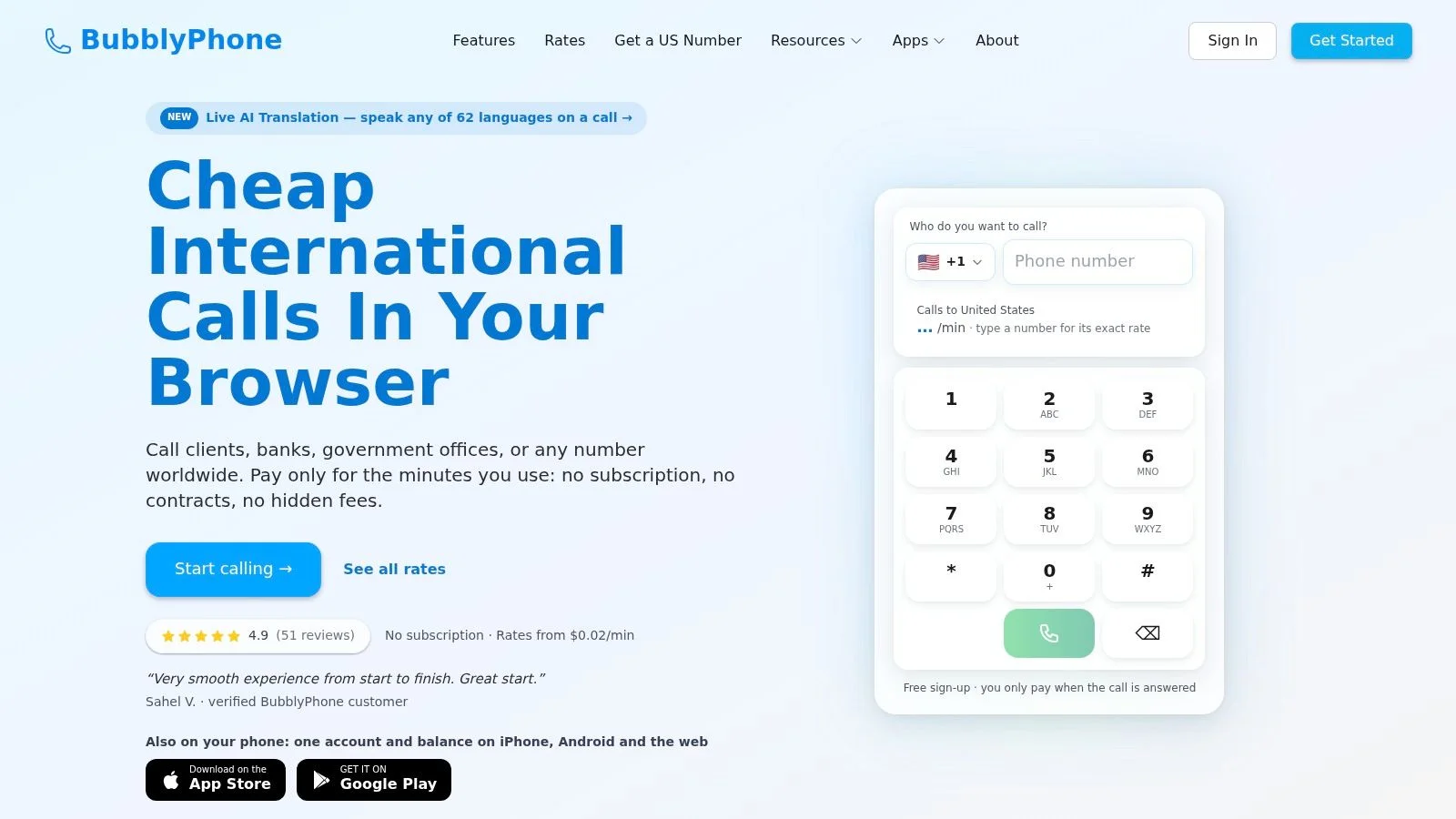
In the dialer you type the number with its country code, see the rate for that destination, and press call, reaching any landline or mobile in 222 countries. The person you call gets an ordinary incoming call and needs no app or account.
By default the person you call sees one of the shared BubblyPhone numbers chosen for the country you are calling. Keep that in mind if the recipient only answers saved contacts, because a shared presentation may not be a number they recognize. Tell them in advance, through a channel they've agreed to, if the call matters.
The short video below walks through placing a call from the browser.
Billing is straightforward. Calls are billed per minute from prepaid credits and rounded up to the whole minute, and you're charged only once a call is answered, so calls that ring out, are busy or fail to connect cost nothing. Calling needs no subscription. The only recurring product is the optional dedicated-number plan.
Credits start at $5 and never expire. Rates differ by destination, so check current destination rates for the country you plan to call rather than assuming a single price covers every call.
One boundary stays fixed. A dialer gives you a reliable, identified way to reach people, and it does not get past a block or override a recipient who rejects anonymous calls. Use the agreed channels and identifiable callback options instead. You'll reach willing recipients faster, and you won't damage the reputation of the number you call from.
Ready to place a call the recipient can answer? Visit BubblyPhone in any browser, add credits from $5 that never expire, and call any landline or mobile worldwide.