How to Dodge International Roaming Charges in 2026 (Actually Works)

Table of Contents
- First: Understanding the Roaming Trap
- Solution 1: Turn Off Cellular and Live on WiFi
- Solution 2: Buy a Local SIM Card
- Solution 3: Get an eSIM (The Modern Approach)
- Solution 4: WiFi Calling Through Your Carrier
- Solution 5: WhatsApp, FaceTime, or Other App-Based Calls
- Solution 6: Browser-Based VoIP (The Secret Weapon)
- Solution 7: Plan Ahead and Pre-Download Everything
- The Best Combo: eSIM + Browser VoIP
- Quick Comparison: All 7 Solutions at a Glance
- The Bottom Line
- Keep Reading
You land in another country. You need to make one quick phone call. Maybe it's urgent — confirming a hotel reservation, calling a taxi, checking on family back home.
You pull out your phone, dial the number, talk for 8 minutes.
Three weeks later, your phone bill arrives: $87.40.
For eight minutes.
International roaming charges are one of those things that feel like they should be illegal. Your carrier charges you $1 to $10 per minute just because you crossed a border. Same phone, same network technology, astronomically different price. It's highway robbery with better branding.
The good news? In 2026, you have more ways than ever to avoid these charges. Here are 7 solutions that actually work, ranked from simplest to most effective.
First: Understanding the Roaming Trap
Before we get into solutions, let's understand why roaming costs so much.
When you travel internationally, your phone connects to a local carrier's network. That local carrier charges your home carrier a fee. Your home carrier then passes that cost to you — with a massive markup.
Even the "international plans" from AT&T, Verizon, and T-Mobile aren't great deals:
- AT&T International Day Pass: $12/day to use your existing plan abroad
- Verizon TravelPass: $10-14/day depending on destination
- T-Mobile Magenta includes some international data, but calls are $0.25/min and speed-throttled
A 10-day trip with AT&T's day pass? That's $120 just to use your phone normally. And without any plan? You're looking at $3-10 per minute for voice calls.
There are better options. Way better.
Solution 1: Turn Off Cellular and Live on WiFi
Difficulty: Easy | Cost: Free | Effectiveness: Limited
The simplest move: put your phone in airplane mode the moment you land, then turn WiFi back on. You'll have internet wherever there's WiFi (hotels, cafes, airports) and zero roaming charges because your cellular radio is off.
The downside is obvious: no connectivity when you're away from WiFi. No maps while walking around. No calling an Uber from the street. No googling "how do I say 'where is the bathroom' in Portuguese" when you really need to.
This works if you're mostly staying at a hotel or resort and don't need constant connectivity. For active travelers, it's too limiting.
Solution 2: Buy a Local SIM Card
Difficulty: Medium | Cost: $5-30 | Effectiveness: High
This has been the go-to solution for savvy travelers for years. Land in a country, find a phone shop or carrier store, buy a prepaid SIM card with a local data and calling plan.
It works well. You get a local number, local rates, and proper data. In many countries, a week of data costs $5-15.
But it's a hassle:
- Your phone needs to be unlocked (check with your carrier before you leave)
- You need to find a shop, which can mean language barriers
- Some countries require ID or passport to buy a SIM (security regulations)
- You lose your regular number while the local SIM is in (unless your phone supports dual SIM)
- If you're visiting multiple countries, you need a new SIM each time
Still a solid option if you're staying in one country for a while and want the full local experience.
Solution 3: Get an eSIM (The Modern Approach)
Difficulty: Easy | Cost: $5-20 | Effectiveness: High (for data)
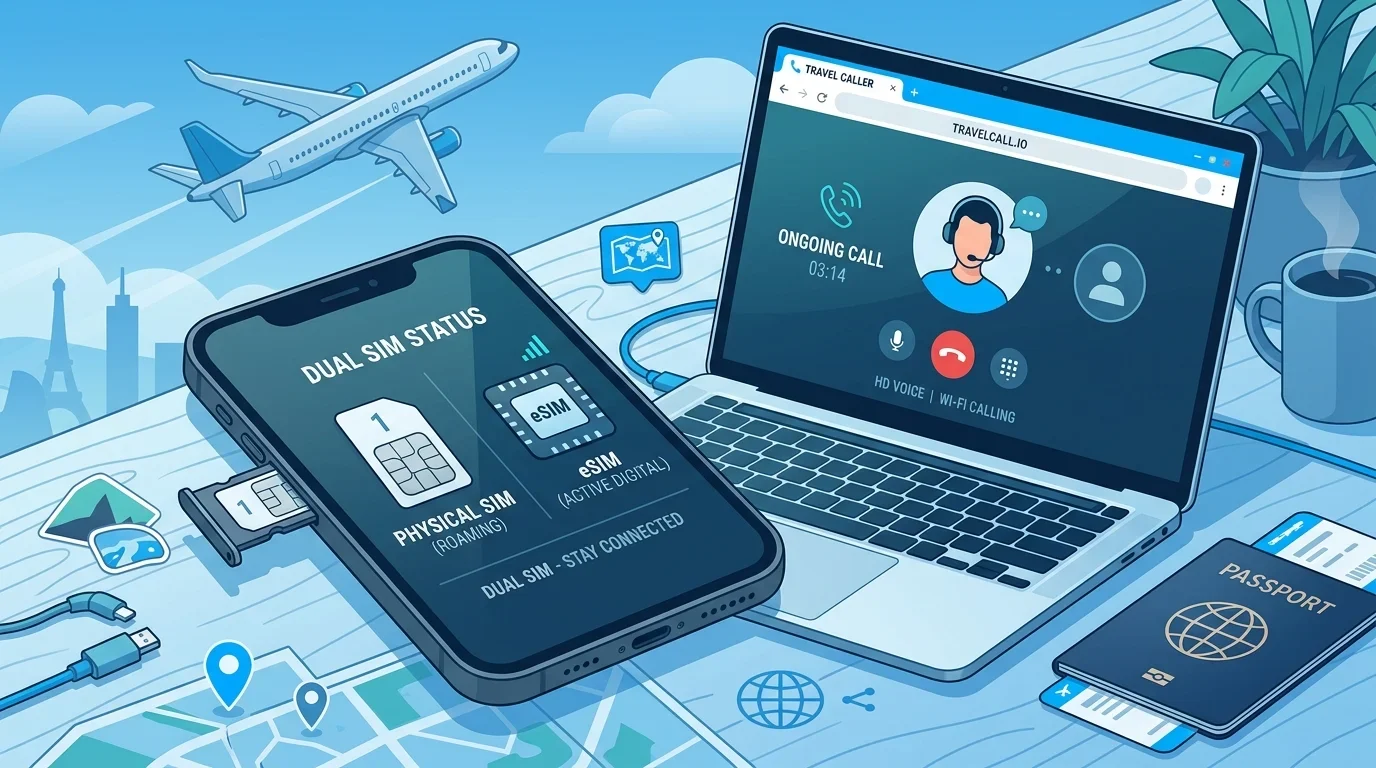
eSIMs are probably the biggest quality-of-life improvement for travelers in the last five years. Services like Airalo and Holafly let you buy a digital SIM card before you even leave home. Download it, activate it when you land, instant data.
No shops. No language barriers. No swapping physical SIM cards. Your regular phone number stays active alongside the eSIM.
Typical pricing: $5-15 for 1-5 GB of data over 7-30 days. Holafly offers unlimited data plans in some regions for around $20-40 per week.
The catch? Most travel eSIMs are data-only. They don't include a phone number for making regular voice calls. You get internet access, which is great for maps, messaging, and apps — but not for dialing actual phone numbers.
This is where combining an eSIM with a VoIP service becomes the ultimate travel hack. But we'll get to that.
Solution 4: WiFi Calling Through Your Carrier
Difficulty: Easy | Cost: Free-ish | Effectiveness: Hit or miss
Most modern phones support WiFi calling — your phone routes calls over a WiFi connection instead of cellular. In theory, this means you can make calls from abroad without roaming charges, as long as you're on WiFi.
In practice? It's inconsistent. Some carriers treat WiFi calls made from abroad the same as roaming calls and charge accordingly. Others block WiFi calling entirely outside your home country. And even when it works, the feature sometimes just... doesn't activate.
T-Mobile is probably the best for this — their plans generally include WiFi calling abroad at no extra cost for calls back to the US. AT&T and Verizon are less generous.
My take: don't rely on this as your only solution. Check with your specific carrier before you travel, and have a backup plan.
Solution 5: WhatsApp, FaceTime, or Other App-Based Calls
Difficulty: Easy | Cost: Free | Effectiveness: Good (with limitations)
If you have WiFi or data (from an eSIM or local SIM), you can use WhatsApp, FaceTime, Telegram, or other messaging apps to call people for free.
This works perfectly for calling friends and family who use the same apps. Zero cost, decent quality on a good connection.
The limitation you already know: you can't call regular phone numbers. Can't call your hotel's front desk. Can't call a restaurant to make a reservation. Can't call emergency services (well, you can on a cellular connection regardless of roaming, but that's a different story).
Use this for keeping in touch with people back home. Don't rely on it for everything.
Solution 6: Browser-Based VoIP (The Secret Weapon)
Difficulty: Easy | Cost: $0.01-0.25/min | Effectiveness: Excellent
This is the solution most travelers don't know about, and it's arguably the best one.
Open your phone or laptop browser. Go to a VoIP service like BubblyPhone. Dial any phone number — local or international — and call it at VoIP rates. Not roaming rates. Not international rates. VoIP rates.
That means calling a US number from a hotel in Paris costs the same $0.01/min it would cost from your living room. Calling a local restaurant in Tokyo? Pennies. Calling your bank back in the US? Pennies.
All you need is an internet connection — WiFi at your hotel, an eSIM, a local SIM, whatever. The call goes through the internet on your end and connects to the regular phone network on the other end.
No app to download. No special setup. Just a browser and an internet connection.
This is what I personally use when traveling. It's the closest thing to having your phone work normally abroad without the insane charges.
Solution 7: Plan Ahead and Pre-Download Everything
Difficulty: Easy | Cost: Free | Effectiveness: Supplementary
This isn't a calling solution per se, but it reduces your need to make calls in the first place:
- Download offline maps (Google Maps lets you save areas for offline use)
- Save important phone numbers and addresses before you leave
- Screenshot hotel confirmations, flight details, and reservation codes
- Download a translation app with offline language packs
- Send your travel itinerary to family so they know where you are without needing to call
The less you depend on cellular connectivity, the less roaming matters.
The Best Combo: eSIM + Browser VoIP
After trying everything on this list over dozens of trips, here's what I've settled on as the optimal setup:
- Buy an eSIM before departure (Airalo or Holafly) — $5-20 for data
- Keep your regular SIM active for receiving texts and calls (but don't make outgoing calls on it)
- Use WhatsApp/FaceTime over the eSIM data for calling friends and family
- Use BubblyPhone in your browser for any calls to actual phone numbers — local businesses, banks, hotels, anything
Total cost for a week of travel: $10-25 for the eSIM, maybe $2-5 for VoIP calls. Compare that to $70-120 for carrier roaming plans, or hundreds in per-minute charges.
Quick Comparison: All 7 Solutions at a Glance
Here's how they stack up:
- WiFi Only — Free, but no connectivity on the go. Good for budget travelers at hotels.
- Local SIM — $5-30, full connectivity, but hassle to set up and single-country only.
- eSIM — $5-20, data-only but incredibly convenient. Best for internet on the go.
- WiFi Calling — Free if it works, but unreliable and carrier-dependent.
- App Calls (WhatsApp) — Free, great for personal calls, but can't reach phone numbers.
- Browser VoIP — $0.01-0.25/min, reaches any number, works on any internet. Best for calling real numbers.
- Pre-Download/Plan Ahead — Free, reduces need for calls, should always be part of your prep.
The Bottom Line
Roaming charges exist because carriers know travelers are desperate and will pay anything in the moment. Don't be that person.
Spend 10 minutes before your trip setting up an eSIM and bookmarking a VoIP service. That's it. That's the whole strategy. You'll have internet everywhere and the ability to call any phone number on earth for pennies.
Your carrier will be disappointed. Your wallet will thank you.

Keep Reading
- Best Way to Call Family Abroad — The best methods for affordable international family calls.
- VoIP vs WhatsApp for Calls — Compare VoIP services and WhatsApp for calling abroad.
- BubblyPhone vs Google Voice — How BubblyPhone and Google Voice compare for international calling.
- How to Call Without a SIM Card — Make phone calls even without a SIM card or mobile plan.
- Best WiFi Calling Apps — Top-rated apps for making calls over any WiFi connection.
- Make International Calls From Browser — Step-by-step guide to calling internationally from your browser.